At its core, a barcode tracking system for your home is simply a way to connect your physical stuff to a digital list. You stick a scannable label, like a QR code, on a box or an item, and that code links it to a record in a database on your phone. This simple setup lets you find, catalog, and manage everything you own, turning chaotic spaces into searchable, organized ones. Think of it as taking the same technology that powers warehouses and scaling it down for your garage or attic.
Go from Chaos to Control with a Home Barcode System
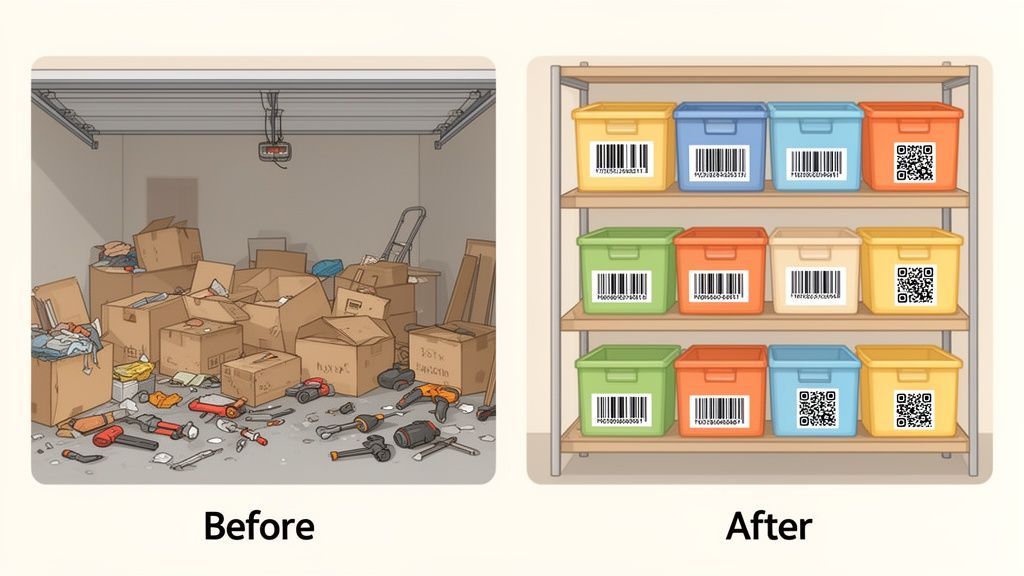
We’ve all been there: staring at a wall of unlabeled boxes in the garage, knowing somewhere in that mess is the one thing you need. You're sure you have that specific power tool or the kids' winter coats, but finding them feels like an archaeological dig. This is exactly where a barcode tracking system inventory changes the game, bridging the gap between household clutter and true organization.
The concept is brilliantly simple. You give every box, bin, or even a valuable individual item its own unique QR code. From then on, a quick scan with your phone instantly tells you what's inside, so there's no more prying open lids and rummaging around.
Why a Home Inventory System Matters
Setting this up is about more than just being neat; it's about getting your time back and cutting down on daily frustrations. The payoff is immediate and surprisingly practical, especially if you have a busy home.
- Find Anything in Seconds: Need your camping gear? A quick search for "camping" in an app like Vorby can tell you it's in the blue bin on the top shelf of the garage. Done.
- Make Moving a Breeze: Moving day becomes way less stressful. You can instantly locate the box with the coffee maker, and movers can scan labels for special handling instructions.
- Be Prepared for Insurance & Estate Planning: A detailed digital inventory (with photos, receipts, and purchase dates) is a lifesaver for insurance claims or managing an estate.
- Lighten Your Mental Load: Just knowing what you have and where to find it frees up a surprising amount of mental energy. The background noise of disorganization just fades away.
The real goal here is to stop relying on your memory to manage your belongings. A good barcode system becomes a perfect external brain for all your stuff, so you never have to tear apart a closet looking for that one thing again.
Ultimately, a barcode tracking system inventory isn't just for the ultra-organized. It’s a genuinely useful tool for managing the physical reality of modern life with digital smarts. With today's apps and some simple QR code labels, you can create a searchable, detailed catalog of your possessions that makes your entire home run more smoothly.
Getting the Right Gear for Your Inventory Project
Before you start slapping labels on everything, let's talk about the tools you'll need. Getting this right from the beginning makes the entire process smoother and ensures your system actually holds up over time. The good news? You don’t need to invest in a bunch of expensive, industrial-grade equipment. The best setup is often surprisingly simple and affordable.
Your entire system really boils down to just two things: the labels you stick on your stuff and the device you use to scan them. Each choice comes with its own trade-offs in cost, durability, and convenience, and thinking it through now will save you a world of frustration later.
Picking the Perfect Labels for the Job
Not all labels are created equal. The right choice depends entirely on where your items live. A box of old photos tucked away in a climate-controlled closet has very different needs than a tub of power tools in a damp, dusty garage.
Here are the most common options I've seen work well for home projects:
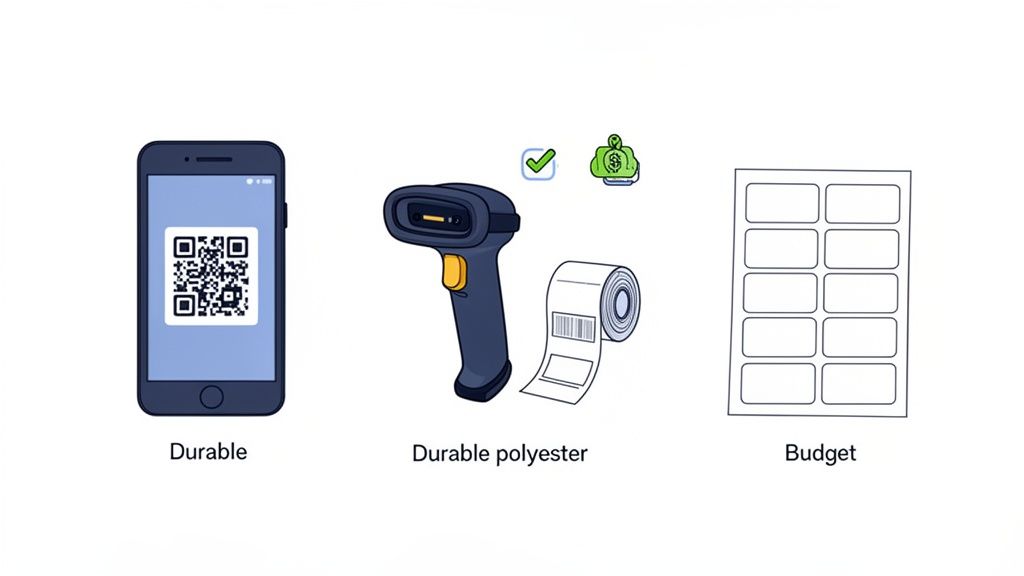
- Standard Paper Labels: These are your most budget-friendly option and are perfect for anything stored indoors in a stable environment. Think office files, pantry items, or boxes in your bedroom closet where they won't face moisture or wild temperature swings.
- Durable Polyester or Vinyl Labels: When you need your labels to survive the elements, these are your go-to. They’re water-resistant, tear-proof, and can handle the heat of an attic or the cold of a garage. They cost a bit more, but their longevity is well worth it for protecting your hard-earned inventory data.
Also, consider the surface you're tagging. A smooth plastic tote is a label’s best friend. A rough, recycled cardboard box, on the other hand, might need a label with a much stronger adhesive to stay put for the long haul.
Do You Need a Dedicated Scanner? (Probably Not)
Next up, you need a way to actually read your barcodes. For years, this meant shelling out for a dedicated handheld scanner, but that's just not the case anymore.
For a home inventory project, your smartphone is almost always the best tool for the job. Modern inventory apps, like Vorby, use your phone's camera to scan codes in a snap. The real magic is that you can immediately add photos, notes, and other details right there, all in one place.
Dedicated scanners are built for speed in high-volume settings, like a warehouse. Your smartphone, however, offers far more flexibility for what we're doing at home. You can get a better sense of how a mobile barcode scanner for inventory management can fit into your own workflow.
Comparing Tracking Technologies Barcode vs QR Code vs NFC
The final piece of the puzzle is deciding what kind of scannable code to use. While old-school barcodes certainly work, QR codes open up a lot more possibilities for a home inventory system. It's also interesting to see the different applications for these technologies and learn about what QR codes are used for in other parts of life.
To make the choice easier, here's a quick breakdown of the big three: Barcodes, QR codes, and NFC.
| Technology Type | Best For | Data Capacity | Cost & Convenience |
|---|---|---|---|
| Barcode (1D) | Simple numeric identification. Great for just telling one box from another. | Low. Only holds a basic product-style code. | Very low cost, but you can't store much info directly in it. |
| QR Code (2D) | Linking physical items to rich digital records (photos, notes, lists) in an app. | High. Can store unique IDs, text, web links, and more. | Low cost and incredibly versatile for home use. |
| NFC Tag | Quick, tap-to-scan access for high-value or frequently used items. | Medium. More than barcodes, but less than QR codes. | Higher cost per tag, but the tap-and-go convenience is unmatched. |
For most people tackling a home inventory project, QR codes hit the sweet spot. They give you the best balance of low cost, high data capacity, and incredible ease of use, making them the clear winner for building out a truly useful system.
Designing a Smart Naming and Location Schema
Before you slap a single barcode on anything, we need to talk strategy. A truly powerful inventory system isn't just about scanning stuff; it’s built on a logical foundation. Taking a few minutes now to plan out a clear naming and location schema will save you countless headaches down the road.
Think of this as the "brain" behind the whole operation. It’s what makes every scan give you instantly useful information, turning a random collection of codes into an intuitive map of your belongings. The goal is to create a consistent framework that works everywhere in your home, from the garage rafters to the back of the kitchen pantry.
Establishing Your Location Hierarchy
First things first, let's map out your physical space. The most effective way I've found to do this is by thinking in layers, like nested folders on a computer. You start broad and get progressively more specific. This lets you mentally (or digitally) drill down to find exactly what you're looking for without having to remember that "Box 17" is the one with the extension cords.
A simple but incredibly effective hierarchy follows this pattern: Area > Location > Container.
- Area: This is your biggest category, usually a room or a distinct zone. Think: Garage, Attic, Basement, Office.
- Location: Now, get more specific within that Area. This could be a piece of furniture or a section of the room. Examples: North Wall Shelving, Under Stairs, Metal Cabinet.
- Container: This is the final destination, the actual box, bin, or drawer where the items live. For example: Bin-04, Drawer-03, Box-A.
When you put it all together, a full location code might look something like ATTIC > EAST-WALL > BIN-04. See how that instantly tells you exactly where to go? No more guesswork.
The real secret here is consistency. Once you decide on a format, stick to it. That discipline is what transforms a simple list into a powerful, searchable database that genuinely saves you time and stress.
Creating a Practical Item Naming Convention
Okay, with your locations mapped out, it’s time to decide how to name the items themselves. Good item names are descriptive enough to be recognizable but brief enough to not be a pain. I've found a simple formula works wonders: Category-Item-Identifier.
Let's say you're trying to tame a chaotic craft supply closet. Using this structure, your item names might look like this:
CRAFT-YARN-BLUE-01CRAFT-PAINT-ACRYLIC-REDTOOLS-DRILL-CORDLESS-18V
This kind of structure is a game-changer when you search your inventory. You can instantly pull up all your "CRAFT" supplies or get super specific and look for "YARN" to see every color you own. It’s a scalable system that easily handles new things as they come into your home.
It might seem like a lot of work, but this is how you make lost holiday decorations a thing of the past. Barcode tracking systems have been revolutionizing inventory management since they first appeared in 1974. There's a reason they power a massive global market today. In commercial settings, this kind of system can slash inventory errors by up to 75%. Now you can bring that same warehouse-level precision right into your home. You can learn more about the barcode system market to see just how big of an impact this technology has had.
Getting Your Hands Dirty: Tagging and Scanning Your Stuff
Alright, you've got your smart schema planned out. Now for the fun part: making it real. This is where we take your barcode tracking system inventory from a concept on paper and bring it into the physical world. It's all about methodically tagging your home, starting big and drilling down to the small stuff.
Think of it like building a house. You don't start with the light fixtures; you build the frame first. We'll do the same thing here by tagging the largest areas of your home, creating a top-down structure that mirrors the hierarchy you just designed. This approach keeps things from feeling overwhelming and builds a logical foundation right from the get-go.
Start with Locations and Containers
Your first move is to label your main areas and locations. This means sticking a unique QR code on the doorway to the attic, on the side of that big shelving unit in the garage, or right on the front of a specific filing cabinet. You're essentially creating a digital map of your physical space.
Once those macro-locations are tagged, it’s time to move on to the containers. Every single storage bin, cardboard box, or drawer you identified in your schema gets its own unique label. If you're planning a move, this step is an absolute game-changer. Just imagine scanning a box tagged KITCHEN > CABINETS > BOX-03 and instantly seeing a list pop up: "Coffee Mugs, Silverware, Cutting Boards." So much better than a marker scribble you can barely read later.
This diagram shows how it all flows together, from the big picture of your house down to a specific shelf, and finally to the individual box you're looking for.
This hierarchical approach is what makes the system so powerful. Every scan gives you context, telling you not just what an item is, but exactly where it belongs in your home's ecosystem.
Best Practices for Applying Labels
How you stick on your labels is just as crucial as the information they hold. A label that falls off, gets smudged, or won't scan is a broken link in your chain. A little bit of prep work here will save you a lot of headaches down the road.
- Clean the Surface: Always give the spot a quick wipe with a cloth to get rid of dust, grease, or grime. For those plastic storage bins, a quick pass with some rubbing alcohol works wonders and helps the adhesive really stick.
- Place for Easy Scanning: Think about how you'll be scanning. Position the label where you can easily see and scan it without having to wrestle the container out of its spot. For boxes on a shelf, the front-facing side is perfect. For bins with lids, put the label on a side that will be visible when they're stacked.
- Think About Durability: Labels aren't one-size-fits-all. While standard barcodes have their place, modern systems often rely on versatile QR code stickers. If you're tagging items in a damp basement or a dusty garage, spring for waterproof vinyl or polyester labels. They’re worth it.
Here's a pro tip I've learned from experience: standardize your label placement. For example, decide to always put the QR code in the top-right corner of every box. This simple habit builds muscle memory and makes scanning way faster over time.
This whole process mirrors the efficiency gains seen in professional logistics. E-commerce giants can fulfill orders 30% faster and achieve 99.9% accuracy by using barcode precision. For those of us who move frequently, that same efficiency means we can digitize our entire home's contents in just a few hours. Globally, scanner use in warehouses cuts human errors by up to 80%, a powerful testament to how reliable these systems are. If you want to dive deeper, you can discover more about creating a powerful tagging system for inventory in our detailed guide.
Bringing Your Physical Tags and Digital App Together
With all your items tagged and ready, this is where the magic happens. It's time to connect the physical world to the digital one. This step is what turns your carefully planned labels into a powerful, searchable database of everything you own. Using an app like Vorby is what closes the loop, making your system truly useful.
The process itself is refreshingly simple. Just grab your phone, open the app, and scan one of your new QR codes. This action will pop up a prompt to create a new entry. This is your chance to link that code, say, GARAGE-TOOLS-001, to the actual item, transforming a simple string of text into a detailed digital record.
More Than Just a Name: Enriching Your Digital Inventory
A basic list of items is a good start, but the real power comes from adding the details. This is where modern inventory apps shine. They let you build a comprehensive profile for each item, going way beyond just a name and location.
For every item you scan, you can start building out its story by adding:
- Plenty of Photos: Snap pictures from every angle. This is incredibly helpful for documenting the condition of valuables, which is a lifesaver for insurance claims.
- Purchase Details: Log when and where you bought something, and for how much. You'll thank yourself later when you need to make a return, file a warranty claim, or just see how much you've spent.
- Digital Documents: Forget digging through file cabinets. Take a picture of the receipt, the user manual, or the warranty card and upload it directly to the item's profile.
- Detailed Notes: This is your space for everything else. Jot down assembly instructions, reminders about maintenance, or even the sentimental story behind an item.
This is the part of the process that really elevates your project. You're not just making a list; you're building a functional, living database for your entire household.
Unlocking the Real Power of Your New System
Once a good chunk of your items are scanned and detailed in the app, you’ll start to see the real payoff. All that initial effort becomes worth it the very first time you need to find something specific. No more tearing the house apart looking for that one thing. A quick search is all it takes.
The ultimate goal here is to get beyond simple keyword searches. With an app like Vorby, you can start asking questions in plain English, like, "where are my winter coats?" The system is smart enough to search your records and tell you exactly where they are, whether that's in a specific bin in the attic or a labeled box in the basement.
This level of detail is possible because of how well mobile apps and scanning tech now work together. The whole barcode scanner market has exploded, mostly because our phones are so good at it. In fact, portable handheld scanners (like the one in your pocket) are expected to dominate the market, offering the flexibility we need for zipping from room to room. The market's shift toward 2D readers, which can handle more complex data stored in QR codes, is what powers the advanced features in today's inventory apps. You can find more on this in the barcode scanner market outlook on barkoder.com.
Many apps also let you share your inventory, which is a game-changer for families. Everyone can access and update the system, so there’s no more mystery about where the holiday decorations or camping gear ended up. It’s the perfect way to finally end the "who had it last?" debate. If you're weighing your options, you can also explore our guide on finding the right inventory software with barcode features for your home.
Keeping Your Inventory System Alive and Growing
Getting your initial setup done is a huge milestone, but the real magic of a barcode tracking system happens over time. This isn't a "set it and forget it" project. A truly great system is a living one, evolving as you buy, sell, or move things around. The trick is to build a few simple habits that keep your digital records and physical reality perfectly in sync.
The most crucial habit? Update in real time. When you bring home a new power tool or a fancy kitchen gadget, take the extra minute to slap a label on it and scan it into your system right then and there. The same goes for when you get rid of something. Before that old monitor goes to the recycling center, a quick scan and delete keeps your inventory clean. It’s this small, consistent effort that ensures your system remains a trustworthy source of information.
How to Keep Everything Accurate
Even with the best habits, it's a good idea to periodically check that your digital list still matches what's actually on your shelves. Think of it as a quick spot-check, not a massive, weekend-long project. A quarterly audit can make all the difference.
You don't have to scan everything you own. Just dedicate 15 minutes each quarter to one specific area:
- Q1 Audit: Grab your scanner and hit five random boxes in the garage.
- Q2 Audit: Take a look at your main storage closet or a few kitchen cabinets.
- Q3 Audit: Verify the serial numbers on your high-value electronics in the office.
- Q4 Audit: Do a quick scan of the holiday decoration bins before you start pulling them out.
This bite-sized approach makes maintenance feel easy and stops the slow drift into inaccuracy that can render a system useless over time.
Taking Your System to the Next Level
Once you get the hang of tracking your storage bins, you'll start seeing opportunities everywhere. The same principles that organize your attic can be applied to almost any other part of your home.
I started with just the basement boxes, but now I can’t imagine not having my entire book collection cataloged this way. It's also great for keeping a running list of pantry items, complete with expiration dates. The possibilities really open up once you get going.
Imagine putting a single QR code on each pantry shelf. A quick scan with your phone could pull up a list of everything on that shelf, making grocery lists a breeze and cutting down on food waste. Or what about your bookshelf? Each book gets a unique code linked to notes about when you read it, who you loaned it to, or what you thought of it.
This is how a simple project for organizing storage grows into a comprehensive tool for managing your entire home.
Got Questions? We've Got Answers
Diving into a home inventory project can feel like a big undertaking, and it's natural for a few questions to pop up. Let's walk through some of the most common ones I hear from people just getting started.
What's the Best Type of Label to Use?
The honest answer? It really depends on where the item lives.
If you're tagging boxes in a garage, basement, or attic, places that see temperature swings and maybe a little moisture, you'll want to go with durable, waterproof polyester or vinyl labels. They're tough, they won't peel or smudge, and your codes will stay scannable for years.
For stuff kept in climate-controlled spots, like a closet or pantry, standard paper adhesive labels are perfectly fine. They're cheap and get the job done. And for high-value items where you'd rather not leave sticky residue? Think about using removable labels or even simple string tags with a QR code sticker on them.
Can I Just Use My Smartphone, or Do I Need a Real Scanner?
Absolutely, use your smartphone! For a home inventory project, your phone is actually the better tool for the job. Apps like Vorby are designed from the ground up to use your phone's camera, turning it into a powerful and efficient scanner.
A dedicated barcode scanner is built for a warehouse, where someone might be scanning hundreds of items an hour. That's complete overkill for a home setup. Your phone is the perfect all-in-one device: you can scan the code, snap a few photos of the item, and type in the details right there.
This keeps the whole process simple. You don't need to juggle multiple gadgets; everything you need to build a really detailed inventory is already in your pocket.
How Detailed Should My Naming System Be?
The most important thing here is to create a system that makes sense to you and that you can stick with consistently. Don't overcomplicate it right out of the gate. A simple hierarchy like ‘AREA > LOCATION > CONTAINER’ is a fantastic starting point.
For instance, a location code could be Basement > West Wall Shelving > Bin 04. That tells you exactly where to look. When it comes to naming the items themselves, be descriptive but keep it reasonably short, like Camping Tent 4-Person. You can always add more notes and details inside the app later. The real power comes from having a simple, solid foundation that you'll actually maintain.
What's the Difference Between a Barcode and a QR Code, Anyway?
It all comes down to how much information they can hold.
Think of a classic 1D barcode, those vertical lines you see on every product, as a short license plate. It holds a small string of numbers or letters. It's read in one direction (horizontally).
A 2D QR code, with its square pattern of black and white blocks, is more like a full paragraph. It can store way more data, including website links, long descriptions, or the complex IDs needed for an inventory system. Because they're two-dimensional, they also scan faster and from any angle. For a home barcode tracking system inventory, QR codes are the clear winner. They give you the flexibility to create unique links that tie your physical stuff to its rich digital record in your inventory app.
Ready to transform your home from cluttered to cataloged? Vorby gives you the tools to create a powerful, searchable inventory of everything you own. Stop searching and start finding. Begin your free 14-day trial of Vorby today.