
So, you're thinking about a home inventory app but aren't quite ready to pull out your wallet. Smart move. A free home inventory app is your first, no-cost step toward getting your stuff organized for insurance claims, a big move, or just finally knowing what you actually own.
These apps act as a digital catalog for your belongings, usually letting you snap photos and sort items without spending a dime. But let's be real, "free" almost always comes with a catch. Think of it as a trial size; it's powerful enough to get you started, but with limitations like a cap on how many items you can add or how much cloud storage you get.
Why a Free Home Inventory App Is a Smart Move
Picture this: a pipe bursts, a fire breaks out, or someone breaks in. In the middle of that chaos, could you honestly list every single thing you own from memory? It's a nearly impossible task, especially when you're stressed out.
This is where a home inventory stops being a simple list and becomes a crucial financial safety net. It’s the undeniable proof of ownership your insurance company needs, a simple step that can literally save you thousands of dollars and endless headaches trying to prove what you lost.
But it's not just for disasters. A detailed record is a game-changer for moving, since it's your ultimate checklist to make sure nothing gets left behind. It's also fantastic for day-to-day life, helping you find that warranty you stored somewhere, track down a specific tool, or even simplify estate planning down the road. Honestly, the peace of mind alone is worth it.
Understanding the "Free" in Free Apps
What do you really get with a home inventory app free of charge? Think of it as a solid starter kit. These apps are perfect for smaller spaces like apartments, for cataloging a specific collection (like your vinyl records or camera gear), or just for documenting your most valuable possessions. You get access to the core features without any financial commitment.
It's important to have the right expectations, though. Most free versions have trade-offs designed to get you to upgrade eventually. The usual suspects include:
- Item Caps: You might be limited to cataloging 50 or 100 items before you hit a paywall.
- Limited Storage: Free plans often give you just enough cloud storage for photos and receipts to get a taste, but not enough for your whole home.
- Fewer Advanced Features: Premium tools like generating custom PDF reports for your insurance agent, exporting your data, or sharing access with a partner are typically reserved for paid plans.
A free home inventory app is the first step toward financial preparedness. It provides a foundational record of your assets, making it significantly easier to recover from loss and manage your household more effectively.
Even with those limits, a free app offers tremendous value. It gets you started on the essential task of cataloging your stuff, helps you build a good habit of documentation, and gives you a powerful tool to protect what you own. It's the perfect way to test the waters and see if a home inventory system is right for you before you even think about upgrading.
Key Features of a Great Free Home Inventory App
When you start digging into free home inventory apps, you’ll quickly notice they aren't all created equal. Some are little more than digital checklists, barely scratching the surface of what you need. Others, however, are genuinely powerful tools that can make a real difference, all without costing a dime.
Think of it this way: a basic free app is like a simple notepad, while a great one is a fully organized digital binder for your entire home. It shouldn’t just let you list things; it needs to help you organize, visualize, and document your belongings in a way that’s actually useful when life happens.
This infographic breaks down the core benefits a well-featured app delivers.
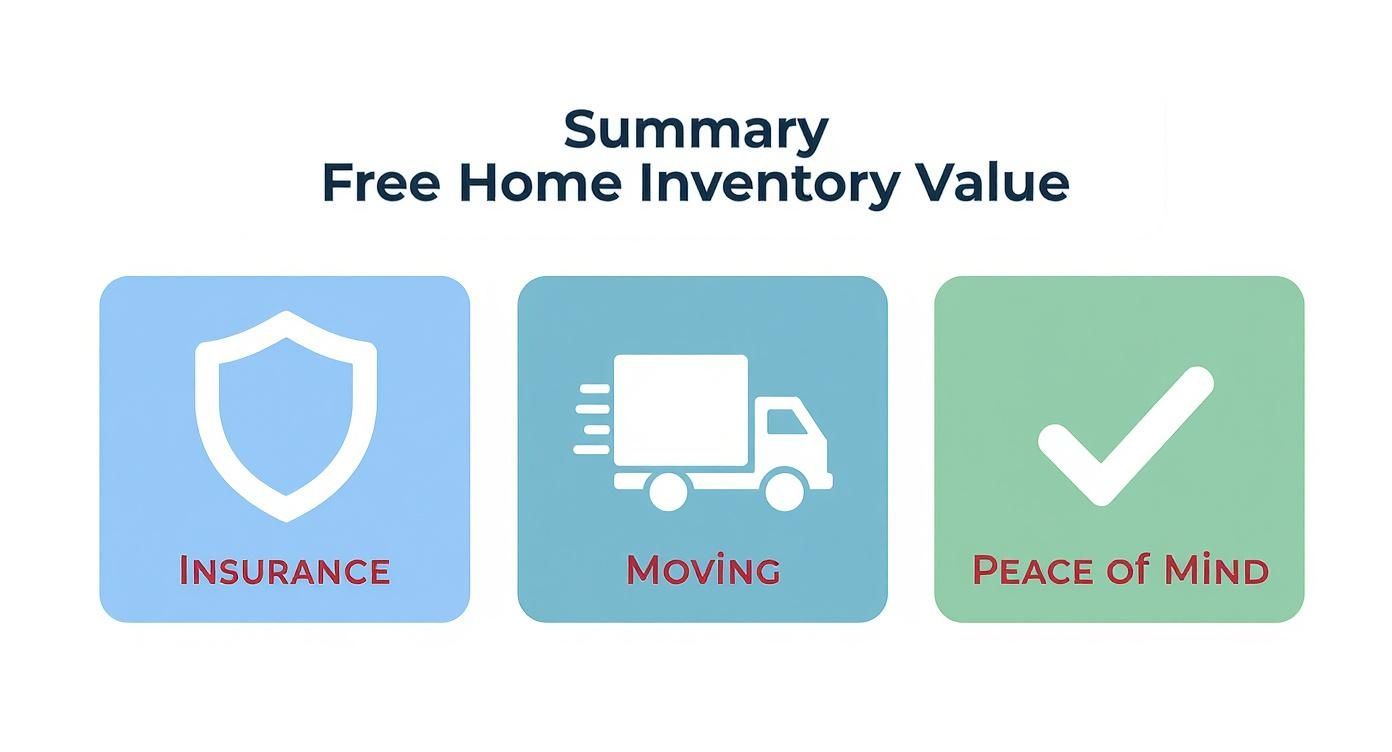
Ultimately, a good inventory is your secret weapon for insurance claims, a massive stress-reducer for moving, and a source of invaluable peace of mind.
What Should Be in the "Free" Tier?
Your first filter should be the absolute, non-negotiable features. Without these, an app is more of a gimmick than a practical tool. You need features that make the documentation process fast, thorough, and actually worth your time.
Here are the must-haves:
- Generous Item Limits: A free app that caps you at 25 items is a demo, not a tool. Look for options that let you catalog at least 100 items, giving you enough runway to cover your most important valuables, electronics, and furniture without hitting an immediate paywall.
- Photo and Video Uploads: In an insurance claim, visual proof is king. The app must let you attach multiple high-res photos and even short videos to each item. This is how you capture everything from tiny serial numbers to the item's overall condition.
- Receipt and Document Scanning: The best apps let you snap a picture of a receipt, warranty, or appraisal and link it directly to the item. This creates a complete, self-contained record that's gold when you need to file a warranty claim or prove value to an insurer.
These three features are the foundation of any useful digital inventory. They're what elevate a simple list into a rich, verifiable record of what you own.
Going Beyond the Basics: Organization and Reporting
Adding items is just the first step. How the app helps you organize and retrieve that information is what really matters, especially when you're under pressure. A cluttered, confusing interface just trades one kind of mess for another.
Look for simple but powerful organizational tools. The ability to sort items by room (Living Room, Kitchen) and by category (Electronics, Furniture, Jewelry) is essential. This structure makes the initial cataloging process feel logical and helps you find what you need in seconds.
The other critical feature is reporting. Can you export your inventory as a clean, professional PDF? Imagine a pipe bursts in your basement. You need to be able to instantly generate a detailed report and email it to your insurance agent, not fumble around with screenshots.
The best free apps balance powerful features with a simple user experience. The goal is to make a daunting task feel manageable, encouraging you to complete and maintain your inventory.
When you start comparing free and paid versions, you'll see a clear pattern emerge. Free tiers are designed to handle the essentials, while paid plans add features for power users, like advanced reporting, unlimited storage, and multi-user access.
Here's a quick breakdown of what you can typically expect:
Core Features in Free vs. Paid Home Inventory Apps
| Feature | Typical Free Tier Offering | Typical Paid/Premium Offering |
|---|---|---|
| Item Limit | Capped, usually between 50-250 items. | Unlimited items. |
| Photo Storage | Limited storage space (e.g., 1 GB), may have lower resolution caps. | High or unlimited storage, supports high-resolution images and videos. |
| Document Scanning | Basic scanning for receipts and warranties. | Advanced features like OCR (text recognition) for searchable documents. |
| Reporting | Basic PDF or CSV export for the entire inventory. | Customizable reports (by room, category, value), detailed insurance-ready formats, and branded exports. |
| Cloud Sync & Backup | Standard cloud backup across devices. | Priority support, enhanced security options, and version history for your inventory. |
| User Access | Single-user access. | Multi-user access for family members or estate planners to collaborate on the inventory. |
This table helps set realistic expectations. A good free version should give you everything you need to build a comprehensive inventory, while a premium plan is for those who need more advanced management and collaboration tools.
For a side-by-side of live apps on photo intake, search, export, and price, see the best home inventory apps comparison.
It's also clear that users want more connected solutions. Data shows that 44% of new users prefer apps that integrate with other services, and today, 56% of home inventory apps are cloud-based, signaling a massive demand for secure, accessible data. You can discover more about these home inventory app trends to see where the industry is headed. This shift highlights why choosing a forward-thinking tool is so important, which you can see by exploring Vorby’s complete feature set.
How to Build Your First Home Inventory Step by Step
The idea of cataloging everything you own can feel completely overwhelming, like being asked to count every grain of sand on a beach. But with the right approach, this massive project breaks down into a series of small, satisfying wins. A good home inventory app free to use turns the whole process from a chore into something you can actually complete without pulling your hair out.
The secret? Start small. Seriously, don't try to tackle your entire home in one marathon weekend. You'll burn out. Instead, pick one manageable space, like a home office, a small bathroom, or even a single closet. Finishing just one room builds momentum and proves that this is not only possible but surprisingly quick when you chip away at it.

This approach makes the entire process feel less like a project and more like a game. Each completed room is a level up, bringing you one step closer to a fully documented home.
Your Five-Step Action Plan
Ready to jump in? Follow this simple, room-by-room workflow to get your first inventory done right. This methodical process ensures you capture everything without getting sidetracked or overwhelmed.
- Choose Your App and Your Starting Point: First things first, download your chosen home inventory app. Next, pick a small, contained room to be your proving ground. The home office is often a great choice because it’s full of distinct, high-value items like computers, monitors, and printers.
- Create Rooms and Categories: Before you start adding individual items, set up the basic structure in your app. Create a "space" for your chosen room (e.g., "Home Office"). Then, think about logical categories for the things inside it, like "Electronics," "Furniture," and "Books."
- Gather Documents First: This is a pro tip. Before you start snapping photos, grab any relevant paperwork for the items in that room. We’re talking receipts, warranties, and user manuals. Having them on hand makes the data entry part so much faster.
- Add Items Systematically: Work your way around the room in one direction, either clockwise or counter-clockwise, to avoid missing anything. For each item, take several clear photos, including close-ups of serial numbers or brand labels. Immediately upload the pictures and any documents you gathered.
- Enter Key Details: As you add each item, fill in the important info: purchase date, price, brand, and model number. Don't sweat it if you don't have every single detail; just capture what you know. Consistency is way more important than perfection here.
A complete inventory is built in small, consistent sessions. Dedicating just 15-20 minutes a day to one corner of a room is far more effective than trying to schedule a full day for the task.
By following these steps, you create a repeatable system that works for any room in your house. While often discussed for businesses, understanding fundamental inventory management best practices can offer surprisingly valuable insights for your personal belongings, too. Each finished room provides a blueprint for the next, making the whole project feel methodical and, most importantly, achievable. For an even more detailed walkthrough, see how you can take an inventory with our comprehensive guide.
What Good Is a Home Inventory, Anyway? Real-Life Payoffs
So, you've cataloged your stuff. It might feel like you just created a fancy list, but what you really have is a powerful tool for handling some of life’s most stressful moments. When the unexpected hits, that detailed record turns a chaotic ordeal into a manageable process. This is where all that effort pays off in a big way.
Think of your inventory as the command center for your physical assets. Whether you're dealing with an insurance claim or just planning a move, it's the single source of truth for everything you own, ready to go when you need it most.

Making Insurance Claims Less Painful
The most critical moment for your inventory is during an insurance claim. After a fire, flood, or theft, your insurer will ask for a "proof of loss" list. Trying to build this from memory, especially when you're stressed and emotional, is nearly impossible. It's a recipe for forgotten items and a smaller payout than you actually deserve.
With a home inventory app free of charge, you can generate a detailed report in minutes. This isn't just a list; it's undeniable proof, complete with photos, serial numbers, and purchase receipts. It cuts through the red tape, reduces the back-and-forth with adjusters, and helps you get reimbursed faster so you can start putting things back together.
A well-documented inventory is your strongest advocate during an insurance claim. It replaces guesswork with facts, ensuring you receive fair compensation for your losses and minimizing financial stress during an already difficult time.
This isn't just a "nice-to-have" anymore. Insurance policies increasingly require detailed documentation, and with a 20% jump in U.S. disaster incidents in 2023, being prepared is just smart. For a deeper dive, check out our guide on using a home inventory for insurance.
More Than Just Emergencies
Beyond disasters, your inventory is a surprisingly practical tool for everyday life and major milestones. It streamlines all kinds of tasks that used to be a headache.
- Simplifying a Move: Forget scribbled notes. Use your inventory as the ultimate moving checklist. As you pack and unpack, you can quickly verify that everything, from your big-screen TV to that tiny kitchen gadget you love, made it safely to your new place.
- Warranty and Repair Management: When an appliance dies, the last thing you want to do is rummage through a junk drawer for a faded receipt. Your app saves the day. Instantly pull up the purchase date, model number, and proof of purchase right on your phone.
- Estate Planning: A complete inventory is a huge gift to your loved ones. It creates a clear, detailed record of your personal property, making the difficult process of distributing assets simpler and more transparent for your family.
And for your most valuable possessions like fine art, jewelry, and collectibles, your inventory provides the detailed documentation needed for special insurance add-ons like scheduled personal property coverage, ensuring they’re fully protected.
Protecting Your Personal Data and Privacy
Let’s be honest. When you use a home inventory app free of charge, you’re not just cataloging old furniture. You’re building a detailed digital record of your most valuable possessions, including photos of your electronics, serial numbers for your tools, and receipts for your jewelry. You’re trusting an app with some seriously sensitive information.
That's why security and privacy aren't just "features." They are the absolute bedrock of a trustworthy app.
Think of your data like a valuable package. It needs protection while it’s traveling from your phone to the company’s servers (in transit) and once it’s stored there (at rest). This is where end-to-end encryption becomes non-negotiable. It essentially scrambles your data into unreadable code the moment it leaves your device and keeps it that way on the server. The only key to unscramble it is on your device. It’s the gold standard for a reason.
Reading the Fine Print (So You Don’t Have To)
Before you download anything, take five minutes to find the app's privacy policy. I know, it feels like a chore, but this document tells you exactly what they plan to do with your data. You’re looking for one thing above all else.
A reputable app will state, in no uncertain terms, that it does not sell or share your personal information with third parties. If the language is vague or the policy is buried, that's a massive red flag. Your peace of mind is worth the extra few minutes of detective work.
Key Security Features to Demand
Beyond the basics, a few key features show that a developer truly respects your privacy and has built defenses against unauthorized access. These are the signs of a seriously secure app.
- Two-Factor Authentication (2FA): This is your digital deadbolt. It requires a second code (usually sent to your phone) on top of your password. Even if a hacker steals your password, they can't get into your account without your phone. Simple, yet incredibly effective.
- Data Storage Options: Most apps rely on the cloud, which is great for syncing and backups. However, some apps might offer local-only storage, meaning your data never leaves your device. It’s less convenient if you switch phones, but it gives you 100% control.
Choosing a free home inventory app is about more than just item limits and fancy features. It’s a gut check on the developer’s commitment to protecting your digital life. Your data’s security has to be the top priority.
As technology keeps pushing forward, so do the features in these apps. The integration of AI and smart home devices is a huge driver in this market, with the North American sector projected to hit USD 1.92 billion by 2032. You can learn more about these market trends to see how innovation is shaping the future of how we manage our homes.
Your Top Questions About Free Inventory Apps, Answered
Jumping into the world of free home inventory apps usually brings up a few questions. And that’s a good thing. You're talking about cataloging your life's possessions, so it's smart to understand the trade-offs, security, and best practices before you dive in.
Getting straight answers to these common concerns will give you the confidence to pick the right tool for the job. Let’s tackle the most frequent questions head-on.
What’s the Biggest Catch with a Free App?
The most common limitation you'll hit is a cap on how many items or photos you can store. Most free plans draw the line somewhere between 50 and 100 items, or they might limit your cloud storage to just a few gigabytes.
Honestly, that’s often plenty for a small apartment, a dorm room, or if you're just tracking your most valuable stuff. But if you're trying to document everything in a larger home, you'll likely hit that ceiling pretty fast.
Beyond item caps, you’ll also find that advanced features are usually locked away. Things like generating custom PDF reports for your insurance agent, exporting your data, or sharing the inventory with a family member are typically reserved for paid plans. It's crucial to check these limits before you spend a whole weekend cataloging your belongings.
Can’t I Just Use a Spreadsheet Instead?
You absolutely can, and for a super basic list, it might even work. But a dedicated home inventory app free to use is built specifically for this job, and the advantages become obvious pretty quickly.
The real magic is in the workflow. Apps are designed for your phone, letting you walk around the house taking photos, scanning barcodes, and attaching digital receipts right to an item’s entry. That’s a world away from taking a bunch of photos and then trying to match them up with rows in a spreadsheet back at your computer.
Plus, these apps give you structured fields for critical details like serial numbers, purchase dates, and warranty info, keeping everything organized and easy to find. The biggest win, though? Automatic cloud backup. A local spreadsheet can’t offer that peace of mind without a clunky, manual setup.
While a spreadsheet is a totally viable free option, a dedicated app is a purpose-built tool designed to make the inventory process faster, more detailed, and way more convenient.
Is My Data Actually Safe on a Free App?
This is the most important question you should be asking, and the answer really depends on the app you choose. Any reputable developer will use encryption to protect your data both while it's being uploaded (in transit) and while it's stored on their servers (at rest).
But don’t take their word for it. Always take a minute to read the app's privacy policy before you start uploading photos of your valuables. Look for clear, simple language that says they won’t sell or share your personal data with advertisers or data brokers.
If you find a privacy policy that’s vague, confusing, or just doesn't exist? That's a huge red flag. For the best security, look for an app that offers two-factor authentication (2FA) to lock down your account. Your home inventory is a collection of sensitive financial and personal information, so don't compromise on security.
How Often Should I Update My Inventory?
Creating your inventory is the first big step, but maintaining it is what makes it truly useful. The best habit to build is to update it whenever you make a significant new purchase, like a new TV, laptop, or piece of furniture. It’s so much easier to add one new item as it comes in rather than letting them pile up for a massive annual update.
Beyond that, it’s a good idea to schedule a full review of your entire inventory at least once a year. Think of it as a quick spring cleaning for your records. This is the perfect time to:
- Clear Out the Old: Go through your list and delete anything you’ve sold, donated, or tossed out.
- Update Conditions: Note any changes in the condition of your items, which can be important for insurance claims.
- Check Your Facts: Quickly verify that key details like model numbers and estimated values are still accurate.
Small, regular updates turn a massive chore into a simple, ongoing task. This ensures your records are always current and ready to go when you actually need them.
Ready to build your list from photos? Vorby detects items in batches from your photos and sorts them into categories. You can forward a receipt to create an item, upload a PDF to an item, and share a read-only link with family. Vorby has a free plan, and paid plans add more; a 14-day free trial covers the paid plans. On iOS you can start without an account. See the pricing section for current plans. Vorby exports CSV or XLSX spreadsheets without photos. For a PDF, connect an AI assistant through the Vorby AI connector and ask it to build one from your items.