So, what exactly is home inventory management software? Think of it as a digital command center for all your personal belongings. It's a specialized tool designed to help you create a detailed, organized record of everything you own, complete with photos, receipts, and important details. It makes managing your assets surprisingly simple.
What Is Home Inventory Management Software
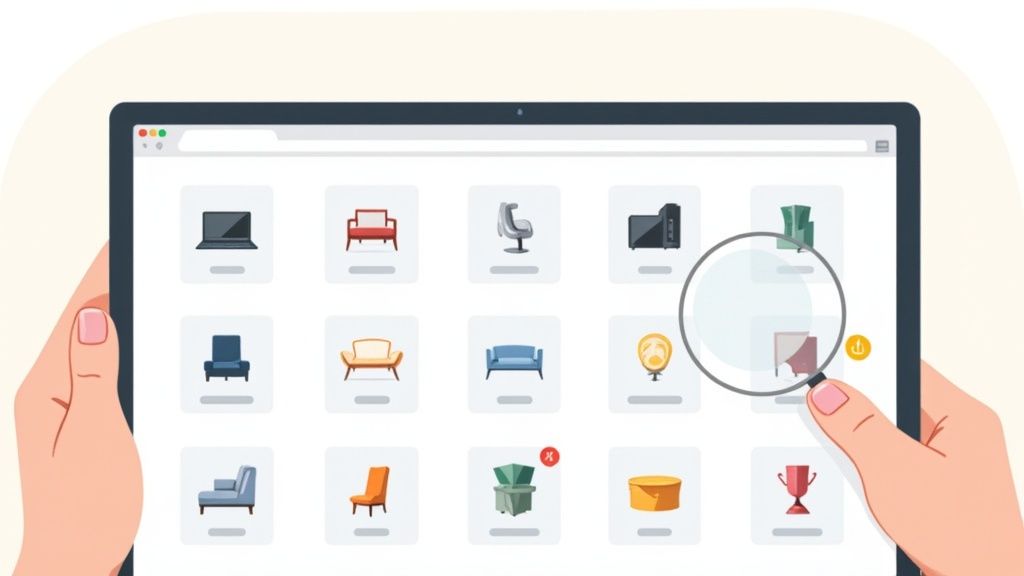
Imagine trying to list every single thing you own from memory, especially after a fire or theft. The idea alone is overwhelming, right? That’s the exact problem this software was built to solve. It goes way beyond a simple list, turning the abstract concept of "your stuff" into a tangible, searchable, and incredibly useful digital catalog.
Instead of just a long list of item names, this software lets you build a rich profile for each one. You can snap photos from different angles, attach digital copies of receipts, and store warranty information, creating a complete and easily accessible record you can pull up on your phone anytime.
Beyond a Simple List
A common mistake is thinking a basic spreadsheet can do the same job. While a spreadsheet is definitely better than nothing, it falls short where it matters most. Dedicated software offers a structured, visual way to organize your belongings that a simple grid of cells just can’t touch.
For instance, you can categorize items by room ("Living Room"), type ("Electronics"), or value, making it effortless to find what you're looking for. But the real power is in its ability to connect all the different pieces of information to a single item.
A dedicated inventory system isn't just a list; it's a dynamic record that links an item to its proof of purchase, monetary value, physical location, and warranty details, all in one secure place.
This web of connected data is what makes your inventory actionable, whether you're filing an insurance claim, planning a move, or just trying to remember where you put that fancy kitchen gadget.
The Core Purpose and Benefits
The fundamental goal of using home inventory management software is to gain complete control and visibility over your personal property. For homeowners and renters, this control translates into some very real, very direct benefits.
- Insurance Claim Acceleration: When you have a detailed, photo-documented inventory, you have undeniable proof of ownership and value. This can dramatically speed up the insurance claims process when you need it most.
- Financial Planning: Understanding the total value of what you own is crucial for financial planning, managing an estate, and making sure you have the right amount of insurance coverage.
- Organization and Decluttering: A clear inventory helps you see what you actually own, which stops you from buying duplicates and makes it way easier to decide what to sell or donate.
- Peace of Mind: Honestly, just knowing that a complete record of your most important possessions is securely backed up provides a sense of security that’s hard to put a price on.
Ultimately, this software is the modern solution to the age-old challenge of keeping track of our stuff. It turns a daunting task into a manageable and even empowering process.
Why A Digital Inventory Is No Longer A Luxury
In a world that feels more unpredictable by the day, keeping a detailed home inventory isn't just for meticulous organizers anymore. It's a fundamental tool for being prepared. It’s moved from a "nice-to-have" luxury to an essential safeguard, driven by real-world situations where having the right information, right now, makes all the difference. This is about more than just knowing what you own; it's about protecting your financial well-being and cutting through life's complexities.
This shift isn't just a feeling; the numbers back it up. The global market for home inventory apps was valued at around USD 1.2 billion in 2023 and is on track to hit nearly USD 4.8 billion by 2032. That explosive growth shows a huge change in how people think about managing their assets, thanks to smart tech that makes the whole process easier than ever. You can dig deeper into the home inventory market growth and discover more insights on DataIntelo.
Navigating The Aftermath Of A Disaster
Imagine the absolute chaos after a fire, flood, or burglary. In the middle of all that emotional turmoil, you’re suddenly asked to create a complete list of every single thing you lost. Relying on memory alone, that’s a nearly impossible task. This is where a digital inventory proves its incredible worth.
Homeowners with a detailed digital record can face this challenge with clarity and confidence. Instead of trying to remember every book on the shelf or gadget in a drawer, they can hand their insurance adjuster a comprehensive report, complete with:
- Photographs and videos that serve as undeniable proof of ownership.
- Scanned receipts and serial numbers to establish the exact value of each item.
- Purchase dates that help calculate accurate, fair replacement costs.
An organized inventory report can be the single most important document you provide to an insurer. It has the power to shorten claim processing times from months to weeks, ensuring you receive a fair and fast settlement.
This level of preparation cuts down on the stressful back-and-forth with insurance companies. It turns a potentially devastating financial hit into a manageable recovery process, letting you focus on what really matters: getting your life back on track.
Simplifying Estate Planning And Transitions
Beyond emergencies, a home inventory plays a vital role in thoughtful life planning. Putting together an estate plan is about more than just drafting a will; it requires a clear accounting of your tangible assets. A digital inventory creates an unambiguous record of your personal property, from valuable antiques to sentimental heirlooms.
This documentation is invaluable for executors and family members. It helps prevent misunderstandings and potential disputes by clearly outlining what’s part of the estate. By attaching notes or appraisals to specific items, you can provide context and instructions, ensuring your wishes are understood and respected. It’s a proactive step that brings order to an emotional time, making the process of distributing assets smoother for everyone involved.
Mastering Everyday Home Management
The benefits don't stop at worst-case scenarios; they weave themselves right into your daily life. A digital inventory acts like a central brain for your household, making routine tasks easier and helping you make smarter decisions. Think of it as a tool for proactive home management, not just reactive recovery.
For instance, how many times have you bought something, only to get home and find you already had one? A quick search in your inventory app can stop you from buying duplicate power tools, kitchen gadgets, or anything else. When it's time to declutter, your inventory gives you a clear picture of exactly what you own, making it far easier to decide what to sell, donate, or get rid of. It transforms home organization from a monumental chore into a simple, ongoing process.
What To Look For In Modern Inventory Software
Not all home inventory tools are created equal. A basic app might let you make a simple list, but a true home inventory management software platform is packed with features designed to make cataloging, finding, and protecting your stuff remarkably easy. These are the key capabilities that turn a simple list into a command center for your entire household.
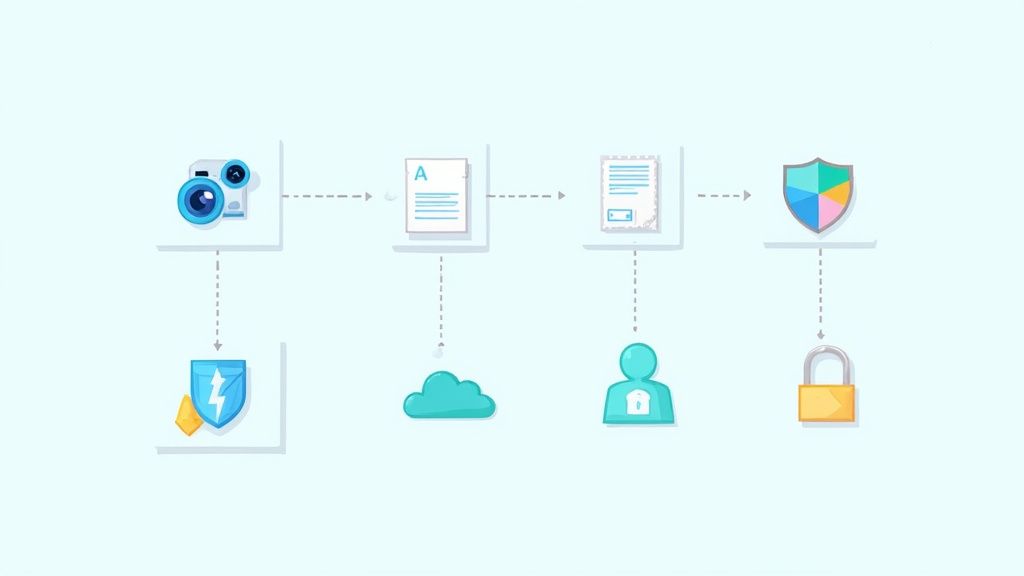
The evolution from a simple checklist to a smart system is happening everywhere. The broader inventory management software market, the kind used by big retail and logistics companies, was valued at around USD 2.38 billion in 2025 and is expected to hit USD 8.48 billion by 2035. That growth is all about the demand for real-time tracking and automation, features now becoming standard in top-tier home solutions. You can read the full research about inventory software market trends to see how this tech is expanding.
But what does this mean for your home? It means you get access to incredibly powerful tools. Here’s a breakdown of the essential features that separate the basic apps from the seriously useful ones.
Essential vs. Advanced Software Features
It's helpful to see the difference between what a standard app offers and what a more advanced platform can do. Think of it like the difference between a simple notepad and a full-blown project management tool.
| Feature Type | Basic Functionality | Advanced Capability |
|---|---|---|
| Item Capture | Manual text entry and photo upload. | AI-powered image recognition that identifies products and auto-fills details. |
| Data Entry | Manually typing in purchase price, date, and store. | Automatic receipt parsing that extracts all key data from a scanned receipt. |
| Search | Simple keyword search for item names. | Multi-filter search by room, category, value, date, plus custom user-created tags. |
| Physical Links | No connection to physical items. | QR code and NFC tag mapping to link digital entries to physical boxes or items. |
| Access | Single-user access on one device. | Multi-user collaboration with customizable permissions and real-time syncing. |
| Security | Basic password protection. | End-to-end encryption to secure all personal data during storage and transfer. |
As you can see, advanced features are all about reducing manual work and adding layers of intelligence and security to your inventory process.
Intelligent Item and Data Capture
Modern software takes the grunt work out of data entry. Instead of typing out every little detail, you can use smart features to build your inventory quickly and with far more accuracy.
AI-Driven Image Recognition: Just snap a photo of an item. The software’s AI can often identify the product, find a stock image online, and even pull up its make and model. This turns a tedious chore into a nearly automatic process.
Receipt Scanning and Parsing: This is a total game-changer. Scan a paper receipt or forward a digital one from your email, and the software automatically pulls out key info like the purchase date, price, and store, attaching it to the right item.
These tools ensure your records aren't just complete but are rich with the details you’d need for an insurance claim or a warranty issue. It’s the difference between having a list and having a fully documented history of your assets. To see what a comprehensive tool looks like, it's worth checking out dedicated software feature lists.
Advanced Search and Organization
A massive list of your belongings is useless if you can't find what you need in seconds. This is where powerful search and flexible organization become absolutely critical. The best platforms go way beyond a simple keyword search.
You can filter your items by room, purchase date, value, or category, letting you instantly pull up specific reports. Imagine needing a list of all electronics bought in the last two years, or seeing every single item you have stored in the garage. With a good system, that takes just a couple of clicks.
The real power lies in custom tagging. You can create your own tags (like "Heirloom," "To Sell," or "Camping Gear") to organize your possessions in a way that actually makes sense for your life, not just within some rigid, predefined categories.
This flexible approach lets you build personalized collections and find things based on your own logic. It's a core reason so many people are ditching static spreadsheets for a dedicated inventory tracker app.
Physical and Digital Mapping
Top-tier software brilliantly bridges the gap between your digital list and your physical items. This is usually done with QR codes or NFC tags that you can stick on storage boxes, bins, or even entire storage units.
Simply scan a code with your phone, and you can instantly see a complete list of what’s inside without ever having to rip the box open. This is incredibly handy for:
- Organizing storage spaces like basements, attics, or that one closet everyone is afraid of.
- Making a move painless by knowing the contents of every box at a glance.
- Tracking seasonal items like holiday decorations or sports equipment you only use a few months a year.
This feature transforms your physical space into an interactive, searchable environment. It saves you countless hours of digging through boxes just to find that one specific thing you need.
Collaboration and Security Features
Finally, the best home inventory management software is built for the realities of modern life: shared living and the need for data security. It’s not just a personal tool anymore; it’s a collaborative platform for the whole household.
Many solutions now offer multi-user access with different permission levels. You can invite a partner or other family members to view or edit the inventory, making it a shared resource for everyone. All changes are typically synced across everyone's devices in real-time, so you’re all working from the same, up-to-date list.
Just as critical is solid security. Leading platforms use end-to-end encryption to protect your data, both when it's stored on their servers and when it's being sent over the internet. This ensures that your detailed record of valuable assets stays private and secure from anyone who shouldn't see it.
How To Choose The Right Software For Your Home
Picking the right home inventory management software can feel like a huge commitment, but it doesn't have to be. The secret is breaking the decision down into a few simple steps. Your goal isn’t to find the single “best” app on the market; it’s to find the one that actually works for you, a tool that fits your life, solves your specific problems, and feels natural from the get-go.
Think of it less like a chore and more like finding a trusted partner for your home. By getting clear on your goals, testing out the experience, and understanding what you're paying for, you can pick a platform with total confidence.
Start With Your Primary Goal
Before you get lost in a sea of feature lists, ask yourself one critical question: "What's the main problem I'm trying to solve?" Your answer is your North Star. It will instantly point you toward the software that’s built for what you care about most.
Are you mainly trying to prepare for a worst-case scenario? Then your focus should be on ironclad features for insurance claims.
- Insurance Preparedness: You’ll need a tool that can spit out detailed PDF or CSV reports in a snap. The ability to easily attach receipts and appraisals is non-negotiable, as is storing high-res photos. Most importantly, you must be able to export all your data for safekeeping.
- Moving and Organization: If the goal is to make a move less chaotic or finally tame a storage unit, look for software with rock-solid QR code or NFC tag integration. This is the magic that connects a physical box to its digital contents, saving you from ever having to open ten boxes just to find the coffee maker.
- Estate Planning: For this, you'll want a platform that lets you grant multi-user access with specific permissions. This way, you can share the inventory with family or an executor without giving away the keys to the kingdom. Detailed notes and the ability to attach legal documents to items are also crucial.
By nailing down your main objective first, you can cut through the noise and immediately filter out the apps that don’t fit, saving a ton of time and headache.
Evaluate The Core User Experience
Once you know what you need the software to do, a next step is figuring out how it feels to use it. A tool can have all the features in the world, but it’s worthless if it’s confusing or a pain to operate. You're looking for a clean, logical interface that makes the inventory process feel manageable, not like another full-time job.
The best software disappears into the background, letting you focus on the task at hand. If an app requires a steep learning curve or feels clunky, it will quickly become a chore you avoid.
Pay close attention to these key experience factors:
- Cross-Platform Availability: Can you use it seamlessly on your computer and your phone? A good web app is perfect for the initial big data entry sessions, but a mobile app is essential for quickly snapping a picture of a new purchase on the fly.
- Ease of Data Entry: How much work does it take to add one item? Smart features like AI-powered item recognition from a photo or automatic receipt scanning are game-changers. They slash the manual work and make the whole process feel less daunting.
- Intuitive Navigation: Can you find what you’re looking for in seconds? A powerful search function is an absolute must-have, especially once your inventory grows beyond a couple dozen items.
Almost every reputable service offers a free trial. Use it. Seriously. Spend a few days adding different types of items, testing the search, and poking around the interface on all your devices. This hands-on experience is the single best way to know if a platform is a good fit.
Understand Security and Pricing Models
Finally, let's talk about two crucial things: the safety of your data and the actual cost. You’re building a detailed record of your most valuable possessions, so security can't be an afterthought. Hunt for software that explicitly states it uses end-to-end encryption. This is the gold standard, protecting your information both in storage and when it's being sent over the internet.
Pricing for home inventory management software can be all over the map, so it’s important to understand what you're really getting.
- Free Versions: These are great for a test drive but are usually limited by the number of items you can add or they lock advanced features. They're a decent starting point but probably won't cut it for a complete inventory.
- One-Time Purchase: This model is becoming rarer. You pay a single fee for lifetime access, but the catch is you might have to pay again for major updates or new versions down the road.
- Subscription (Monthly/Annual): This is the most common approach for a reason. It guarantees you get continuous updates, security patches, and customer support. An annual plan almost always offers a hefty discount over paying month-to-month.
Try to think of the cost not as an expense, but as an investment in organization and peace of mind. A reliable, secure, and easy-to-use platform delivers value that far outweighs its subscription fee, especially in the moment you need it most.
Your Step-By-Step Guide To Building Your Inventory
Looking at everything you own and thinking, "I have to catalog all of this," can feel like deciding to climb a mountain in your slippers. It’s a massive project, but the secret isn’t brute force; it’s strategy. The best approach? Tackle your home one room at a time. This simple trick turns an intimidating goal into a series of small, satisfying wins.
Let’s be honest, getting organized feels good. That’s why the market for home inventory management software has ballooned into a USD 3.9 billion industry as of 2024. People are realizing that a little structure at home goes a long way. By creating a clear plan, you can build a detailed and genuinely useful inventory without the burnout.
This whole process, whether you're starting the project or choosing the software, really just boils down to three simple stages.
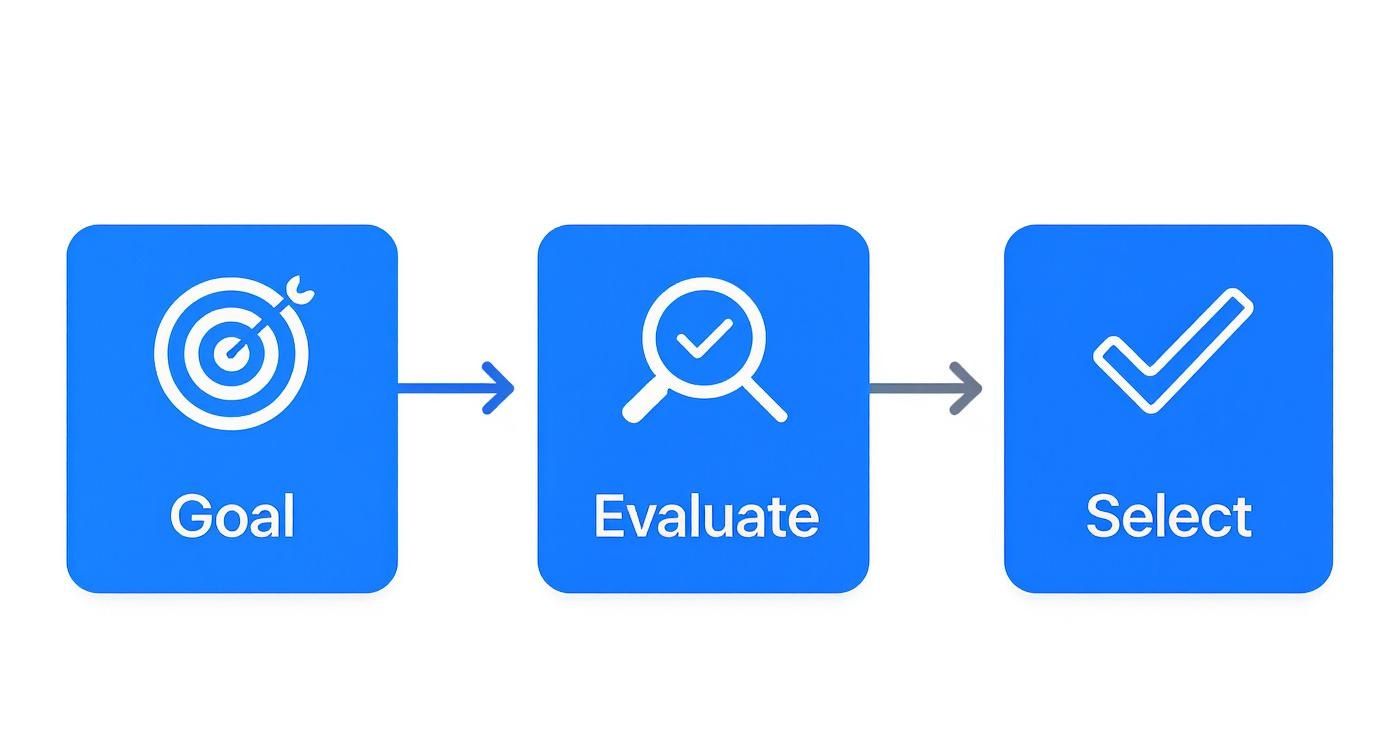
It always starts with knowing what you want to achieve, figuring out your options, and then making a choice. Simple as that.
Starting Small To Build Momentum
Here’s a pro tip: don't start with the garage. Seriously. Tackling the most cluttered, chaotic room in your house first is a surefire recipe for giving up.
Instead, pick a space with fewer items, like a guest bathroom or a small home office. This lets you learn the ropes of your chosen app and see progress fast. That quick victory gives you the motivation you need to keep going when you eventually get to that messy basement.
The goal here is consistency, not speed. Just block off 30 to 60 minutes a week. A steady, methodical approach keeps the project from feeling like a soul-crushing chore and weaves it into your regular routine.
A Practical Four-Step Cataloging Process
Once you’re in a room, follow the same simple process every time. This rhythm is what creates a truly useful inventory you can actually rely on.
- Photograph Everything First. Before you even think about typing, walk through the room and take clear photos. Get a wide shot of the whole space, then zoom in on individual items, especially the valuable ones.
- Capture the Nitty-Gritty Details. For your TV, snap a picture of the serial and model number sticker on the back. For that antique dresser, get a shot of the maker’s mark inside the drawer.
- Add the Financial Proof. As you log each item, attach digital copies of receipts, appraisals, or even just the email confirmation from your online purchase. This is your golden ticket for any potential insurance claim.
- Organize with Categories and Tags. Use your app's features to assign each item to a room. Then, add descriptive tags like “electronics,” “heirloom,” or “warranty active.” This turns your inventory into a searchable database for your life.
A fantastic tip from professional organizers is to photograph the inside of every single drawer and cabinet. This quick visual snapshot helps you catalog all those smaller items without having to list every last fork and battery individually.
This methodical process is the key to not missing anything important. For more ideas on what to track, a good household inventory list can be a huge help.
The Power of Digital and Physical Links
Once your items are logged in the system, you can start connecting your digital records to the physical world. Think about how warehouses and shipping companies keep track of millions of items, you can borrow some of their tricks.
For instance, many modern platforms let you create and print QR codes. Stick one on that storage bin in the attic, and a quick scan with your phone instantly shows you a list of everything inside. It’s like having x-ray vision for your boxes. This is a scaled-down version of how major companies use QR codes for logistics and inventory tracking.
Maintaining Your Inventory For Long-Term Value
A home inventory is not a "set it and forget it" project. It’s a living document that evolves as your life does. To keep it accurate and useful, schedule a quick review once or twice a year.
This is the perfect time to delete items you’ve sold or donated and add any major new purchases.
Even better, get into the habit of adding significant new items as soon as you bring them home. It takes just a minute to snap a photo and upload the receipt while it’s all fresh in your mind. This tiny, consistent effort is what ensures your inventory remains a valuable asset for years to come.
Common Questions About Home Inventory Software
Diving into a new tool always brings up a few last-minute questions, and that's a good thing. When you're talking about something as personal as cataloging everything you own, you want to be sure you're making the right choice.
This section is all about tackling those common concerns head-on. We'll give you clear, straightforward answers to help you move forward with confidence, from data security to just getting started without feeling overwhelmed.
How Secure Is My Data In An Inventory App?
This is usually the first question people ask, and for good reason. You're building a detailed, private record of your most valuable possessions, so security has to be rock-solid. The best home inventory platforms are built with layers of security to keep your information safe from prying eyes.
The gold standard here is end-to-end encryption. Think of it like sending a message in a locked box that only you have the key to. This scrambles your data the second it leaves your device and keeps it that way until you access it again. Even if someone intercepted it, all they'd see is gibberish.
Reputable services almost always run on secure cloud infrastructure from major, trusted providers like Amazon Web Services (AWS), Google Cloud, or Microsoft Azure. These platforms come with their own enterprise-grade security, adding another robust layer of protection for your inventory.
For an extra layer of defense, always look for and enable two-factor authentication (2FA) if it's offered. This requires a second step, like a code sent to your phone, to log in, making it incredibly difficult for anyone else to get into your account. It’s also a smart move to spend five minutes reading a service's privacy policy to see exactly how they handle your data.
Is A Spreadsheet Good Enough For An Inventory?
Look, a spreadsheet is definitely better than nothing. But it's like using a rowboat when you could have a speedboat. It just can't compete with the features, security, and sheer convenience of software built for the job. A spreadsheet is a flat, static grid; a dedicated app is a dynamic, living system designed to make your life easier.
Think about it. You can't just drop multiple photos, videos, receipts, and warranty PDFs into a spreadsheet cell. There’s no barcode scanning, no smart search filters, and no automatic cloud backups to protect you if your computer dies.
A proper home inventory management software gives you a mobile-friendly way to add items on the fly, which is where the real power lies. It's the difference between a simple list and a complete, secure, and genuinely useful tool that actually works for you.
What Is The Best Way To Start Without Feeling Overwhelmed?
The secret is to start small and be consistent. The biggest mistake people make is trying to catalog their entire home in one frantic weekend. That’s a recipe for burnout. The better, more sustainable approach is to tackle it one room at a time.
Pick a simple, low-clutter space to start, like a guest bathroom or your home office. This lets you learn the ropes and score a quick win, which builds the momentum you'll need for bigger areas like the kitchen or garage.
Here's a simple game plan that works:
- Focus on High-Value Items First: Go after the big stuff, for instance, electronics, jewelry, artwork, and collectibles. These are the most important items for your insurance records anyway.
- Set Manageable Time Blocks: You don't need to block off a whole day. Just dedicate 30 minutes on a Sunday afternoon. That small, consistent effort adds up faster than you think.
- Make It a Routine: By turning this into a small, ongoing habit, you'll keep it from ever becoming a monster project again. Slow and steady always wins this race.
How Often Should I Update My Home Inventory?
To keep it useful, you have to treat your inventory like a living document, not a project you finish and forget. At a minimum, plan to do a quick review once a year. It's a great time to remove things you've sold or gotten rid of and to make sure the values of your big-ticket items are still accurate.
The real game-changer, though, is to get in the habit of adding new purchases as they come in. Just bought a new laptop or a fancy coffee maker? Take 60 seconds to snap a picture and upload the receipt while it's all fresh in your mind.
This habit of making small, frequent updates is way less work than doing a massive overhaul every few years. It guarantees your records are always accurate and ready if you ever need them, especially for an insurance claim. To see just how important this is, you can learn more about preparing a home inventory for insurance and why having up-to-date records is non-negotiable.
Can I Export My Data For My Records?
Absolutely, and you should make sure any software you're considering has this feature. Being able to export your inventory is critical. It gives you a backup that you control completely, separate from the app itself. It's your data, after all.
Most quality platforms let you export your data in a couple of key formats:
- PDF: This creates a clean, printable report, often with photos and key details. It's perfect for your records or for handing directly to an insurance agent.
- CSV (Comma-Separated Values): This format lets you open your data in a spreadsheet. It's great if you want to sort your data in unique ways or move it to a different program down the line.
This feature gives you data portability and peace of mind, ensuring your hard work is never trapped in a single system.
Ready to transform how you manage your home? Vorby uses AI-powered tools to make cataloging your belongings fast, simple, and even enjoyable. From automatic receipt parsing to powerful natural language search, you can finally gain complete control over your household assets. Start your free trial today and discover a smarter way to stay organized at https://vorby.com.