Lost keys. Misplaced documents. The mysterious contents of that storage box in the garage. Sound familiar? It’s the low-grade chaos most of us just live with. But what if you didn't have to? Modern household management software acts as a digital command center for your physical world, finally bridging the gap between what you own and where on earth it is.
Taming Home Chaos with Household Management Software
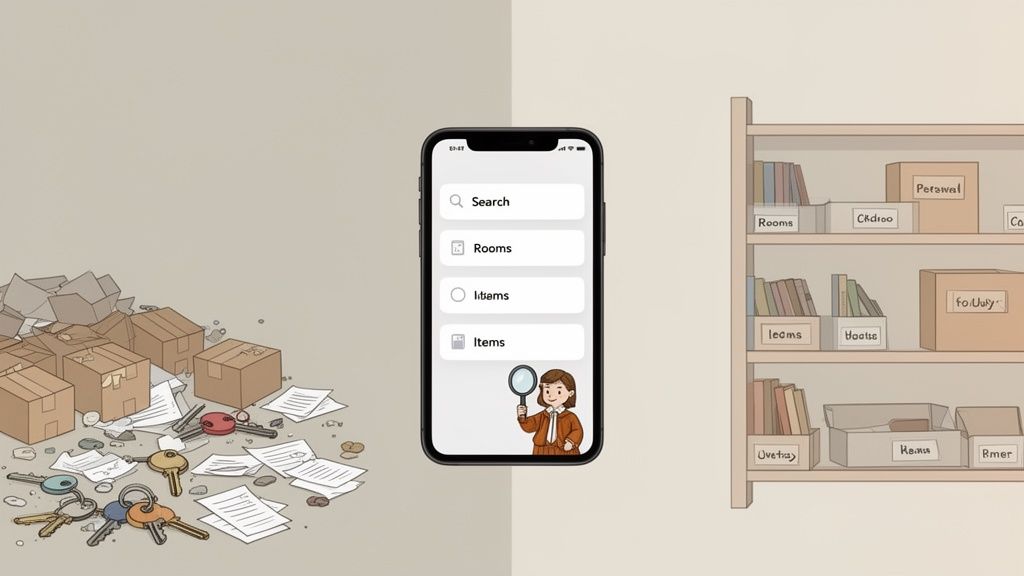
Imagine having a personal librarian for everything you own. Instead of wandering aimlessly, you just ask, "Where are my hiking boots?" and get an instant, precise answer. That's the core promise of household management software. It’s a system designed to bring order to the physical items that fill our lives, not just by tidying up, but by creating a searchable, digital map of your home.
This isn't just a niche idea; it’s part of a huge shift in how we manage our homes. The smart home market, a key driver behind these apps, is projected to hit US$193.5 billion in revenue by 2026. Experts see it growing at a steady clip of 8.99% annually through 2029, a surge you can explore further on Statista's market forecast. This growth shows that busy parents, frequent movers, and serious collectors are all turning to AI-powered platforms like Vorby to catalog everything from valuable antiques to everyday essentials.
The Shift from Chore to Seamless Process
For years, "getting organized" was a manual, frustrating chore. It relied on faulty memory, messy spreadsheets, or handwritten labels that were outdated the second you stuck them on a box. The result was wasted time and that familiar mental drain of searching for something you know you own but just can't find.
Today’s software flips that entire model on its head. Organization is no longer a chore; it's a seamless, almost automatic process. You can effortlessly track things like:
- Seasonal Items: Where did you put the holiday decorations or winter coats? Now you know.
- Important Documents: Instantly locate birth certificates, warranties, or insurance papers without tearing the house apart.
- Hobby and Sports Gear: Know exactly which box holds the camping equipment or your kid's soccer gear.
- Valuable Collections: Keep a detailed, photo-based inventory of art, wine, or collectibles for insurance purposes.
Introducing an AI-Powered Solution
This is where a tool like Vorby completely changes the game. It uses an AI-powered approach that makes organizing your home feel intuitive, maybe even a little fun. By simply snapping a photo, you can add an item to your digital inventory. By asking a simple question, you can find it in seconds. This sets the stage for a truly stress-free living environment, where your home works with you, not against you.
A truly organized home isn't just about having less clutter; it's about reclaiming the time and mental energy you lose searching for things. It's about knowing exactly what you have and where to find it, instantly.
The Core Features That Power Modern Home Organization
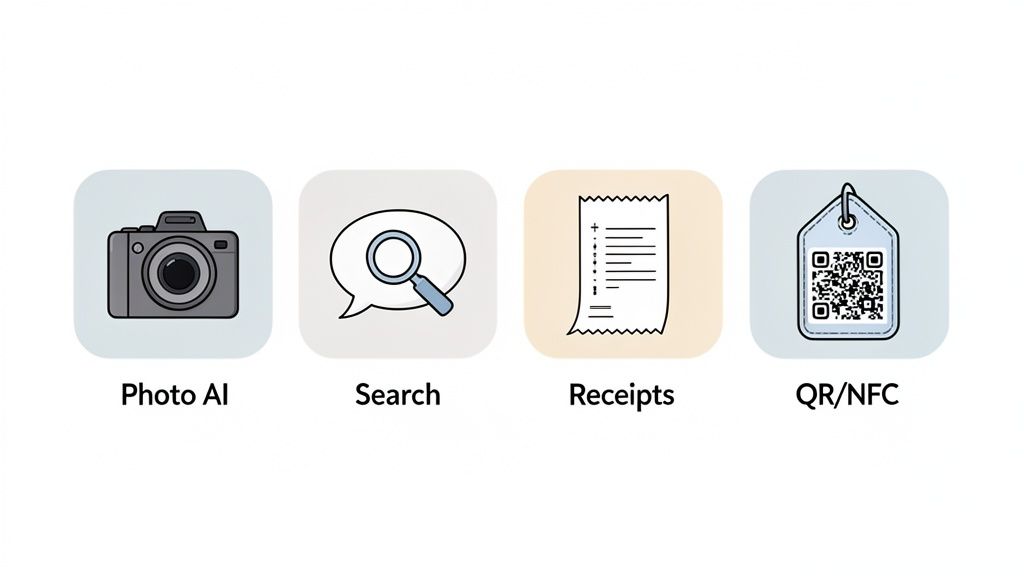
At its heart, good household management software isn't just a fancy to-do list. It’s a powerful suite of tools working together, creating a seamless bridge between your physical belongings and their digital records. These are the core features that turn the vague idea of an "organized home" into something you can actually use every day.
Each one is built to solve a specific, often frustrating, problem. Think about finding a misplaced item in seconds or automatically logging a new purchase for its warranty. These aren't just minor conveniences; they eliminate manual effort and mental clutter, giving you a level of control over your home that just wasn't possible before.
AI-Powered Inventory and Image Recognition
Let's be honest: the biggest hurdle to creating a home inventory has always been the sheer amount of work. Manually typing descriptions for hundreds of items is a project nobody wants to start. This is where modern software changes the game with AI-powered image recognition.
It's as simple as it sounds. You just snap a photo of an item, and the software’s AI gets to work. It analyzes the image, identifies what it is, and often suggests a name like "Black & Decker Cordless Drill" while automatically categorizing it under "Tools." A tedious, multi-step chore becomes a single, quick action.
This is the foundation of a truly useful digital inventory. By making it almost effortless to add new things, you're far more likely to keep your system updated, ensuring it’s always an accurate reflection of what you own.
Natural Language Search That Understands You
Okay, so you’ve cataloged your stuff. Now how do you find it? Old methods forced you to remember exact folder names or keywords. But advanced household management software uses natural language search, letting you ask questions just like you would ask a person.
Instead of typing a clunky query like "boots, hiking, box 3," you can simply ask, "Where are my hiking boots?" The system understands your intent, searches your entire inventory, and gives you a precise location, like "Garage, Shelf 2, Blue Storage Bin."
This conversational approach to search is a game-changer. It mirrors how our brains naturally work, significantly reducing the mental effort needed to manage your belongings. The average knowledge worker wastes 9.3 hours per week just searching for information; this feature gives that time back to you.
Automated Receipt Parsing and Warranty Tracking
Every new purchase comes with a trail of important info: price, purchase date, and warranty details. Manually entering all that data is another one of those chores that just gets skipped. Automated receipt parsing solves this by connecting directly to your email.
When a digital receipt from Amazon or Best Buy hits your inbox, the software can automatically:
- Spot the new purchase: It recognizes the receipt's format.
- Pull out the key details: It extracts the item name, price, purchase date, and retailer.
- Create an inventory entry: It adds the new item to your digital household.
- Log warranty information: It saves the warranty period and attaches the receipt as proof of purchase.
This creates a hands-off system for tracking new items and their documents, ensuring you never miss a warranty claim because you can't find the receipt.
QR Codes and NFC Tags for Physical-to-Digital Linking
How do you know what’s inside a sealed storage box in the attic without ripping it open? QR codes and NFC tags are the answer. The best household management software lets you generate and print unique QR codes to stick on boxes, bins, or even shelves.
Scan the code with your phone's camera, and the app instantly pulls up a complete list of everything stored inside. It's incredibly useful for all those opaque storage bins in the garage or a storage unit. NFC (Near Field Communication) tags work the same way, just a quick tap of your phone retrieves the same information.
This feature turns your physical storage into a browsable, interactive map. No more relying on memory or messy handwritten labels. If you're looking for a deeper dive into these kinds of tools, you can learn more about Vorby's complete feature set here: https://vorby.com/features.
To give you a clearer picture, here’s how these features translate into real-world benefits.
Household Management Software Features and Benefits
| Feature | What It Does | Primary Benefit |
|---|---|---|
| AI Image Recognition | Automatically identifies and categorizes items from a photo. | Drastically reduces the time and effort needed to build an inventory. |
| Natural Language Search | Lets you find items using conversational questions. | Find anything in seconds without remembering specific keywords. |
| Receipt Parsing | Scans digital receipts to auto-log purchases and warranties. | Creates a "set it and forget it" system for tracking new items. |
| QR Codes & NFC Tags | Links physical containers (like boxes) to digital inventory lists. | Instantly know what's inside a sealed box without opening it. |
| Sharing & Permissions | Allows you to share specific inventories with family or renters. | Makes it easy for a partner to find things or a house-sitter to locate supplies. |
| Security & Encryption | Protects your personal data with strong security protocols. | Gives you peace of mind that your home's data is private and secure. |
This table shows it's not just about listing things; it's about creating an intelligent system that makes managing your home easier and far more effective.
When you look at what makes a robust system, it's interesting to see the parallels with other management tools. While built for a different market, the core principles in Top Property Management Software Features are directly applicable. Tracking assets, managing documents, and providing clear data are universal needs.
By weaving these advanced capabilities together, a modern platform does more than just list your items. It builds an intelligent, interconnected system that makes managing your home simpler, faster, and far less stressful.
Who Actually Needs a Digital Home Inventory?
The idea of a digital home inventory might bring to mind super-organized minimalists or tech geeks, but that’s not really the whole story. The truth is, household management software is for anyone who feels that low-grade friction from just owning stuff. Its real value snaps into focus when you look at the everyday problems it solves for real people.
This isn’t just about being tidy. It’s about putting an end to specific, nagging problems that steal your time and mental energy. By looking at who gets the most out of a system like this, you can see how it fits into different lifestyles, cutting down stress and giving you back your day.
The Busy Family Juggling Constant Chaos
For a busy family, home isn't a static place; it's a whirlwind of activity. There's a constant flow of kids' toys, school supplies, sports gear, and seasonal items coming in and going out. Trying to keep track of it all feels like a full-time job you can never win.
A digital inventory is a lifeline here. We've all lived the "before" scenario: you’re tearing the house apart looking for soccer cleats ten minutes after you were supposed to leave for the game. The "after" is refreshingly simple. You ask your app, "Where are the soccer cleats?" and get an instant answer: "In the mudroom, inside the blue sports bag."
This kind of system becomes a shared family brain, helping parents track:
- Seasonal Clothing: Know exactly which storage bin holds the winter coats or summer swimwear without having to open six of them.
- School Supplies: Instantly locate that spare pack of crayons or the materials for the science fair project you bought weeks ago.
- Toys and Games: Easily find a specific LEGO set and, just as importantly, know where everything belongs when it's time to clean up.
For families, it’s a tool that remembers where everything is, so you don’t have to.
The Frequent Mover Seeking a Smoother Transition
Moving consistently ranks as one of life's most stressful events. A huge slice of that stress comes from the monumental task of packing, tracking, and then unpacking every single thing you own. For people who move often, like students, military families, or digital nomads, this process is a recurring nightmare.
Household management software completely changes the game. Before, you might have relied on a Sharpie and a prayer, scribbling "Kitchen Stuff 2" on a box, only to forget what that actually meant. With a digital inventory, the whole process becomes methodical.
As you pack each box, you can quickly snap photos of its contents and assign it a QR code. When you arrive at your new place, a quick scan with your phone shows you exactly what’s inside without ever lifting the lid. Unpacking becomes strategic, not chaotic.
This system gives you a clear, searchable manifest of all your belongings, which is also incredibly valuable for insurance claims if anything gets lost or broken in transit.
The Passionate Collector Protecting Valuable Assets
If you're a collector, whether your passion is for wine, art, vinyl records, or rare books, a simple list just won't cut it. You need a detailed, secure way to catalog your prized possessions. Spreadsheets get clunky fast and lack the visual and deep-level tracking a true collection demands.
A dedicated inventory system like Vorby provides a purpose-built solution. A wine aficionado can log each bottle with photos, its vintage, the purchase price, and tasting notes. An art lover can document each piece's provenance, artist, and current insurance valuation. It's a digital vault for both organization and protection.
The need for this kind of detailed management is only growing. As our homes get smarter, the tools we use to manage them are evolving, too. The smart home market is on track to hit USD 180.12 billion by 2026, powered by tools that use things like image recognition and NFC tags to make life easier. This trend shows a clear demand for smarter home management, something that’s vital whether you're organizing a priceless collection or just trying to find the warranty for your dishwasher.
By solving these very different problems, a digital home inventory proves its worth for all kinds of lifestyles. You can dive into more detailed examples in our guide to real-world use cases for home inventory software.
Your Step-by-Step Home Organization Workflow
Seeing a list of software features is one thing, but actually putting them to work is where the magic happens. So, let’s walk through how you can take a cluttered space and turn it into a perfectly organized, searchable environment using a tool like Vorby. This isn’t about abstract theory; it’s a hands-on guide to show you just how simple the process can be.
This is the journey we're talking about, from total chaos to digital order, made surprisingly easy.
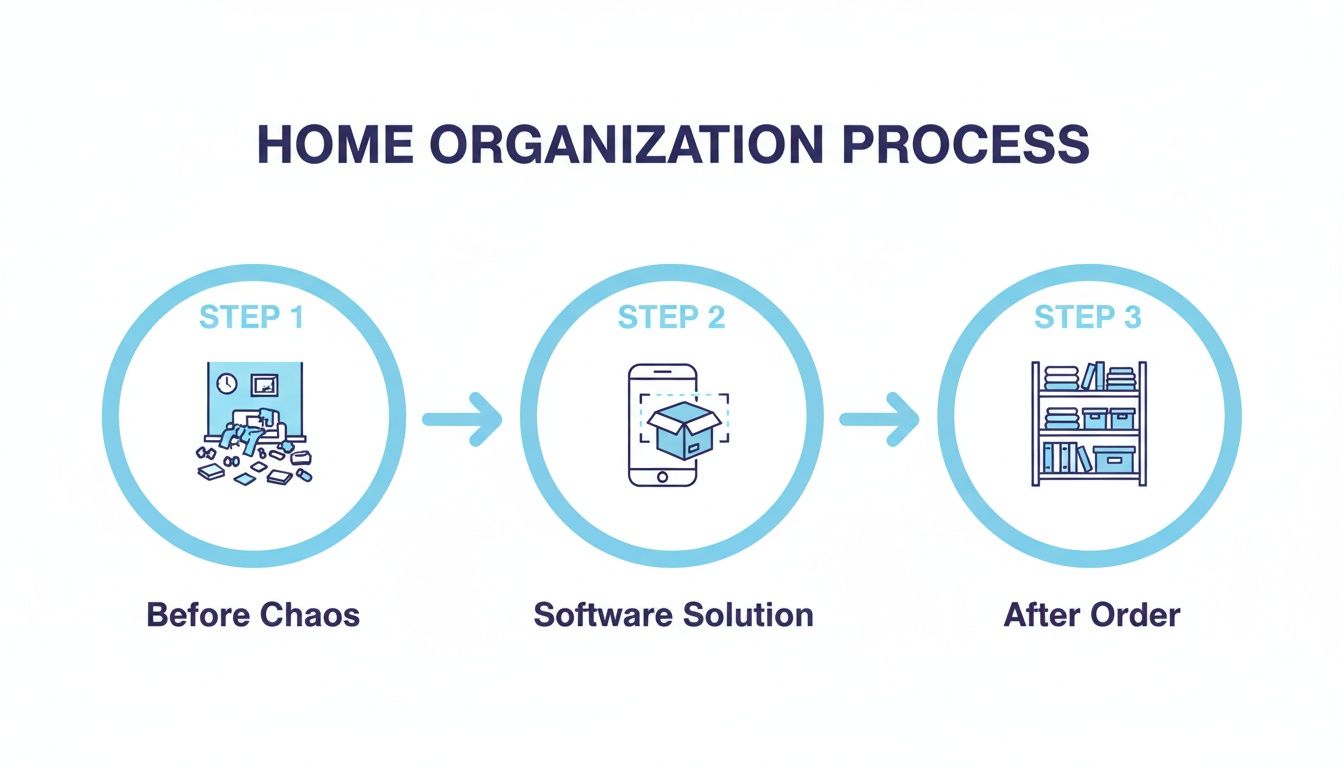
The software is the bridge that turns a frustrating manual task into a simple, digital one.
Getting Started: The Initial Setup
First things first, you need to create a digital blueprint of your physical world. Don't worry, this is simpler than it sounds. You’re just defining your main locations and the containers inside them.
- Define Your Spaces: Start by creating your main "spaces" in the app, thinking big picture, like "Garage," "Kitchen," or "Attic."
- Add Your Containers: Now, inside each space, add the "containers" where you actually store things. This can be anything from "Shelf Above Workbench" and "Blue Storage Bin" to "Top Kitchen Drawer." Get as specific as you like.
- Invite Your Household: If you share your home, invite your partner, family, or roommates. This gets everyone on the same page and creates a single source of truth for where things live.
This simple structure is the foundation for everything else. It gives every item a precise, digital address.
A Practical Workflow: Packing a Storage Box
Alright, let's tackle a classic organization headache: packing a storage box filled with random items so you can actually find them again later.
Grab the things you want to store, maybe some old photo albums, seasonal decorations, and a few sentimental keepsakes. As you put each item into the box, just open your app and snap a quick photo. The software's AI will recognize the item, suggest a name like "Christmas Ornaments," and let you add it to your inventory in seconds.
Once the box is full and you’ve logged everything inside, assign all those digital items to a single container you’ve created in the app. Let's call it "Memory Box 1." Now for the cool part: the software generates a unique QR code. Print it, stick it on the physical box, and you're done.
That once-anonymous cardboard box is now a smart container. Six months from now, instead of ripping it open to see what's inside, you can just scan the QR code with your phone. A complete, photo-based list of its contents will pop right up.
The goal is to make adding and organizing your stuff feel effortless, just like you see here.
A clean layout like this makes it easy to jump between your spaces, containers, and items, keeping the whole process smooth and simple.
Automating New Purchases with Receipt Parsing
This workflow isn't just for stuff you already own. It’s a game-changer for new things coming into your house, too.
Imagine you just bought a new coffee maker online. When the email receipt lands in your inbox, a feature like receipt parsing can automatically spot it. The software then pulls out the key details, including product name, purchase date, price, and warranty info. It creates a new entry in your inventory, attaches the digital receipt, and can even set a reminder for when the warranty is about to expire.
Suddenly, your digital inventory stays perfectly up-to-date with zero manual work from you.
Beyond everyday tasks, this kind of system is a lifesaver during big life events like a move. You could integrate a comprehensive 10-step moving home checklist right into your app, using your detailed inventory to track packed boxes and make sure nothing gets lost in the transition. This level of organization turns even the most overwhelming projects into manageable tasks.
Comparing Your Home Organization Options
When you decide it’s time to finally get organized, you’ve got a few paths you can take. While dedicated household management software is the modern powerhouse for this job, it’s worth looking at the other common methods to see where each one shines and where they fall flat. Seeing the differences makes it crystal clear why a purpose-built system is often the only way to achieve real, lasting organization.
Most people start with what they know: a spreadsheet or maybe a simple note-taking app. These tools feel familiar, and they’re often free, making them an easy first step. You can make some lists, jot down notes, and build basic tables to track your belongings. It’s definitely a step up from relying on memory alone.
But these manual methods hit a wall, and they hit it fast. Spreadsheets are rigid and clunky, forcing you to type in every single detail by hand. Trying to find something means you have to remember exactly how you described it; there’s no smart search to help you out. They’re also completely visual-free and can't do things like automatically pull warranty info from a receipt.
Spreadsheets vs. Specialized Software
The cracks in these basic tools really start to show when you need both speed and detail. Just imagine trying to log the contents of ten storage boxes in a spreadsheet versus quickly snapping photos of the items as you pack them. One way is a tedious chore that’s begging for mistakes, while the other is fast, visual, and accurate.
The core difference comes down to automation and accessibility. A spreadsheet is just a static record you have to constantly babysit. Dedicated software is a dynamic system that actively helps you manage your stuff with the least amount of effort.
This is exactly why a purpose-built solution like Vorby works so well. It’s designed from the ground up for the unique challenges of a physical home inventory, offering features that general-purpose apps simply can’t compete with. To explore a wider range of organizational tools, check out our guide on the best apps for organizing your life.
Home Management Apps vs. Inventory Software
It’s also crucial to understand the difference between various "home management" tools out there. A lot of apps in this category are all about calendars, chore charts, and shared to-do lists. While they’re great for managing household tasks and schedules, they completely ignore the physical stuff in your home. They can tell you when to clean the garage, but they have no idea what’s inside that mystery box on the top shelf.
This is where specialized household management software carves out its unique value. Its entire focus is on your physical possessions. This isn't a new concept; the broader property management world has relied on software for years to track assets and maintenance needs. In fact, the property management software market is expected to hit USD 9.93 billion by 2031, with residential properties making up a massive 58.19% share. This proves just how valuable dedicated asset tracking really is. You can see more in this property management market analysis.
To make the choice clearer, let's break down how these different approaches stack up side-by-side.
Comparison of Home Organization Methods
| Method | Key Strengths | Key Weaknesses | Best For |
|---|---|---|---|
| Spreadsheets | Familiar, free, highly customizable for simple lists. | Manual entry, no visuals, no automation, rigid search. | Basic lists of a few dozen items where detail isn't critical. |
| General Home Apps | Good for tasks, calendars, and shared family schedules. | Lacks inventory features, not designed for physical items. | Managing household chores and schedules, not belongings. |
| Dedicated Software | Visual, automated, intelligent search, purpose-built features. | May have a learning curve and/or subscription cost. | Anyone serious about creating a detailed, searchable home inventory. |
Ultimately, the right tool depends on your goal. If all you need is a simple list of twenty things, a spreadsheet might be just fine. But for anyone who wants to create a searchable, automated, and truly organized home that stays that way, dedicated software is hands-down the smarter choice.
Choosing the Right Software for Your Home
Alright, you're on the home stretch. Making a smart choice about household management software is the final step toward conquering domestic chaos once and for all.
With so many options out there, it’s easy to get bogged down. But focusing on the right criteria ensures you pick a tool that actually simplifies your life, rather than adding another complicated chore to your list. Think of this as your final checklist before you commit, a guide to finding the solution that fits you like a glove.
The perfect software should feel natural from the moment you open it. A clunky, confusing interface is a dealbreaker; it creates a barrier that makes you less likely to keep your inventory updated. What you want is a clean design and simple workflows that make adding and finding items quick and painless.
Your Essential Software Checklist
Before you settle on a platform, run it through these key evaluation points. A tool that aces these categories, like Vorby, isn't just a gadget. It's a long-term partner in creating genuine organizational peace of mind.
Ease of Use: Is the software genuinely simple to navigate? A great tool shouldn't require a long, boring manual just to get started. You're looking for something that makes organization feel less like a chore and more like a simple, satisfying task.
Powerful Search: How easy is it to actually find things? The best systems use natural language search, letting you type in a real question like, "Where are my spare batteries?" and get an instant, accurate answer. No need to remember specific keywords you set up months ago.
Mobile App Availability: Can you manage your home on the go? Let's be real, a fully functional mobile app for both iOS and Android is non-negotiable. Your phone is always with you, making it the perfect tool for quickly adding a new purchase or locating something you need in a pinch.
Robust Security: Is your personal data safe? You’re cataloging your belongings, so rock-solid security protocols are essential. The software must use encryption to protect your information, both when it's stored on servers and when it's being transmitted.
Transparent Pricing: Do you know exactly what you're paying for? Look for clear, straightforward pricing without any hidden fees or confusing tiers. A free trial is the best way to test-drive the software's features and make sure it's the right fit before you pull out your wallet.
Choosing the right software isn't just about features; it's about finding a system that fits seamlessly into your life. The goal is to spend less time managing your stuff and more time enjoying your home.
Making this choice is a low-risk, high-reward step toward reclaiming your time and achieving a lasting sense of order. With the right tool in your corner, a perfectly organized home is finally within reach.
Got Questions? We’ve Got Answers.
Jumping into something new, like a digital home inventory system, always brings up a few questions. It’s natural to wonder how it all works in real life. We’ve rounded up some of the most common questions people ask to give you a clear, no-nonsense picture of what to expect.
From the first few minutes of setup to the long-term security of your data, here’s what you need to know.
How Much Time Does It Take to Get Started?
This is the best part: it takes as much time as you want to give it. You absolutely do not need to block out an entire weekend to catalog every single thing you own. That’s a recipe for burnout.
A much smarter way is to start small. Pick one pain point, maybe that chaotic garage, a messy storage closet, or even a single junk drawer. With features like AI-powered image recognition, you can snap a few photos and add dozens of items in just a couple of minutes. Many people find that spending just 15-20 minutes a day for a week builds a surprisingly powerful inventory without ever feeling like a chore. The key isn't speed; it's consistency.
Is My Personal Data and Home Inventory Secure?
Absolutely. We get it; you’re cataloging your personal belongings, and privacy is paramount. Any reputable household management software treats security as its highest priority. Your data, from photos of your items to their locations, is yours and yours alone.
Leading platforms use strong encryption to protect your information, both when it's stored on servers (at rest) and when it's syncing between your phone and computer (in transit).
This level of security ensures your home inventory stays private, accessible only to you and the people you explicitly grant permission to see it. Always look for a service that’s upfront and transparent about its security practices.
How Does the Software Handle Shared Living Spaces?
These systems are built with real life in mind, which means they’re designed for collaboration. They work perfectly for families, roommates, or anyone sharing a home. Most platforms let you invite multiple users to a shared account, so everyone can see and update the inventory in real time.
You can also set different permission levels for each person. For instance, your partner might have full access to add and edit items, while you could give a house-sitter temporary, view-only access to a specific list, like where to find the cleaning supplies or spare keys. It puts an end to the constant "Hey, where's the...?" questions.
Ready to transform your home from chaotic to controlled? Discover how Vorby can help you catalog everything you own, find items instantly, and create a stress-free living environment. Start your free 14-day trial today and see the difference for yourself!