Ever spent an hour tearing the house apart looking for that one specific thing? We’ve all been there. That frantic search for the holiday decorations, the right charging cable, or the warranty for a new TV can turn a calm day into a stressful mess.
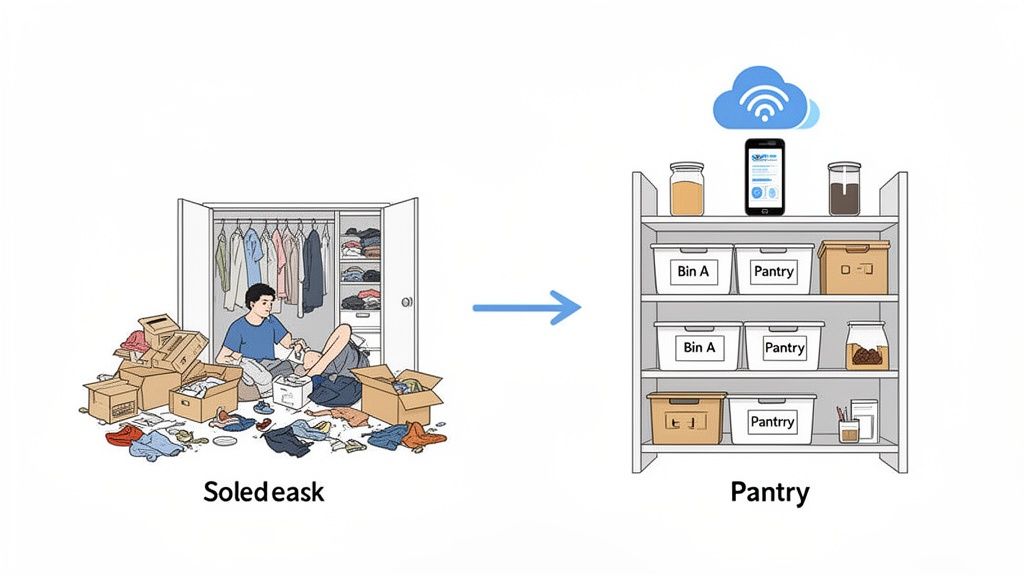
This isn't just about being tidy. A smart approach to storage and inventory is about taking back control. It’s about building a simple, personal system that tells you what you have, exactly where to find it, and even pulls up the manual when you need it.
Why a Modern Inventory System Is Your New Best Friend
Think about how businesses track their products. They don't just hope for the best; they use systems to know exactly what’s on every shelf. We can borrow that same logic for our homes. Moving from clutter to clarity is a lot easier when you apply a few of these tried-and-true principles, which this business-focused guide to inventory management explains well.
The idea is catching on. The global market for inventory management software hit USD 3.9 billion in 2024. What’s really telling is that cloud-based systems make up over 61.20% of that market. People want accessible, flexible solutions, the same things we need to manage our own stuff at home.
The real goal here isn't just to declutter your closets; it's to declutter your mind. Knowing where everything is frees up mental energy you can use on things that actually matter.
The Everyday Wins of a Smart Inventory
This isn't about achieving some impossible standard of organization. It’s about making your life easier in tangible ways. Once you have a system in place, you’ll notice the difference almost immediately.
- No More Search Parties: Find anything in seconds, whether it's the camping gear in the attic or that spare set of keys.
- Stop Wasting Money: Before you run to the store for more batteries, a quick check of your inventory can confirm you already have a pack. This adds up.
- Insurance and Moves Made Easy: Need a list of your valuables for an insurance claim or a move? Just export it. No more trying to remember everything from scratch.
- Warranties and Manuals at Your Fingertips: Snap a photo of a receipt or link to a manual. When the dishwasher acts up, you’ll have everything you need on your phone.
Using modern tools like QR codes and dedicated apps brings this professional-grade organization right into your home. The same tech that gives businesses instant visibility can help you achieve https://vorby.com/blog/realtime-inventory-management in your own garage or pantry.
Comparing Home Inventory Methods
A quick look at why digital systems outperform traditional methods for managing your belongings.
| Feature | Traditional Method (Spreadsheets, Lists) | Modern Method (Apps like Vorby) |
|---|---|---|
| Accessibility | Tied to a specific computer or physical notebook. Hard to update on the go. | Instantly accessible and synced across all your devices (phone, tablet, computer). |
| Visuals | Text-only. You can't see the item, only its description. | Add multiple high-res photos and even videos for each item. See exactly what you're looking for. |
| Searchability | Limited to simple text searches (Ctrl+F). Can be slow and clunky. | Advanced search and filtering by location, category, tags, or even by scanning a QR code. |
| Maintenance | Entirely manual. Prone to errors, forgotten updates, and becoming outdated quickly. | Streamlined updates with features like image recognition, receipt scanning, and quick-add templates. Stays current with less effort. |
| Collaboration | Difficult to share and keep in sync. Usually requires emailing files back and forth. | Easily share access with family members or roommates. Everyone sees the same up-to-date information in real time. |
While a spreadsheet is better than nothing, it just can't compete with the speed, accuracy, and convenience that a purpose-built app provides. Making the switch is a huge upgrade for managing your home.
Lay the Groundwork: Plan Your Storage Zones
Before you ever scan a single item, the real work of home inventory begins with a solid plan. Think of it less like tidying up and more like city planning for your stuff. You're turning a collection of random spaces, like a messy garage, a cluttered attic, or a chaotic pantry, into a network of logical, purposeful storage zones.
If you just dive in without a map, you'll end up with a system that's confusing and, frankly, a pain to maintain. The first step is to walk through your home with fresh eyes. Look at every shelf, cabinet, and closet as a piece of real estate. Your goal is to create a logical hierarchy that will become the backbone of your digital storage and inventory system.
This isn't just about finding empty space; it's about assigning a clear, specific job to each area.
High-Traffic vs. Deep Storage: Know Your Zones
Not all storage is created equal. Some spots are easy to get to, while others require a step stool and a bit of effort. The secret to an efficient home is recognizing these differences and using them to your advantage. I always suggest my clients categorize their spaces based on how often they need to get to them.
- High-Traffic Zones (Prime Real Estate): These are the spots you can reach without thinking, like kitchen counters, the front of the pantry, and your medicine cabinet. Reserve this prime real estate for the things you use daily or weekly. Think coffee, car keys, and toothpaste.
- Medium-Access Zones: These are a little more out of the way. Maybe it’s the higher shelves in your closet or the garage bins you only open once a month. This is perfect for seasonal clothes, specialized tools, or the fancy blender you only use for parties.
- Deep Storage Zones (The Archives): This is your attic, basement, or the highest, hardest-to-reach shelves. These areas are ideal for things you access maybe once a year, if that. Holiday decorations, sentimental keepsakes, and old documents belong here.
One of the biggest sources of household chaos is mismatched zoning. Storing spare batteries in the attic or keeping your bulky winter coats in the front hall closet just creates friction in your daily routine. A smart zone plan ensures everything has a home that makes sense for how you actually live.
Create a Clear Location Hierarchy
Once you’ve identified your zones, it’s time to give them names. This naming system, or hierarchy, is what your inventory app will use to tell you exactly where something is. The best systems are simple, clear, and easy to expand later. I've found the Room -> Area -> Container -> Sub-Container format works wonders.
Here’s how it looks in the real world:
- Garage -> Wall Shelving -> Bin 14 -> Camping Gear
- Kitchen -> Pantry -> Shelf 2 -> Baking Supplies
- Home Office -> Filing Cabinet -> Drawer 3 -> Warranties
This level of detail is what makes your digital search so powerful. When you later ask your app, "Where are the tent stakes?" it gives you a precise answer, not just "somewhere in the garage." This granularity is the key to a truly useful storage and inventory system.
The most effective organization systems aren't complex; they're consistent. A simple, repeatable naming structure is far more valuable than an elaborate one you'll never maintain.
The Declutter-as-You-Go Method
Mapping out your storage zones is the perfect excuse to finally declutter. As you go through each shelf and drawer, you're going to find things you completely forgot you owned. The temptation is to just organize it all, but resist. There's no point in cataloging clutter.
Before you give an item a home, ask a few tough questions:
- Have I used this in the last year?
- Do I already own something that does the same job better?
- If I were shopping today, would I buy this again?
- Does this even fit my life anymore?
Be ruthless. As you sort, make three piles: Keep, Donate/Sell, and Discard. By clearing out the junk before you start cataloging, you're only putting time and energy into the items that actually matter. This initial purge will save you a ton of work down the line and set you up with a much cleaner, more manageable home.
Of course, once you have your keep pile, putting it into well-labeled bins is a must. To make sure your physical setup is as smart as your digital one, it's worth learning about the best way to label storage bins.
Cataloging Everything You Own the Smart Way
Alright, with your storage zones mapped out and the clutter cleared, it's time to actually build your digital inventory. This is where things get interesting. Forget the old-school drudgery of typing endless descriptions into a spreadsheet, because your smartphone is about to become your most powerful organizing tool.
The goal here isn't just to make a list. We're building a rich, searchable, and visual database of your stuff. One that includes all the little details you'll be thankful for later, like receipts, warranties, and purchase dates.
Use Your Smartphone for Rapid-Fire Cataloging
Your phone's camera is the secret weapon for getting this done fast. Many modern inventory apps now come with some seriously impressive AI-powered image recognition. You snap a picture of your power drill, and the app is often smart enough to identify the brand, find the model, and sometimes even pull up the user manual for you online.
This visual-first approach is a total game-changer. It makes adding items so much quicker, and frankly, the end result is far more useful. Let's be honest, when you’re looking for something months from now, seeing a photo is way more helpful than trying to decipher a vague, text-only description you hastily wrote.
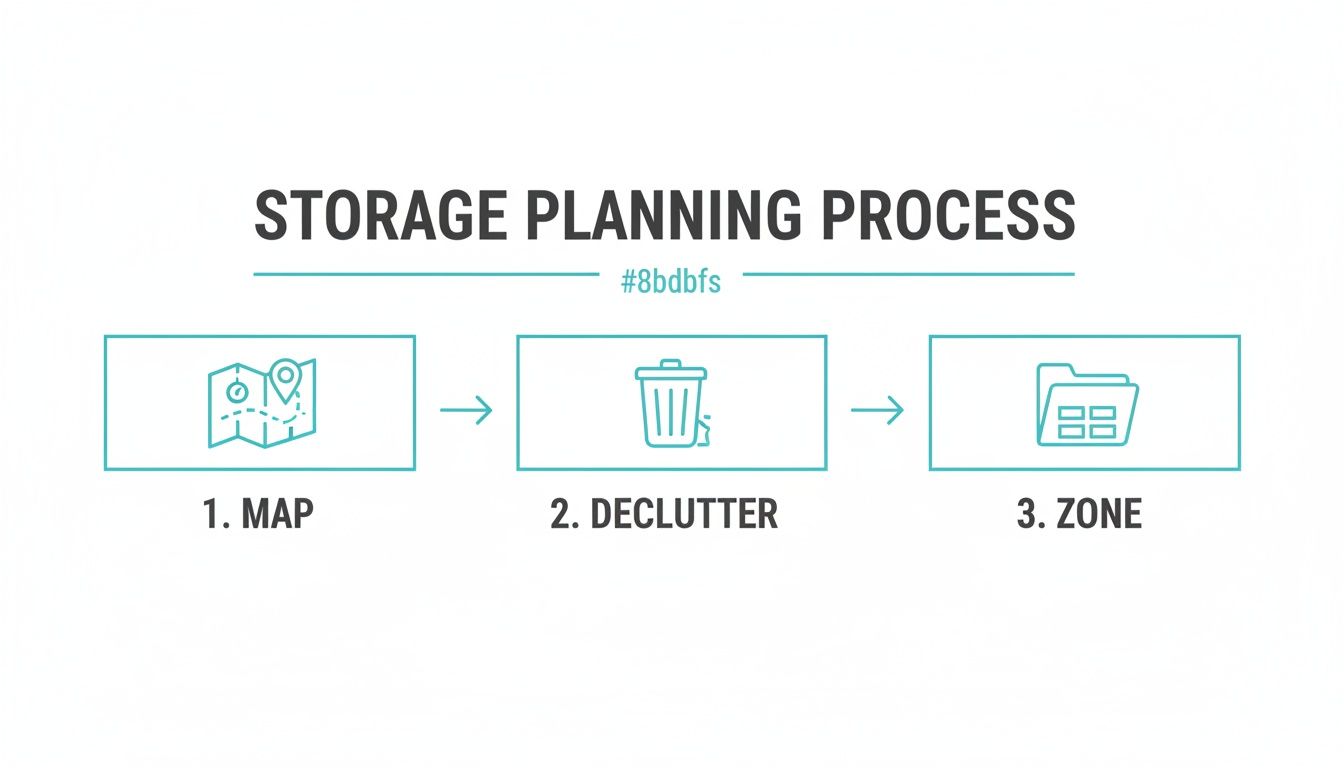
The image above really drives it home: a solid plan is the bedrock of any good storage system. It's the essential first step before you even think about cataloging.
To get the most out of your inventory, here are the essential details I always recommend capturing:
- A Specific Item Name: Don't just write "drill." Be specific: "DeWalt 20V Cordless Drill". You'll thank yourself later.
- The Exact Location: Use the detailed hierarchy you planned earlier (e.g., "Garage -> Workbench -> Drawer 2").
- Photos of Receipts & Warranties: This is a lifesaver for insurance claims, returns, or repairs.
- Purchase Date & Price: Incredibly helpful for tracking the value of your items and managing your budget.
- Manuals or Key Documents: Snap a photo of important pages or, even better, link directly to the PDF online.
To help you get started, here's a quick look at the kind of information that's worth logging for different types of items around your home.
Essential Information to Capture for Each Item
| Item Category | Key Information to Log | Why It Matters |
|---|---|---|
| Electronics | Model number, serial number, receipt, warranty PDF, purchase date. | Critical for warranty claims, support calls, and insurance purposes. |
| Tools | Brand, model, photo, location in garage/shed, purchase date. | Prevents buying duplicates and helps you find the right tool for the job quickly. |
| Collectibles | Condition, certificate of authenticity, appraisal docs, high-res photos. | Essential for tracking value, proving provenance, and for insurance riders. |
| Kitchen Appliances | Manual PDF, warranty info, purchase date, accessories/parts. | Makes it easy to find instructions, order replacement parts, or troubleshoot issues. |
| Important Documents | Digital scan (PDF), physical location, expiration date (for passports, etc.). | Creates a secure digital backup and a reminder system for renewals. |
Capturing these details turns a simple list into a powerful personal asset management tool.
Bring Your Bins to Life with QR Codes and Digital Tags
Now for the magic trick: connecting your physical storage to your new digital inventory. This is where QR codes make all the difference, turning your opaque storage bins into something you can actually search.
The process is surprisingly simple. Inside your inventory app, you generate a unique QR code for a specific bin, shelf, or box. Print these onto some adhesive labels, stick them on, and you're set. From now on, when you put something in that bin, you just scan the QR code on the outside and digitally add the item to that container's list.
The payoff is massive. Imagine you need your winter gloves. Instead of tearing open five different bins in the attic, you just walk up and scan each QR code with your phone. The app instantly shows you a photo and a list of everything inside, turning a 20-minute hunt into a 10-second task. You can see just how powerful this can be by exploring a complete tagging system for inventory and all the possibilities it opens up.
A QR code on a storage bin is more than just a label. It's a dynamic, interactive table of contents for your physical world, always up-to-date and accessible from your phone.
Why Every Little Detail Matters
Logging these details might feel a bit tedious at first, but believe me, the long-term benefits are huge. Think about it from a retail perspective: a staggering 82% of shoppers have recently been frustrated by out-of-stock items, a problem that good inventory management solves. The same logic applies at home. A quick search of your inventory can stop you from buying a duplicate tool you forgot you had.
For collectors, knowing how to catalog coins with precision is fundamental to managing their value, and that same principle applies to any collection you own. For the rest of us, it means having a system that can even parse your email receipts to automatically add new purchases, complete with warranty info, before you even put them away.
By taking those few extra seconds to log the right information now, you're building a robust storage and inventory system that does more than just find things. It becomes a central command center for your household assets, protecting your investments and saving you countless hours for years to come.
Bringing Your Inventory to Life
So you’ve built a digital inventory. That’s a huge first step, but the real magic happens when it stops being a project and starts being a part of your daily rhythm. An inventory that just sits there is a snapshot in time; it quickly becomes outdated and, frankly, useless.
The trick is to avoid letting it become another chore. We're not adding to your to-do list. Instead, we’re weaving simple, low-effort habits into the things you already do, keeping your system perfectly in sync with your life.
Make Maintenance Effortless, Not a Chore
The only way a system like this sticks for the long haul is if updating it feels like second nature. If it’s a big, separate task, you’ll procrastinate. The best systems meet you where you are, turning everyday actions into quick little updates.
Just think about the lifecycle of any item you own. You buy it, you use it, you store it, and eventually, you might get rid of it. You can plug a simple inventory touchpoint into each of those moments.
- When you buy it: Just bought a new gadget? Many apps can automatically log new purchases just by forwarding your email receipt. The app does the heavy lifting, pulling out the item name, price, and even warranty info. No manual entry needed.
- When you bring it home: Before you stash that new item away, take 30 seconds to snap a photo and assign it to a location ("Pantry, Top Shelf"). Done. It's a tiny habit that prevents a massive "catch-up" project later.
- When you use it up: Just used the last of the printer paper? A quick scan of the bin's QR code lets you mark it as "used." This keeps your stock levels accurate and can even automatically add "printer paper" to your shopping list.
A great inventory system shouldn't demand your time; it should seamlessly integrate into your day. A 30-second update when you buy something new is infinitely more effective than a three-hour "catch-up" session every six months.
A Shared System for a Smarter Household
Living with family or roommates? A shared inventory is a game-changer. It puts a permanent end to the endless questions like, "Where's the good scotch tape?" or "Are we out of AA batteries?" Your inventory becomes the single source of truth for the entire household.
Modern inventory platforms give you precise control over who can see and do what, so you can collaborate without giving up your privacy.
For example, you could set it up so:
- Your partner has full admin access to the entire home inventory.
- Roommates can view and edit only shared spaces like the kitchen, garage, and supply closet.
- A babysitter gets "view-only" permission for just the kids' playroom and the medicine cabinet, so they know exactly where to find the band-aids.
This kind of shared visibility just makes life easier. Everyone knows where things are, what needs to be bought, and who’s in charge of what.
Moving Day Will Never Be the Same
If you've ever stared at a wall of boxes cryptically labeled "Kitchen Stuff," you know the unique pain of a chaotic move. This is where a digital inventory truly shines, turning a stressful ordeal into a smooth, organized transition.
You've already done the hard work by cataloging everything. Now, as you pack a box, you simply scan its QR code and link the items you're putting inside. That’s it.
When you arrive at the new place, you can scan any box and instantly see a photo-rich list of its contents without even touching the packing tape. Need the coffee maker first thing? Scan a few boxes until you find it. This completely eliminates the guesswork, letting you prioritize unpacking and settle in faster than ever before. The upfront effort pays for itself tenfold, transforming a logistical nightmare into a manageable, even satisfying, project.
Advanced Tips for Collectors and Power Users
So, you've mastered the basics. Your boxes are labeled, your zones are defined, and you can find your holiday decorations without tearing the garage apart. But what happens when a simple list just isn't enough?
For those of us who are collectors, serious hobbyists, or just unapologetically ultra-organized, a home inventory can evolve from a simple tracking tool into a powerful personal database. This is where a truly sophisticated storage and inventory system shines, helping you manage, protect, and actually enjoy your most prized possessions.
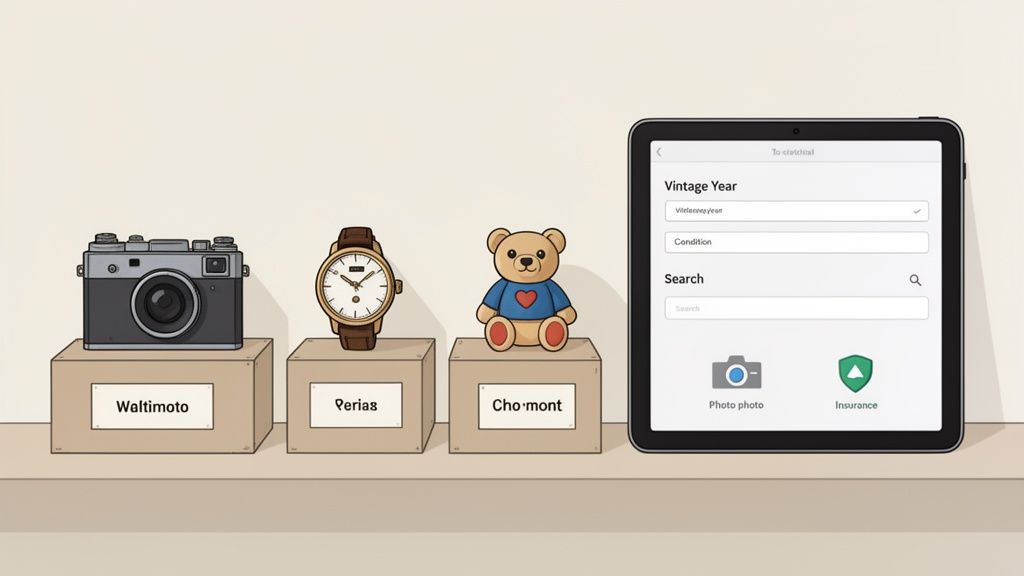
We're talking about going way beyond just knowing what you have and where you stashed it. This is about capturing the unique story and value of each item, whether it's a rare comic book, a vintage camera passed down from your grandfather, or a carefully curated wine collection.
Go Granular with Custom Fields
Your collection has its own language, its own specific details that a generic inventory template will completely miss. This is precisely why custom fields are a game-changer. Instead of cramming everything into a vague "notes" section, you can build a system tailored to the things that actually matter to you.
Think about the unique attributes of what you collect. Here’s how this plays out in the real world:
- For the Wine Enthusiast: Forget a simple list. Create fields for
Vintage Year,Region,Grape Variety, andOptimal Drink-By Date. Now, you can instantly search for the perfect bottle for dinner without digging through racks. - For the Antique Toy Collector: Tracking
Condition(Mint, Near Mint, Played With),Original Packaging(Yes/No), andDate of Manufactureis everything. These are the details that dictate an item's history and value. - For the Vinyl Record Collector: I've seen people add fields for
Pressing(First, Reissue),Vinyl Weight(180g), andRecord Label. This is how you catalog a collection with the precision it deserves.
When you create these fields, your inventory stops being a spreadsheet and starts being a specialized, searchable catalog that truly reflects the unique character of your collection.
Leverage Your Inventory for Insurance
Let's talk about one of the most practical, and frankly, most important reasons to keep a detailed inventory: insurance. Should the worst happen, like a fire, a theft, or a flood, trying to recall every single valuable item you own from memory is a nightmare. A well-documented inventory is the hard proof you need to file a claim quickly and get what you're owed.
Modern inventory systems allow you to generate comprehensive PDF reports that you can send straight to your insurance agent. A solid report should always include:
- High-resolution photos of each item.
- Scanned copies of original receipts or professional appraisals.
- Detailed descriptions, including serial numbers and all those custom fields you created.
Your home inventory isn't just an organizational tool; it's a critical piece of financial protection. A detailed, up-to-date record can be the difference between a smooth insurance claim and a major financial loss.
Make it a habit to update your inventory with new purchases and appraisals. It’s a small, ongoing effort that provides an incredible amount of peace of mind, ensuring your coverage always matches the real value of your assets.
The Power of Natural Language Search
This is where things get really cool. The big leap forward for personal inventory management is natural language search. This technology lets you talk to your inventory system like you'd ask a friend a question. It understands context and intent, so you don't have to remember exact keywords or fiddle with complicated filters.
Imagine just asking your phone:
- "Where did I put my winter hiking boots?"
- "Show me all the electronics I bought in 2023."
- "What's the warranty status for the kitchen blender?"
The system simply processes your request and pulls up the exact items, complete with their location, photos, and any attached manuals or receipts. It's a world away from the clunky keyword searches we're all used to. This is an intuitive, conversational way to find your stuff, making all that meticulous data you entered more accessible than ever before. This shift from manual searching to conversational queries is what turns a good inventory system into an indispensable assistant for your home.
Common Questions About Home Inventory Systems
Diving into a home storage project for the first time usually brings up a handful of questions. Let's face it, the thought of cataloging everything you own can feel a little overwhelming. But getting some clear answers upfront can make all the difference. Here are the most common things people ask when they're getting started.
How Long Does This Actually Take for a Whole House?
The honest answer? It depends. But the most important thing to remember is this: don't try to do it all at once. That’s a recipe for burnout.
The secret is to break it down into bite-sized chunks. Just pick one small area to start with, like a single junk drawer or one shelf in the garage. If you can commit to just 30 to 60 minutes a day, or maybe a few solid hours over a weekend, you'd be amazed at how quickly it adds up. You can have the whole house done in a few weeks without ever feeling like it's a monumental chore.
The initial setup is the heavy lift. After that, keeping it updated by adding new things as you get them takes just a few minutes here and there.
Is It Safe to Put All My Personal Data in a Digital System?
That's a great question, and security should absolutely be on your mind. You're documenting your personal belongings, and that data is sensitive. The good news is that any reputable inventory platform takes the safety of your information very seriously.
When you're choosing a tool, look for one that offers end-to-end encryption. This is the same level of security your bank uses, and it means your data is scrambled and unreadable from the moment it leaves your device until you access it again. A trustworthy company will be upfront about its security practices, so you can feel confident that the details of your home are kept completely private.
Your home inventory is a map of your personal life. Choosing a platform built with a privacy-first mindset isn't just a nice feature, it's essential for your peace of mind.
What’s the Real Point of Putting QR Codes on Storage Bins?
Think of QR codes as the magic link between your physical stuff and your digital list. They are a total game-changer, especially if you're tired of scribbling on labels that smudge or trying to remember what you shoved into that box three years ago.
Instead of guessing, you just scan the QR code on a bin with your phone. Instantly, your inventory app shows you a detailed list of everything inside, complete with photos. This is a lifesaver for those places packed with identical-looking containers, like the attic, basement, or the top shelf of a closet. A frustrating, 10-minute search-and-rummage mission turns into a quick, 15-second scan. No heavy lifting required.
Can I Share the Inventory with My Family Without Giving Them Access to Everything?
Of course. Any modern inventory system worth its salt is built for collaboration, because most of us don't live alone. A good platform will let you share your inventory with specific people and control exactly what they can see and do.
This kind of flexibility is perfect for running a household. For example:
- Your Partner: You can give them full admin access to the entire home inventory so you're both on the same page.
- Roommates: Maybe you only give them permission to see and edit shared spaces, like the kitchen and living room.
- A House-Sitter: You could grant them temporary, view-only access to essential items, so they know where to find the first-aid kit without seeing your entire personal catalog.
This way, everyone who needs to can find things, but your personal privacy is never compromised. It just makes for a smoother, more organized home for everyone.
Ready to stop searching and start finding? Vorby gives you the tools to create a powerful, searchable inventory of your home. With AI-powered cataloging, QR code integration, and secure sharing, you can finally take control of your storage. Start your free trial today.