Remember the last time you spent 30 minutes tearing apart the garage, positive you knew where you put the holiday decorations? Or that specific cable you know you own but can’t find anywhere? Barcode inventory tracking software, once a tool for massive warehouses, is finally simple enough for the rest of us. Forget messy spreadsheets and half-remembered lists. By pairing simple QR codes with a smart app, you can create a searchable digital catalog of everything you own.
Finally Find Everything You Own
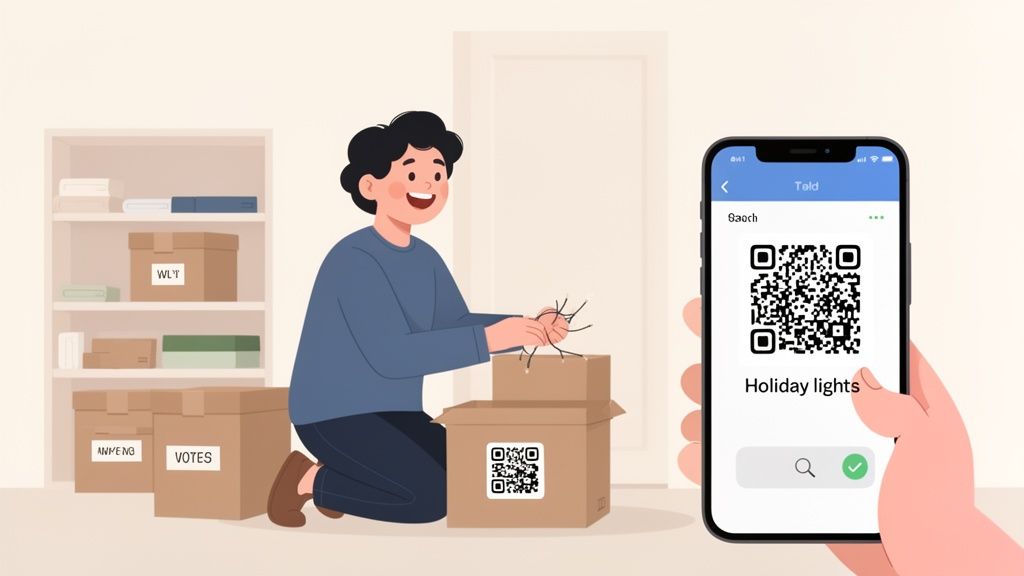
This guide is for anyone tired of the guessing game. It’s for everyone who has ever stared at a stack of storage bins in the attic and wondered what treasures (or junk) are hidden inside. We’re going to turn those chaotic spaces into organized, searchable zones where finding any item takes seconds, not hours. This isn't about complex logistics; it's about reclaiming your space and your time.
The core idea is brilliantly simple. You attach a unique QR code to a box, a shelf, or even a specific high-value item. Then, you use a mobile app to scan that code and log everything associated with it. Need the Christmas lights? A quick scan of the "Holiday" box with your phone instantly shows a complete list of its contents, photos, and maybe even a note about where you stored the extra bulbs. You know exactly what’s inside without ever lifting a lid.
The Power of a Digital Catalog
Creating a digital inventory goes way beyond just finding things faster. It’s a comprehensive record of your possessions, which can be a lifesaver for insurance claims after a disaster or just for planning a move. A well-organized system lets you:
- Instantly locate items with a quick search in an app. No more guessing.
- Track warranties and store digital copies of receipts and manuals right where you need them.
- Avoid buying duplicates because you can check what you already own from the store aisle.
- Share your inventory with family members, making it easy for anyone to find the camping gear or the extra blankets.
This shift from manual lists to smart tracking at home mirrors a much larger trend. The global market for this kind of inventory software is exploding, projected to hit $7.65 billion by 2025. This surge shows how everyone, from massive companies to regular households, is ditching outdated methods for solutions that offer pinpoint accuracy. You can learn more about these global market trends and see just how big this shift is.
The real win here is transforming your relationship with your stuff. Instead of feeling overwhelmed by clutter, you gain a sense of control. Knowing exactly what you have and where it is reduces stress and genuinely simplifies daily life.
This guide will walk you through every step, from picking the right labels and app to creating a tagging strategy that actually works for your home. You'll learn how to turn what feels like a monster project into a series of small, satisfying wins. The goal is to build a system that you'll stick with, making disorganization a thing of the past.
Choosing the Right Tools for Your Project
Setting up a home inventory system is way simpler and more affordable than you might imagine. Forget industrial-grade equipment; the secret is just piecing together a practical toolkit that fits your home, your stuff, and your budget. With a few smart choices in tags, labels, and software, you'll be up and running in no time.
Your first big decision is about the physical tags themselves. These are the unique identifiers you'll stick on boxes, bins, and individual items. For home use, it really boils down to two main options: QR code labels and NFC tags. Each has its own distinct strengths.
QR Codes vs. NFC Tags
QR codes are the undisputed champions of versatility and low cost. You can generate them for free right inside most inventory apps and print them out on standard sticker paper using any old home printer. This makes them absolutely perfect for labeling dozens of storage bins in the garage or basement without spending a fortune upfront.
NFC (Near Field Communication) tags, on the other hand, offer a totally different experience, trading low cost for durability and convenience. These are small, often plastic-encased tags that don't need a direct line of sight to scan. You just tap your phone near them. This is ideal for discreetly tagging valuable electronics, tools, or anything where a visible sticker would just look out of place.
To help you figure out which is best for you, here’s a quick side-by-side comparison.
Comparing QR Code Labels vs NFC Tags
| Feature | QR Code Labels | NFC Tags |
|---|---|---|
| Cost | Almost free; you can print them at home. | Higher cost per tag; requires a purchase. |
| Durability | Depends on the label material you choose. | Very high; often waterproof and rugged. |
| Scanning | Needs a clear camera line-of-sight. | Just requires a close-proximity tap. |
| Best For | Storage bins, boxes, large common items. | Electronics, tools, and high-value or discreet items. |
Most people end up using a mix of both, and that’s a great strategy. Use the cheap and easy QR codes for the bulk of your storage containers and save the durable NFC tags for the special items that need them.
Selecting the Right Labels and App
Once you've picked your tag type, you need to think about the label material. For items tucked away in a climate-controlled closet, regular paper labels will do the job just fine.
But for anything you plan to store in a garage, attic, or damp basement, where temperature and humidity love to fluctuate, investing in weatherproof vinyl labels is one of the smartest moves you can make. They fight off moisture and peeling, making sure your codes stay scannable for years to come.
Finally, the mobile app is the brain of the whole operation, tying everything together. A good barcode inventory tracking software designed for home use should feel intuitive, not like some clunky corporate logistics tool. Look for features that actually make your life simpler.
The best software does more than just scan. Features like AI receipt capture, which automatically logs new purchases from an email, or the ability to share your inventory with a spouse, transform the system from a simple list into a powerful home management tool.
Here are the non-negotiable features to look for in an app:
- Mobile Scanning: It has to use your phone's camera to scan codes quickly and reliably. No exceptions.
- Easy Item Entry: Adding photos, purchase dates, notes, and warranty info should feel effortless.
- Flexible Organization: You need the ability to create custom locations that match your actual home, like "Garage > West Wall > Top Shelf."
- Sharing and Collaboration: The option to grant access to family members is a game-changer for any shared household.
By carefully picking these core components, you're not just organizing; you're building a powerful and sustainable system that will pay you back in time and sanity. To see how this all comes together, check out our guide on how a barcode scanner for inventory management works in the real world.
How to Tag and Organize Your Belongings
This is where the digital plan meets the physical world. The idea of sticking labels on everything in your house can feel overwhelming, but the trick is to ignore the big picture for now. Seriously, don't try to inventory your entire home in one go. That's a surefire recipe for burnout.
Instead, think small. Pick one room. One closet. Heck, even just one of those mystery boxes stacked in the corner. By breaking this massive project into a series of small, manageable wins, you'll build momentum and actually see it through to the end.
Creating a Logical Structure
Before you print a single label, pause and think about the hierarchy inside your barcode inventory tracking software. A little planning here saves a ton of frustration later. You're essentially building a digital map of your home, and a good map needs clear navigation.
The most intuitive way to do this is by nesting locations within each other. For instance, instead of just creating a location called "Garage," drill down a few levels:
- Top Level: Garage
- Second Level: Tool Chest
- Third Level: Top Drawer
This kind of detail is what makes the system so powerful. When you're searching for your hammer weeks from now, the app won't just say "Garage," it'll tell you exactly which drawer to open. Taking five minutes to set this up pays off for years. For a deeper dive, check out our guide on creating a powerful tagging system for your inventory.
Practical Tagging Strategies in Action
With your structure mapped out, it’s time to start tagging. The goal here is to be strategic, not exhaustive. You don't need a QR code on every single book, but you should absolutely tag the bookshelf.
The key is practicality. A single QR code on a large storage bin is far more efficient than labeling every item inside. That one code can link to a detailed list of everything from holiday decorations to seasonal clothes.
Here are a few real-world examples of how this works:
- Storage Bins: Slap a durable, weatherproof QR label on the outside of a plastic tote. In the app, list all the contents and maybe even snap a quick photo of everything inside before you seal it up.
- Electronics: Stick a small, discreet NFC tag on the back of your TV. Link it to a digital record holding the receipt, warranty info, and a PDF of the user manual. No more digging through file cabinets.
- File Boxes: Tag the box containing your important documents. In the app, you can create a secure, itemized list of what's inside (e.g., "Birth Certificates," "Tax Returns 2023") without advertising sensitive info on the physical label.
The material of your label matters, too. A paper label in a damp basement won't last a week. Getting smart about choosing the right sticker or label ensures your system stays functional for the long haul.
This whole workflow is actually pretty simple when you break it down.
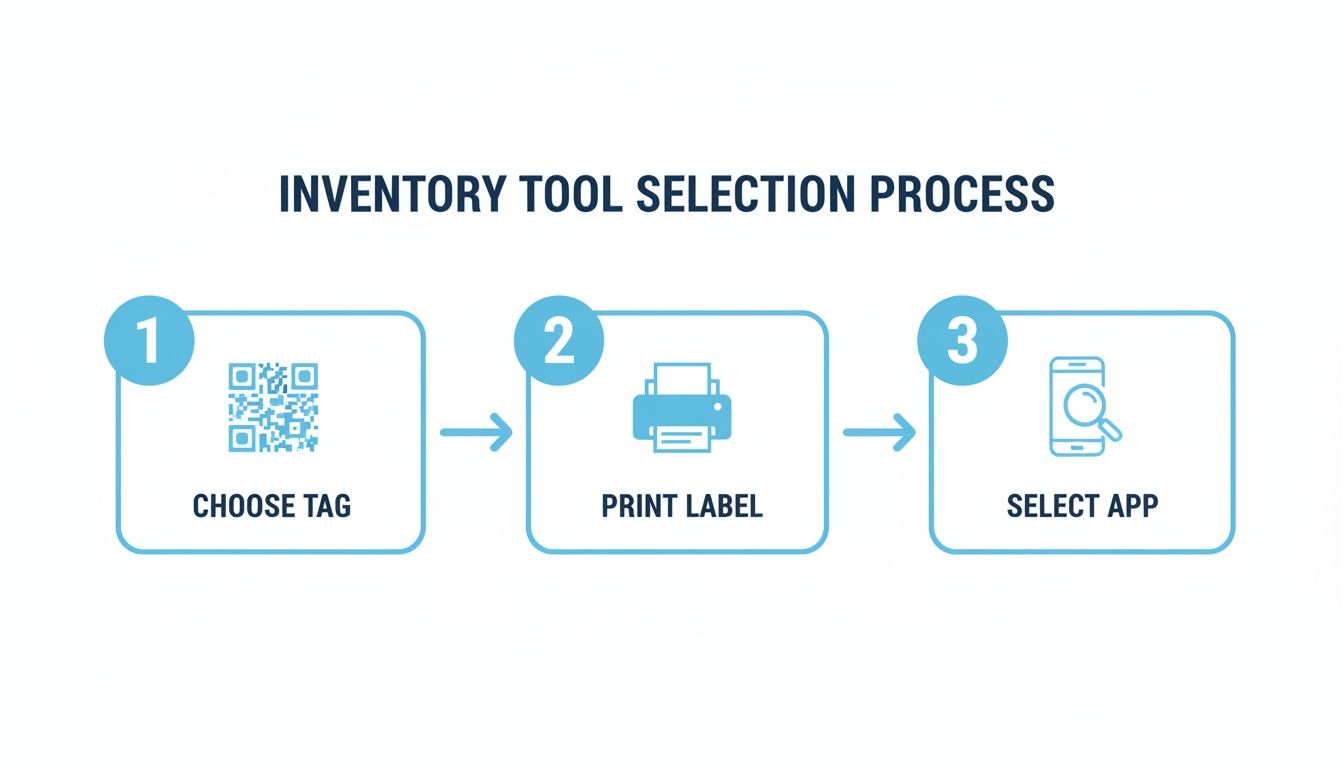
As you can see, it really just boils down to three core stages: picking your tags, printing the labels, and then using your app to tie it all together.
Putting Your Smart Inventory System to Work
Alright, your belongings are tagged and the digital backbone is in place. This is where the real fun starts. Your inventory system is about to transform from a weekend setup project into a powerful daily tool, moving you beyond simple organization and into a genuinely easier way of life.
The most immediate win? Instantly knowing what's inside any box or bin. No more tearing open three different containers to find the camping tent. A quick scan of a QR code with your phone brings up a detailed list, complete with the photos you added during setup. It's a simple workflow that kills the frustration of hunting for misplaced items.
But modern barcode inventory tracking software is so much more than a fancy scanner. It introduces a layer of automation that turns your static inventory into a dynamic, self-updating catalog of everything you own. This is what truly separates a smart system from a basic spreadsheet.
Activating Automated Workflows
Imagine you just bought a new coffee maker online. Instead of manually creating a new entry, you can just forward the email receipt to your inventory app. Using AI, the software parses the email, automatically adding the coffee maker to your inventory. It captures the name, price, and purchase date without you lifting a finger.
This hands-off approach extends to physical items, too. Many apps now have impressive image recognition capabilities.
- Snap a Photo: Take a picture of a new tool or electronic gadget. The app's AI can often identify the item, pull up its product details, and create a draft entry for you to confirm.
- Log Details Instantly: The software can populate fields like the brand, model number, and even track down a link to the user manual online.
These features drastically reduce the friction of keeping your inventory current, making sure it stays accurate and reliable over time. To really get this system humming, it helps to understand some effective inventory management principles, even on a household scale.
The goal is to make inventory updates a background process. By integrating with tools you already use, like email, the system adapts to your life instead of forcing you to adapt to its demands.
Practical Daily Use Cases
Think about how these workflows fit into everyday situations. Loaning a book to a friend becomes as simple as scanning its tag and assigning it to their name in the app. Now you have a clear record of who has it and when they borrowed it, with a built-in reminder to follow up.
Or what about when a warranty issue pops up with an appliance? Forget digging through a file cabinet for the paper receipt. You just scan the item's tag to instantly pull up the digital copy you saved.
This is how your home inventory evolves from a simple list into an active, intelligent system that streamlines how you manage, track, and interact with everything you own.
Maintaining and Sharing Your Home Inventory
An inventory system is a living thing. After the initial thrill of tagging everything is over, the real value emerges: keeping that digital catalog synced with your actual stuff. This is where your one-time project becomes a reliable, long-term tool for your whole household. The secret isn't more work; it's making updates quick and painless.
Think about it. When you lend your neighbor a power drill, a quick scan of its tag lets you update its status to "Loaned" and add a note about who has it. Done. If you move a box of winter coats from the attic to a basement closet, you just scan the QR code and tap to change its digital location. The physical tag stays put, but your record remains perfectly accurate.
Fostering a Collaborative System
A truly great home inventory isn't just your personal project; it's a shared resource for the whole family. Most modern barcode inventory tracking software is built for this kind of teamwork, letting you give different levels of access to different people. This turns your system from a personal database into a central hub for the home.
Here’s how that plays out in real life:
- Family Access: Grant your spouse or older kids permission to search the inventory. Now, they can find the camping gear or that box of spare batteries themselves without having to ask you where it is.
- Housesitter Instructions: A housesitter facing a leak can scan the tag on the water main to pull up immediate instructions on how to shut it off.
- Shared Spaces: Roommates can track shared supplies like paper towels or cleaning products, seeing what’s running low with a quick search instead of digging through a closet.
When your inventory becomes a team effort, it's more likely to stay updated and become genuinely useful for everyone involved. You can dive deeper into setting this up with our guide on sharing your home inventory.
Keeping Your Personal Data Secure
As your inventory grows, it becomes a detailed, private map of your possessions. That makes security and privacy non-negotiable. Always, always choose a platform that takes protecting your data seriously. Look for foundational features like end-to-end encryption, which makes your information unreadable to anyone but you, both when it's stored on a server (at rest) and when it's being synced to your devices (in transit).
Your home inventory contains sensitive information. Strong security isn't just a bonus feature; it's a fundamental requirement for any trustworthy barcode inventory tracking software.
This trend of making powerful tracking tech accessible is exploding far beyond just home organization. Small businesses are fueling a massive boom in this market, which is projected to rocket from $2.21 billion in 2026 to $3.98 billion by 2032. It's a clear sign that pro-level technology is no longer just for warehouses; it's for collectors, homeowners, and anyone who wants to bring order to their space. You can read more about the rise of barcode systems for small businesses to see just how big this shift is.
Answering Your Lingering Questions
Alright, even with the best plan in hand, starting a new project like this can bring up those last-minute "what if" questions. Let's tackle the most common ones right now, so you can dive in with confidence.
Most people get stuck on two main things: complexity and cost.
"Is This System Going to Be Too Complicated?"
Honestly? Not at all. The idea might sound techy, but modern home inventory apps are designed for real people, not IT pros. You absolutely don't need any special skills.
The barcode inventory tracking software in these apps is incredibly user-friendly. It walks you through making QR codes, and scanning them is as simple as pointing your phone's camera. The whole experience is built to be intuitive, so there's no steep learning curve. If you can use a smartphone, you can do this.
"What's This Actually Going to Cost Me?"
This is another area where people overestimate. It’s easy to assume a smart organization system requires a big investment, but that's rarely the case.
The reality is, you can get a powerful system up and running for very little money. Many of the best inventory apps offer free trials or super affordable plans, letting you kick the tires before you commit.
Your main physical cost is the labels themselves, and those are cheap. You can print a ton of QR codes on standard sticker paper using the printer you already own. If you need something more rugged for the garage or attic, weatherproof labels are just a few bucks more. NFC tags cost a bit more per tag, but they're insanely durable and reusable.
Bottom line: you can build a seriously robust system for less than the cost of a few pizzas.
"What Happens When I Move or Just Rearrange My Stuff?"
This is where a digital system really proves its worth. Its flexibility is the whole point.
Let's say you move a box of winter clothes from a closet upstairs to a shelf in the basement. You don't have to peel off the old label and print a new one. That would be a nightmare.
Instead, you just whip out your phone, scan the QR code on the box, and update its location in the app. Change "Upstairs Hall Closet" to "Basement North Wall," which takes seconds. The physical tag stays exactly where it is, but your digital record is instantly accurate. This makes tracking your belongings through a major cross-country move or just a simple seasonal swap completely seamless.
Ready to finally get a handle on everything you own? Vorby uses smart, AI-powered tools to make cataloging your stuff feel less like a chore and more like magic. Start your free trial today and see just how easy organization can be.