Ever feel like your storage bins are little black holes? You know you bought more holiday lights last year, but are they in the attic? The garage? That mysterious box in the back of the closet? That’s where a barcode system for your home comes in, and it's not nearly as complicated as it sounds.
Your Introduction to Home Barcode Systems
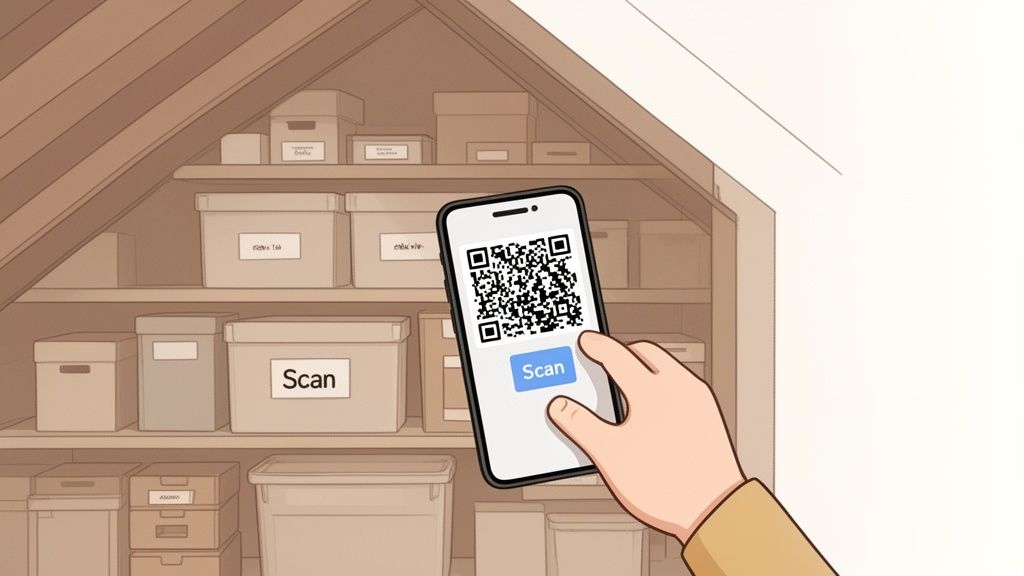
Imagine knowing exactly what’s inside every single storage bin with a quick scan of your phone. That’s the magic of bringing an inventory barcode system into your house. We’re going to pull back the curtain on this technology, showing you how the same concepts that keep giant warehouses humming can bring incredible order to your personal space.
The core idea is simple: turn cluttered chaos into a searchable, manageable digital catalog. Forget expensive gear. We'll explore how modern apps and the smartphone you already own are all you need to track everything from pantry staples to priceless collectibles.
Why Barcodes Are Perfect for Home Use
Barcode systems might be famous for tracking products in retail stores, but their real power lies in their simplicity, a power that translates perfectly to managing your own stuff. The goal is the same whether you're tracking a million widgets or a dozen boxes of keepsakes: eliminate guesswork and save time.
Here’s why this approach is so effective for personal use:
- Instant Identification: A quick scan reveals a box's entire contents without you ever having to break the seal. This is a game-changer for seasonal decorations, old family photos, or archived documents.
- Reduced Mental Load: You no longer have to be the one person who remembers where everything is. The system becomes your external brain, freeing you up to focus on what actually matters.
- Effortless Organization: The simple act of cataloging your items forces you to be more intentional. You start making conscious decisions about what you keep, why you keep it, and where it should live.
An effective home inventory system isn't really about the tech. It's about the peace of mind it creates. Knowing you can find anything you need, the moment you need it, cuts out a surprising amount of daily stress and friction.
This guide will walk you through the essential tools, from scannable labels to user-friendly software. Think of it as a starter kit for mastering your home inventory. By the end, you’ll know exactly how to set up and use a system that helps you find anything, anytime.
Understanding the Core Components
A barcode inventory system might sound technical, but it really just boils down to three simple parts working together. Think of it like a modern library checkout: you have the book with its unique code, a librarian to scan it, and a computer system that tracks who has what. In our world, those three pieces are the barcode label, the scanner, and the software.
Each part has its own job, but they’re completely dependent on each other. The real magic happens when they sync up, turning a pile of physical stuff into a searchable, digital database you can pull up instantly on your phone.
The Barcode Label: Your Item's Digital Fingerprint
It all starts with the barcode itself. This little label acts as a unique fingerprint for each of your items. For home use, you’ll run into two main types, and the difference between them is a game-changer.
- 1D Barcodes: Your classic 1D barcode, the kind with vertical lines you see on a can of soup, is like a license plate. It holds a simple string of numbers or letters that a database has to look up to find out what it is. It's functional, but that's about it.
- QR Codes: A modern QR code is more like a digital business card. It can hold a ton of data right inside the code itself, including detailed descriptions, photos, and even little notes. For personal inventory, QR codes are way more powerful because they give you rich context in a single scan.
That ability to pack in more information makes QR codes the clear winner for organizing personal belongings, whether you're labeling storage bins in the attic or cataloging a prized collection.
The Scanner: It’s Already in Your Pocket
The second piece of the puzzle is the scanner, which reads the barcode and pulls up its data. Forget those clunky, expensive laser guns you see in warehouses. For a home inventory system, the perfect scanner is the one you already own: your smartphone’s camera.
Modern inventory apps are built to use your phone's camera, making the whole process incredibly accessible and affordable. There’s absolutely no need to buy extra hardware. The device you carry every day is all you need to read labels instantly, bridging the gap between your physical items and their digital records. For a deeper dive, you can learn more about how a barcode scanner works for inventory management in our detailed guide.
The Software: The Digital Brain of Your Operation
Finally, the software acts as the digital brain for your entire system. This is the central hub where all the information tied to your barcodes is stored, organized, and made searchable. Apps like Vorby are designed for exactly this purpose.
A barcode system all but eliminates manual data entry, which is where nearly all inventory mistakes are born. In fact, businesses report that barcodes can slash data entry errors by up to 90%, turning chaotic stockrooms into models of precision.
This is why the barcode inventory software market is booming, projected to hit $7.65 billion soon. That growth highlights a massive shift in how organizations, and now regular households, are getting a handle on their assets. An app becomes your single source of truth, letting you find any item you own with a quick search or scan.
How a Barcode System Works Step by Step
Let’s get practical. The easiest way to wrap your head around an inventory barcode system is to see it in action. We’ll walk through a real-world scenario most of us know all too well: wrestling with that chaotic mountain of holiday decorations.
Before, you'd spend an hour digging through unlabeled bins, desperately hoping to find the outdoor lights. You might even give up and buy duplicates, only to find the original set a month later. It's a frustrating annual tradition.
The "after" is a whole different story. With an inventory system in place, you approach the same task with total confidence. You know exactly where everything is. The guesswork vanishes, replaced by a quick, informative scan.
The Four Key Steps of Organization
The entire process boils down to a simple, repeatable cycle. This is what makes an inventory barcode system so powerful for managing everything from a valuable collection to your pantry staples.
Catalog Your Items: First, you create a digital record for what's inside a container. You pop open an app, like Vorby, and list the contents. For our holiday box, you’d type in things like "2 strings of white LED lights," "1 star tree topper," and "assorted red and gold ornaments."
Generate and Print a Code: With the info logged, the software instantly creates a unique QR code for that specific bin. You don't need any special gear for this, since a standard home printer and some adhesive label paper are all it takes. This code is now the digital key to everything you just entered.
Label Everything: Now, just peel that printed label and stick it right on the storage bin it belongs to. This simple physical tag creates an unbreakable link between the bin sitting in your attic and its detailed digital record in your app.
Scan and Update as Needed: Here’s where the magic really happens. When you pack the decorations away, a quick scan with your phone logs their location, maybe you note "Attic, Shelf 3." Next year, instead of prying open every single box, you just scan the QR code on the outside. Your phone immediately displays the complete contents list, saving you a ton of time and hassle.
This simple flowchart shows how these pieces (the code, the scanner, and the software) all work together.
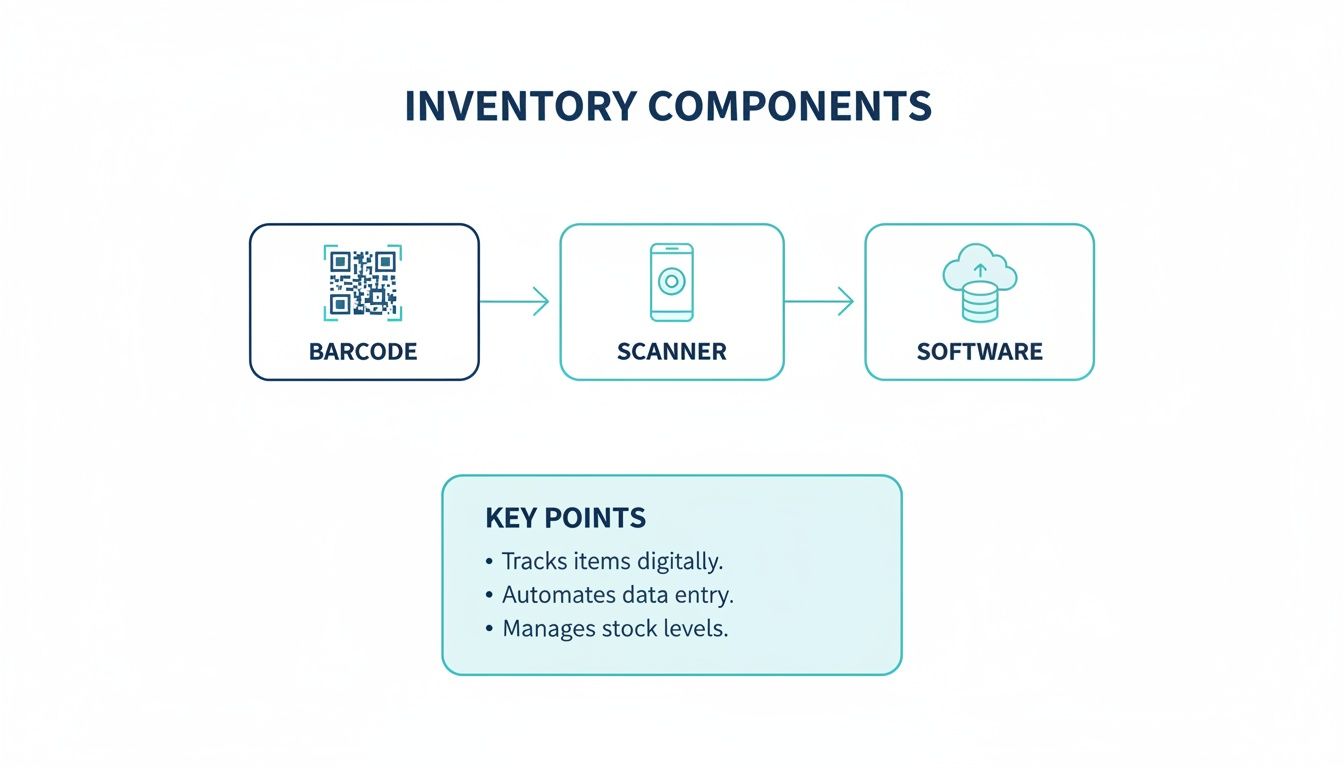
As you can see, the barcode on the item connects to the scanner (your phone), which then pulls up the right information from the software that holds all your data.
This process effectively transforms your physical storage into a searchable database. You're no longer just storing items; you're creating an intelligent system that remembers everything for you, eliminating clutter and saving hours of searching.
Comparing Different Inventory Tagging Technologies
While traditional barcodes are the classic choice, modern tech like QR codes and NFC tags offer different advantages for home use. Choosing the right one depends on what you're tracking and how you plan to access the information.
| Feature | 1D Barcodes (UPC) | QR Codes | NFC Tags |
|---|---|---|---|
| Data Capacity | Very Low (stores a simple ID number) | High (stores text, URLs, contact info) | Low (stores a small amount of data) |
| How to Read | Requires a dedicated laser scanner or special app | Scannable with any modern smartphone camera | Requires an NFC-enabled phone held very close |
| Best For | Retail products, large-scale commercial inventory | Storage bins, moving boxes, linking to detailed info | High-value items, quick "tap-to-check" actions, smart home automation |
| Cost | Very cheap to print | Free to generate, cheap to print | More expensive per tag ($0.25 - $1.00+) |
| Durability | Can become unreadable if scratched or damaged | High error correction; scannable even if partially damaged | Very durable; often encased in plastic and waterproof |
For most household needs, QR codes hit the sweet spot. They’re free, easy to create, hold tons of information, and work with the phone you already have. Traditional barcodes are overkill for home use, while NFC tags are a great (though pricier) option for items you need to identify quickly and discreetly.
Setting Up Your First Home Barcode System
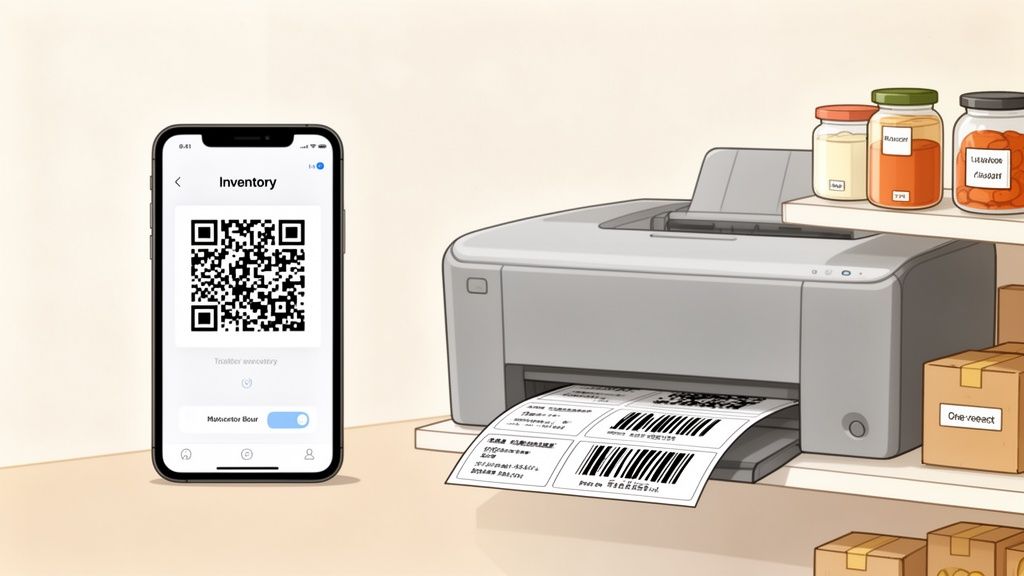
Jumping into an inventory barcode system for your home sounds way more technical than it actually is. The truth? You can build a surprisingly powerful setup with just your smartphone and a regular printer, so no fancy, expensive hardware is needed.
The real secret to success is starting small to build momentum.
Trying to catalog your entire house in one go is a surefire recipe for burnout. Instead, pick a single, manageable area to conquer first. Choose a spot where you'll feel the win immediately, like your kitchen pantry, that one chaotic bookshelf, or the closet you're always a little afraid to open. That small victory will give you the motivation you need to keep going.
Choosing the Right Tools for the Job
Your first move is picking the right software. Think of it as the command center for your entire system. The best apps for home use are intuitive and designed to work with the tools you already own.
Look for a solution with these core features:
- Automatic QR Code Generation: The app should instantly create unique QR codes for your items, no manual design work required.
- A Powerful Smartphone Scanner: Your phone’s camera should be the only scanner you need. The app needs to make scanning quick and painless.
- Flexible Data Fields: You need the freedom to add custom info that matters to you, whether it’s a purchase date for an appliance or a sentimental note about a collectible.
- Shared Family Inventories: For households, being able to grant access to others is a game-changer. It lets everyone find what they need and helps keep the inventory up to date.
Apps like Vorby are built with these features in mind, taking the headache out of creating a home inventory from scratch. If you enjoy a more hands-on, DIY approach, it's also worth exploring how to manage barcodes with Excel to see how different systems stack up.
What Information Should You Log?
Once you've got your app and a starting point, the next question is what, exactly, to record. My advice? Think beyond just the item's name. The more context you add now, the more valuable your system will be down the road.
For general household items, consider adding:
- Purchase Date: This is fantastic for tracking when you bought electronics or appliances.
- Warranty Details: Just snap a photo of the warranty card or jot down the expiration date.
- Specific Location: Don't just log "garage." Get specific: "Garage, Blue Bin on Top Shelf."
- Quantity: Perfect for tracking pantry staples or cleaning supplies so you know exactly how many you have left.
For collectors, the needs are obviously more specialized. You might want to add fields for item condition, appraisal history, or the original purchase price. This turns your inventory from a simple list into a valuable, detailed record of your entire collection.
The core principle is simple: log the information you'll wish you had in the future. A few extra seconds of data entry today can save you hours of searching or frustration tomorrow.
Barcode scanners are the unsung heroes of this whole process. While you might picture giant warehouse scanners, the global market for these devices was valued at over USD 9.22 billion in 2025 and is projected to keep growing. The real story is that handheld scanners (like your phone) are expected to command a massive 61.8% market share by 2035 simply because they're so portable and accessible. For families organizing a shared storage unit or a hobbyist cataloging their library, scanning a QR code on a box to see its contents is just as powerful as it is for a retailer cutting picking errors by 75%. You can find more insights about the barcode inventory market on goodsorderinventory.com.
Advanced Strategies for Home Inventory
Once you get past the basics of just tagging and scanning, an inventory barcode system starts to solve some surprisingly complex household problems. It stops being a simple list of your stuff and becomes a dynamic tool for managing your life. For collectors, it's a game-changer, since suddenly you can track provenance, purchase prices, and insurance values, turning a hobby into a seriously well-documented collection.
Think about moving. Slapping a QR code on a moving box acts as a digital manifest. Instead of a vague scribble like "kitchen stuff," a quick scan can pull up a detailed list of every single item inside. It transforms the chaos of unpacking into a logical, room-by-room process.
For a busy family, a shared inventory can track everything from pantry staples to sports gear. No more buying a second jar of peanut butter when you already have three. No more frantic, last-minute searches for a specific pair of cleats right before a game.
Unlocking Next-Level Organization
The real power kicks in when you start linking digital documents directly to your physical items. This is where the magic happens, connecting important information to the exact thing you need it for, right when you need it.
- Link Receipts and Warranties: Slap a QR code on your washing machine. A quick scan can instantly pull up its purchase receipt, warranty details, and user manual. Say goodbye to digging through that messy file cabinet.
- Create Visual Reminders: Attach a photo or a short video to an item's record. For complicated electronics, this could be a quick tutorial on how to set them up. For sentimental items, it could be a memory of where you got it.
- Track Maintenance Schedules: For things like HVAC filters or smoke detectors, you can log replacement dates and set reminders for the next service. Our guide on creating a tagging system for inventory can help you build a consistent method for this.
From Household to Enterprise-Grade Reliability
This level of organization isn't just some neat trick; it’s built on principles that have been proven on a massive scale. Barcode systems are the backbone of efficiency for the world's biggest retailers for a reason. As of 2025, a staggering 90% of them rely on this tech. It’s what allows them to manage global supply chains and slash the kinds of errors that used to cripple manual counting systems. For homeowners, that statistic just highlights the proven, battle-tested reliability you're bringing into your own space.
By connecting digital information to your physical world, you create a seamless organizational workflow. Your home becomes a searchable, intelligent space where every important detail is just a scan away.
As you start exploring these more advanced strategies, it helps to see what tools are out there. Leveraging specialized resources can elevate your system from a simple catalog to a comprehensive home management solution. You can find excellent breakdowns of different types of home inventory management software to compare features and find the perfect fit for your needs.
Common Questions About Home Barcode Systems
Diving into any new way of organizing your stuff is bound to bring up a few questions. Adopting a barcode system for your home is no different, but the good news is the answers are usually simpler than you’d expect. Let's tackle the most common queries to clear things up so you can get started with confidence.
Most people think they need a bunch of expensive, specialized gear, but the most powerful tool for the job is probably already in your pocket. That’s what makes modern home inventory so easy to get into.
Do I Need an Expensive Barcode Scanner?
Absolutely not. For organizing your home, your smartphone is the only scanner you’ll ever need. Modern inventory apps, like Vorby, are built from the ground up to use your phone's camera, reading QR codes and traditional barcodes in a split second.
This completely eliminates the need for any extra hardware, which makes it a fantastic, budget-friendly way for anyone to get organized. The high-quality camera you carry around every day is more than powerful enough to do the job quickly and accurately.
What Is the Difference Between Barcodes and QR Codes?
The difference is simple but really important. Think of a classic 1D barcode (those vertical lines you see on every product) like a license plate. It just holds a short string of numbers that a database has to look up to find any real information. It's just an ID tag.
A 2D QR code, on the other hand, is more like a digital business card. It can hold a ton more information right inside the code itself, like text, website links, or detailed notes about an item. For home inventory, QR codes are far superior because they can link you directly to a rich profile of your item inside an app, giving you all the context you need instantly.
How Do I Start If I Have Hundreds of Items?
The secret is to start small to avoid feeling overwhelmed. Trying to catalog your entire home in one weekend is a surefire recipe for burnout. Instead, just pick one contained area to get your feet wet.
Focus on a single, manageable space where you'll see an immediate win. This could be your kitchen pantry, a tool chest in the garage, or even just one storage bin of holiday decorations. By knocking out one small project, you'll learn the workflow and get that rewarding feeling of accomplishment, which is all the motivation you'll need to keep going.
Is My Inventory Data Secure in an App?
Data security should be a top priority for any inventory app you consider. A quality service uses strong encryption to protect your information, both when it's stored on their servers (at rest) and when it's zipping back and forth from your device (in transit). This is the same level of security your banking app uses.
Before you commit to an app, always check that the company is transparent about its security and privacy practices. This gives you peace of mind that the information about your valuable possessions stays private and is fully protected from anyone who shouldn't see it.
At the end of the day, a well-designed app doesn't just help you get organized; it makes sure your digital inventory is safe. That combination of function and security is what makes a barcode system such a powerful tool for modern home management. You get all the benefits of a searchable, digital catalog without ever having to compromise your privacy.
Ready to transform your cluttered spaces into an organized, searchable inventory? Vorby uses the power of your smartphone to make cataloging your home simple and intuitive. Generate QR codes, track warranties, and find anything you own in seconds. Start your free 14-day trial of Vorby today and experience true peace of mind.