Using a QR code for inventory is the secret to finally connecting your physical stuff to a digital catalog. It essentially turns any storage bin, closet, or moving box into a searchable database right on your phone.
Imagine scanning a box in your garage and instantly seeing a detailed list and photos of everything inside without ever slicing the tape. That's not some far-off tech fantasy; it's a simple, powerful way to create a perfectly organized home.
Why QR Codes Transform Home Inventory
Have you ever wasted an hour tearing through the attic, hunting for that one thing you swear you saw last year? Or maybe you’ve bought the same set of holiday lights two years in a row because the original set was buried somewhere mysterious. These are the exact headaches a QR code inventory system is designed to cure.
This is about more than just slapping a label on a box. It's about building an interactive map of your belongings.
The system itself is beautifully simple. You stick a unique QR code onto a box, a piece of furniture, or even an entire room. Then, you link that code to an entry in an app like Vorby, where you list everything it contains. From that point forward, finding anything is as simple as a quick scan or typing a search term.
The Real-World Impact on Organization
For a busy family, this could mean finally getting a handle on all the seasonal sports gear. A quick scan of a bin in the basement tells you immediately if it’s the one with soccer cleats or the Halloween costumes, saving you a ton of time and hassle.
If you're a collector, this is a game-changer. It offers a meticulous way to catalog valuable items, linking each physical piece to its digital record, complete with purchase dates, photos, and appraisal details.
And for something as stressful as moving? Forget scribbling vague descriptions on cardboard. You can create a detailed manifest for every single box. When the truck arrives at your new place, you'll know exactly where everything is, making unpacking a methodical process instead of a chaotic free-for-all.
Key Takeaway: A QR code inventory system is more than a slick labeling method. It fundamentally changes how you interact with your physical space by making every item you own digitally accessible and searchable.
Beyond Convenience The Practical Gains
The true power here goes beyond just tidy shelves. Big companies have long understood the massive cost savings of automated inventory control, and now you can bring that same efficiency into your home.
Here’s how that translates into real-world benefits for you:
- Reduced Mental Load: You don't have to remember where everything is anymore. The system remembers for you.
- Informed Decisions: Before a shopping trip, a quick search in your inventory app can confirm if you already own that specific cake pan, preventing duplicate purchases and saving you money.
- Peace of Mind: For insurance claims, having a detailed, photo-documented inventory is invaluable. In the unfortunate event of a fire, theft, or flood, your documentation is ready to go.
Households are adopting this tech for clarity, but in the logistics world, similar systems boost operational efficiency by up to 30%. With industry projections showing that over 2.2 billion people will use QR codes for payments by 2025, it’s clear this isn't just a niche technology. Nearly a third of global smartphone users are already comfortable with it. You can dive deeper into these QR code trends and statistics on krofile.com. This widespread familiarity makes adopting a QR code for inventory feel like a natural, intuitive step toward a smarter, more organized home.
Building Your QR Code System From Scratch
Setting up a powerful QR code inventory system is way more approachable than it sounds. The real secret isn't some technical wizardry; it's about establishing a clear, logical structure from the very beginning. Before you even think about printing that first label, just taking a few moments to plan your approach will pay off massively down the road.
The whole idea is to create a system that’s intuitive, searchable, and can grow with your needs. This all starts right inside the Vorby app, where you'll generate the unique digital tags that connect your physical items to their records in the cloud. From there, it’s all about creating a naming system that actually makes sense for your home and your life.
First Steps: Generating Your Codes
Your journey begins inside the Vorby app, which is basically your command center for everything related to your home inventory. Making your first QR code couldn't be simpler. You just create a new "Container" or "Item" within the app, and Vorby automatically generates a unique, scannable QR code for it.
This initial step is absolutely crucial because it establishes the digital half of the equation. Each code is a gateway to a detailed entry where you can add photos, descriptions, purchase dates, and warranty info. Think of it as creating a digital placeholder that's just waiting to be linked to a physical object.
The Art of a Smart Naming Convention
A good naming convention is the backbone of an effective inventory system. Without one, you’re just creating a digital junk drawer that’s every bit as chaotic as a a physical one. The goal is to create names that you'll instantly recognize and can easily search for later.
I've found the most effective method is the Location-Category-Identifier format. It's simple and it just works.
- Location: Start with the broadest category, like the room or area (e.g., Attic, Garage, Basement).
- Category: Next, add a more specific descriptor of what's inside (e.g., Holiday, Camping, Tools).
- Identifier: Finally, tack on a unique number to tell similar containers apart (e.g., 01, 02, 03).
Putting it all together, you get names like "Attic-Holiday-01" for your main Christmas decoration bin or "Garage-Camping-02" for the box with your sleeping bags. This structure ensures that even a simple search for "Camping" will instantly pull up every relevant container.
A well-planned naming system transforms your inventory from a simple list into a powerful, searchable database. It’s the single most important step for ensuring your system remains organized and scalable over time.
This straightforward, three-part naming strategy prevents a ton of confusion and makes your inventory incredibly easy to navigate as it grows.
Linking Digital Entries to Physical Items
Once you've generated a code and given its digital entry a smart name, it's time to connect it to the physical world. This is where the system really comes to life.
Start by opening the new digital container you created (e.g., "Attic-Holiday-01"). Now, you can begin adding the items that are physically going inside that box. While you can type item names manually, the real magic comes from using your phone's camera.
Just snap a photo of the items as you place them in the bin. Vorby’s AI-powered image recognition gets to work, automatically identifying and cataloging many of the objects for you. This saves a massive amount of time and effort, turning what used to be a tedious task into something quick and almost fun. If you want a deeper dive into how Vorby uses QR codes for inventory, our detailed feature page is a great resource.
This infographic breaks down the core workflow into three easy steps: packing your bin, scanning its code, and digitally listing what's inside.
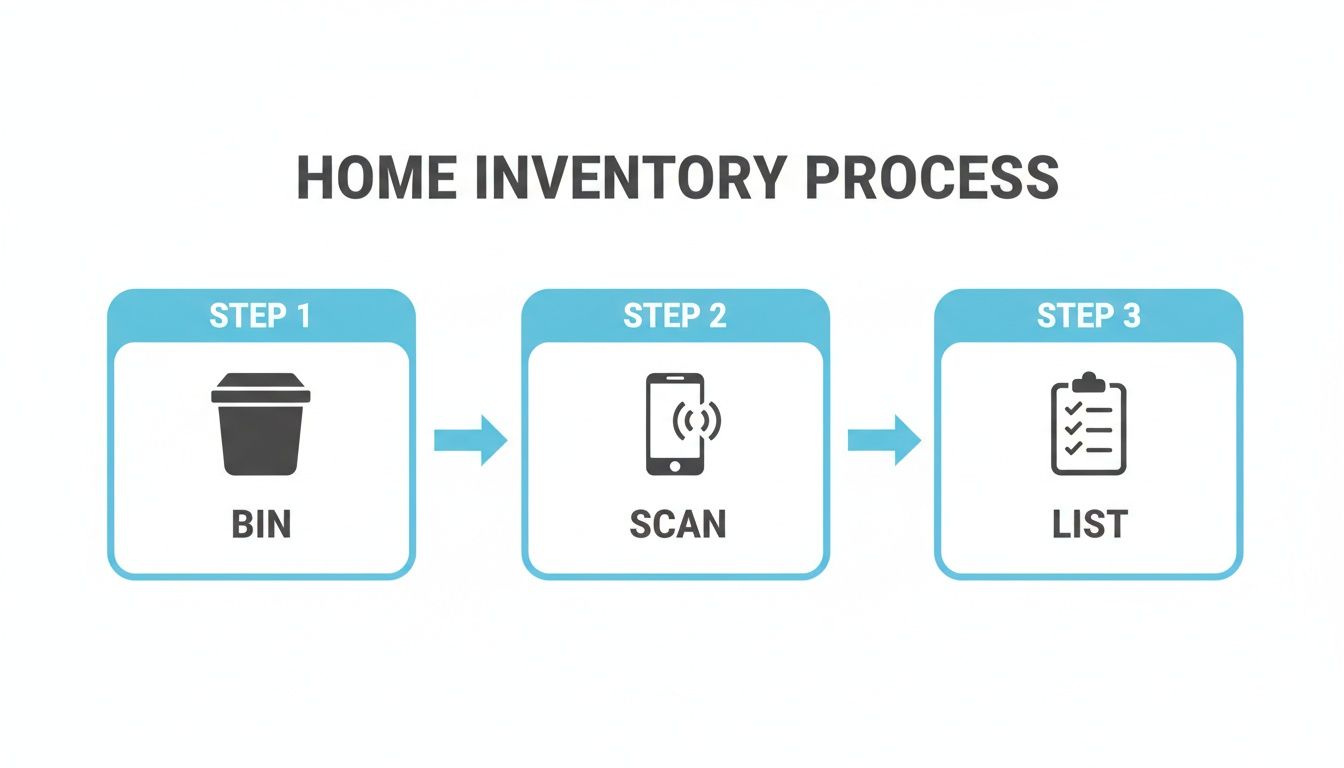
It’s a great visual that underscores just how simple the system is, showing how a physical action (packing) is seamlessly translated into a digital record through a quick scan.
Your slick digital inventory system is only as good as the physical labels you stick on your boxes. Let's be honest, a torn, faded, or unreadable QR code is worse than useless; it turns your organized masterpiece back into a frustrating guessing game.
Taking a few moments to choose the right materials and apply them correctly means your labels will survive years of being stacked, stored, and shuffled around. Print once, and you're done.
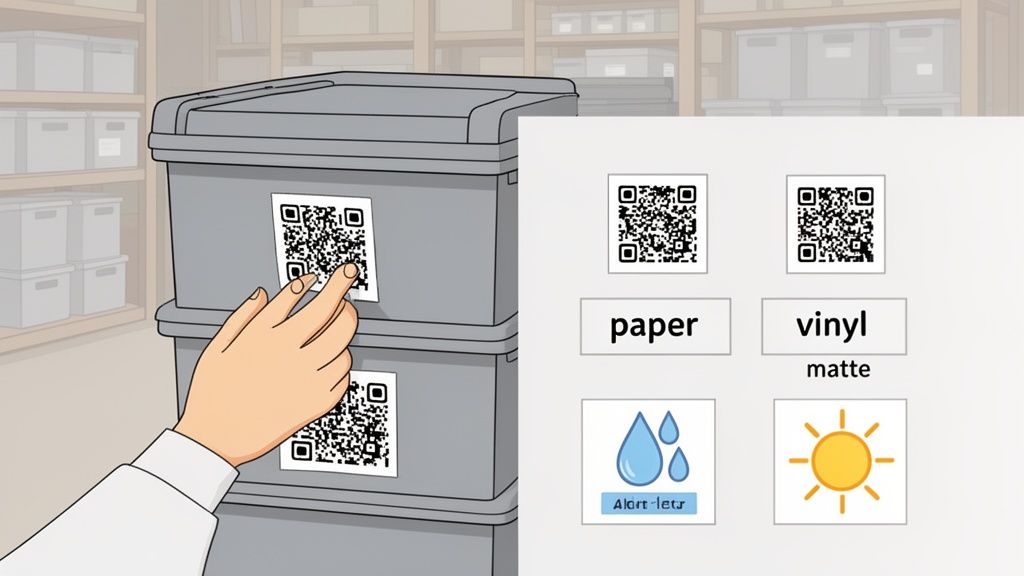
Think about where your stuff actually lives. A box of photo albums in a climate-controlled closet has very different needs than a bin of camping gear in a dusty, damp garage that sees wild temperature swings.
Selecting the Right Label Material
The single most important factor for a label’s longevity is the material it's made from. It's tempting to grab standard paper labels, but they're a poor choice for anything other than short-term, light-duty use. They tear easily, soak up moisture, and fade over time, making the code completely unscannable.
For most home inventory projects, you’ve got a few solid options that will stand the test of time.
- Standard Adhesive Paper: This is your basic, everyday label. It’s cheap and perfectly fine for things stored indoors in dry, stable conditions, like office files or closet organizers. Just know it offers almost zero resistance to moisture or abrasion.
- Weatherproof Polyester: A huge step up. These labels can handle moisture, oil, and tearing. They are a fantastic all-around choice for bins stored in basements, attics, or garages where conditions are less than perfect.
- Durable Vinyl: This is the top-tier choice when you need maximum durability. Vinyl labels are waterproof, UV-resistant, and tough enough to handle serious wear and tear. They're ideal for outdoor equipment, toolboxes, and anything stored in harsh environments.
When you're getting set to print, knowing the ins and outs of your chosen material is a game-changer. For example, understanding the specifics of printing vinyl stickers can help you create professional-quality, bulletproof labels that won't fail you.
Choosing The Right QR Code Labels
Not sure which label type fits your needs? This quick comparison should help you decide.
| Label Type | Best For | Durability | Cost | Pro Tip |
|---|---|---|---|---|
| Adhesive Paper | Indoor, dry storage like closets or office files. | Low | $ | Good for temporary or light-duty labeling. |
| Polyester | Basements, attics, and garages with some moisture. | Medium | $$ | A great all-purpose option for most households. |
| Vinyl | Outdoor gear, tool chests, and harsh environments. | High | $$$ | Choose vinyl for items exposed to sun, water, or heavy use. |
| Laminated | High-traffic items that get handled or bumped often. | Very High | $$$$ | The lamination adds an extra layer of protection against scuffs. |
Ultimately, the best choice is the one that matches the environment where your items will be stored. A little extra investment upfront in a more durable label can save you a lot of headaches later on.
Best Practices for Printing and Application
Once you've picked your material, a few simple techniques can dramatically boost the scannability and toughness of your QR code for inventory labels. It's the small details that make a huge difference here.
First, think about size. A QR code doesn't need to be massive, but printing it too small makes it tough for your phone’s camera to focus and scan properly. A label that is at least one inch by one inch is a solid, reliable starting point for most storage bins. If you want to dive deeper, check out our guide on the best way to label storage bins.
Before you even think about sticking the label on, clean the surface of the container. A quick wipe to get rid of dust, dirt, or grease ensures the adhesive forms a strong bond that won't peel up at the corners. For plastic bins, a little rubbing alcohol works wonders.
Pro Tip: Always place your QR code on the side of a storage bin, never on the top. When bins are stacked (and they always are), a label on the lid is completely hidden. A side-placed label stays scannable even at the bottom of a stack.
Finally, be consistent with your placement. By always putting the label in the same spot, say, the top-right corner on the front of every single bin, you train yourself to find and scan it in seconds. This small habit makes your entire inventory workflow feel effortless.
Alright, you’ve put in the work. The labels are printed, the boxes are tagged, and your QR code inventory system is officially up and running. This is where all that setup starts to pay off, transforming how you find and manage your stuff every single day. The heavy lifting is done; now it’s all about weaving this simple, powerful tool into your daily life.
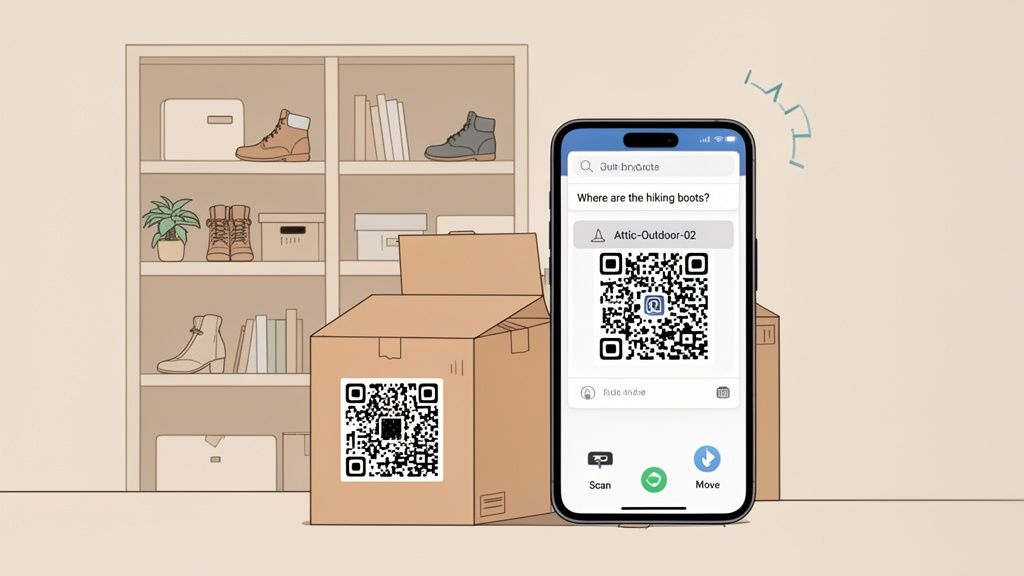
The new routine is beautifully simple: point your phone at a QR code, and you instantly see what's inside. No more guessing, no more prying open lids just to be disappointed. It's about saving time, but more importantly, it's about eliminating that constant, low-grade frustration of not being able to find what you need.
Let's look at how this plays out in the real world.
Real-World Workflows for Every Situation
A QR code for inventory truly comes alive when you apply it to specific parts of your life. A generic system is okay, but a workflow tailored to you is a game-changer. Here’s how different people can make it their own.
For a family, think about all that shared stuff like camping equipment, holiday decorations, and sports gear. It becomes so much easier to manage.
- The Scenario: You decide on a last-minute camping trip, but you have a nagging feeling you might be out of tent stakes after the last windy outing.
- The Workflow: Instead of wrestling three heavy bins off a high shelf in the garage, you just scan the QR codes. The first two show sleeping bags and cooking gear. The third, "Garage-Camping-03," lists the tent, rainfly, and a handy note: "12 heavy-duty stakes included." Trip saved.
For collectors, the system becomes a detailed archive, tracking not just the items but their stories.
- The Scenario: You're at a comic convention and spot a rare issue you’ve been hunting for. But is it the exact one you're missing, or do you already have it?
- The Workflow: You pull out your phone and search "Amazing Fantasy #15" in the Vorby app. The result pops up, showing it's safely stored in "Office-Collectibles-01," complete with a photo, purchase date, and condition notes. You confidently pass on the duplicate, saving yourself a few hundred bucks.
A well-tuned QR code workflow doesn't just tell you what you have. It gives you the specific detail you need, right when you need it, preventing wasted time, money, and effort.
A Sanity-Saver for Moving and Relocating
Moving is the ultimate stress test for any organizational system. This is where QR codes graduate from a nice-to-have convenience to an absolute must-have for keeping your sanity intact.
Picture the usual moving nightmare: the truck is gone, leaving you in a sea of 50 nearly identical brown boxes. You're desperate for coffee, but the coffee maker, filters, and your favorite mug are scattered across three different boxes with "KITCHEN" scrawled on the side.
Now, imagine it with a QR system.
- While Packing: As you fill each box, you assign it to a specific room and purpose in the new house (e.g., "Kitchen-Appliances-01," "Kitchen-Pantry-02"). You snap a few photos of the contents before sealing the tape.
- On Moving Day: The movers bring in a box. A quick scan tells them, "This goes in the office." No questions, no confusion. The right boxes end up in the right rooms from the start.
- While Unpacking: You need that coffee. You search "coffee maker" in Vorby. The app tells you it's in box "Kitchen-Appliances-01." You grab it, get your caffeine fix, and can now tackle the rest of the unpacking with a clear head.
It turns the chaos of moving into a structured, manageable project. If you want to dive deeper into naming conventions, check out our detailed guide on building a tagging system for your inventory.
The Magic of Natural Language Search
Scanning a code on a box in front of you is great. But the search function is what makes this system truly indispensable. You don't have to remember item numbers or precise container names anymore.
Vorby's search works the way your brain does. You can just ask it questions.
- Instead of trying to recall that a container is labeled "Attic-WinterGear-02," you can simply search, "Where are the hiking boots?"
- Need to track down a critical document? Just type "birth certificates" and the app will point you to the right file box.
- Looking for a specific tool? A quick search for "electric drill" will tell you whether it's in the garage workbench or the basement storage closet.
This intuitive search is the final piece of the puzzle. It connects your physical world to your digital catalog, making your entire home as easy to search as your email inbox. It’s the ultimate "find anything" superpower for your household.
Advanced Strategies and Troubleshooting Tips
Once you’ve got the basics down and your system is humming along, it’s time to fine-tune your approach. Think of this as going from a proficient user to a true power user.
Knowing a few pro strategies and how to squash the small hiccups that inevitably pop up will make your QR code inventory system a reliable, long-term asset. This is about making your system not just functional, but genuinely bulletproof.
We'll cover everything from comparing tagging technologies to safeguarding your data, and then tackle the most common scanning snags so you can fix them in seconds.
QR Codes Versus NFC Tags: What’s the Difference?
While QR codes are the undisputed champion for most home inventory needs, there's another player worth knowing: NFC, or Near Field Communication. It's the same tech that powers tap-to-pay services like Apple Pay and Google Pay.
So, what's the practical difference for organizing your stuff?
QR Codes are visual. You point your phone's camera at the code from a short distance, a few inches to a few feet, and the app reads the pattern. They are incredibly cheap and you can print them yourself in minutes.
NFC Tags are radio-based. You have to physically tap your phone directly against the tag (usually within an inch) to get a read. They're small, often sticker-like, and don't need a camera, which can be a bit faster in certain spots.
For most storage bins and boxes, QR codes are the clear winner on cost and convenience. But for items where you want a more discrete tag or a super-fast, tap-and-go interaction, an NFC tag can be a great alternative. The best part? Vorby supports both, so you can mix and match to create the perfect system for your home.
Keeping Your Inventory Data Secure
Putting a catalog of your belongings online naturally raises questions about privacy. The good news is that a modern inventory system like Vorby is built with security as its foundation, not an afterthought.
Your data isn't actually stored in the QR code. The code is just a unique key that unlocks a specific entry in your private, secure database.
This means if a guest or a mover scans a code on one of your boxes, they won't see your list of valuables. They'll just get an error message, because the code is only meaningful when scanned from within your authorized Vorby account.
All your inventory data, including item lists, photos, and notes, is encrypted both in transit (as it's sent to the cloud) and at rest (while stored on the servers). This two-layer approach ensures your personal information remains confidential and protected from prying eyes.
Common Scanning Problems and Easy Fixes
Even the best systems can hit a snag. If your phone suddenly refuses to scan a QR code, don’t panic. The fix is almost always incredibly simple.
Here are the most common culprits and how to solve them:
The Problem: The Code Is Too Shiny Glare from overhead lights is the number one enemy of a clean scan. If you used a glossy label, light can bounce off it and blind your phone's camera, preventing it from reading the code.
- The Fix: Use matte-finish labels to eliminate reflections entirely. If you've already printed on glossy ones, just try tilting the bin or changing the angle of your phone to cut the glare.
The Problem: The Lighting Is Too Poor In a dimly lit attic or a dark corner of a closet, your phone's camera might struggle to see the code clearly enough to focus.
- The Fix: Turn on your phone’s flashlight. Most scanner apps, including Vorby’s, have a simple lightning bolt icon to toggle the light on, instantly illuminating the code for a perfect scan.
The Problem: The Label Is Damaged Life happens. A label that's been scratched during a move, smudged with dirt, or partially torn can become unreadable.
- The Fix: This is where having a digital system is a lifesaver. Since all your QR codes are saved within the Vorby app, you can simply reprint a fresh label for the damaged one in seconds. No re-entry required.
Professional warehouses using QR code for inventory tracking have seen accuracy levels jump to over 95%. They've also slashed the time they spend counting stock by 60% to 70%. These numbers show just how robust the technology is, even in tough environments. You can see more about how pros use QR codes for inventory management on packemwms.com. By applying these simple fixes, you can make sure your home system is just as reliable.
Your Questions, Answered
Jumping into a new way of organizing always brings up a few practical questions. Here are some of the most common things people ask when they start using QR codes to map out their homes.
What's The Best Way To Label Small Items?
It’s obviously not practical to slap a one-inch label on every tiny screw, piece of jewelry, or craft supply. For those little things, the trick is to think in groups.
Bundle them into a larger, labeled container that makes sense, for example, a "Desk Drawer Organizer" or "Craft Box - Beads." In Vorby, you simply add all those small items to the digital record for that single container's QR code.
Another great option, especially for items that travel like a camera bag or luggage, is a simple QR code key tag. You get all the scanning benefits without needing a flat surface for a sticker.
Can I Edit Contents After A QR Code Is Printed?
Absolutely. This is probably one of the biggest wins of using a dynamic QR code system. The physical QR code you stick on a box is just a permanent signpost pointing to a digital list in your Vorby inventory. It’s a bookmark, not a static, unchangeable document.
So, when you take something out of a box or add a new item, you just update the entry in the app. The next time you scan that exact same QR code, you'll see the current, updated list of contents. No reprinting necessary unless the label gets shredded or you decide to use the container for something completely different.
How Do I Share My Inventory With Family Members?
Modern inventory apps are built for sharing. Vorby, for instance, lets you invite family members into your inventory space. Once they're in, they can use their own phones to scan the same QR codes on boxes to see what's inside or find what they're looking for. No more texting you to ask where the holiday decorations are.
You can even manage permissions to control who can view or edit certain things. This is perfect for managing shared household gear like camping equipment while keeping your personal stuff, such as a box of prized collectibles, private and viewable only by you.
Do I Need A Special Scanner To Read The QR Codes?
Nope. You don't need any special hardware at all. The only scanner you need is already in your pocket: your smartphone's camera.
An app like Vorby has a scanner built right in, optimized to read your inventory labels quickly and accurately, even in a dimly lit garage or attic. This saves you the cost and hassle of bulky, expensive scanning equipment and means your entire home map is always with you, ready whenever you need it.
Ready to stop searching and start finding? Vorby gives you the tools to create a powerful, searchable map of your entire home. Start your free trial today and see how a simple QR code system can transform your space. Get started with Vorby.