Ever found yourself tearing through boxes, convinced the holiday lights are somewhere in the attic, only to give up in frustration? You're not just imagining it. That frantic search for seasonal decorations or a specific tool is a scene that plays out in homes everywhere. It feels chaotic, but what if you could turn that chaos into a perfectly organized, searchable system with a simple barcode?
This isn't some far-fetched dream. This is what a modern home inventory system can do for you.
The Secret To Effortless Home Organization
When you hear "barcodes for inventory," you probably picture a massive warehouse with forklifts and complex logistics. The reality, though, is that this technology has become an incredibly practical and accessible tool for everyday life. Forget clunky hardware. With apps like Vorby, your smartphone is the only scanner you need to bring order to your pantry, garage, or storage unit.
This is about more than just sticking labels on boxes. It's about creating a permanent fix for that frustrating cycle of losing things, buying replacements, and then finding the original item a month later. By linking a simple code to a digital list of what’s inside a container, you transform a cluttered space into your own personal, searchable database.
From Supermarkets To Your Storage Bins
The barcode's journey is a fascinating one. It started as a clever mix of Morse Code and movie soundtrack tech way back in 1948, but it didn't really take off until personal computers became common in the 1980s and 90s. As scanners got cheaper, their use exploded from grocery stores to libraries and warehouses, laying the groundwork for the simple, powerful home systems we have today.
The core benefit has always been the same: speed and accuracy. Just like a cashier scans your groceries in seconds, you can scan a box and instantly see its contents on your phone without ever breaking the seal. That simple action saves time, cuts down on stress, and finally ends the guesswork.
Why A Barcode System Just Works For Home Use
Using barcodes for inventory at home solves some of the most common organizational headaches. It gives you a structured way to manage everything you own, from seasonal gear to valuable collections.
Here’s why it’s so effective:
- Instant Identification: Scan a box in the garage and immediately see a list of every item inside. No more guessing which bin holds the camping equipment versus the kids' old clothes.
- Less Clutter and Waste: When you know exactly what you have and where it is, you stop buying duplicate items. That saves you money and keeps perfectly good things out of the landfill.
- Simplified Moving and Storage: Imagine unpacking after a move and knowing exactly which box has the coffee maker or bathroom towels. Labeled boxes make the whole process logical and infinitely less stressful.
By creating a digital catalog of your physical items, you're not just organizing your stuff. You're building a system that gives you back time and mental energy, two of your most valuable resources.
Ultimately, setting up a barcode system is less about adopting new tech and more about adopting a new mindset. It’s a proactive step toward creating a more streamlined, stress-free home where you're in complete control.
Choosing The Right Code For Your Items
Figuring out the right type of code for your stuff might sound overly technical, but it really just boils down to what you're trying to accomplish. Your choice between traditional barcodes, QR codes, and Near Field Communication (NFC) tags completely depends on the items you're organizing. Each one has its own strengths for different home inventory jobs.
Think of it like your toolbox. You wouldn't use a sledgehammer to hang a picture frame. In the same way, your inventory system will work a whole lot better if you match the right code to the task. Sometimes, a simple ID is all you need. Other times, you want to link to a ton of detailed info.
Decoding 1D Barcodes
That classic 1D barcode, the familiar set of vertical black lines, is the absolute workhorse of inventory management. It’s built to do one thing and do it extremely well: store a short string of text or numbers that acts as a unique ID. For home use, that simplicity is its biggest advantage.
When you're dealing with a bunch of similar items, like the twenty storage bins in your attic or all those boxes of holiday decorations, 1D barcodes are your best friend. They are incredibly fast to generate, cheap to print on basic labels, and scan in a fraction of a second. Their only job is to connect a physical box to its digital list in an app like Vorby, and they do it perfectly.
This decision tree gives you a quick visual on which code makes sense for different types of items you might be tracking.
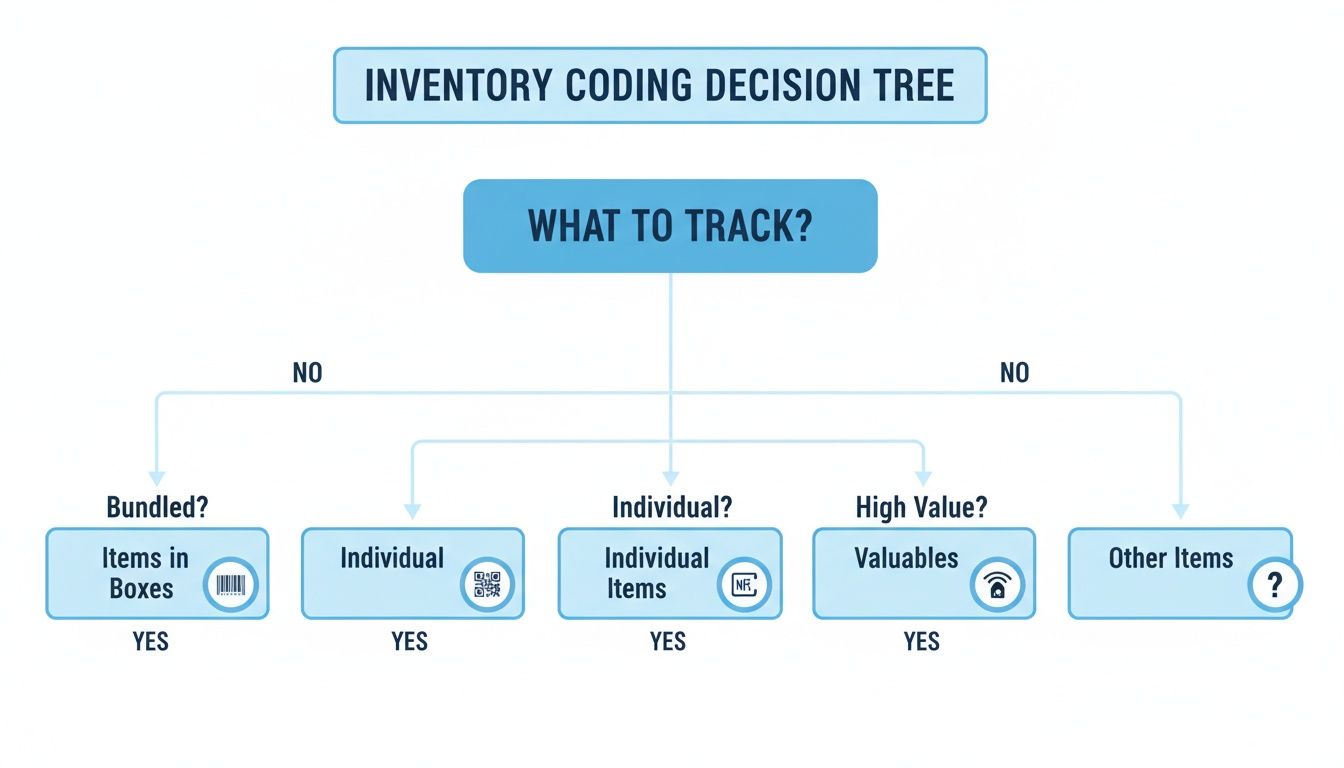
As you can see, for big-picture organizing like grouping items in boxes, a simple barcode is often the most direct route. But when your needs get a bit more specific, it’s time to look at QR codes or NFC tags.
The Versatility of QR Codes
QR codes are two-dimensional, which just means they store information both horizontally and vertically. This design lets them hold way more data than a standard barcode. While a 1D barcode might top out around 25 characters, a single QR code can pack in over 1,500 alpha-numeric characters.
That extra capacity opens up a ton of practical possibilities for your home inventory.
- Link to Digital Manuals: Stick a QR code on your washing machine that links straight to the user manual PDF. No more hunting for that crumpled booklet.
- Store Warranty Information: Slap a QR code on your new TV with the purchase date, store, and warranty details embedded right in it.
- Create Detailed Content Lists: For a box of collectibles, the QR code could open a detailed spreadsheet complete with photos and condition notes for every single item inside.
Getting a handle on the key differences is the first step to building a system that actually works for you. If you want to get into the weeds, this technical comparison of QR Codes Vs Barcodes is a great resource.
When To Use NFC Tags
NFC tags are a completely different animal. Instead of pointing a camera at a visual code, NFC uses radio waves to send information when you tap your smartphone against the tag. It’s almost instantaneous and incredibly convenient.
Because they cost a bit more and require physical contact, NFC tags are best saved for your high-value items or things you access all the time.
Think of NFC tags as the premium option for your most important possessions. They're perfect for discreetly tracking electronics, expensive tools, or even a collection of fine wine where a quick tap gives you all the details without fumbling to aim a camera.
These little tags are also much more durable than paper labels, making them a great fit for stuff stored in a dusty garage or damp shed. If you're curious about labeling specific valuables, you might find our guide on https://vorby.com/blog/what-is-an-asset-tag helpful. Ultimately, the choice comes down to balancing cost against convenience and durability.
Comparing Barcodes, QR Codes, and NFC Tags for Home Use
To make the decision even easier, here’s a quick side-by-side look at how these three technologies stack up for common household needs. This table should help you zero in on the perfect tool for whatever you're organizing.
| Feature | 1D Barcodes | QR Codes | NFC Tags |
|---|---|---|---|
| Best For | Bulk items, storage bins, large quantities | Individual items, appliances, linking to online info (manuals, warranties) | High-value items, frequently accessed objects, discreet tracking |
| Data Capacity | Very Low (up to 25 characters) | High (over 1,500 characters) | Low to Medium (up to 8,000 characters) |
| How to Read | Smartphone camera or barcode scanner | Smartphone camera | Tap with an NFC-enabled smartphone |
| Cost Per Tag | Very low (pennies, printable at home) | Very low (pennies, printable at home) | Medium ($0.30 - $1.00 per tag) |
| Durability | Low (paper-based) | Low (paper-based, but scannable even when partially damaged) | High (often plastic-encased and waterproof) |
| Convenience | Good (fast scanning) | Good (versatile data linking) | Excellent (instantaneous tap-to-read) |
| Common Use Case | "Box #17 - Winter Clothes" | "Washing Machine - Link to PDF Manual & Warranty Info" | "Laptop - Serial #, Purchase Date, Insurance Details" |
Each option has a clear place in a well-organized home. The smartest approach is often a hybrid one: use simple barcodes for your storage bins, QR codes for your appliances, and NFC tags for your most prized possessions.
Creating And Applying Your Inventory Labels
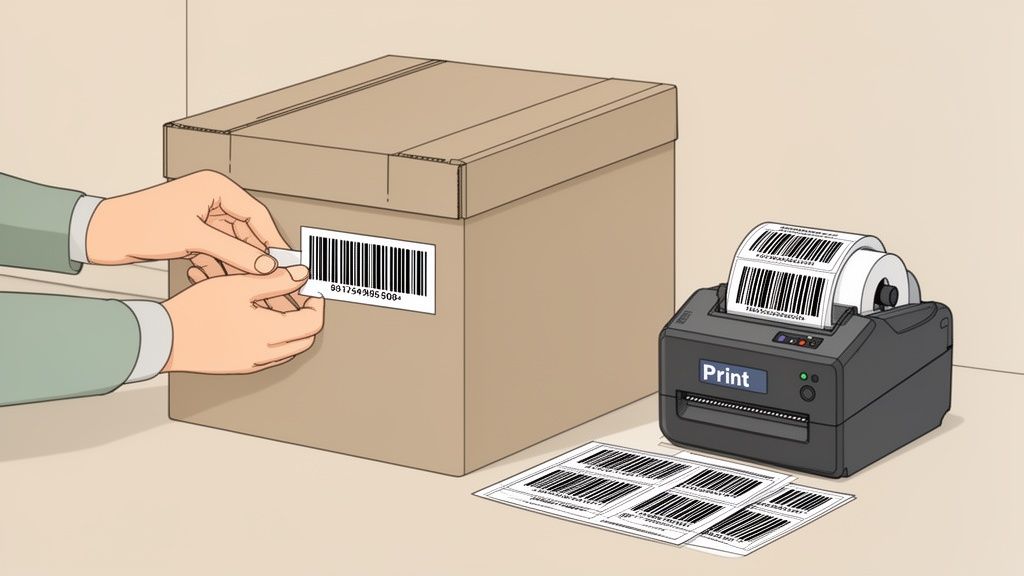
You’ve picked the right code for your items, now for the hands-on part. It's time to turn those digital ideas into physical labels you can actually stick on your stuff. This sounds way more technical than it is, especially when a tool like Vorby does all the heavy lifting for you. Generating the barcodes or QR codes you need is often as simple as tapping a button inside the app.
With your codes ready, the next step is printing. The material you choose for your labels is just as important as the code itself, because it's what determines if your system will survive the real world. You need labels that can handle their environment, whether that’s a climate-controlled closet or a dusty, damp garage.
Choosing The Best Label Materials
The label you print on can literally make or break your inventory system. A flimsy paper label on a bin in the garage might peel off or get ruined by moisture in a single season, rendering it useless. Matching the label material to the container and its location is a non-negotiable step for long-term success.
Here are the most common options and where they shine:
- Standard Paper Labels: These are the most affordable and work perfectly for items stored indoors in dry, stable conditions. Think file boxes in your home office, plastic bins tucked away in a closet, or pantry containers.
- Weatherproof Vinyl or Polyester Labels: For anything you're storing in a garage, attic, basement, or shed, you need something tougher. These synthetic labels resist moisture, extreme temperatures, and general wear and tear, ensuring your barcodes for inventory stay scannable for years.
- Removable Labels: If you’re constantly repurposing containers, removable labels are a lifesaver. They peel off cleanly without leaving that awful sticky residue behind, making it easy to update your system as your storage needs change.
For some solid, practical tips on getting your labels to stick and last, insights from a guide on using a label on a package can be surprisingly helpful. While it's geared toward shipping, the core principles of using a clean surface and applying firm pressure are universal.
Smart Label Placement For Easy Scanning
Where you stick the label is almost as important as the label itself. Bad placement leads to frustrating scanning experiences, which completely defeats the purpose of creating a quick, efficient system in the first place. The goal is simple: make every label visible and accessible without having to unstack a mountain of boxes.
The golden rule of label placement is to think about how an item will be stored, not how it looks sitting on your desk. A label on the top of a box is useless once another box is stacked on it.
Always place labels on the side of a container that will be facing out. For stacked bins, this means every single barcode is visible at a glance. For items on a shelf, like books or electronics, put the label on the spine or front face. Consistency is your best friend here; always putting the label in the same spot (like the top-right corner of a box's long side) will make finding and scanning codes muscle memory.
We've got more specific advice in our guide to the best way to label storage bins, which dives into different types of containers.
A Quick Guide To Programming NFC Tags
If you opted for NFC tags for your high-value items, you'll be surprised at how simple the setup is. Unlike printing barcodes, you "write" data directly to an NFC tag using your smartphone. Good news, most modern phones have this capability built-in.
You'll just need an app (there are plenty of free options) that can write to NFC tags. The process usually looks like this:
- Open the app and choose the option to write a new tag.
- Select the type of data you want to store; plain text or a URL works great. For inventory, a unique ID number or item name is perfect.
- Type in the information.
- Hold the NFC tag flat against the back of your phone until the app confirms the data has been written.
That’s it. The tag is now programmed and ready to be linked to an item in Vorby. You can then stick the small, durable tag discreetly on your electronics, tools, or other important gear.
Connecting Your Labels to a Digital Inventory
A printed barcode or QR code is just a sticker until you link it to your digital inventory. This is the moment the magic happens, where your physical stuff gets a digital brain. It’s how an app like Vorby turns a simple label on a box into a gateway of information, bridging the gap between the bin in your attic and the detailed list on your phone.
That first scan of a new code is the most important one. It doesn't just read the pattern; it creates a digital placeholder, a blank slate ready for you to assign its purpose. This is how you transform a generic label into an intelligent part of your home inventory system.
From a Simple Scan to a Smart Container
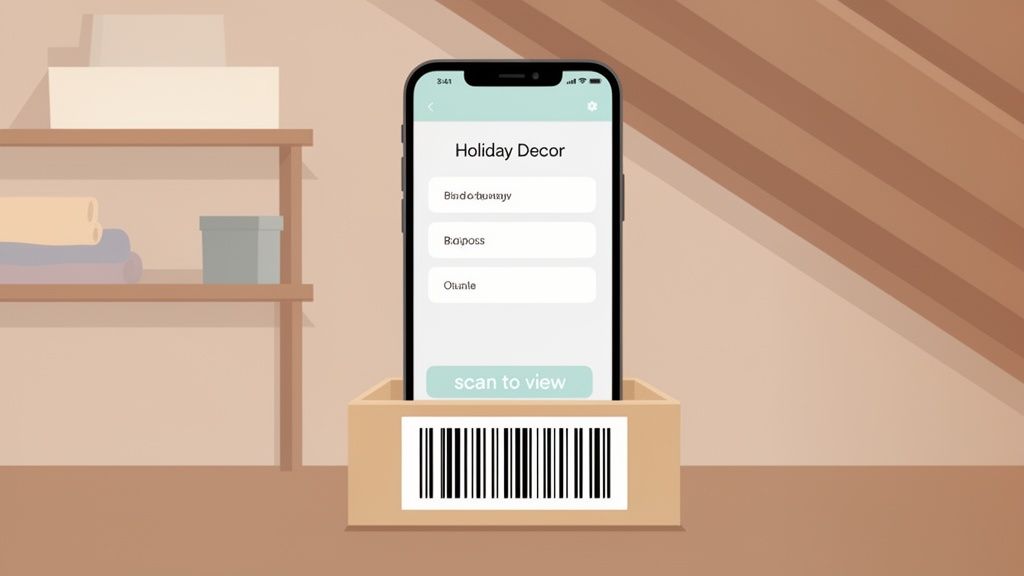
Let's walk through a real-world scenario. You’ve just packed away all the holiday decorations into a big plastic tub and slapped a freshly printed QR code on the side. What’s next? The workflow is dead simple.
- Scan and Link: Pop open the Vorby app and hit the scan button. Point your camera at the new QR code. The app instantly recognizes it’s a new, unassigned code and prompts you to link it.
- Name Your Container: Give this new digital "container" a name. Something clear like "Holiday Decor Attic Box" is perfect. You can also add details like its location, such as "Attic - North Wall."
- Add the Contents: Now, start listing what’s actually inside the box. You can type items in ("Wreaths," "Tree Skirt," "Box of Ornaments") or even snap a few photos for extra clarity.
In just a couple of minutes, you’ve created a permanent, searchable record. The physical label and the digital entry are now locked together for good.
The Power of Scan-to-View and Scan-to-Add
Once a container is set up, interacting with it becomes ridiculously efficient. The entire system revolves around two core functions that save you a massive amount of time and guesswork. Honestly, these features are the heart of what makes using barcodes for inventory at home so powerful.
Imagine it’s July and you're wondering if the spare string lights are in this box or another one. Instead of dragging the bin down and digging through everything, you just scan the code. Instantly, a complete, itemized list pops up on your screen. That’s "scan-to-view" in action.
This simple function means you never have to physically rifle through a labeled box again. It’s a game-changer for:
- Checking for one specific item without making a mess.
- Remembering what you stored in a box five years ago.
- Deciding which box to bring down from a high shelf.
The flip side is the "scan-to-add" feature. Let’s say you find another small box of holiday-themed candles you want to add to the main bin. Instead of redoing your list, you just scan the bin's code, tap "add item," and type "Holiday Candles." Your digital inventory is updated in seconds, perfectly matching physical reality.
Creating a Searchable Database of Your Home
By repeating this process for all your stored items, you’re not just labeling boxes; you're building a personal, searchable database of your belongings. Each scan is a quick, painless act of data entry. Over time, this system becomes a comprehensive map of everything you own.
This digital approach blows a simple handwritten label out of the water. You gain the ability to search your entire inventory for a single item. If you need to find your "Tree Skirt," just type it into the Vorby search bar. The app will tell you it's in the "Holiday Decor Attic Box," located in the "Attic - North Wall." The system does the remembering for you.
For anyone looking to really dive deep, understanding the principles of inventory software with barcode integration can show you how these systems are built for maximum efficiency.
Ultimately, connecting your physical labels to a digital inventory is what closes the loop. It ensures that every item has a place, and every place can be found with a quick scan, transforming cluttered spaces into highly organized, stress-free parts of your home.
Right, you've done the hard work of getting everything labeled and into your Vorby system. Huge win! But the real magic isn't in the setup; it's in keeping that system humming along so it actually works for you long-term.
An inventory system isn't a "set it and forget it" project. It’s a living thing that needs to adapt as you buy new stuff, use up supplies, or just decide to rearrange the pantry on a whim. The trick is to build a few simple habits that make maintenance feel less like a chore and more like a natural part of staying organized.
Create a Naming System You'll Actually Stick With
Before you get too deep, one of the best things you can do for your future self is to lock in a consistent naming convention. This is the bedrock of a searchable, logical inventory. Without it, you'll end up with digital chaos that mirrors the physical chaos you just fixed. Decide on a pattern and stay with it.
Think about how you’d search for something. You wouldn’t just look for "Christmas Stuff," right? You’d want to know which box it’s in.
Instead of: "Christmas Stuff"
Try: "Decorations - Christmas - Attic Box 1"
Instead of: "Tools"
Try: "Garage - Tool Chest - Drawer 3"
This kind of structure means you can find anything with a quick keyword search. It’s the single simplest way to make sure your system stays flawless.
The Power of the "Master Scan"
After you finish a big organizing push, like spring cleaning or packing away the holiday gear, make a habit of doing a quick "master scan." This is just a fast audit to make sure what's in the app matches what's on your shelves.
Walk through the room and scan the code on each box or bin. As you scan, just give the contents list in Vorby a quick glance. This five-minute check is how you catch the little things, like the roll of wrapping paper you used up but forgot to delete, or the extra set of lights you tossed into a box at the last minute.
A quick master scan after each big project is your best defense against data drift. It stops those tiny errors from piling up until you no longer trust what the app is telling you.
Speed Things Up with Batch Processing
If you're just starting out or adding a bunch of new things at once, the thought of labeling every single item can feel overwhelming. This is where batch processing is a game-changer. Don’t create and print one label at a time; do it in bulk.
Just bought a pack of ten new storage bins for the garage? Generate and print all ten barcodes for inventory at the same time. It’s way more efficient to pre-label all the empty containers before you even start filling them. This turns a tedious, multi-step task into one streamlined action.
Getting the Whole Family on Board
Let’s be honest: a home inventory only works if everyone in the house uses it. Thankfully, Vorby makes it easy to create a shared inventory. You can invite family members so they can see and update everything right from their own phones.
Here are a few tips to make it stick:
- Do a 2-minute "training" session: Show everyone how to scan a code to see what's inside a box. The "wow" moment of not having to open three bins to find the extension cord usually gets them hooked.
- Establish one simple rule: "If you take the last item, delete it from the app." That's it. Keep it simple.
- Use permissions wisely: If you're worried about accidental deletions, you can assign different roles to different family members.
When the whole household buys in, you finally put an end to the endless "Honey, where's the...?" questions. While you’re not managing a massive warehouse, the core principles of speed and accuracy are the same. In fact, barcode technology’s ability to eliminate errors and speed up workflows is what transformed modern logistics. To get a sense of the power you now have in your hands, check out this piece on how barcode technology is redefining inventory management.
Of course, even the best systems come with a few questions. Let's tackle some of the most common real-world issues people run into when they first start using barcodes at home. Getting these answers sorted out now will keep your project running smoothly.
What Happens If a Label Gets Damaged?
It’s inevitable. That bin you stuck in the garage gets scuffed, or a label on a moving box gets ripped. The good news? It’s a minor inconvenience, not a catastrophe.
Remember, the physical label is just a pointer. All the important information, like what’s inside, where it is, and any notes you’ve added, lives safely inside your Vorby app. If a label gets wrecked, you simply look up the item or box in the app, generate an identical code, and print a new one. Slap it on, and you’re back in business.
Your digital record is never affected, so you lose zero data. This is exactly why it’s worth spending a little extra on durable, weatherproof labels for containers stored in places like a garage, attic, or basement.
The most important takeaway is that your inventory data lives in the cloud, not on the physical sticker. A damaged label is a minor inconvenience that takes less than a minute to resolve, not a catastrophic data loss.
Where Should I Even Start With a Huge Collection?
Staring down a mountain of books, a lifetime of vinyl records, or a craft room overflowing with supplies can feel paralyzing. The secret is to stop thinking about the entire project. Don't try to boil the ocean.
Instead, break it down. Pick one shelf. Just one.
Generate a small batch of 20-30 barcodes and focus only on that single, manageable section. When you’re done, stop and take a break. This "batching" approach keeps you from burning out and gives you a series of small wins that build momentum. Trust me, trying to label hundreds of items in a single weekend is a surefire recipe for giving up.
Can I Really Use This For Food In My Pantry?
Absolutely. In fact, using barcodes and QR codes in the pantry is one of the most popular and powerful ways to use a home inventory system. It’s the ultimate solution for tracking expiration dates and finally knowing what you have on hand while you're still at the grocery store. No more buying a fifth jar of paprika by mistake.
QR codes are especially handy for food. You could stick a QR code on a large bin of flour and link it to a note with the purchase date or even your favorite bread recipe. It’s a brilliant way to cut down on food waste and make meal planning way more efficient.
The core idea is the same whether you're tracking tools, collectibles, or canned soup. You’re creating a simple, scannable system that delivers instant information, saving you time, money, and a whole lot of stress.
Ready to turn your cluttered spaces into a searchable, stress-free system? Vorby gives you all the tools you need to create a powerful home inventory with barcodes, QR codes, and more. Start your free trial and see how easy it is to get organized.