Picture this: you need to find those holiday decorations you stashed in the attic, or maybe that one specific spice hiding somewhere in the pantry. Instead of a frantic search, you find it in seconds. This isn't some futuristic fantasy; it's the reality of using inventory software with barcode technology, a system once confined to massive warehouses but now perfectly designed for your home. It essentially turns your smartphone into a magic wand for organization, helping you finally conquer the clutter and win back your time.
Conquer Your Clutter with Barcode Inventory Management
We've all been there. That frustrating, hair-pulling search for something you know you own. You can picture that specific charging cable or the box of seasonal decorations, but finding them feels like a treasure hunt without a map. This is exactly where inventory software with barcode capabilities completely changes the game.
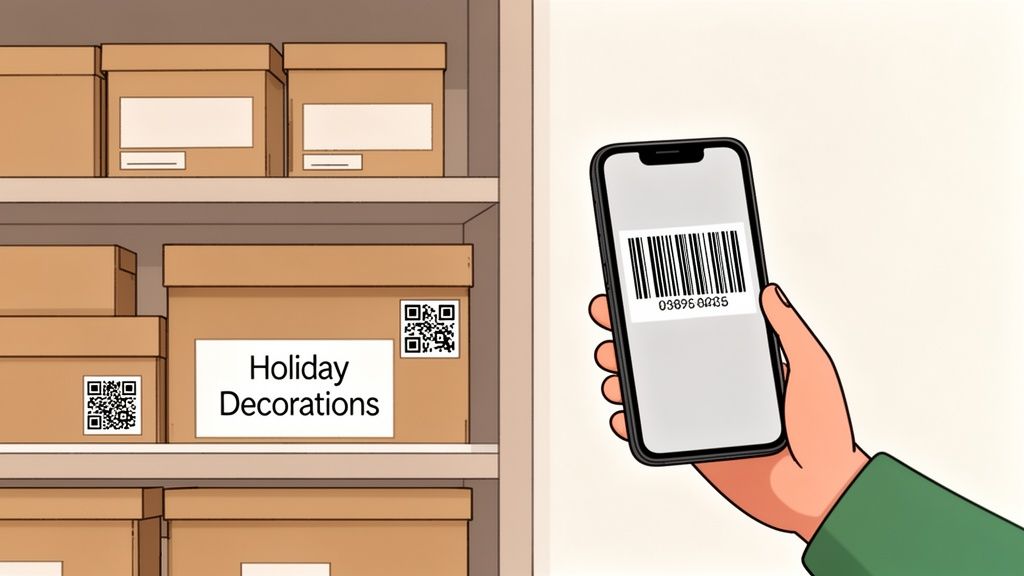
Think of it as giving every box, bin, and valuable item in your house its own unique digital fingerprint. You attach a simple tag (like a QR code), scan it with your phone, and instantly see a detailed list of everything inside. No more tearing open lids just to check.
Why Barcode Systems Are Perfect for Home Use
This kind of tech empowers anyone (homeowners, renters, collectors, busy families) to build a personal catalog of their belongings. The concept is beautifully simple: you create a digital record for an item, the software generates a unique code, and you stick that code onto the item or its container.
The payoff is almost immediate:
- Instant Identification: Scan a box in the garage and know in a second if it’s full of camping gear or old photo albums.
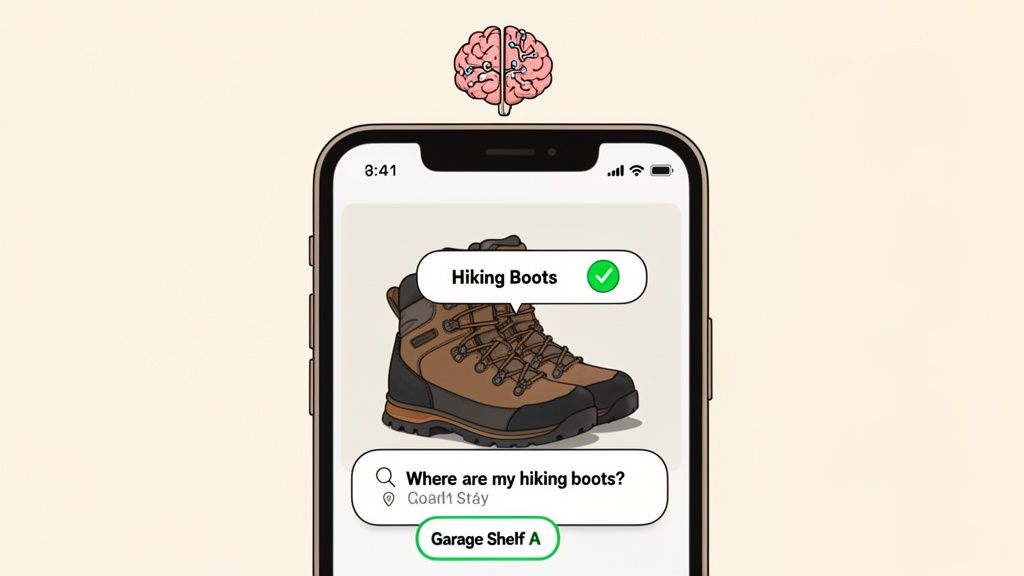
- Effortless Searching: Just type "hiking boots" into the app, and it'll tell you their exact location, right down to the specific shelf.
- Reduced Mental Load: You can finally stop trying to remember where everything is. The app becomes your home's external memory.
This approach isn't just about tidying up; it's about bringing professional-grade organization into your daily life. You're creating a smart, searchable, and genuinely stress-free living space.
And this is much more than a niche trend. The barcode software market, which hit US$ 881.03 million in 2024, is expected to skyrocket to US$ 1,378.29 million by 2031. This explosive growth comes from a universal demand for real-time visibility; businesses have found that accurate tracking can slash inventory discrepancies by up to 50%. For homeowners, platforms like Vorby mirror this power, letting you use a quick QR code or NFC scan to pinpoint items anywhere in your home. Learn more about the expanding barcode software market and its impact on inventory visibility.
From Barcodes to Smart Tags
While the classic black-and-white barcodes started it all, the technology has come a long way. Modern inventory software with barcode functionality now uses far more versatile options like QR codes and even NFC (Near Field Communication) tags. These advanced tags can hold way more information, linking you directly to photos, receipts, and detailed notes about your stuff, making your home organization system smarter and more powerful than ever.
Unpacking the Features of a Modern Home Inventory App
Not all home inventory apps are built the same. A simple one might let you scan a barcode and call it a day, but the best inventory software with barcode features acts more like an organizational command center for your entire home. It goes way beyond basic lists, offering a whole suite of tools that can turn chaos into clarity.
Think of it like the difference between a plain old notepad and a powerful project management app. Sure, you can track tasks with both, but only one gives you the structure and detail to actually manage something complex. The same logic applies here; the right features are what make your home inventory genuinely useful.
More Than Just a Barcode Scanner
At its heart, any system like this is about scanning. But modern apps offer so much more. You should be looking for a tool that lets you add rich, meaningful context to every single thing you log. A truly functional app doesn't just stop at a name and location; it lets you go deeper.
When choosing an app, you'll want to find one that has the right mix of features to make managing your stuff feel effortless, not like a chore.
| Essential Features in Home Inventory Software |
| :--- | :--- | :--- |
| Feature | Why It's Important for Home Use | Example Application |
| Detailed Item Fields | Adds critical context. You're not just tracking a "box," you're tracking what's inside, its condition, and why you're keeping it. | Adding notes like "Grandma's vase, fragile" or the purchase date for a new TV. |
| Photo & Receipt Attachments | Provides indisputable proof of ownership and value. This is a game-changer for insurance claims after a theft, fire, or flood. | Snapping a photo of your new laptop and attaching the digital receipt directly to its entry. |
| Custom QR Code Generation | Lets you create your own unique tracking system for items without barcodes, like storage bins, moving boxes, or even entire rooms. | Printing a QR code for a bin labeled "Winter Clothes" so a quick scan shows you every sweater and jacket inside. |
| Shared Inventories | Your home is a shared space. This feature allows family or roommates to access and update the inventory, keeping everyone in the loop. | Letting your roommate add groceries to the pantry list or see where you stored the extra paper towels. |
| Cross-Device Sync | Ensures your inventory is always up-to-date, whether you're adding an item with your phone in the garage or looking for something on your tablet. | Updating your tool inventory on your phone and having it instantly appear on your partner's laptop. |
| Advanced Search & Filters | Saves you time by letting you find things based on location, category, color, or any custom tag you've created. | Searching for "blue storage bin" or "all items in the attic" to find exactly what you need in seconds. |
By prioritizing these features, you ensure the software you choose is a powerful ally in your organizational efforts, not just another app that gets forgotten after a week.
Your Home is a Team Sport
Let's be real, your home is a shared space. Your inventory system should be, too. The best modern software is built for collaboration, making it perfect for families, roommates, or anyone trying to manage belongings with other people. Look for a platform that makes sharing and syncing seamless.
A great home inventory system isn't just a personal database; it's a shared resource that keeps everyone on the same page, eliminating confusion about who owns what or where shared items are stored.
This is especially helpful for everyday household goods. Shared inventories with permission controls let you invite others to view or even edit the list. That means anyone can check where the extra lightbulbs are or add the new coffee maker to the kitchen inventory. Just as important is cross-device synchronization. This guarantees your inventory is always current, whether you access it from your laptop at your desk or your phone while standing in the attic. Your data is live, wherever you are.
The Power of Being Precise (and Fast)
Ultimately, the whole point of this is to save time and stop making mistakes. Barcode inventory software completely changed the game for businesses by slashing human errors like typos by over 95%. This same tech reduced the risk of running out of stock by 40% in warehouses by providing real-time tracking.
For you at home, this translates to effortless organization. A quick scan tells you exactly what's on that garage shelf, just like it helps a warehouse manager avoid ordering too much or too little. In the commercial world, this level of automation often drops labor costs by 20-25%. For you, it means less time spent searching and more time for things you actually enjoy.
Choosing the right software is about finding a tool that fits your life, not making your life fit the tool. By focusing on these core features, from detailed cataloging to shared access, you can pick an app that genuinely helps you take control of your home. For a deeper look into how these systems work from the ground up, check out our guide on barcoding software for inventory.
Choosing Your Tagging Method: Barcodes, QR Codes, or NFC?
The physical tag you stick on an item is the bridge connecting your real-world stuff to your digital inventory. It's the heart of how any inventory software with barcode functionality actually works. But not all tags are the same. You’ve got a few options, and picking the right one boils down to what you’re organizing and how you want to get to its information.
Think of a traditional one-dimensional (1D) barcode, the kind you see on groceries, as a license plate. It's a simple, unique ID number. A scanner reads it and looks up the detailed info in a separate database. This classic method is cheap, reliable, and has been the standard for decades.
If your needs are simple, like just wanting to know "this is box #12 from the attic," a classic barcode is perfectly fine. But that simplicity is also its biggest drawback. A 1D barcode can only hold a tiny bit of data, usually around 20-25 characters, and you have to scan it just right.
Moving Beyond Simple Barcodes
This is where QR codes completely change the game. If a barcode is a license plate, a QR code is a full-on digital business card. Because it’s two-dimensional (meaning your phone can read it from top-to-bottom and side-to-side), it can cram in way more information.
A single QR code can hold up to 2,509 numbers or 1,520 letters and numbers. This massive capacity means a QR code does more than just identify an item; it can carry detailed descriptions, website links, or even full paragraphs of text right inside the code itself.
With QR codes, you're not just labeling a box; you're embedding a rich digital profile directly onto it. A quick scan with your phone can instantly pull up a complete list of contents, photos, or even links to user manuals, all without needing to search a separate record.
This flowchart can help you think through which features matter most for your situation, whether you're sharing an inventory with roommates or documenting valuables for insurance.
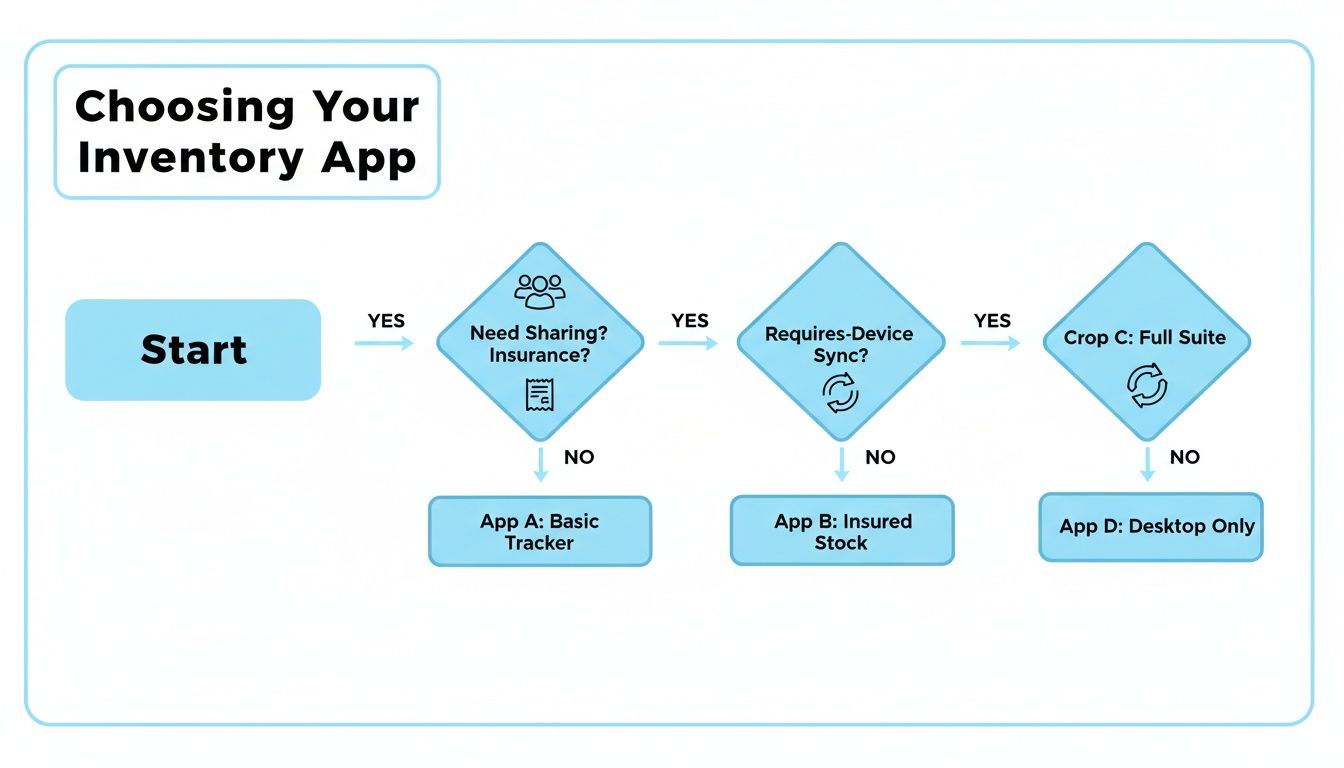
As the chart shows, your personal needs, like sharing access with family or tracking items for an insurance claim, will guide you toward the right kind of inventory app, which in turn helps you choose the best tagging technology.
The Modern Alternative: NFC Tags
For the ultimate in speed and convenience, there’s NFC (Near Field Communication). NFC tags are small, passive chips that don’t need a battery. Instead of pointing your camera to scan something, you just tap your smartphone near the tag to instantly pull up its info.
Think of it like using Apple Pay or Google Pay for your stuff. It’s incredibly fast and doesn't require a clear line of sight, making it perfect for things you grab all the time or that are tucked away in spots where aiming a camera is a pain.
You could, for instance, stick an NFC tag on the inside of a kitchen cabinet door. A quick tap with your phone could bring up a list of every spice inside, complete with expiration dates. That seamless tap-to-scan interaction makes finding what you need feel immediate and effortless.
Making the Right Choice for Your Home
So, which one is best? It really depends on the job. The good news is you don’t have to pick just one. A flexible inventory software with barcode system like Vorby will let you use all three, mixing and matching as needed.
To help you decide, here’s a direct comparison of the technologies.
Comparison of Tagging Technologies
| Technology | Best For | Data Capacity | Ease of Use | Cost |
|---|---|---|---|---|
| Barcodes (1D) | Simple identification and quick check-in/out of single items. | Low (approx. 20-25 characters) | Requires a precise scanning angle. | Very Low (pennies per label) |
| QR Codes (2D) | Storage bins, moving boxes, and items needing detailed descriptions. | High (over 1,500 characters) | Easy to scan from any angle with a smartphone camera. | Low (pennies per label) |
| NFC Tags | High-access items, cabinets, and tool drawers for tap-to-scan speed. | Medium | Extremely easy, just tap the phone near the tag. | Higher (can be a dollar or more per tag) |
Ultimately, a hybrid approach is often the smartest way to go. You might use QR codes on the storage bins in your attic that you only touch a few times a year, while placing NFC tags on your toolbox and craft supply drawers for quick, daily access. This flexibility is the key to building an organization system that actually works for you.
Your Practical Guide to Setting Up a Home Barcode System
Jumping into a new organizational system can feel like a massive project, but trust me, setting up your home inventory doesn’t have to be a nightmare. The trick is to break it down into a simple workflow. This isn’t about a frantic, weekend-long overhaul; it’s about making steady, manageable progress, one room at a time.
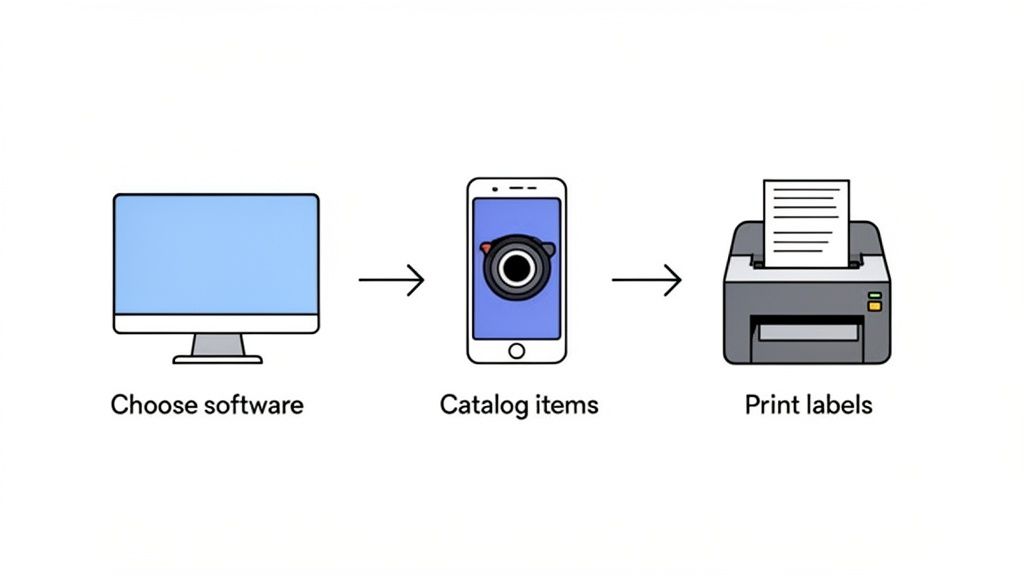
The whole process is designed to be encouraging. You start small, see the results almost immediately, and build momentum from there. Before you know it, you’ll have a complete digital map of everything you own.
Step 1: Gather Your Tools and Software
This is the easiest part. All you really need is your smartphone and a quality home inventory app. Modern inventory software with barcode features turns your phone’s camera into a powerful scanner, so there’s no need for clunky, expensive hardware.
You’ll also need a few basic supplies:
- A Standard Printer: Any home inkjet or laser printer will do the trick for printing your custom labels.
- Label Sheets: You can grab adhesive label paper (like the Avery kind) at any office supply store. Just make sure they're durable enough for wherever you're storing stuff.
- Clear Packing Tape (Optional): For labels on boxes in a garage, attic, or basement, a layer of clear tape adds great protection against moisture and scrapes.
Step 2: Plan Your Digital Floor Plan
Before you start scanning, take a minute to think about your home's layout. A good inventory system is built on a logical structure of locations. Inside your app, you’ll want to create clear, specific locations that mirror your physical spaces.
Don't just create a generic "Garage." Break it down. Think more like 'Garage Wall Shelves,' 'Garage Overhead Storage,' and 'Garage Tool Cabinet.' This level of detail makes finding things lightning-fast later. My advice? Start with just one room, like the pantry or a single closet, to keep it from feeling overwhelming.
The goal here is simple: make your digital space a direct reflection of your real-world space. A well-defined location structure is the foundation of a searchable, stress-free inventory.
Step 3: Catalog Your First Batch of Items
Now for the fun part. Pick a storage bin or open a drawer in the room you chose and start adding items. The process is straightforward: snap a photo, add a quick description, and assign it to the right location. As you create entries for containers like boxes or bins, the software will generate a unique QR code for each one.
Mobile barcode scanning has totally changed the game for inventory, both for businesses and for us at home. The global barcode scanner market is expected to grow by USD 4,919.6 million between 2025 and 2029. Homeowners using apps like Vorby to scan QR codes on boxes are hitting the same 99.9% accuracy in their personal "stock takes" that massive warehouses achieve.
Step 4: Print and Stick Your Labels
Once you’ve cataloged a batch of items, say, all the bins on a single shelf, print out the corresponding QR code labels. Stick them to a flat, clean surface on the container where they’ll be easy to see and scan. Consistency is your friend here, so try to place labels in the same spot on similar containers, like the top-right corner of every storage bin.
Step 5: Scan, Find, and Maintain
With your labels in place, your system is officially live. The next time you need something, just search for it in the app to find its exact location. When you put things back, a quick scan of the bin's QR code lets you confirm its contents or make updates. For a deeper dive into the tech, you can check out our complete guide on using a barcode scanner for inventory management.
Remember to keep your labels clean and scannable. Good lighting helps your phone's camera read the code instantly. If you're in a dimly lit attic or basement, just use your phone's flashlight for a fast, accurate scan. By following these steps, you can methodically build a robust home inventory that actually works for you.
How AI Transforms Home Inventory Management
Scanning barcodes and QR codes creates a solid foundation, but the next evolution in home organization is already here, making these systems smarter, faster, and way more intuitive. Artificial Intelligence (AI) elevates a standard inventory software with barcode system from a simple database into something closer to a personal assistant for your stuff. It handles the tedious tasks and understands what you need in a way that feels almost magical.
Think of it like this: a basic inventory app is a digital spreadsheet where you do all the work. An AI-powered app, on the other hand, is like having someone who can glance at an item, know what it is, and understand you when you ask for something in plain English. It's a fundamental shift that saves a massive amount of time and mental energy.
Let's break down two game-changing AI features that are reshaping how we manage our belongings at home.
Automatic Item Recognition from a Photo
Let’s be honest, one of the biggest hurdles to starting an inventory is the soul-crushing data entry. Manually typing out "Sony PlayStation 5 Console" or "Black & Decker 20V Cordless Drill" for every single thing you own is a recipe for procrastination. This is exactly where AI-powered image recognition steps in to do the heavy lifting.
You just snap a photo of an item, and the AI gets to work.
- It can instantly identify the product name, brand, and often the model number.
- The software then auto-fills all those details into the item's profile for you.
- It can even suggest a category, like "Electronics" or "Power Tools," without you lifting a finger.
This technology completely changes the setup dynamic. Instead of spending an entire weekend typing, you can catalog dozens of items in just a few minutes, making the whole idea of getting organized feel achievable instead of overwhelming. If you want to dive deeper into how this works, our guide to automated inventory management is a great next step.
Finding Items with Natural Language Search
Traditional search bars are rigid. You have to remember the exact term you used. If you labeled your boots as "Hiking Footwear," typing "Mountain Boots" would probably give you zero results. AI demolishes this problem with natural language search, letting you find things by asking questions just like you would ask a friend.
Instead of trying to recall specific keywords, you can just ask your inventory app, "Where did I put my winter hiking boots?" The AI understands the intent behind your words and pulls up related items, even if your phrasing doesn't perfectly match the item's official name.
This conversational style makes your inventory so much more useful in real life. You no longer have to think like a computer to find your stuff. You just ask a question, and the system points you right to the box, shelf, or room you're looking for.
AI-Powered Receipt Parsing
Another incredibly useful AI feature is its ability to read and understand digital receipts. Many modern inventory apps can link to your email and automatically spot new purchase confirmations from online retailers.
When the app detects a new purchase, the AI can:
- Pull out key details like the product name, price, and purchase date.
- Create a brand-new entry in your inventory for that item.
- Attach the digital receipt right to the entry for warranty claims or insurance purposes.
This feature is the final piece of the puzzle, ensuring your inventory stays current with new things you buy, almost without you trying. By taking over the most repetitive tasks, AI makes sophisticated home inventory management not just possible, but genuinely easy for anyone to maintain.
Real World Scenarios for Homeowners and Collectors
Abstract ideas are one thing, but seeing how an inventory software with barcode actually works in a real home is where it clicks. These tools aren’t just for giant warehouses or retail stores. They solve real, everyday headaches for regular people, from families and collectors to roommates just trying to keep the peace.
Let’s walk through a few scenarios you might recognize.
Taming the Chaos of a Cross-Country Move
Picture the Jacksons, a family staring down the mountain of boxes that comes with a cross-country move. It’s a notoriously stressful process. But instead of relying on messy marker scribbles, they decide to use QR codes to bring a little sanity to the chaos.
As they pack each box, they quickly log its contents in their inventory app and stick the corresponding QR code on top.
Suddenly, that box cryptically labeled "Kitchen 04" is no longer a mystery. A quick scan with a phone reveals its contents: the coffee maker, toaster, and everyday silverware. This simple step turns unpacking from a frantic guessing game into an orderly process. They can find the essentials the moment they walk into their new home.
Organizing a Collector's Passion Project
Now, think of Alex, who collects vintage synthesizers. Each piece of gear is unique, with its own history, maintenance schedule, and quirks. It’s more than a hobby; it’s a passion. Using an inventory app, Alex builds a detailed digital profile for every single item.
This isn’t just a simple list. For each synthesizer, Alex:
- Logs the serial number for insurance and authentication.
- Attaches digital copies of user manuals and service records.
- Sets reminders for warranty expirations or scheduled maintenance.
When a friend asks about a specific model, Alex can pull up its entire history, complete with photos and notes, just by searching the app. The software acts as a powerful digital archive, protecting the value and legacy of a prized collection.
This level of detail transforms a hobby into a well-managed asset. Crucial information is never lost, making it infinitely easier to maintain, insure, or eventually sell valuable items.
Making a Shared Household Run Smoothly
Finally, imagine three roommates sharing an apartment. They're stuck in the usual cycle of household frustrations: Who used the last of the paper towels? Where did the shared toolkit go? To put an end to the guessing games, they set up a shared inventory system for all their common supplies.
They create a "Pantry" location in their app and add things like cleaning supplies, coffee, and trash bags. Whenever someone uses the last of something, they just mark it in the app, which instantly notifies everyone else.
This simple, synced system kills duplicate purchases and makes sure they’re never caught without the essentials. It's a small change that makes shared living dramatically more harmonious.
Common Questions About Home Inventory Software
Diving into any new system can bring up a few questions. Even with a clear plan, it's natural to wonder about the little details. Let's tackle some of the most common queries people have when they start using barcode-based inventory software at home.
Do I Need a Special Barcode Scanner for This?
Nope. You absolutely don't need any extra hardware. Modern inventory apps are built to use the camera you already have on your smartphone or tablet. It’s a powerful, high-quality scanner you carry in your pocket every day, which makes the whole system super accessible and budget-friendly.
Is It a Hassle to Make My Own Barcodes or QR Codes?
Not at all; in fact, it’s surprisingly simple. A good home inventory app handles this for you automatically. When you add a new item or a storage bin, the app generates a unique QR code for it with just a single tap.
From there, you just print the codes on standard label paper with any printer you have at home. The software does all the heavy lifting of creating the code and linking it to your item, so you can stay focused on cataloging your stuff.
The real magic here is that all your item data lives in the app or the cloud, not on the physical sticker. This creates a permanent, flexible record that isn't tied to one little piece of paper.
For collectors who need to track their valuables down to the last detail, a solid system is non-negotiable. This guide to cataloging coin collections really drives home the importance of meticulous record-keeping.
What Happens if a Label Gets Damaged or Falls Off?
This is a great question, and it points to a huge advantage of a digital system. Because all your information is stored safely in the app, a ripped or lost label is just a minor inconvenience, not a catastrophe.
You can simply search for the item in your app, instantly regenerate its unique QR code, and print a new one. Your data is never stuck to the physical tag, which gives you a ton of security and peace of mind.
Can I Share My Inventory with Family or Roommates?
Yes, and this is where these platforms really shine. The best inventory apps are built for collaboration. You can invite other people to a shared inventory and even set specific permissions for each person. This lets you control who can add, edit, or just view items.
It’s a perfect feature for managing shared things like:
- Household supplies, so everyone knows when you’re running low on toilet paper.
- Shared tools in the garage or a workshop.
- Family collections where multiple people need to see the information.
Everyone stays in sync in real-time on their own devices, turning it into a powerful tool for any shared living space.
Ready to see what smart inventory management can do for your home organization? Vorby brings it all together, from AI that recognizes your items to natural language search, seamless QR code generation, and shared inventories. Start your free trial today and discover just how easy it is to finally conquer your clutter. Learn more at https://vorby.com.