If you've ever found yourself staring into the soul-sucking abyss of an inventory spreadsheet, you know the feeling. It's a chaotic, hand-drawn map for a sprawling city, and every typo feels like a wrong turn that could cost you dearly. One misplaced number can trigger stockouts, lost items, or skewed financial reports, grinding your entire operation to a halt. In today's fast-moving world, that manual approach just can't keep up.
This is where you trade in that crumpled map for a modern GPS. Barcoding software for inventory is a digital tool that ditches the clunky spreadsheets for a clean, scannable system to track every single thing you own or sell. It’s a combination of barcodes, scanners, and a central brain (a database) that gives you real-time accuracy and control. The whole point is to automate the tedious work of data entry, which cuts down on human error and frees up an incredible amount of time.
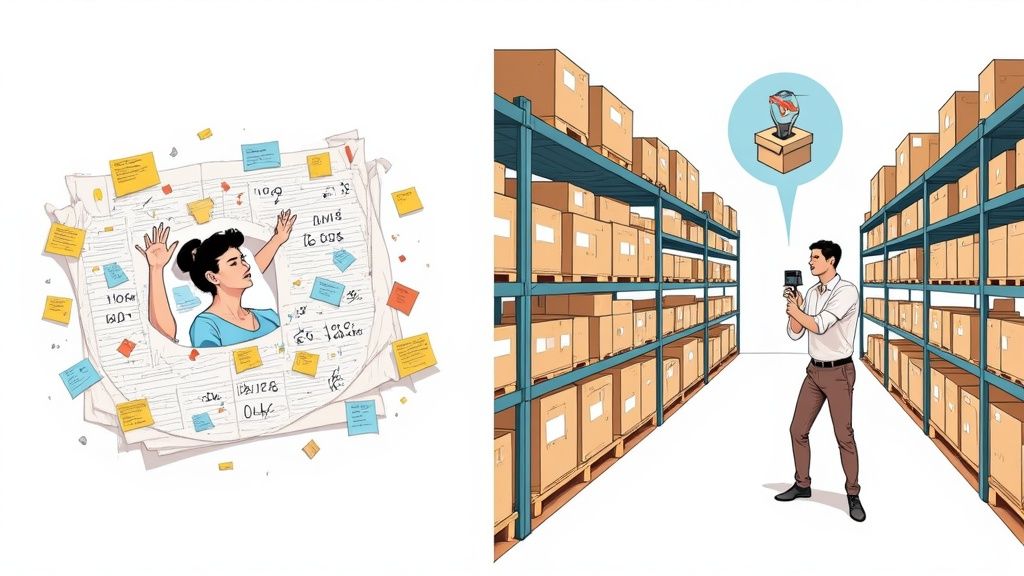
Instead of squinting at rows of numbers and manually typing product codes, you just point and scan. Beep. The software instantly updates your records with perfect accuracy. It transforms hours of tedious counting into a few minutes of simple, satisfying scans.
Making the Leap to Automated Accuracy
Moving from manual tracking to a barcode system isn’t just swapping one tool for another; it’s a complete shift in how you operate, putting speed and precision at the forefront.
Here are the immediate wins you'll see:
- Slash Costly Errors: Manual data entry is the number one cause of inventory headaches. A quick scan virtually eliminates typos and miscounts.
- Reclaim Your Time: Tasks like receiving new shipments or doing a full stock-take, which used to burn entire days, can now be knocked out in minutes.
- See Everything in Real-Time: You get an instant, crystal-clear picture of your stock levels. This means no more guessing games that lead to overstocking or disappointing "out of stock" moments.
Of course, a new tool is only as good as the process it supports. To get the most out of your system, it’s smart to streamline business processes for better ROI so your new inventory setup supports your bigger company goals.
Manual vs Barcode Inventory Management
Let's break down the real-world differences. Seeing it side-by-side makes the advantage of a dedicated system crystal clear.
| Feature | Manual Tracking (Spreadsheets) | Barcode Software System |
|---|---|---|
| Data Entry Speed | Slow and tedious; requires typing every detail by hand. | Instantaneous; a quick scan captures all data. |
| Accuracy | High risk of human error from typos, miscounts, and forgotten entries. | 99.9% accurate; scanning eliminates manual mistakes. |
| Real-Time Visibility | Non-existent; data is only as current as the last manual update. | Immediate; inventory levels update instantly with every scan. |
| Labor Costs | High; requires significant staff hours for counting and data entry. | Low; drastically reduces time needed for inventory tasks. |
| Scalability | Poor; becomes unmanageable and chaotic as inventory grows. | Excellent; easily handles thousands of items and multiple locations. |
| Reporting & Analytics | Limited and manual; requires complex formulas and data wrangling. | Robust and automated; generates detailed reports with a few clicks. |
The takeaway is simple: while spreadsheets might seem "free," the hidden costs in time, errors, and missed opportunities are enormous. A barcode system is an investment in efficiency and accuracy that pays for itself.
Why Spreadsheets Just Don't Cut It Anymore
Spreadsheets are comfortable and familiar, but as your business grows, their cracks begin to show. They completely lack the automation and live data needed to make smart, timely decisions.
If you’re still tied to spreadsheets, getting a handle on how barcodes work is a great first step. You can even explore the basics of barcoding with Excel. But honestly, that’s just a temporary fix. A dedicated software solution is the only real path to a scalable and stress-free inventory system.
A dedicated barcode system moves your business from reactive problem-solving to proactive management. Instead of correcting past mistakes you found in a spreadsheet, you can make informed decisions based on live, accurate data.
How Barcode Inventory Systems Actually Work
To see how barcoding software turns a chaotic stockroom into a perfectly organized system, it helps to break it down. Think of it like a modern library. Every book has a unique barcode, a librarian uses a scanner to check it in or out, and a central computer knows exactly where every single book is supposed to be. Simple, right?
Your inventory system works the same way. The barcode is the unique ID, the scanner is the tool that gathers the data, and the software is the brain that makes sense of it all. These three pieces work in harmony to create a tracking process that’s fast, accurate, and incredibly reliable.
The Barcode: A Unique Digital Fingerprint
At its core, a barcode is just a visual way for a machine to read information in a split second. It’s like a unique license plate for each of your products. When a scanner reads those lines, spaces, or squares, it translates that pattern back into useful data, such as a product name, SKU, or serial number.
This simple act of scanning eliminates the need for someone to manually type in that information, which is where 99% of all inventory errors happen. One wrong keystroke can throw everything off.
Barcodes come in two main flavors:
- 1D (One-Dimensional) Barcodes: These are the classic vertical lines you see on just about every product in a retail store. The UPC (Universal Product Code) is a perfect example. They’re fantastic for storing simple identifiers like a product number, making them ideal for basic check-in/check-out tasks.
- 2D (Two-Dimensional) Barcodes: These use patterns of squares and dots, like the famous QR code. Their biggest advantage is data capacity. They can hold way more information, like website links, detailed product descriptions, batch numbers, or even expiration dates. This makes them a game-changer for more complex tracking needs.
It’s important to remember that the barcode itself is just a reference key. It doesn’t store the product’s price or how many you have in stock. Instead, it instantly points the software to the correct entry in your database where all that rich information lives. The physical labels these barcodes are printed on are often called asset tags. You can learn more about how to design and use what are asset tags to get your items organized effectively.
The Scanner: The Eyes of the System
The scanner is the bridge connecting your physical items to your digital records. Its only job is to read a barcode and instantly send that data to your software. And just like barcodes, scanners come in different shapes and sizes, each built for a different job.
You might see a rugged, handheld "gun" scanner in a busy warehouse because it’s fast and can take a beating. In a retail shop, a stationary scanner built right into the checkout counter is more common. But for many small businesses and home inventory projects, the best scanner is the one you already have in your pocket.
Modern barcoding software almost always includes a mobile app that turns your smartphone's camera into a powerful scanner. This makes professional-grade inventory management accessible to virtually everyone, dramatically lowering the cost and complexity of getting started.
The Software: The Central Brain
This is where the real magic happens. The barcoding software for inventory is the central command center. It’s the database and management hub that takes the information from the scanner and puts it to work. This is the system of record that knows every important detail about your items.
When you scan a barcode, the software instantly kicks into action:
- It identifies the product by matching the barcode's number to an item in your database.
- It updates the quantity based on what you’re doing, decreasing stock when an item is sold or increasing it when a new shipment arrives.
- It logs the entire event, creating a complete history of that item's movement, including who scanned it, where, and when.
But this central brain does more than just count. It can generate automatic low-stock alerts, produce detailed sales reports, and track your items across multiple locations. By connecting the physical barcode and the handheld scanner to this intelligent software, you create a powerful, closed-loop system that gives you a real-time, accurate view of everything you own.
Here's the rewritten section, designed to sound completely human-written, following the provided style guide and examples.
What You Really Get from a Barcode System
Switching to a barcode system isn't just about getting new gadgets for your team; it's a fundamental shift in how you see and manage everything you own. The first and most dramatic change is the leap in accuracy. Let’s be honest, manual data entry is a minefield. No matter how careful you are, typos happen, and a single misplaced character can send you on a wild goose chase for phantom inventory.
Scanning just works. Instead of squinting at a label and typing SKU-85B7-C9, you just point and click. The right data gets captured, every single time. This isn't a small improvement, it's the foundation of a system you can actually trust, pulling you out of the costly guesswork that plagues manual spreadsheets.
Reclaim Your Most Valuable Asset: Time
After accuracy, the next thing you'll notice is how much time you get back. Think about what it takes to receive a new shipment the old way: manually checking items off a packing list, counting every single piece, and then hoping you update the spreadsheet correctly. For a decent-sized order, that’s an entire afternoon gone.
Now, imagine this with barcoding software for inventory. A quick scan of a box or an item, and your stock levels are instantly updated. What used to kill your productivity is now done in minutes. This speed ripples through everything you do, from routine stock counts to getting orders out the door, freeing up your people to focus on work that actually grows the business.
Finally Achieve Real-Time Inventory Visibility
This is the real game-changer. Manual systems are always lagging behind reality; the data is only as good as the last time someone remembered to update it. A barcode system gives you a live, dynamic picture of your inventory, right now.
That means you can say "yes" to an urgent order with total confidence, knowing exactly how many units you have and where to find them. It also means you start making smarter purchasing decisions. Instead of guessing when to reorder, the system can give you a heads-up based on live data, saving you from both embarrassing stockouts and cash-eating overstock.
The true power of a barcode system is that it creates a single source of truth. When you can fully trust your data, you stop reacting to problems and start proactively managing your inventory with confidence.
Boost Your Efficiency and Stop Wasting Money
When you combine accuracy, speed, and visibility, your entire operation just runs smoother. Fewer errors mean you’re not wasting time and money fixing mistakes, like shipping the wrong product or chasing down inventory that only exists on paper. Faster processes mean your team can handle more work without needing more people.
The numbers don't lie. A landmark GS1 study found that using barcodes led to a stunning 76% reduction in medication errors in healthcare. The same study showed a 43% decrease in stock levels, proving how much more precise your control can be. You can dig into more research on inventory software market trends to see just how big this impact is across industries.
This efficiency hits your bottom line directly.
- Lower Labor Costs: Less time spent counting things and typing means you’re paying people to do more valuable work.
- Smarter Cash Flow: By avoiding overstock, you free up cash that would otherwise be sitting on a shelf collecting dust.
- Happier Customers: Getting orders right and shipping them fast is the simplest way to earn repeat business.
Ultimately, bringing in barcoding software for inventory is an investment that pays for itself over and over again through smoother workflows, less friction, and a smarter, more resilient business.
Essential Features of Top Barcoding Software
Picking the right barcoding software for your inventory can feel overwhelming, but it really just boils down to one thing: matching the tool’s features to what you actually need to do. Not all systems are built the same. Some are perfect for straightforward tracking, while others are packed with powerful tools for really complex operations.
Let's cut through the noise. Understanding the key features will help you find a system that truly backs up your goals, whether you're organizing a home workshop or scaling an e-commerce empire.
Core Functionalities Every Business Needs
Think of these as the engine of your inventory system. They’re the non-negotiable functions that make everything else possible. Without them, you’ve got little more than a fancy digital spreadsheet.
- Barcode Generation and Label Design: At its heart, the software has to be able to create unique barcodes for your stuff. The best platforms go a step further, letting you design custom labels that include product names, SKUs, or other critical info, so the label works exactly how you work.
- Mobile Scanning Capability: This is a must-have, plain and simple. Using a smartphone or tablet you already own as a barcode scanner completely lowers the barrier to entry. It turns a familiar device into a powerhouse for checking in stock, doing cycle counts, or pulling orders from anywhere in your space.
- Real-Time Inventory Tracking: This is the absolute core of the system. Every single scan, whether an item is coming in or going out, should update your central database instantly. That live visibility is what lets you make confident, data-backed decisions on the fly.
These foundational features are the starting line for building an efficient operation.
Crucial Functions for Growth and Control
Once you have the basics locked down, the next layer of features is what helps you automate tasks and manage your stock proactively instead of just reacting to problems. This is what separates a simple tracking app from a true inventory management solution.
A game-changer here is automated low-stock alerts. This feature is like a vigilant assistant, pinging you the moment an item’s quantity dips below a level you set. This early warning system helps you dodge costly stockouts and reorder products long before a customer is disappointed.
Just as important is insightful reporting and analytics. Good software doesn’t just hold your data; it helps you make sense of it. Look for the ability to pull reports on things like sales velocity, inventory turnover, and historical stock levels. This is pure gold for spotting your best-sellers and fine-tuning your purchasing strategy. If you handle specialized assets, digging into a guide on equipment inventory software can offer more targeted advice.
By combining real-time tracking with automated alerts and powerful reporting, you create a system that not only tells you what you have but also helps you predict what you will need.
To make it clearer, let's break down the features you'll encounter. Some are table stakes for any business, while others are more specialized tools for scaling or handling specific industry needs.
Essential vs Advanced Software Features
This table gives you a quick snapshot of what to look for based on where your business is today and where you want it to go tomorrow.
| Feature Category | Essential for All Businesses | Advanced for Specific Needs |
|---|---|---|
| Core Operations | Real-Time Inventory Tracking, Barcode Generation, Mobile Scanning | Multi-Location Management, Kitting & Bundling, Serial/Lot Number Tracking |
| Automation | Automated Low-Stock Alerts | Purchase Order Automation, Integration with Shipping Carriers, Automated Reorder Point Calculation |
| Data & Insights | Basic Inventory Reports (stock levels, value) | Advanced Analytics (turnover rates, sales forecasting), Customizable Dashboards, User Activity Logs |
| User Management | Single User or Basic Team Access | Role-Based Access Control, Custom Permissions, Audit Trails |
| System Integration | Manual Data Export (CSV) | API Access for Custom Integrations, Direct Integration with E-commerce Platforms (Shopify, WooCommerce), Accounting Software Sync (QuickBooks, Xero) |
Ultimately, the goal is to find a platform that covers your "essential" column perfectly today, while offering a clear path to the "advanced" features you'll need as you grow.
Advanced Features for Complex Operations
For businesses with trickier needs, like multiple warehouses or products made from many parts, advanced features are what keep the chaos at bay. These are the capabilities that often justify investing in a more robust platform.
Consider these high-level functions:
- Multi-Location Management: If you store inventory in more than one spot (a stockroom, a warehouse, or even different bins on the same shelf), this is non-negotiable. It lets you track quantities at each specific location, so you can find items fast and manage transfers without losing your mind.
- Kitting and Bundling: Do you sell products as kits, like a gift basket or a PC bundle? This feature automatically deducts the individual components from your inventory whenever a complete kit is sold. It’s a huge time-saver.
- Serial and Lot Number Tracking: This is indispensable for industries needing full traceability, like electronics, pharmaceuticals, or food products. It lets you track specific batches or individual units all the way from receiving to the final sale, which is crucial for managing warranties or handling a recall.
The demand for these tools is exploding. The global barcode software market was valued at around USD 881 million and is expected to climb to nearly USD 1.38 billion by 2031. As the barcode software market on GlobeNewswire points out, this growth is fueled by businesses of all sizes realizing they need this kind of power. Choosing software with the right mix of features ensures you get a tool that not only solves today’s problems but can scale right alongside you tomorrow.
A Step-By-Step Plan to Implement Your Barcode System
Bringing in new technology can feel like a monumental task, but rolling out a barcoding system for inventory is really about following a clear, manageable plan. If you take a structured approach, you can make the switch smoothly, keep disruptions to a minimum, and start seeing the payoff in accuracy and efficiency almost right away.
This roadmap breaks the whole process down into logical phases. It’ll guide you from that messy spreadsheet you’re currently using to a fully functioning, scan-happy system.
The entire project hinges on a clean foundation. Before you even think about scanners or software, you have to clean up and standardize your existing inventory data. This is, without a doubt, the single most critical step.
If your current records are a mess of duplicate item names, inconsistent SKUs, or vague descriptions, automating it will just automate the chaos. Seriously, take the time now to make sure every single product has a unique, consistent identifier. This initial grunt work pays off big time since accurate data is the fuel that makes any reliable inventory system run.
Designing Your Implementation Workflow
Once your data is clean, you can start building the actual system. This phase is all about picking your tools and figuring out the physical parts that will connect your digital inventory to the real world. A logical workflow here will save you from expensive backtracking later.
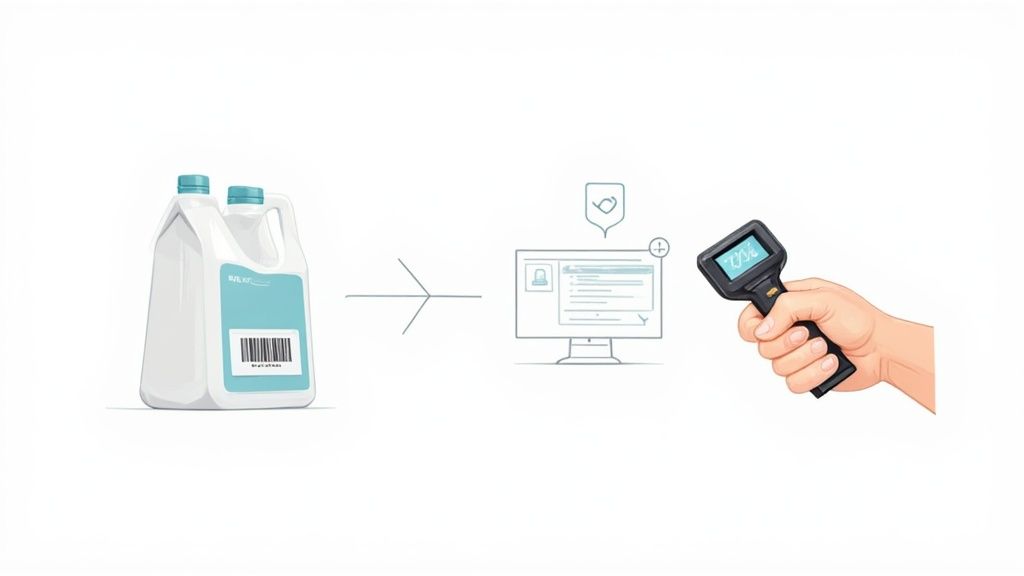
This simple flowchart lays out the core functions your software absolutely must handle to be effective.
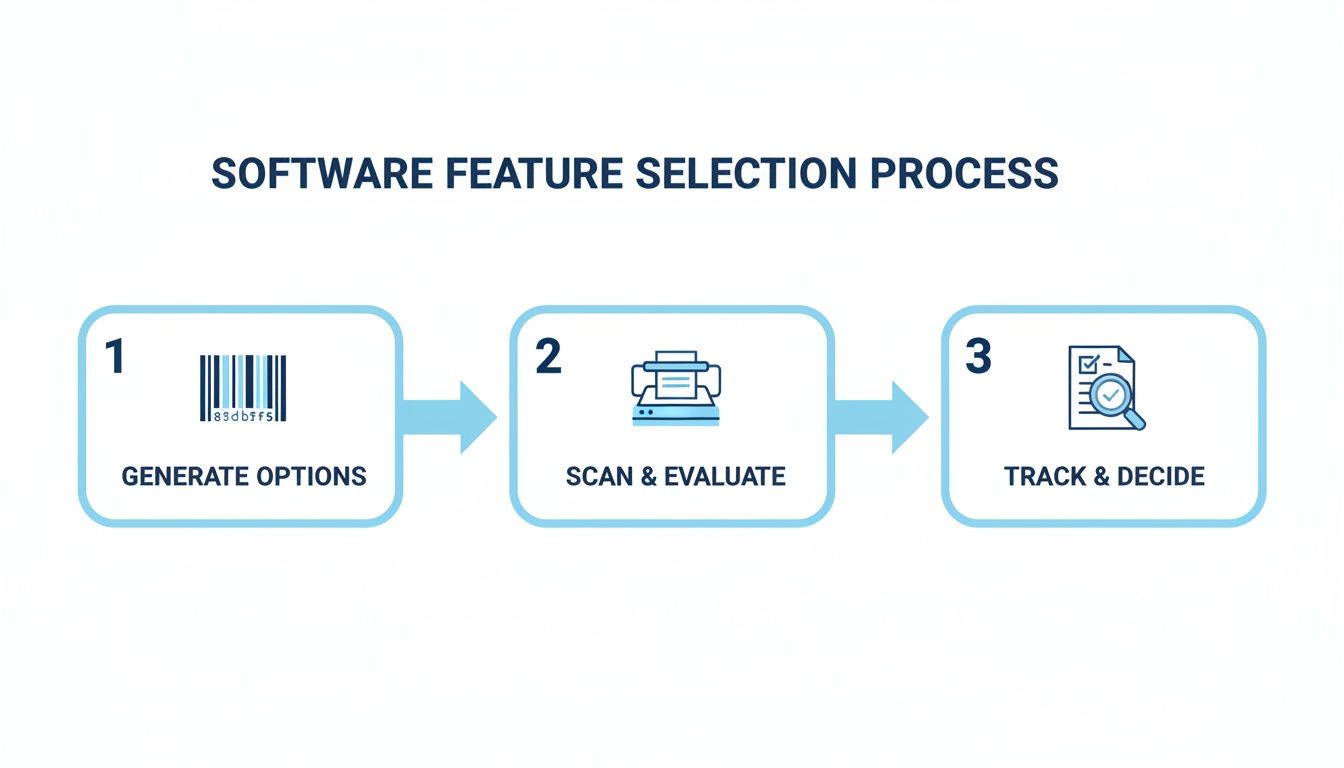
As the visual shows, it's not that complicated. Your system needs to be able to generate unique IDs, scan them easily, and give you solid tracking capabilities.
Your next steps are about bringing these ideas to life:
- Select Your Hardware: Based on your needs, decide if you'll use smartphones with a mobile app or spring for dedicated barcode scanners. Don't forget to get a reliable label printer, too.
- Design and Print Barcode Labels: Use your software to generate barcodes for every item. Make sure the label is clear, durable, and includes key info like the product name right next to the scannable code.
- Physically Tag Every Item: This is the most hands-on part. You'll need to work through your stock methodically, applying a unique barcode label to every single product. A great way to start is to tackle just one section of your warehouse or stockroom first. This lets you iron out the kinks in your process before you roll it out everywhere.
As part of this, you'll need to physically create the barcodes themselves. You can explore custom barcoding services to get high-quality, durable prints for all your inventory items.
Training Your Team and Going Live
A new system is only as good as the people using it. Training isn't optional; it's absolutely essential for getting your team on board and ensuring the whole thing is a success. You need to make sure everyone understands the new workflows and feels confident with the scanners and software.
Set aside dedicated time for training sessions. Walk everyone through common tasks like receiving stock, picking orders, and doing cycle counts with the new system. Create simple cheat sheets they can tape to their workstation while they get the hang of it.
Here’s a fantastic best practice: run the new barcode system in parallel with your old method for a short period, maybe a week. This lets the team learn without the pressure of a hard cutover and helps you catch any gaps in the process before you're fully committed.
Once your team is up to speed and you’ve finished your pilot test, you're ready for the big day. Announce a clear "go-live" date, switch off the old system, and commit fully to your new barcoding software for inventory. Be available and on-hand to offer support and answer questions during those first few days. Your team will quickly embrace how much faster and simpler the new process is.
Integrating Barcoding Software with Other Business Tools
A barcode system is a powerful tool on its own, but its real magic happens when it starts talking to the other software that runs your business. Think of it like this: on its own, your inventory is an isolated island of data. Integration builds bridges, connecting that island to your entire operational mainland.
When your inventory software syncs up with your other platforms, you kill the need for manual data entry between systems. That simple connection saves a ton of time and crushes the kind of costly errors that come from re-typing information. This elevates your barcoding software for inventory from a simple tracking tool into the central nervous system of your whole operation, feeding real-time information everywhere it needs to go.
Creating a Connected Business Ecosystem
For most businesses, the first and most impactful connections are with e-commerce and accounting platforms. Hooking up your inventory system to an online store like Shopify is a total game-changer. When a customer buys a product online, the sale automatically deducts the item from your inventory count. No more accidentally selling something you don't actually have in stock.
The same goes for linking to accounting software like QuickBooks. Imagine a new shipment arrives. You scan the boxes into your inventory, and poof, the system automatically creates a bill payable in QuickBooks. This simple link ensures your financial records and your physical stock counts are always perfectly aligned, no questions asked.
Integrating your systems creates a powerful feedback loop. Sales data from your e-commerce store tells your inventory system what to reorder, while inventory data gives your accounting software an accurate cost of goods sold. It’s a virtuous cycle.
Linking with ERP and CRM Systems
For bigger companies, the next logical step is integrating with Enterprise Resource Planning (ERP) and Customer Relationship Management (CRM) systems. An ERP is the operational mothership, managing everything from manufacturing to HR. When your barcode software feeds live inventory data straight into the ERP, every department is suddenly working from the same, up-to-the-second playbook.
This creates a single source of truth for product data across the entire organization. This is the kind of connectivity that modern supply chain optimization is built on. It’s no surprise the global inventory management software market was valued at USD 3.9 billion and is projected to keep climbing. As you can read in these insights about the inventory management software market on gminsights.com, mobile scanning and the cloud have made these powerful connections more accessible than ever before.
At the end of the day, a well-integrated system means a single scan on the warehouse floor delivers valuable, actionable data to your sales team, your finance department, and your strategic planners. The entire business just gets smarter and faster.
Of course. Here is the rewritten section, designed to sound like an experienced human expert, following the provided style guide.
Your Top Questions About Barcode Inventory Systems, Answered
Jumping into a new system always brings up a few practical questions. You’ve seen how it works, but you’re probably wondering about the real-world stuff, like the costs, the hardware, and the headaches. I get it. To help clear things up, I’ve put together answers to the most common questions people ask before they make the switch.
Think of this as the final check-in, where we tackle the practical concerns so you can move forward feeling confident.
What’s a Barcode System Actually Going to Cost Me?
The price tag can swing pretty wildly depending on what you need. For a small shop or a home-based business just getting started, you can find simple software for under $50 a month, and some even have a one-time fee. If you need more firepower, such as multiple user accounts and more advanced reporting, you’re probably looking at something in the $100 to $300 monthly neighborhood.
Don't forget to think about hardware costs, like dedicated scanners or a label printer. But here’s the good news: a lot of modern platforms, including Vorby, save you that upfront cash by letting you use your smartphone’s camera as a pretty darn good scanner.
Can I Really Just Use My Phone Instead of a Big Scanner Gun?
Absolutely. In fact, for most small businesses, retail shops, or even for organizing your home inventory, it's the smartest way to start. Most modern barcoding software for inventory comes with a mobile app that turns your phone into a powerful scanner. It's cost-effective and surprisingly capable for moderate use.
Now, if you're running a high-volume warehouse where you’re scanning thousands of items a day, that's a different story. In that environment, a dedicated scanner is a worthy investment. They're built like tanks, scan way faster, and are designed to be held all day without causing wrist fatigue. For heavy-duty work, they’re the undisputed champs.
Isn't This Kind of Software Overkill for a Small Business?
Not a chance. Honestly, small businesses often see the most dramatic improvements. Think about it, it’s the key to finally ditching those error-prone spreadsheets, stopping oversells on your website, and getting back the hours you waste on manual counts. For a small team, where every person’s time is gold, that efficiency boost is huge.
The core magic of a barcode system, pinpoint accuracy and real-time data, is universal. It doesn’t matter if you have ten items or ten thousand. Most software companies get this and offer flexible plans that grow right alongside your business.
What's the Biggest Hurdle When I'm Getting Started?
Hands down, the single biggest challenge is the initial setup: physically labeling every last item you own. It’s a one-time grind, there's no sugarcoating it. It takes careful planning and a bit of grunt work to get everything tagged before you go live. But that upfront effort pays you back for years.
The second-biggest hurdle is getting the team on board. You can have the best system in the world, but if people don’t use it correctly, your data will be a mess. A little bit of training and gentle reinforcement goes a long way. When everyone commits to the new workflow, you maintain that clean data and unlock what the system can really do for you.
Ready to see how an AI-powered inventory system can organize your life? With Vorby, you can catalog everything you own using simple photos, QR codes, and smart search. Start your free 14-day trial today and discover a smarter way to manage your inventory at https://vorby.com.