Feeling buried in clutter? We all know the feeling. Drawers overflow, boxes multiply in the garage, and shelves become monuments to things we think we might need someday. A barcode program for inventory is the secret weapon to cut through that chaos. It transforms all those physical spaces into a fully searchable database, making every single item findable with a quick scan from your phone.
This isn't about creating another complicated spreadsheet you'll forget to update. It's about building a precise digital map of your home.
Why a Barcode Program for Inventory Is a Game Changer
Tired of the annual scavenger hunt for holiday decorations? Or tearing apart the garage for that one specific tool you know you own? A manual checklist or a spreadsheet just can't keep up. They become outdated the moment you move something, turning into documents of frustration rather than tools of organization.
A dedicated barcode program, on the other hand, is a living, breathing system for tracking your belongings.
This is about more than just finding things faster; it’s about reclaiming your time and dialing down the stress that comes with a disorganized space. Instead of ripping open three different boxes labeled "Misc," you scan a QR code on a bin and instantly see a complete, itemized list of its contents. It's that simple.
The Modern Approach to Home Organization
What makes this system so powerful is how elegantly it combines simplicity with deep functionality. By sticking a unique code (a barcode, QR code, or even a tiny NFC tag) onto an item or a container, you create a direct digital link. That link can hold a surprising amount of useful information:
- Item Details: The basics, like name, a quick description, and how many you have.
- Location Mapping: Pinpointing exactly where it is. Think "Garage, Shelf 3, Blue Bin," not just "somewhere in the garage."
- Purchase Information: Storing photos of receipts, purchase dates, and prices for insurance claims or eventual resale.
- Warranty and Manuals: Attaching digital copies of warranties and user guides so you're never scrambling to find them again.
The whole idea is to shift the burden of remembering from your brain to a reliable digital system. There's a reason the global inventory barcode system market has ballooned to $4.1 billion; it reflects a massive shift towards precise tracking, and that's not just for warehouses anymore. You can read up on the accelerating adoption of inventory systems in recent market research.
The real power here isn't just knowing what you have. It's knowing exactly where it is and all the critical details tied to it, all accessible from a single, quick scan.
With a tool like Vorby, the process is seamless. You can generate codes right in the app, link them to items just by taking a few pictures, and build a comprehensive digital twin of your home inventory. This guide will walk you through it all, from the first step of planning your labels to setting up scanning workflows that actually feel easy.
Laying the Groundwork for Your Barcode System
Before you even think about printing a single label, let's talk strategy. A solid plan is what separates a truly useful inventory system from one that fizzles out after a few weeks. Without a blueprint, you’re just creating a digital junk drawer, one that’s just as chaotic as the physical one you’re trying to fix.
The goal here is to create a system that feels natural and keeps everything organized from day one. Every scan should be meaningful.
So, where do you start? First, think about how you naturally group things in your mind. Don't overcomplicate it. Begin with broad categories that make intuitive sense for your home.
- By Room: Living Room, Kitchen, Garage, Basement
- By Container: Holiday Decor Bin, Electronics Box, Winter Coats Storage Bag
- By Purpose: Camping Gear, Craft Supplies, Important Documents
Once you have your basic groups figured out, it's time to decide on a consistent naming convention. This is the secret sauce for a searchable, logical system. Instead of random codes, aim for something descriptive that tells you a story, like "Garage-Tools-001" or "Basement-Holiday-XmasLights." A clear structure like this makes finding that one specific thing feel effortless later on.
Building Your Digital Map
Your next move is to map out your physical space inside the software. Think of it as creating a digital twin of your home's layout. A barcode program is at its most powerful when it mirrors reality, letting you pinpoint an item's exact location, not just its general zip code.
For example, you can create a location for "Pantry," then add sub-locations for "Top Shelf" and "Bottom Cabinet." When you scan that box of pasta, you can assign it to that precise shelf. No more guesswork. This level of detail is a core strength of using dedicated inventory software for home use, as it builds a location-based system you can actually trust.
A well-planned taxonomy is the foundation of an efficient barcode system. It transforms random scanning into a structured process where every item has a logical place, both physically and digitally.
Let Automation Do the Heavy Lifting
One of the biggest drags of any inventory project is that initial mountain of data entry. Thankfully, modern tools can slash this effort. For instance, Vorby’s email parser can automatically pull details from your past purchase receipts, filling in item names, prices, and dates without you having to type a thing. It’s a huge time-saver.
Finally, think about who else needs access. If you live with family or roommates, setting up shared permissions is a must. You can assign different roles, like giving your partner full editing rights while giving a child view-only access to their own belongings. It’s also a good idea to enable automatic backups; this protects all your hard work from accidental deletion or a device meltdown.
The whole process is simpler than it sounds. It really boils down to three main stages, as this graphic shows.
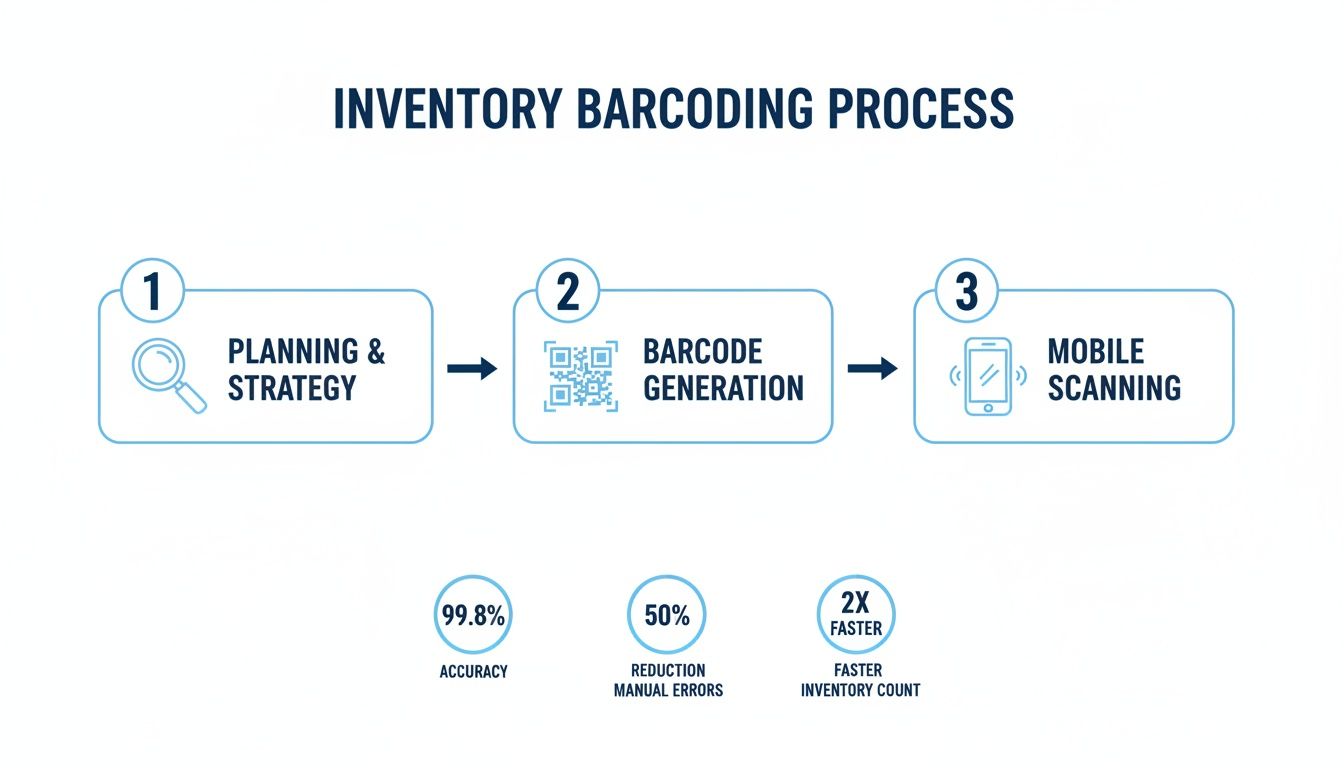
As you can see, a successful program always starts with a bit of thoughtful planning before you jump into generating codes and scanning. Get the foundation right, and the rest of the workflow just clicks into place.
Generating Barcodes and Printing Labels
With a solid plan mapped out, it’s time to get to the fun part: actually creating the codes that will bring your system to life. But before you start printing, you have to pick the right tool for the job. Not all codes are built the same, and your choice here will impact how you interact with your inventory down the road.
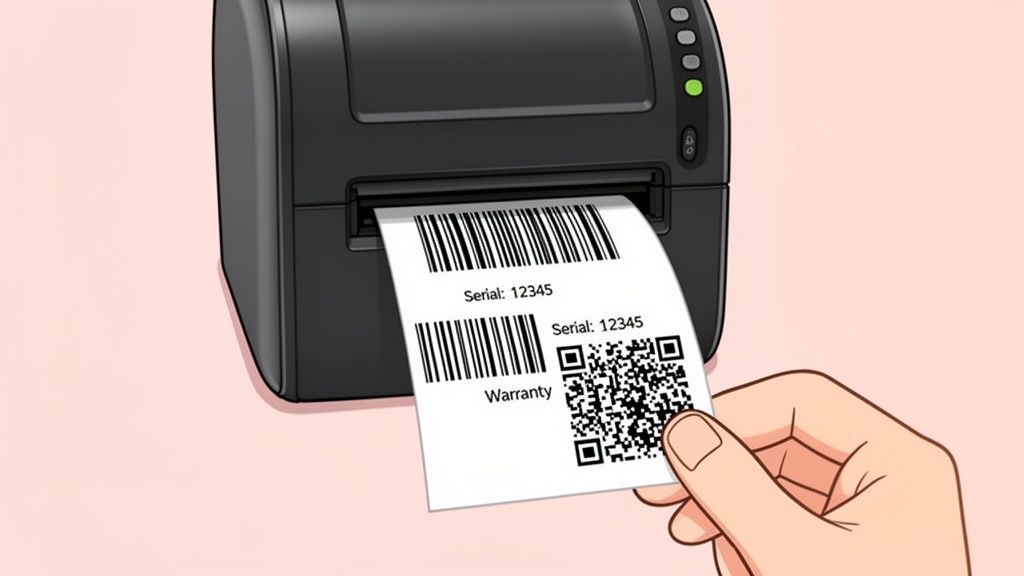
Think of it this way: a simple 1D barcode is like a basic key, great for one thing: unlocking a single piece of information, like a product number. It can hold around 20-25 characters, which is perfect for straightforward identification.
A 2D QR code, on the other hand, is more like a digital Swiss Army knife. It can store a ton more data (up to 2,500 numbers), letting you link directly to websites, stash a PDF of a user manual, or even embed detailed notes about what’s inside a box.
Choosing Your Code Type
To make the right call for your home setup, you need to understand the strengths of each option. It’s not about finding the single "best" one, but the best one for a specific task.
- 1D Barcodes: These are the classic black-and-white stripes you see on every product at the grocery store. They're dirt cheap to print and a breeze to scan, but that simplicity comes with limited data capacity. They really shine when you just need a quick, unique ID number for an item.
- 2D QR Codes: The familiar black-and-white squares can hold a massive amount of information and, best of all, can be scanned from any angle with your phone. They're perfect for linking to a warranty page, a YouTube tutorial for a complex tool, or a detailed inventory list for a storage bin.
- NFC Tags: Near Field Communication tags are a different beast entirely. They’re small, passive chips that don't need a line-of-sight scan; you just tap your phone near them. This makes them ideal for items where a sticker won't work well (like a glass vase) or for situations where you want a more durable, hidden tag.
It's no surprise that 2D codes are taking over. The market for 2D barcode tech is projected to hit $13.6 billion by 2025, largely because QR codes are just so versatile for everything from mobile payments to, you guessed it, inventory.
Here’s a quick rundown to help you decide which code type fits your needs:
Comparison of Barcode QR Code and NFC Features
| Code Type | Storage Capacity | Scan Speed | Best Use Case |
|---|---|---|---|
| 1D Barcode | Low (~25 chars) | Fast | Simple item identification, linking to a serial number. |
| QR Code | High (~2,500 chars) | Very Fast | Linking to manuals, warranties, or detailed content lists. |
| NFC Tag | Medium | Instant (tap) | Items where labels won't stick; discreet tracking. |
Ultimately, a mix-and-match approach often works best. Use QR codes for your storage bins and electronics, but maybe stick with simple barcodes for individual books or tools.
Creating and Printing Your Labels
Thankfully, modern software has made generating codes incredibly easy. With a tool like Vorby, you can forget about complex generators and just use natural language prompts. Typing something like, “Create a QR code for the Living Room Bookshelf A,” is all it takes for the system to do the heavy lifting.
You can even embed custom information, what we call payloads, like serial numbers or links directly into the code itself. For heavy-duty jobs, like creating hundreds of codes at once, our guide on barcoding with Excel is a lifesaver.
Pro Tip: When you design your labels, think scannability above all else. Use a high-contrast design (classic black on white is unbeatable), pick a clear font, and make sure the code isn't too small or cramped. A label that’s easy to read is a label that will scan every time.
Printing is the final, crucial step. It doesn’t matter if you're using a standard desktop printer with Avery sheets or a dedicated thermal label maker; always check your printer settings. You need to print at the highest quality possible to avoid blurry, un-scannable codes.
And don't forget about the real world. A label stuck to a porous cardboard box might need some extra packing tape over it to stay put, while a tag on a weirdly shaped power tool might need to be smaller and more flexible. A little bit of extra thought here saves you from a world of scanning frustration later.
Setting Up Your Scanning Workflows
Okay, your labels are printed and slapped on the boxes. Now for the fun part, the bit where all that prep work starts to feel like magic. Getting scanning into your regular routine is what makes this whole system click. It’s the bridge that keeps your digital records perfectly in sync with your physical world, and it's all about creating simple habits that fit how you actually live.
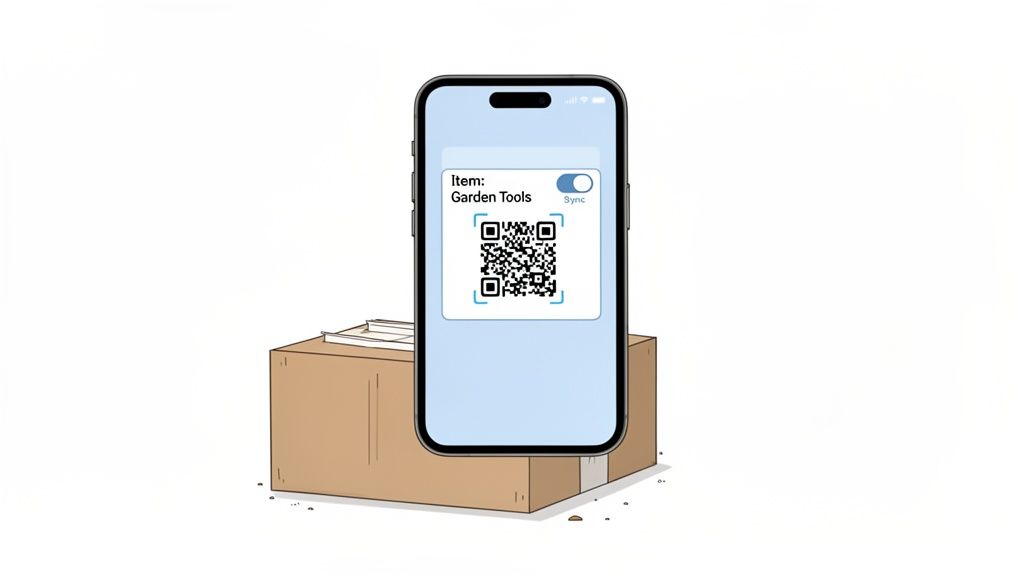
This is what it looks like in the real world. You're in the garage, you scan a box with the Vorby app, and instantly you know exactly what’s inside. Your phone becomes this incredibly powerful wand for identifying, updating, and interacting with your stuff. Every box, every bin, every item becomes a smart object.
A well-designed barcode program for inventory needs to be flexible. You’re not always going to be sitting at your desk, so a solid mobile app isn't just a nice-to-have; it's essential for keeping things updated on the fly.
Mobile Scanning for Daily Maintenance
Your smartphone is going to be your go-to tool for 90% of your inventory tasks. Think about it: you can do a quick walk-through of a room, scanning items as you go, just to confirm everything is where it should be. It’s a five-minute audit that keeps your system honest.
Here’s a perfect example: you're putting away the holiday decorations. Before you shove that box back into the attic, you scan its QR code. The app instantly pulls up the contents list. You notice you bought a few new ornaments this year, so you add them to the list right there on your phone. Done. That tiny action takes maybe 20 seconds, but it ensures your inventory stays 100% accurate.
The goal is to make scanning a natural reflex, not a chore. A quick scan when you move something, add a new item, or take something out is all it takes to maintain a perfectly organized home.
Let’s be real, most of us have Wi-Fi dead zones in the basement or out in a detached shed. That's where a good app proves its worth. Vorby has a built-in offline mode, which means you can keep scanning and updating your inventory even without an internet connection. The moment you're back online, everything syncs up automatically.
Web Workflows for the Heavy Lifting
While mobile is perfect for quick hits and daily upkeep, the web portal is where you go for the big jobs. Think major overhauls, like organizing after a move or finally tackling that decluttering project you’ve been putting off. The bigger screen just makes it easier to manage bulk actions and get a bird's-eye view of everything you own.
The web app is your best friend when you're:
- Doing Bulk Imports: Just cataloged 50 books for your new library? Instead of adding them one by one, you can import them all at once from a spreadsheet and assign them to the correct bookshelf in a single click.
- Editing the Finer Details: Adding detailed notes, uploading a gallery of photos for an antique, or attaching warranty PDFs is just faster and easier with a real keyboard and mouse.
- Reviewing and Auditing: The web dashboard gives you a high-level overview, making it dead simple to spot gaps, find items that haven't been scanned in a while, or identify duplicates.
This shift to real-time data is happening everywhere. Globally, over 10 billion GS1 barcodes are scanned every single day. And with handheld devices making up 61.8% of the market, it's clear that people rely on having this information at their fingertips.
Advanced Scanning Strategies
Once you get the basics down, you can start using a few pro-level techniques to make your system even more powerful. These aren't complicated, but they add a whole new layer of utility to every scan.
One of my favorite tricks is using a single "master" code for an entire container. You scan the box, and you see a list of everything inside. But you can take it a step further. With Vorby, a scan can do more than just show you a list; it can trigger an action. Imagine scanning a power tool and having the app instantly pull up the user manual PDF or a link to a "how-to" video on YouTube. For a deeper dive, check out our guide on choosing the right barcode scanner for inventory management.
Batch scanning is another massive time-saver. Instead of scan-confirm, scan-confirm, one item at a time, you can do a series of rapid-fire scans, zapping dozens of items in a row, and then process them all in one go. Once you get the hang of it, you can easily rip through dozens of scans per minute without losing a bit of accuracy.
Organizing Storage With Codes
Your labels and scans are only as good as the system behind them. A well-organized digital map of your home turns a simple barcode program for inventory into a powerful command center for all your belongings. Without that structure, you're just creating digital clutter to match the physical mess.
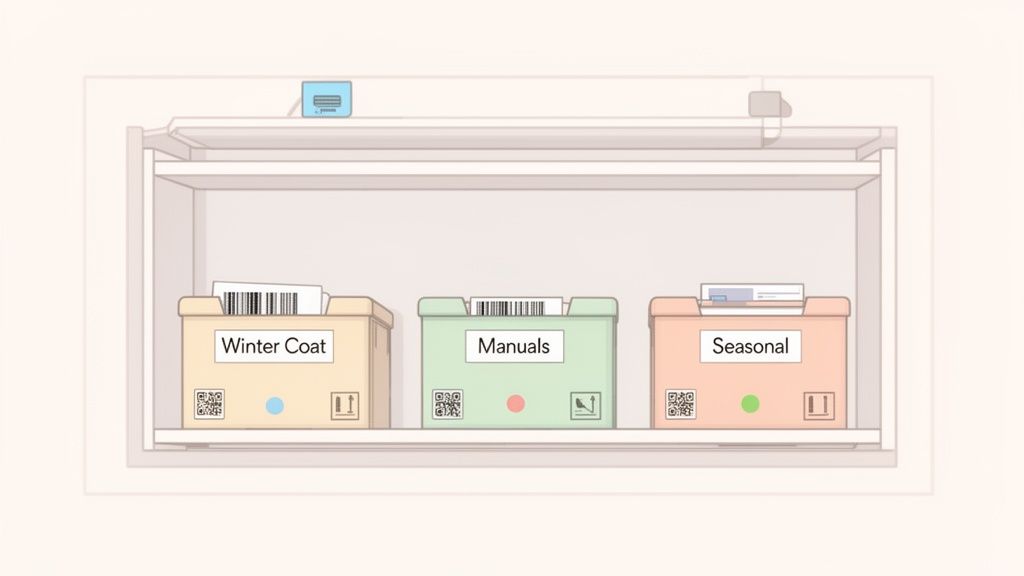
The first real step is building a logical hierarchy that mirrors your physical space. Inside Vorby, you can create a digital floor plan, assigning unique codes not just to rooms but to individual shelves, drawers, and even specific bins inside a larger box.
This granular approach is a total game-changer. Suddenly, you can distinguish between "Garage Shelf 3, Blue Bin" and "Garage Shelf 3, Clear Bin" with a quick scan. You can tag the box holding your power tools not only with its location but also with links to digital user manuals or reminders to replace a blade. A simple storage box becomes a smart, interactive part of your home.
Sharing and Collaborating
Let's be honest, a home inventory is rarely a solo project. Whether you're coordinating with a partner, trying to keep track of shared items with roommates, or teaching kids where their stuff actually goes, shared access is crucial.
A good barcode program lets you share specific views of your inventory. For example, you can give your partner full editing access while granting a roommate view-only permissions for shared kitchen items. This puts an end to the endless "Hey, have you seen the...?" questions because everyone is on the same page.
The real power of a shared inventory map is accountability and clarity. When everyone can see where things belong, your home practically organizes itself.
This collaborative approach is just as effective for more specialized tasks, too. For hobbyists or DIY enthusiasts, implementing barcodes can dramatically improve the process of managing spare parts inventory, making sure that critical screw or replacement filter is easy to find right when you need it.
Mastering Bulk Imports and Item Rotation
Getting started can feel like a massive undertaking, but you don’t have to log every single item one by one. Bulk-import features are your best friend here. Just unpacked a box from a big online order? Instead of scanning each thing individually, you can use Vorby’s receipt parser to automatically create entries for everything. Then, you can assign them to their new home in a single action.
Seasonal rotation is another area where a barcode system absolutely shines. Instead of dragging out every box labeled "Holiday," you can scan the codes to see a full inventory before you even open them. This strategy makes swapping out seasonal decor, clothing, or sporting equipment quick and painless.
Here’s how to make it work:
- Create "Seasonal" locations: Designate a specific shelf or area in your attic or garage for off-season items.
- Use descriptive tags: Add tags like
winter,summer, orholidayto items so you can search for them easily. - Update locations with a scan: When you move a box from the attic to the living room, a quick scan updates its location for everyone in the household.
By building this living map of your home, you're creating a system that adapts as your life changes. It tracks what you buy, helps you manage what you store, and makes it way easier to decide what to sell or donate. It's the ultimate tool for a truly organized home.
What to Do When Scans Go Wrong
Even the best-laid plans can hit a snag. A label gets smudged, a scan won't register, or your spouse accidentally adds a duplicate item. The good news? These little hiccups are almost always minor and incredibly easy to fix once you know what to look for.
Most problems you'll run into fall into three buckets: issues with the physical labels, a software quirk, or simple user error. Pinpointing the root cause is the key to getting your system running smoothly again without losing all that organizational momentum you've built. Don't worry, you won't need a degree in IT to solve any of these.
Fixing Physical Label and Scan Errors
More often than not, a failed scan has nothing to do with your phone or the software. Before you start troubleshooting your app, always check the label itself. A surprising number of problems start and end right there on the box.
- Damaged or Misaligned Labels: Did your printer feed the label sheet a little crooked? If part of the barcode gets cut off, it becomes unreadable. The same goes for labels that get torn, smudged with dirt, or damaged by moisture. The fix is as simple as it gets: just print a new one.
- Bad Contrast or Shiny Surfaces: Trying to scan a barcode printed on a glossy, reflective, or transparent surface can blind your scanner's camera. Stick to high-contrast combinations, such as black on white which is the gold standard, and use matte-finish labels for the most reliable scans.
- Wrong Code for the Job: That tiny 1D barcode might seem efficient, but trying to scan it from a few feet away is a recipe for frustration. For smaller items or when you know you'll be scanning from tricky angles, a QR code is a much more forgiving choice.
Here's a pro tip I picked up along the way: use color-coded borders on your labels for different categories. A red-bordered label on a box of fragile electronics, for instance, is an instant visual cue to handle with care and tells you it's a high-priority item in your inventory.
Tackling Software and Data Glitches
Sometimes the label is perfect, but the data behind it is the problem. These issues tend to pop up in shared inventories, especially after you’ve done a big import of items. Keeping your digital database clean is just as important as keeping your physical labels scannable.
The best defense is a quick audit. I set a reminder on my calendar for the first of every month to just scroll through my inventory list. I’m looking for obvious mistakes like duplicate item names or, my personal pet peeve, entries that are missing a location tag. Catching these little errors early stops them from becoming big headaches later on. A healthy barcode program relies on consistent data hygiene.
Permission Conflicts and Mismatched Tags
When a family member says they can't see an item or edit a box's contents, it’s almost always a permissions issue. In a shared system like Vorby, you can assign different roles, like "Editor" or "Viewer." A quick peek at the user settings will usually reveal that someone has the wrong access level for what they're trying to do.
Mismatched taxonomy tags are another classic data problem. This is what happens when an item gets filed under the wrong category, for instance, "Winter Coats" accidentally tagged under the "Kitchen" location. It’s usually just a simple typo made during data entry. To fix it, you just open up the item's record, correct the tag, and hit save. This ensures that when you actually search for "Coats," the item shows up where it's supposed to. Regular, brief audits make these small slip-ups easy to catch and correct.
Got Questions? We’ve Got Answers
Even the best-laid plans can hit a snag. When you're setting up a new system, questions are not just common; they're a sign you're making progress. Here are a few things that often come up when people start their inventory project, along with some practical advice to keep you moving forward.
Codes, Labels, and What-Ifs
What’s the best code for tiny or weirdly shaped items?
For anything small like jewelry, or items with curved surfaces like a water bottle, you’ll want to go with a high-density 2D QR code. They pack a ton of information into a tiny space and have built-in error correction, so they’ll still scan even if they get a little scuffed up.
Another great option, especially for surfaces where a sticker just won’t work (think metal tools or glass containers), is an NFC tag. They’re super durable and don’t rely on a visual scan.
Okay, but what happens if I lose or damage a label?
This is probably the number one fear people have, but it’s an easy fix. The moment you set up your system, make sure you turn on automatic backups. It’s non-negotiable.
A solid backup strategy turns a potential disaster into a minor, two-minute inconvenience. It’s the single most important thing you can do to protect the integrity of your entire system.
With a tool like Vorby, if a label gets ripped off a moving box or smudged on a storage bin, you can just pull up the item in the app and instantly regenerate and print a new one. It also pays to add a quick text description for each item during setup. That way, if a scan ever fails, you have a foolproof way to look it up manually.
Sharing, Tracking, and Getting More Out of Your System
Can my spouse and I both scan and update our stuff?
Of course! A modern inventory system is built for teamwork. Inside Vorby, for example, you can create shared inventories and simply invite other people to join.
The key is setting the right permissions. You can assign roles like Viewer (they can look but not touch) or Editor (they have full access to make changes). Any update one person makes syncs across every connected device almost instantly, so you’re both always looking at the same information.
What's the smartest way to keep track of warranties?
This is where your inventory system becomes more than just a list; it becomes a proactive tool. When you first create a code for a new appliance or electronic device, add the warranty expiration date as a custom field in the item’s record.
Better yet, set up an alert to notify you 30 days before it expires. That gives you plenty of time to file a claim if you need to, turning what used to be a frantic search for a receipt into a simple, automated reminder.
Ready to stop searching and start finding? With Vorby, you can map out everything you own and make it all instantly searchable. It’s the easiest way to feel in control of your space. Start your free trial today and see for yourself.