Quick answer. Keep originals you rarely need — birth certificates, deeds, passports — in a fireproof lockbox at home or a bank safe deposit box. Keep encrypted digital copies somewhere you can actually open on a bad day: cloud with 2FA, plus one offline backup. Safe is half the job. Findable is the other half. A locked paper you cannot reach, or a scan buried in an unlabeled phone album, fails the same test.
Let's be honest, figuring out where to keep your most important documents can feel like a huge, overwhelming task. But it's simpler than you think. The smartest and safest strategy isn't about choosing one perfect method; it's about combining the best of both worlds: physical protection for originals and digital copies for everything else.
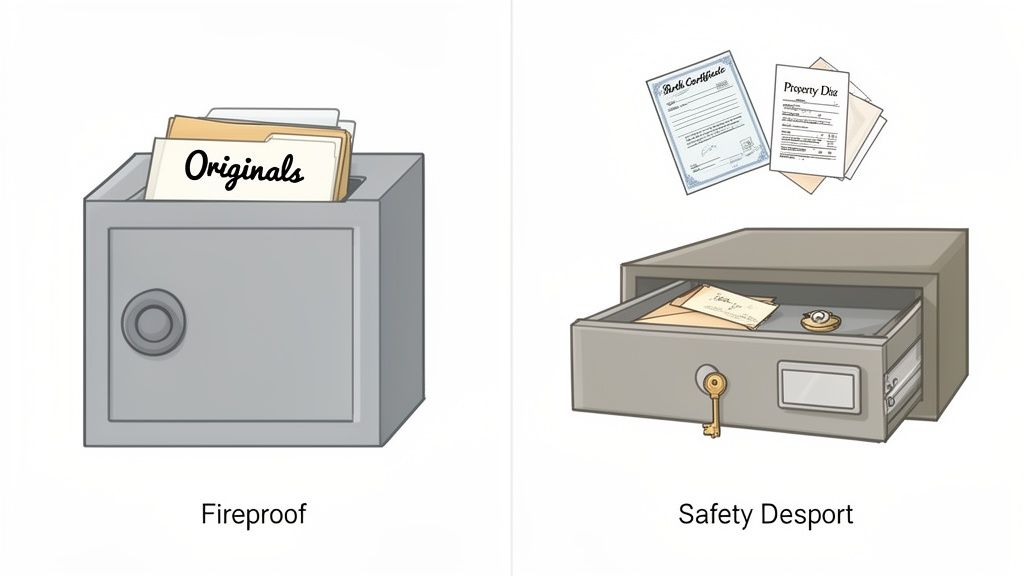
Think of it like this: your birth certificate and the deed to your house are irreplaceable. They need a fortress. That's where a fireproof safe or a safety deposit box comes in. For almost everything else, an encrypted digital copy gives you instant access without sacrificing security. This hybrid approach is your best defense against just about anything life throws your way.
Your Blueprint for Document Safety
Picture this: an emergency hits, and you need your insurance policy, stat. Are you frantically digging through dusty file cabinets, unmarked boxes, and random desk drawers? That kind of stress is completely avoidable.
Creating a clear system for your documents isn't just about tidying up. It's a fundamental step toward securing your personal and financial well-being. This guide is your straightforward blueprint to organize, protect, and find your vital records when you need them most.
The core idea is to build a resilient system. Some documents, whether for legal reasons or sentimental value, have to be kept in their original paper form. For those, physical security is non-negotiable. But for the vast majority of your paperwork, digital copies offer far more convenience and flexibility.
Why a Hybrid Approach Just Works Better
A hybrid system protects you from every angle. A fire or flood could easily destroy unprotected papers in your home, but a digital backup means you can still access copies of everything. On the other hand, if a hard drive fails or you get locked out of a cloud account, having the physical originals is a crucial fallback.
This balanced strategy is more important than ever. So many of our records are already digital, from bank statements to medical reports. It’s no surprise the market for document storage and management is expected to explode from USD 8.5 billion in 2024 to a staggering USD 55.8 billion by 2034. This isn't just a trend; it's a fundamental shift in how we manage our lives.
The Real-World Benefits of a Solid System
Getting your documents in order pays off in more ways than just peace of mind. It brings real, practical advantages to your daily life and long-term planning.
- Rapid Access in Emergencies: When you need a passport for a last-minute trip or an insurance policy after a fender bender, you’ll know exactly where to find it. No panic necessary.
- Simplified Financial Management: Tax season becomes way less of a headache when all your receipts, W-2s, and investment statements are organized and accessible.
- Enhanced Disaster Preparedness: Having copies stored off-site or in the cloud is a key part of personal safety. Our guide on how to prepare for natural disasters dives deeper into steps you can take to protect your family and assets.
- Streamlined Estate Planning: A well-organized system makes a world of difference for your loved ones if they ever need to manage your affairs.
The goal isn't just to store documents; it's to create a reliable system that works for you. Think of it as an insurance policy for your information, one that pays off in saved time, reduced stress, and ultimate security.
Document Storage at a Glance Physical vs Digital
Choosing between physical and digital storage can be tricky. Here's a quick rundown to help you decide which method is best for different types of documents.
| Storage Method | Best For | Pros | Cons |
|---|---|---|---|
| Physical (Fireproof Safe/Box) | Irreplaceable originals like birth certificates, deeds, car titles, social security cards, passports. | High security against theft and environmental damage (fire/water). Tangible and legally binding. | Limited accessibility (only at home). Vulnerable to widespread disasters. Limited storage space. |
| Physical (Safety Deposit Box) | High-value originals you don't need frequent access to, like stock certificates, rare collectibles, and backup hard drives. | Highest level of security against theft, fire, and natural disasters. Professionally managed. | Inconvenient access (bank hours only). Not accessible in an emergency if the bank is closed. Annual fees. |
| Digital (Encrypted Cloud) | Scanned copies of almost everything: tax records, insurance policies, medical records, receipts, contracts. | Accessible from anywhere with an internet connection. Easy to share securely. Automatic backups. | Requires internet access. Potential (though low) risk of data breaches. Subscription fees. |
| Digital (Encrypted Local Drive) | Sensitive digital files you want total control over. A secondary backup for cloud files. | Complete privacy and control. No internet needed for access. One-time cost. | Vulnerable to physical damage (fire, flood, theft) or drive failure. Requires manual backups. |
Ultimately, the strongest strategy doesn't rely on just one of these. It uses a smart combination of them to cover all your bases, ensuring your most important information is safe and available, no matter what.
Protecting Your Irreplaceable Physical Documents
Let's be real: digital copies are great for convenience, but some documents are just too critical to exist only as a file on a server. Things like birth certificates, social security cards, property deeds, and passports demand real-world, physical protection. This isn't just an option; it's a must.
Deciding where to keep these originals requires a solid game plan that balances security against accessibility. You're not just stuffing them in a drawer; you're shielding them from the big three threats: fire, water damage, and theft.
This isn't just a niche concern. The market for secure document storage has been steadily climbing, growing from USD 464.016 million in 2021 to a projected USD 675.2 million by 2025. That jump shows that more and more people are getting serious about protecting their critical information. You can dig into the numbers in the full document storage services market report on cognitivemarketresearch.com.
Choosing the Right Home Safe
A good home safe is your first line of defense. It gives you that perfect blend of tough security and immediate access. But here's the catch: not all safes are created equal. You have to know what the labels and ratings actually mean before you buy.
Look for specific ratings for fire and water protection. A fireproof rating tells you two key things: the maximum internal temperature and how long the safe can hold it. A common rating like 350-1HR means the inside won't get hotter than 350°F (where paper starts to char) for a full hour during a fire.
Waterproof ratings work similarly, telling you how long the safe can handle being submerged and at what depth. A basic model might survive in a few inches of water for a day, but top-tier ones can be fully underwater for days without a single drop getting inside.
Leveraging Bank Safety Deposit Boxes
When you need Fort Knox-level security, nothing beats a bank safety deposit box. Tucked away inside a bank vault, these boxes are protected from almost any threat you can imagine, from a determined burglar to a major natural disaster.
This is the ideal spot for things you don't need to grab on a whim, such as:
- Original wills and trusts
- Stock and bond certificates
- Heirloom jewelry and rare collectibles
- Backup hard drives with your most sensitive data
The biggest downside? Access. You can only get to your stuff during bank hours, which is a huge problem if an emergency hits on a Saturday night or a holiday. Also, keep in mind the contents are not typically FDIC-insured, so you might want a separate insurance policy for anything truly high-value.
A safety deposit box offers unmatched security from outside threats, but a home safe gives you immediate access when you need it most. The best strategy is often using both: store the ultra-critical, rarely-needed originals at the bank and keep important copies or other key documents at home.
The Value of Off-Site Human Backups
Here's another powerful layer of security: a trusted human backup. This is as simple as giving copies (never the originals!) of your most vital documents to a reliable family member, a close friend, or your lawyer. Think of it as a failsafe in case your main locations are ever compromised.
It’s basically a human-based cloud backup. If a disaster hits your entire town, making both your house and the local bank unreachable, your contact in another city will have the information you need to start putting the pieces back together. It’s a simple, no-cost strategy that adds incredible redundancy to your whole plan.
Building Your Secure Digital Archive
Let's face it, turning those precarious piles of paper into a neat digital library is probably the single biggest upgrade you can make to your document system. This isn't just about tidying up; it's about building a digital fortress for your most important information, one that's secure, organized, and accessible whenever you need it. You're transforming chaos into a streamlined archive you can pull up from anywhere.
The journey starts with converting physical papers into digital files. And that begins with a good scan. The quality of your scans now will directly impact how useful your digital archive is down the road. While it's tempting to just snap a quick photo with your phone, taking an extra minute to get the settings right pays off big time.
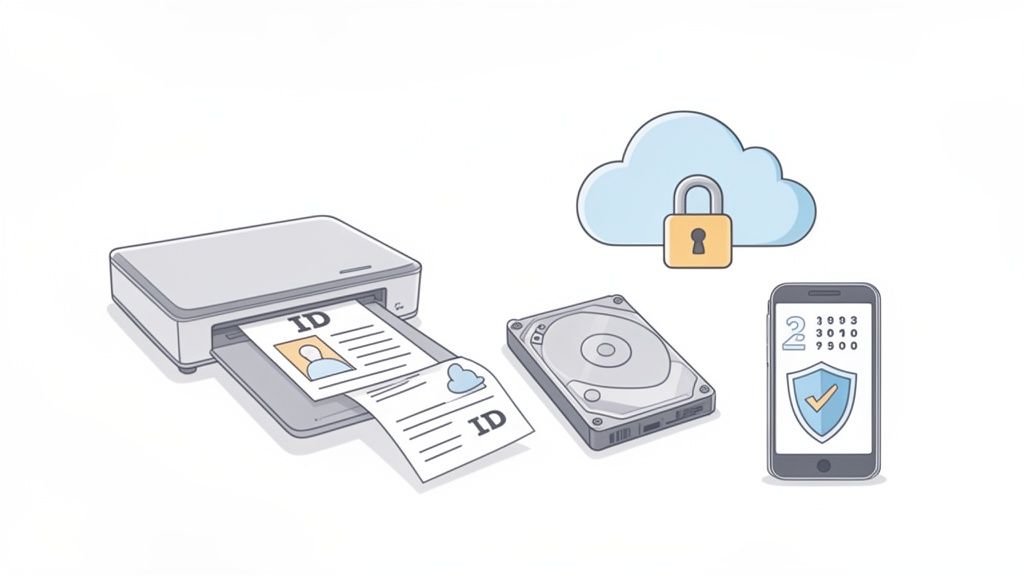
This shift isn't just a personal productivity move; it's happening everywhere. The document management market was valued at a staggering USD 7.68 billion in 2024 and is expected to hit USD 18.17 billion by 2030. That explosive growth tells you one thing: people are realizing just how crucial reliable digital storage is.
Perfecting The Scanning Process
To make sure your digital files are truly future-proof, you need to nail two things during the scan: resolution and file format. These choices are what determine whether your documents will be crystal clear and readable by software decades from now.
For most text-based documents, a resolution of 300 DPI (dots per inch) is the sweet spot. It gives you excellent clarity without creating massive, clunky files. If you're scanning something with fine print or detailed images, bumping it up to 600 DPI is a smart move.
The file format is just as critical. A standard PDF is fine, but a PDF/A (Portable Document Format/Archival) is even better. This is a specialized format engineered for long-term preservation, guaranteeing the file will look exactly the same on whatever new device or software you open it with years from now. For a deeper dive into the nuts and bolts, check out our guide on https://vorby.com/blog/how-to-digitize-paper-documents.
Choosing Your Digital Storage Vault
Once your documents are scanned, they need a safe home. You’ve got two main routes: cloud storage and local storage. Each has its pros and cons, and honestly, the best strategy often involves a mix of both for ultimate peace of mind.
Cloud services like Google Drive, Dropbox, or OneDrive offer incredible convenience. Your files are right there, accessible from any device with an internet connection, and the company handles all the messy backup stuff for you. But that convenience comes with a catch, you have to be diligent about securing your account.
Always enable two-factor authentication (2FA) on your cloud storage accounts. This one simple step adds a crucial security layer, requiring a second code (usually from your phone) to get in. It's one of the most powerful ways to stop someone from breaking into your digital vault.
Local storage, on the other hand, puts you in complete control. We're talking about an encrypted external hard drive, a secure USB drive, or a more sophisticated Network Attached Storage (NAS) device. With local storage, you are 100% responsible for keeping the files safe and backed up.
Comparing Cloud and Local Storage Options
Deciding where to store your digital files really comes down to weighing convenience against control. Thinking through the Cloud Storage vs Local Storage debate is a critical first step in building your archive.
Here’s a quick breakdown to help you map out the right home for your files:
| Feature | Cloud Storage (e.g., Google Drive) | Local Storage (e.g., External SSD) |
|---|---|---|
| Accessibility | Get to your files from anywhere you have internet. | You need the physical drive in your hand. |
| Security | The provider manages it, but you're responsible for your password and 2FA. | You have total control over both physical security and digital encryption. |
| Backup | Automatic backups and redundancy are usually built-in. | It's all on you, you have to create and manage your own backups. |
| Cost | Typically a recurring monthly or annual subscription fee. | Usually a one-time cost to buy the hardware. |
Ultimately, the goal is to create a digital library that's redundant, secure, and easy to navigate. By understanding your scanning options and carefully choosing your storage methods, you're building a robust system that will protect your most valuable information for years to come.
Creating a System So You Can Actually Find Things
Okay, you've got your documents tucked away in fireproof safes and encrypted digital vaults. That’s a massive win, but it's only half the battle. A brilliant storage strategy is useless if you can't find the exact document you need in the middle of a stressful situation. Building a system for fast retrieval is what turns your storage from a locked box into a powerful, searchable library.
It all starts with bringing some order to your digital files. A desktop cluttered with randomly named scans like IMG_4082.pdf is the digital equivalent of a junk drawer, just as messy and just as useless. The key is to create a simple, logical structure that makes sense to you, because if it's intuitive, you'll actually stick with it.
The best way I've found is to start with broad life categories. This feels natural and stops you from having to guess where you might have saved something a year from now.
Build a Logical Digital Folder Structure
First things first, create a main folder called "Important Documents" wherever you've decided to store your digital files, be it on your cloud service or a local drive. Think of this as your master digital filing cabinet.
Inside that main folder, create subfolders for the big areas of your life. Your setup might look something like this:
- Finance: This is for bank statements, tax returns, investment records, and loan paperwork.
- Legal: A home for wills, trusts, power of attorney forms, and your marriage certificate.
- Medical: Drop in copies of insurance cards, vaccination records, prescriptions, and important health reports.
- Property: Deeds, titles, mortgage documents, and your home inventory list live here.
- Employment: The spot for work contracts, pay stubs, and performance reviews.
- Personal ID: Keep scans of passports, driver’s licenses, and birth certificates in here.
This simple hierarchy is a game-changer. It prevents files from getting lost in a sea of digital clutter and makes finding what you need a matter of a few clicks. For example, getting a handle on your finances is a whole lot easier when you know exactly how to keep track of receipts and can file them in the right folder instantly.
Adopt a Consistent File Naming Convention
With your folders in place, it's time to tackle the file names themselves. A standard naming system is non-negotiable because it makes everything instantly sortable and searchable. A foolproof formula I always recommend is YYYY-MM-DD_Document-Type_Details.pdf.
Let’s say you have a car insurance policy from May 2024. Using this format, you'd name it: 2024-05-15_Car-Insurance-Policy_Geico-Policy-XYZ123.pdf. This name tells you everything at a glance: the date, what it is, and a specific identifier. Putting the date first is a small trick with a big payoff, since it automatically sorts your files chronologically.
Think of your file names as the labels on physical folders. Clear, consistent naming turns a chaotic pile of data into an orderly archive where the most recent documents are always right at the top, and a quick search for "Car-Insurance" pulls up every relevant policy instantly.
Bridge the Physical and Digital Worlds
Now for the magic. Your system becomes truly powerful when you connect your physical storage to your digital archive. This is where a home inventory tool can make a massive difference by creating a unified map of everything you own, including your most critical documents.
Imagine cataloging your fireproof safe. You can list its location ("upstairs closet") and then create a digital itemization of every single physical document stored inside it. By sticking a simple QR code on the safe itself, you can scan it with your phone and immediately see a complete list of its contents without ever turning a key.
This screenshot from the Vorby app shows how simple it is to catalog items in a specific location, like a storage box, and see everything inside at a glance. You can apply this exact same logic to a safe, a filing cabinet, or any other physical container, creating a visual and searchable index for your physical world.
This creates a seamless bridge between your two worlds. A search for “birth certificate” could tell you it’s in the “upstairs fireproof safe” while also giving you a direct link to the scanned digital copy. This unified system ensures that no matter what you’re looking for, you have a clear path to finding it in seconds.
Your Step-by-Step Document Security Checklist
Let's be honest, transforming that pile of papers from a source of stress into a secure, organized system feels like a massive project. But it doesn't have to be. By breaking it down into manageable phases, you can build a truly robust framework for your most important documents without getting overwhelmed.
This isn't just about tidying up; it's about turning a frantic, last-minute search into a calm, three-click process.
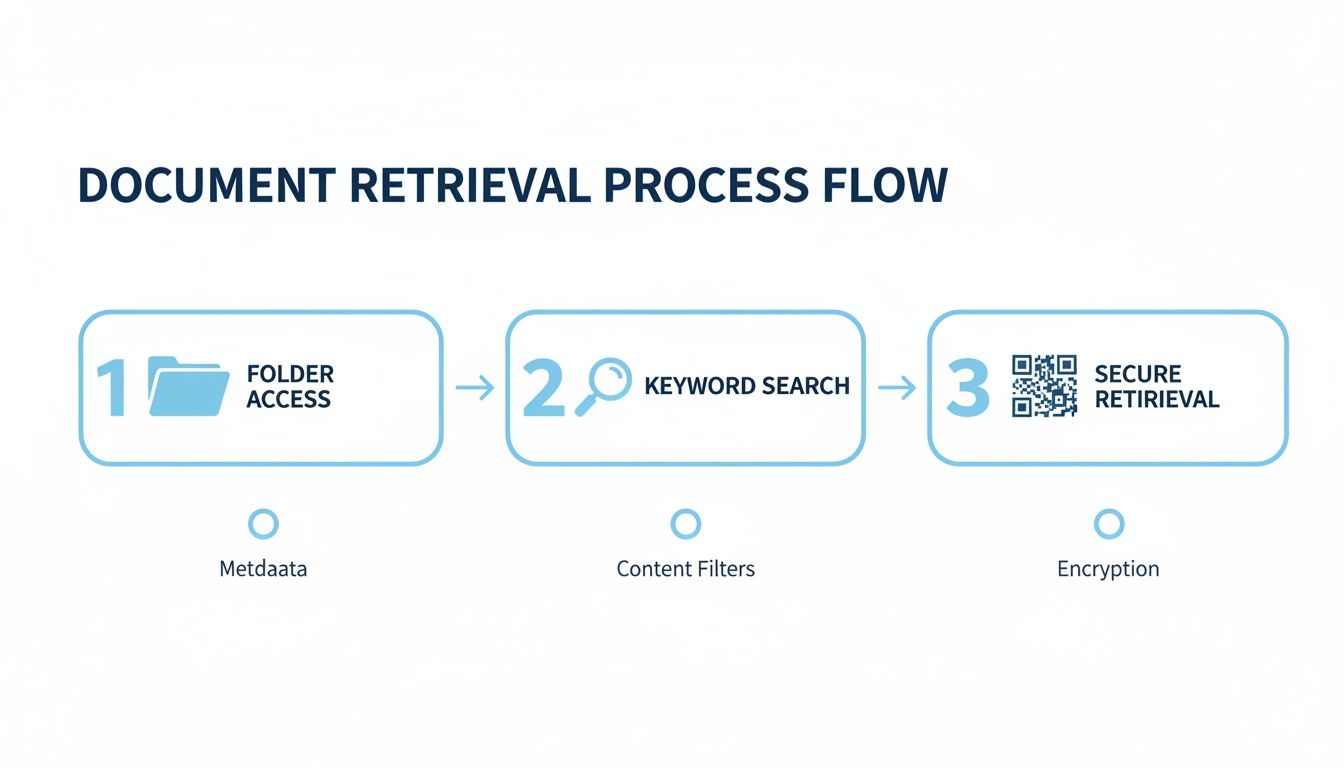
This is the end goal. A simple, repeatable process: you know which folder to check, a quick keyword search pinpoints the exact file, and if you need the original, a quick scan of its QR tag tells you precisely where it’s stored. Simple. Efficient. Stress-free.
Phase 1: Gather and Conquer the Piles
First things first: you have to know what you’re working with. Go on a scavenger hunt through your own home. Check the office, the filing cabinets, that one junk drawer everyone has, and any old boxes in the attic or garage. Just gather everything in one central spot. Don't sort yet, just collect.
Now that you have your mountain of paper, it’s time to make some decisions. Create three distinct piles. This initial sort is the foundation for everything that comes next.
- Keep Original: This is for the irreplaceable stuff, the documents with serious legal weight. We're talking birth certificates, property deeds, car titles, and social security cards. These are the VIPs that need top-tier physical protection.
- Scan and Shred: This will probably be your biggest pile. It’s full of documents you need for reference but don't need to keep in paper form, like tax records, bank statements, most insurance policies, and medical bills.
- Toss: Get ruthless here. This pile is for anything outdated or irrelevant. Expired warranties, old utility bills you’ve already confirmed are paid, and junk mail. Grab a shredder for anything with personal info and enjoy the purge.
Phase 2: Choose Your Arsenal
With your documents sorted, it’s time to pick the right tools for the job. You'll want one solid option from each of these categories to create a bulletproof hybrid system.
- A Physical Safe: This is for your "Keep Original" pile. Look for a home safe that is both fireproof and waterproof. Pay close attention to the fire rating, as something like 350-1HR means it can protect paper from temperatures up to 350°F for one full hour.
- A Cloud Service: This will be your primary digital library. Choose a reputable provider you trust, like Google Drive, Dropbox, or OneDrive. The non-negotiables are strong encryption and two-factor authentication.
- An External Drive: Think of this as your digital insurance policy. Grab an encrypted external hard drive or SSD to serve as your local, offline backup. This gives you total control over a copy of your files, adding a crucial layer of redundancy.
Phase 3: Digitize and Organize
This is where your digital library comes to life. Fire up your scanner or use a high-quality phone scanning app and start working through that "Scan and Shred" pile. For the best long-term results, scan everything at 300 DPI and save the files as PDF/A, a format designed specifically for archiving.
As you scan each document, immediately give it a logical name using the format we discussed earlier: YYYY-MM-DD_Document-Type_Details.pdf. Drop each new file directly into its proper folder (e.g., Finance, Legal, Medical) in your cloud storage. Don’t save this step for later!
Phase 4: Lock It Down and Back It Up
Security isn't the final step; it's woven into the process. Start by taking your entire "Keep Original" pile and placing it in your new fireproof safe. This is its permanent, protected home.
Next, shift your focus to your digital files. The first thing you should do is enable two-factor authentication on your cloud account if you haven't already. Once that's done, copy your entire digital archive from the cloud over to your new encrypted external drive. Just like that, you’ve created your essential local backup.
Phase 5: Maintain and Review
A great document system isn't a "set it and forget it" project. It’s a living tool that needs a little attention to stay sharp. Schedule an annual review on your calendar, a specific day each year to add new documents, purge old ones, and test your backups to make sure everything is still working perfectly.
Use your calendar to set reminders for important renewal dates, too, like your passport or driver's license. For the bigger picture, reviewing a comprehensive estate planning checklist can help ensure you haven't missed any critical legal documents. This proactive approach is what keeps your system reliable and useful for years to come.
To help you get started, here's a simple implementation plan you can follow.
Your Document Security Implementation Plan
This checklist breaks down the entire process into concrete phases and actions, making it easy to track your progress as you build your own secure document storage system.
| Phase | Key Actions | Tools Needed |
|---|---|---|
| 1. Gather & Categorize | Collect all paper documents. Sort into three piles: Keep Original, Scan & Shred, Toss. Shred all sensitive documents in the "Toss" pile. |
Physical space for sorting, shredder. |
| 2. Select Tools | Purchase a fireproof/waterproof safe. Choose and set up a cloud storage account. Purchase an encrypted external hard drive. |
Home safe, cloud storage subscription (if needed), encrypted external drive. |
| 3. Digitize & Organize | Scan the "Scan & Shred" pile at 300 DPI. Use a consistent naming convention. Create a logical folder structure in the cloud. Index originals with Vorby QR tags. |
Scanner or scanning app, cloud storage, Vorby account. |
| 4. Secure & Back Up | Place "Keep Original" documents in the safe. Enable two-factor authentication on cloud account. Copy entire cloud archive to the encrypted external drive. |
Fireproof safe, authenticator app, encrypted external drive. |
| 5. Maintain & Review | Schedule an annual review on your calendar. Add new documents and purge outdated ones. Test backup drive and file accessibility. Set reminders for renewals. |
Digital calendar, checklist. |
By following these steps, you systematically eliminate chaos and replace it with a clear, secure, and easily manageable system.
Maintaining and Future-Proofing Your System
Getting your document storage system built is a huge win, but it’s not a “set it and forget it” project. Think of it like a garden; it needs a little care now and then to stay healthy and useful. A bit of proactive maintenance is what keeps your system a reliable resource for years, not just a snapshot of a moment in time.
This just means building a few simple, repeatable habits. Just like you schedule an annual physical or get your car inspected, your document system deserves a yearly checkup. It’s a small investment of time that stops minor issues from turning into major headaches.
Conduct an Annual System Review
Go ahead and set a recurring date on your calendar right now. This is your dedicated time each year to run a system audit and keep everything current. A consistent annual review ensures nothing falls through the cracks and that your system actually evolves with your life.
Your review should hit a few key areas:
- Purge and Archive: Sift through your digital files and your physical safe. Are there documents you just don't need anymore, like expired warranties or old utility bills from a previous address? Shred the physical copies and securely delete the digital ones.
- Add New Documents: Did you buy a car, sign a new lease, or update your will this year? Get those new documents scanned and filed in their proper homes, both physical and digital.
- Test Your Backups: This is the one you can't skip. Plug in that external hard drive and actually try to open a few random files. You need to know that the drive is still working and the data hasn't become corrupted.
Your document system is only as good as its last update. An annual review transforms it from a static archive into a dynamic, trustworthy tool that accurately reflects your current life. It's the simplest way to future-proof all your hard work.
Practice Smart Digital Hygiene
Beyond the big annual review, good digital security habits are non-negotiable for protecting your sensitive files. Think of these practices as your frontline defense against anyone trying to get unauthorized access. They are the gatekeepers for the digital side of where you store important documents.
Start by changing the passwords for your cloud storage accounts at least once a year. Always use strong, unique passwords for every single service, no recycling! Also, make sure to keep your software updated, especially your computer’s operating system and any security apps, to patch up new vulnerabilities as they’re discovered.
Prepare for the Unexpected
Finally, truly future-proofing your system means preparing for emergencies. This involves creating a "digital legacy" document. This is a securely stored file that gives a trusted person (like your spouse or the executor of your will) clear instructions on how to access your essential files if you can't.
Crucially, this document should not contain your actual passwords.
Instead, it should list your accounts and explain where to find the password information, perhaps pointing them to your password manager or to a sealed envelope you’ve placed in your fireproof safe. This simple plan ensures that if you’re ever incapacitated, someone you trust can manage your affairs without any added stress or frantic searching.
Common Questions Answered
When you start setting up a system for your most important documents, a few specific questions always pop up. Getting clear, straightforward answers is the key to building a strategy you can actually trust. Let's tackle some of the most common concerns right now.
What Should I Never Store in a Safety Deposit Box?
A safety deposit box offers incredible security, but it has one massive drawback: limited access. You can only get into it during banking hours. Because of that, you should never store anything you might need in a sudden emergency.
This list includes things like:
- Your original will or trust (your family might need it before the bank even opens).
- Your passport, especially if you travel frequently or might need to leave unexpectedly.
- Medical directives or power of attorney documents.
- Any cash you've set aside as an emergency fund.
Keep these critical items in a secure but accessible spot at home, like your fireproof safe. You can always place copies in the safety deposit box as a backup, but the originals need to be reachable at a moment's notice.
Are Digital Copies Legally Valid?
This is a tricky one, and the answer is: it depends. The legal acceptance of digital copies is growing, but it’s definitely not universal yet.
For most everyday situations, like showing proof of insurance or referencing a contract, a digital copy is perfectly fine. Thanks to the Uniform Electronic Transactions Act (UETA), electronic signatures and records carry the same legal weight as paper ones in most states.
However, certain cornerstone documents still require a physical original with a wet signature or a raised seal to be considered legally binding. We're talking about wills, property deeds, and car titles. The best rule of thumb is to assume that if a document is foundational to your legal or financial life, the original paper version is the one that truly counts.
How Long Should I Keep Important Documents?
Document retention isn't a one-size-fits-all deal; it really varies by the type of document. Figuring out a timeline for when you can safely purge old files is crucial for keeping your system from becoming a cluttered, overwhelming mess.
A classic question is how long to hang onto tax records. The IRS generally suggests keeping tax returns and all their supporting documents for three years from the date you filed. But, because there are exceptions, many financial advisors will tell you to keep them for up to seven years, just to be safe.
For other documents, a good guideline is:
- Keep Forever: Birth certificates, social security cards, marriage licenses, wills, and property deeds. These are your "life" documents.
- Keep While Active: Think insurance policies, warranties, and employment contracts. Once they expire or are replaced, you can typically shred them.
- Shred Annually: Things like bank statements and paid utility bills can usually be tossed after a year, unless you need them for tax purposes.
Ready to create a seamless link between your physical and digital documents? Vorby helps you catalog the contents of your safe with QR codes and build a searchable inventory of everything you own. Start organizing today
Frequently asked questions
Where should I store important documents at home?
Use a fireproof, waterproof lockbox for originals you need once in a while — birth certificates, Social Security cards, property deeds, insurance policies. Bolt it down if you can, and put it somewhere only you and one trusted person know. Keep everyday papers (current bills, warranties you might need this month) in a simple labeled folder you can reach without unlocking the fortress every time.
What’s the safest way to store important documents — lockbox, bank, or cloud?
None of them wins alone. A home lockbox protects originals from fire and theft if it is bolted and out of the obvious closet. A bank safe deposit box is stronger offsite protection, but banks close and you cannot grab the deed at 2 a.m. Encrypted cloud is best for copies you need to open from anywhere — not a substitute for wet-ink originals. The durable setup is originals in one physical place plus encrypted scans you can actually find.
What’s the best way to store digital copies of important documents?
Scan to searchable PDFs (or clear photos if that is all you have), name files so a human can search them later, and store them in encrypted cloud with two-factor authentication. Keep a second copy offline — encrypted drive or printed emergency packet for the handful of documents you would need after a house fire. Phone camera roll alone is not a system; it is how scans disappear next to vacation photos. If you already photograph household stuff for insurance, tools like Vorby help those photos become findable copies — documents still belong in a dedicated encrypted folder, not mixed into the junk-drawer inventory.