At its core, equipment tracking software is a digital catalog that tells you what you own, where it is, and everything you need to know about it. Think of it as a personal librarian for your belongings, turning household chaos into a simple, searchable system.
What Is Equipment Tracking Software
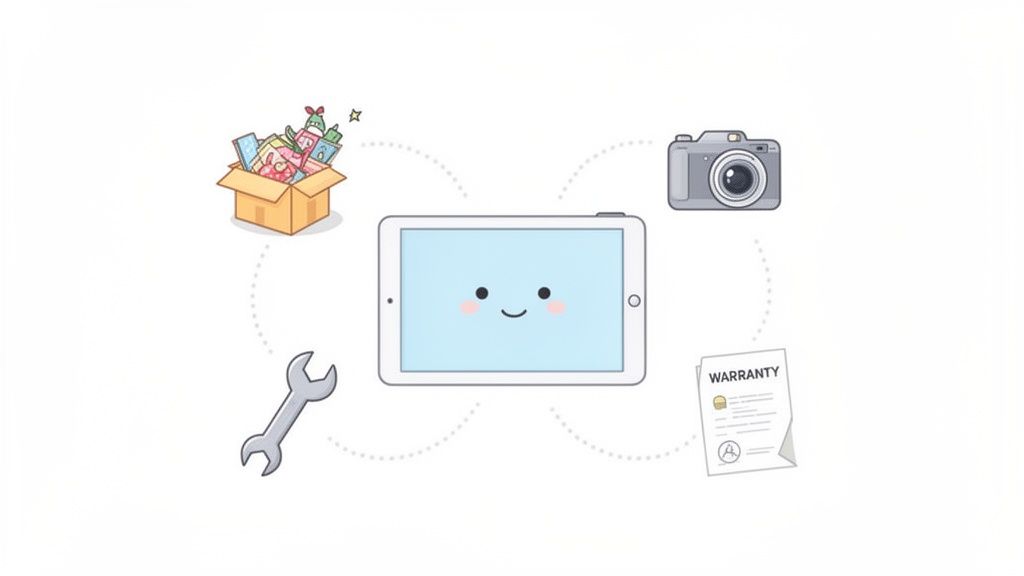
Ever torn the attic apart looking for holiday decorations, only to find them tucked away in the garage? Or maybe you frantically searched for an appliance warranty when you needed it most, but the paperwork was long gone. These are the exact headaches that modern equipment tracking software is built to solve.
This isn't just for big warehouses anymore. The technology acts as a central hub for everything you own, bringing powerful organization tools right into your home. Forget relying on memory or messy spreadsheets; now you can have a clear, visual, and instantly accessible record of your stuff.
From Business Tool to Household Essential
These systems started out in industrial settings to manage high-value assets. But today, the same powerful principles have been adapted for personal use, making sophisticated organization accessible to everyone. The goal is simple: reduce stress, save time, and finally put an end to that nagging question, "Now, where did I put that?"
At its heart, this software turns your smartphone into a powerful organizational tool. You can scan a box before moving and instantly see its contents, find a specific tool in a cluttered garage, or pull up a receipt for an insurance claim in seconds.
This move toward personal asset management is part of a bigger trend. The global equipment management software market was valued at USD 9.4 billion in 2023 and is projected to keep climbing. As you can see on GMI Insights, this growth shows a clear shift toward digital organization in every part of our lives.
The Core Purpose of Home Tracking
So, what does this software really do for you? It provides answers. By creating a digital catalog, you gain complete control over your physical environment, something that’s incredibly powerful for anyone who craves a more organized living space.
It tackles a few key jobs:
- Locates Items Instantly: The number one benefit is finding things fast, whether they’re in a storage unit, a specific drawer, or lent to a friend.
- Documents Valuables: It creates a detailed record of your valuable items, complete with photos and receipts, which is crucial for insurance claims.
- Simplifies Big Projects: Moving, downsizing, or managing an estate becomes much less overwhelming when you have a clear inventory of what needs to be packed, sold, or stored.
We all face small, nagging problems that this kind of software is designed to fix. Here’s a quick look at how specific features solve those common frustrations.
How Tracking Software Solves Common Household Problems
| Common Problem | Software Solution | Example |
|---|---|---|
| "I know I have it somewhere..." | Item Location Tracking | You log that your spare tent is in "Storage Unit - Bin #3," so you find it instantly before your camping trip. |
| "I can't find the receipt for this broken TV." | Document & Photo Storage | Attach a photo of the receipt and warranty to the TV's digital entry. Pull it up on your phone in seconds. |
| "Did I lend my hedge trimmer to Mark or Dave?" | Check-In/Check-Out Feature | The app shows you checked the trimmer out to Dave on June 5th, so you know exactly who to call. |
| "The movers need to know what's fragile." | Tagging & Categorization | You tag all boxes containing "Glassware" or "Electronics," then generate a list for the moving company. |
| "Is this still under warranty?" | Maintenance & Warranty Reminders | The software alerts you that your dishwasher's 5-year warranty is expiring next month. |
These examples just scratch the surface. The real power is having a single source of truth for everything you own.
Ultimately, this software provides peace of mind. It bridges the gap between your physical items and the digital tools you use every day, making your home smarter and your life simpler. To see how this applies to everything you own, learn more about creating a complete digital inventory in our guide to home inventory software.
The Features That Actually Get Your Home Organized
The best home inventory software is way more than just a fancy spreadsheet. It’s a suite of clever tools built to solve real-world organizational headaches, turning a chore you’ve been dreading into a surprisingly simple, almost automatic process. These features are designed to work together, creating a bulletproof system for managing your stuff.
But to really get it, you have to understand what these features do for you in the real world. Forget the tech jargon for a minute. Let's talk about how these tools help, whether you're trying to tame a chaotic household, prep for a big move, or just finally figure out what you actually own.
The Magic of Smart Search and Recognition
This is where modern home inventory systems really shine. Instead of you doing all the tedious work, these intelligent features handle the heavy lifting, saving you a massive amount of time and effort compared to typing everything out by hand.
Picture this: you snap a quick photo of that mystery storage bin overflowing with tangled cables, old chargers, and random electronics. Instead of painstakingly listing every single item, AI-powered image recognition scans the picture and automatically creates a detailed list of what's inside. It's a total game-changer for cataloging cluttered spaces or complex collections in minutes.
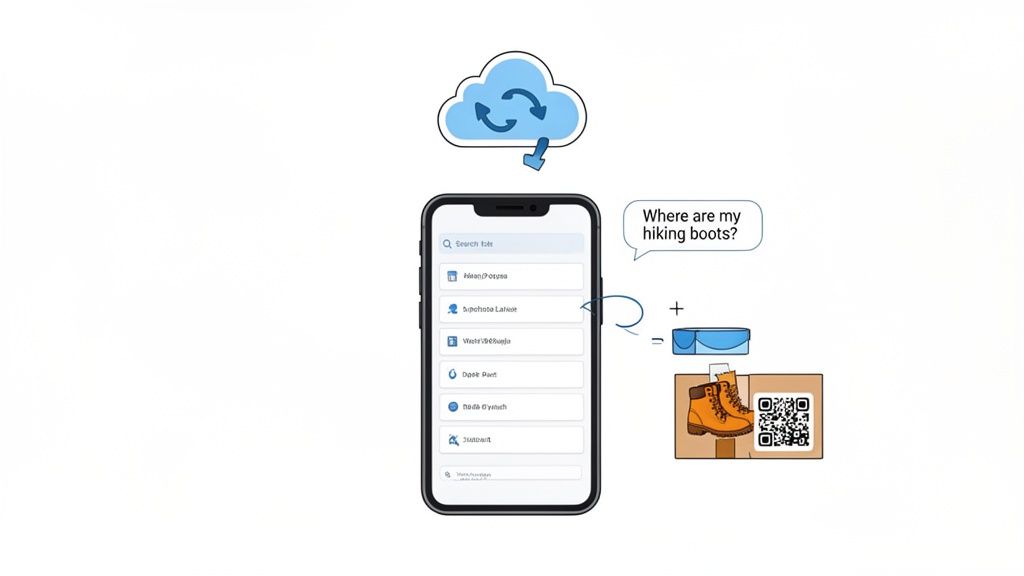
And then you have natural language search. It works just like asking your phone a question. You can type or even say, "where are my hiking boots?" The software instantly replies, "Garage, top shelf, blue bin," and might even show you a picture you attached. No more guesswork.
Tying Your Digital List to Your Physical Stuff
A digital inventory is great, but it has to connect to your actual belongings to be truly useful. This is where tagging and syncing come in, building a bridge between the app on your phone and the boxes in your attic.
- QR Code and NFC Tagging: You can generate and print unique QR codes to stick right on your boxes, bins, or high-value items. A quick scan with your phone’s camera instantly pulls up a complete list of everything inside, so you never have to tear a box open just to see what’s in it. NFC tags offer a slick tap-to-see alternative for things like furniture or appliances.
- Cloud Sync and Shared Access: Your inventory isn't trapped on one device. It lives securely in the cloud, syncing across your phone, tablet, and computer in real time. This lets multiple family members or roommates view and update the same inventory, so everyone is always on the same page.
Think about what this means for teamwork. You can tag a box of holiday decorations in the attic, and your partner can see its contents on their phone from the living room. Spring cleaning just got a whole lot less chaotic.
Keeping All Your Important Info in One Safe Place
A complete inventory isn't just about knowing an item's location; it's about having all the critical information related to it right at your fingertips. This is especially vital for valuable or complex possessions.
Secure document storage is a must-have. This feature lets you upload and attach important files directly to an item's digital profile. You can finally organize:
- Warranty Documents: Stop digging through junk drawers. Just attach the PDF or a photo of the warranty to the appliance it belongs to.
- User Manuals: Find the instructions for that gadget you bought three years ago instantly, without having to hunt down the physical booklet.
- Purchase Receipts: Absolutely crucial for insurance claims or returns. A digital copy is securely stored and easy to find when you need it most.
The demand for these smart features is exploding. The global asset tracking software market, valued at a staggering USD 24.14 billion in 2024, is expected to more than double by 2030, largely because of how useful AI and other smart technologies have become. This isn't just a trend for big companies; it shows how valuable these tools are for managing things at home, too. You can dig into more of the data on this market trend on Grand View Research.
When you put it all together, these core features elevate tracking software from a simple list into an intelligent assistant for your home. They automate the boring stuff and make your information instantly available, simplifying everything from your daily routine to major events like a move or an insurance claim.
Making Your Digital Inventory Talk to Your Physical Stuff
This is where the magic really happens. Equipment tracking software comes to life when you bridge the gap between your digital catalog and your actual belongings. The tools that make this connection possible are the tracking methods, so think of them as smart labels for your items.
Each method speaks a slightly different "language," and choosing the right one depends entirely on what you’re trying to organize. Some are perfect for a quick scan of packed boxes during a chaotic move, while others are better for discreetly tagging valuable furniture or electronics without ruining the aesthetic.
Let’s break down the most common options and see how they actually work in a real home.
Barcodes and QR Codes: The Go-To for Quick Scans
Barcodes and their boxy cousins, QR codes, are easily the most familiar and accessible methods for home organization. You’ve seen them on everything from your cereal box to your concert tickets. Most tracking apps let you generate them for free, and you can print them out on simple sticker paper. Easy.
A quick scan with your phone's camera is all it takes to pull up an item’s complete profile. This makes them absolutely perfect for things you can’t see inside, like storage bins or moving boxes. Imagine slapping a QR code on a box of winter clothes; next year, one scan tells you everything that's inside without you ever having to break the seal.
NFC Tags: The "Tap and Go" Solution
Near Field Communication (NFC) tags offer a sleeker, more modern way to track your things. These are tiny, often adhesive, chips that don’t need a direct line of sight like a QR code. You just tap your smartphone near the tag, and poof, the information appears.
This subtlety is what makes NFC so great for items where a visible sticker would be an eyesore. You could place a tiny NFC tag on the back of a painting to store its history, or on the underside of an antique coffee table to keep its purchase details handy. They're a fantastic choice for furniture, electronics, and valuable collectibles where looks matter.
GPS Tracking: For High-Value Items on the Move
For the really important stuff that leaves your home (expensive tools, high-end sporting equipment, or even a classic car) GPS (Global Positioning System) trackers provide real-time location monitoring. These are definitely more of an investment, but they offer unparalleled peace of mind by showing you exactly where your item is on a map at any given moment.
While you won’t need this level of security for most household items, it’s a game-changer for anything that’s frequently moved or has a high risk of being lost or stolen.
The core idea is to match the technology to the task. You wouldn't use a GPS tracker on a book, just as you wouldn't rely on manual entry for a fast-paced moving day. The right tool simplifies the job.
Choosing the Best Method for Your Home
So, how do you decide what to use? It comes down to three things: the item’s value, how often it moves, and how quickly you need to access its information.
Here’s a quick breakdown to help you choose:
| Tracking Method | Best For | Pros | Cons |
|---|---|---|---|
| QR Codes | Storage bins, moving boxes, file folders | Low-cost, easy to create, universally scannable | Requires line of sight, can be damaged |
| NFC Tags | Furniture, electronics, collectibles | Discreet, quick tap-to-scan, durable | Higher cost per tag, requires NFC-capable phone |
| GPS Trackers | Tools, vehicles, valuable portable gear | Real-time location, theft recovery | Highest cost, requires battery/power |
| Manual Entry | Stationary items, large furniture, appliances | No cost, no special hardware needed | Time-consuming, prone to human error |
For most people, a mix-and-match approach works best. You might use QR codes for the bulk of your stored items, NFC tags for a few key valuables, and simple manual entry for big appliances that never budge.
For more complex needs, technologies like RFID offer another layer of capability. You can learn more in our guide on RFID for tracking assets. And for items that need to withstand the elements or heavy use, durable options like laser engraved metal tags offer a permanent solution that won’t peel off or fade over time.
How to Choose the Right Tracking Software
Picking the right tracking software is a lot like choosing the perfect toolbox; the best one isn’t the one with the most gadgets, but the one that has exactly what you need for the job at hand. A generic app might check a few boxes, but the right one will make every task feel effortless. For home use, this means shifting your focus away from complex industrial features and zeroing in on practical, everyday usability.
You need a tool that fits into your life, not one that forces you to change your habits. It’s about looking past the flashy marketing and asking how the software will actually perform when you’re standing in your attic trying to catalog a box of old photos. The goal is to find a system that feels like a natural extension of how you already run your household.
Evaluate Your Core Needs First
Before you even look at the app store, take a minute to figure out what you’re trying to accomplish. Are you a collector who needs to document every tiny detail for insurance? A busy parent trying to stop the kids from losing shared electronics? Or maybe you’re staring down a big move and need to wrangle hundreds of boxes.
Pinpointing your main goal is the fastest way to filter out the noise. A collector will want to prioritize high-resolution photo storage and custom fields. A family will care more about multi-user access with dead-simple permission settings.
The most important step is understanding your own organizational style. A tool that looks great on paper is useless if its workflow feels clumsy or counterintuitive to you. The best software should adapt to your needs, not the other way around.
Key Features for Home Users
While every app has its unique bells and whistles, a few core features are non-negotiable for anyone serious about managing their home inventory. Think of this as your must-have checklist. As you look at different options, see how they stack up against these benchmarks.
- An Intuitive Mobile App: You’ll be adding items from every corner of your house, so a slick, easy-to-use mobile app is essential. You should be able to snap a photo, jot down a quick description, and tag a location in seconds, without getting lost in confusing menus.
- Multi-User Support: A household is a team. Your software should let you invite family members or roommates to a shared inventory. Look for simple permission controls that let you decide who can add, edit, or just view things.
- Secure Cloud Backup: Your home inventory is valuable and private data. Make sure the provider offers automatic cloud backup with strong encryption. This is your safety net against a lost phone, stolen laptop, or damaged hard drive, giving you critical peace of mind.
Security and Privacy Considerations
When you’re creating a digital record of everything you own, from expensive tech to priceless heirlooms, security isn't just a feature; it's the foundation. This isn't just about preventing data loss, it's about protecting your privacy. Any reputable provider will be completely transparent about how they keep your information safe.
Look for software that explicitly mentions end-to-end encryption. This is the gold standard. It ensures your data is scrambled and unreadable both when it’s stored on their servers (at rest) and when it’s syncing between your devices (in transit). It’s the same level of security your bank uses, and you shouldn’t settle for anything less for your personal inventory.
Your Actionable Software Checklist
Before you commit to a subscription, it pays to do a little homework. This checklist is designed to help you methodically compare your top choices. It goes beyond a simple feature list to help you ask the right questions, ensuring you pick a tool that genuinely solves your organizational challenges and fits seamlessly into your life.
Feature Checklist for Home Inventory Software
| Feature | Why It Matters for Home Use | Questions to Ask |
|---|---|---|
| User Interface (UI) | A clunky, complicated interface is the #1 reason people stop using an app. | Is the design clean and easy to figure out? How many taps does it take to add a new item from scratch? |
| Search Functionality | You need to find things instantly, even if you only remember a vague detail. | Does it support natural language search (e.g., "blue storage bin")? Can you filter results by room, category, or custom tags? |
| Tagging Options | Flexible tagging is what connects your digital list to your physical items. | Does it support QR codes, NFC tags, or both? Can you easily generate and print your own labels right from the app? |
| Data Export | An exportable inventory is crucial for insurance claims, estate planning, or moving. | Can you generate a detailed PDF or CSV report that includes photos, descriptions, and values? Is the process simple? |
| Pricing and Plans | The cost should make sense for the value it provides for your specific needs. | Is there a free trial to test it out? Are there limits on the number of items or users? Is the pricing clear and upfront? |
Ultimately, the best software is the one you'll actually use. Use this table as your guide, take advantage of free trials, and trust your gut. Finding the right fit will save you countless hours of frustration and turn a dreaded chore into a satisfying project.
A Simple Guide to Setting Up Your Home Inventory
Let's be honest: the idea of documenting everything you own sounds overwhelming. But the secret isn't to tackle your entire house at once. The key is to break the project down into bite-sized pieces, turning a massive chore into a series of small, satisfying wins.
With the right equipment tracking software, this process gets even easier. You can transform what feels like a dreaded task into a genuinely rewarding project that pays off for years to come.
The best way to avoid burnout is to start small. Seriously. Don't even think about cataloging every room in one weekend. Instead, just pick one area, like the home office, the garage, or even a single category like "all my power tools." This approach builds momentum. Seeing that first area completely organized is a huge motivator to keep going.
Planning Your Project for Success
Before you scan a single barcode, take a minute to think about your "why." What information is actually important for you to track? For some, it’s all about purchase dates and warranty info for big-ticket appliances. For a collector, it might be the condition and appraisal value of each piece.
Once you know your goal, you can shape your strategy. A great first step is to create a basic framework for your inventory. You can get some solid ideas by checking out a comprehensive home inventory list template; it’ll help you decide which categories and details matter from the get-go.
This flow chart nails the simple process for picking the right software to back you up.
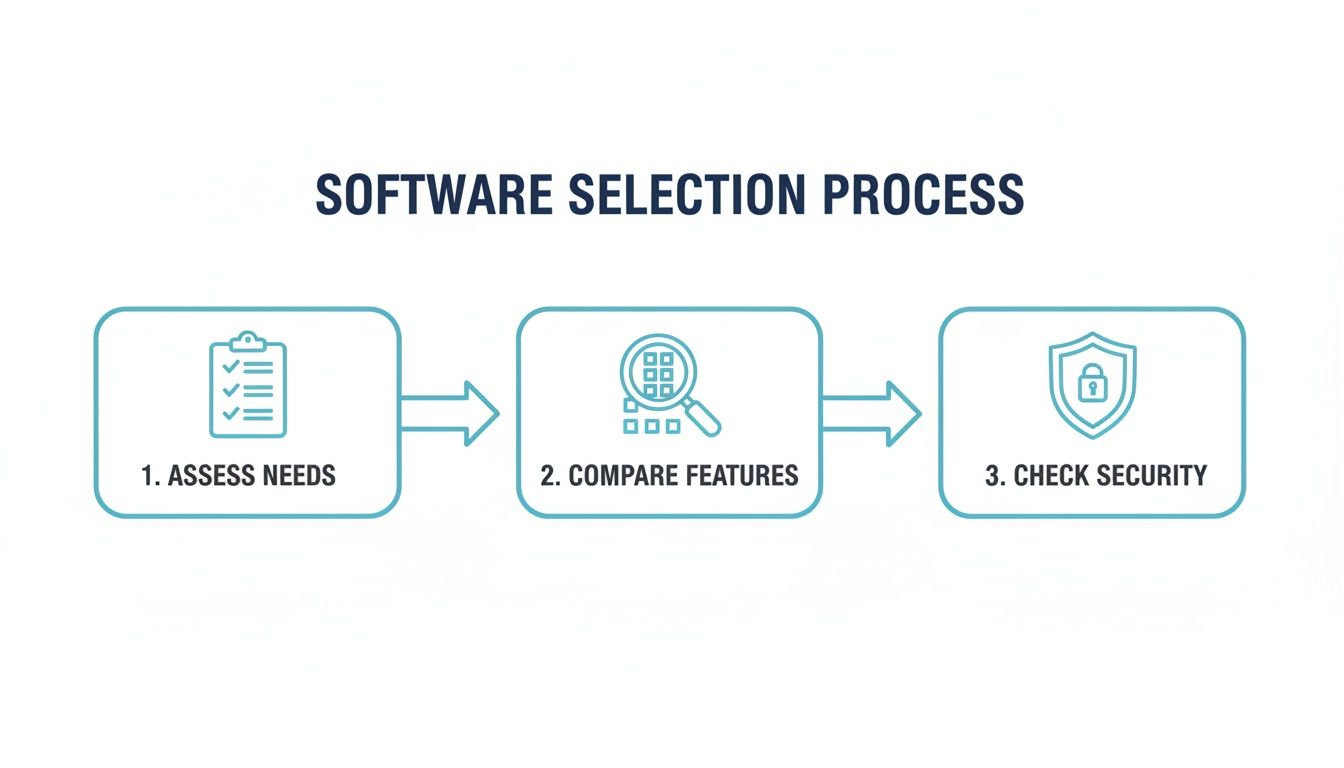
As you can see, figuring out your personal needs is the absolute first step, long before you start comparing fancy features or security protocols.
Cataloging and Tagging Best Practices
With a plan in hand, it's time for the fun part: adding your stuff. This is where modern software really proves its worth, making a once-tedious job surprisingly simple. As you work through your chosen room or category, follow these tips to build an inventory that’s actually useful.
- Take Clear, Well-Lit Photos: A picture is truly worth a thousand words, especially to an insurance adjuster. Get multiple angles of each item, and be sure to capture any unique marks, model numbers, or existing scratches. These photos are gold.
- Be Descriptive but Brief: You’re not writing a novel for each item. Stick to the essentials: brand, model, a quick description, and its location. Think "Sony 65-inch 4K TV, Model X900H, Living Room." Done.
- Use QR Codes Strategically: For anything tucked away in storage bins or moving boxes, QR codes are a game-changer. Slap a printed code on the outside of the container. Now you can just scan it with your phone to see a full list of what’s inside without ever breaking the seal.
A complete home inventory also means keeping track of purchase documents. For a seamless setup, think about using digital receipt management tools to keep all those records neatly organized and linked to your items.
Setting Up Permissions for the Family
A home inventory is rarely a one-person show; it’s a shared resource. One of the handiest features in modern tracking software is the ability to add multiple users, like family members or roommates. This turns your personal list into a collaborative household brain.
When you add people, take a second to configure their permissions. You can usually assign different roles. For instance, you might give your partner full admin access to add and edit items, but give your teenager "view-only" access so they can find the camping gear without accidentally deleting your warranty info.
Pro Tip: Use the check-in/check-out feature for shared household items. If someone borrows the power drill or a video game, they can quickly update its status in the app. This simple habit finally puts an end to the "who had it last?" mystery.
Maintaining Your System for Long-Term Value
Here's the most important part: your inventory is a living document, not a project you finish once and forget. Its real value comes from keeping it current. The best way to do that is to build the simple habit of adding new purchases as they come through the door.
It only takes a minute to snap a photo of a new gadget, upload the digital receipt, and add it to your list. By making this a regular practice, you ensure your digital catalog stays accurate and reliable. This consistent, minimal effort is what turns your software from a simple list into a powerful tool for managing your home and protecting your valuables.
Common Questions About Home Equipment Tracking
Even with the best plan, diving into the world of home inventory can feel a little daunting. It’s totally normal to have questions pop up, from how your data is protected to how much time this whole thing will actually take.
Think of this section as the final piece of the puzzle. We’ll tackle the most common concerns head-on, giving you straightforward answers so you can get started with confidence.
Is My Data Safe When I Catalog All My Valuables?
This is the first question on most people's minds, and for good reason. You're cataloging important personal property, and security should be a top priority. Reputable tracking software designed for home use treats this seriously, employing features like end-to-end encryption.
Think of it like online banking. Encryption scrambles your data, making it unreadable to anyone without authorization. A trustworthy service will be upfront about its security protocols, explaining how it protects your information both "at rest" (stored on their servers) and "in transit" (when it's syncing to your phone). This ensures your home inventory is for your eyes only.
How Much Time Does It Take to Set Up a Home Inventory?
The initial setup time really depends on the size of your home and how much stuff you own. But here’s the key: don't try to do it all at once. Attempting to catalog an entire house in one weekend is a recipe for burnout.
The best approach is to start small. Dedicate just an hour or two to a single, manageable area, like your home office or a kitchen pantry. Modern apps with AI image recognition have made this incredibly fast. A quick photo of an open drawer can generate a list of its contents in seconds, taking a lot of the manual work out of the equation.
Once you have a baseline inventory, keeping it updated only takes a few minutes here and there. Building the simple habit of snapping a photo of a new purchase and adding it to your system ensures your digital catalog stays accurate. The time you invest upfront pays off exponentially when you can find anything in seconds.
Can I Use This Software for Insurance Claims?
Absolutely. In fact, this is one of the most powerful benefits. In the unfortunate event of a fire, flood, or theft, having a detailed, photo-documented inventory is invaluable for your insurance claim. Instead of trying to remember every single thing you owned from memory, you can export a comprehensive report that includes:
- Item descriptions to clearly identify what was lost.
- High-quality photos that serve as visual proof of ownership and condition.
- Purchase dates and values to help establish the replacement cost.
- Attached receipts and warranties for complete documentation.
This level of organized proof can seriously speed up the claims process and help ensure you receive fair compensation. It transforms a potential administrative nightmare into a straightforward task during an already stressful time.
What If My Family Members Are Not Tech-Savvy?
The best home inventory systems are designed to be simple and intuitive. The whole point of equipment tracking software is to make life easier, not more complicated. When you’re looking at different options, prioritize software with a clean interface and a simple mobile app. Many of the top platforms are built specifically for shared use among people with varying comfort levels with technology.
Features like scanning a QR code to see what's inside a box are often very easy for non-technical family members to grasp. You can set up the main system, then show your partner or kids the one or two simple actions they need to know, like searching for an item or scanning a tag on a storage bin. It turns home organization into a team effort.
Ready to transform your home organization and gain complete control over your belongings? Vorby uses powerful AI and a beautifully simple interface to make cataloging your items effortless. From finding things instantly with natural language search to simplifying insurance claims, Vorby is the ultimate tool for a smarter, more organized home. Start your free trial today and see the difference.