
Picture this: you scan a storage bin tucked away in your attic and, instantly, a complete list of everything inside pops up on your phone. That’s the magic of bar coding inventory systems. This isn't some complex warehouse technology anymore; it's a surprisingly simple and powerful tool that's perfect for getting your home organized. It basically turns all your physical stuff into a searchable digital library.
How Bar Coding Inventory Systems Conquer Home Clutter
Think of a barcode inventory system as a digital librarian for your house. Every box, bin, or even individual item gets a unique barcode, which is its library card. Your smartphone camera acts as the librarian. A quick scan is all it takes to pull up every detail you've logged about that item. This simple process transforms your tangible belongings into digital records you can search in seconds.
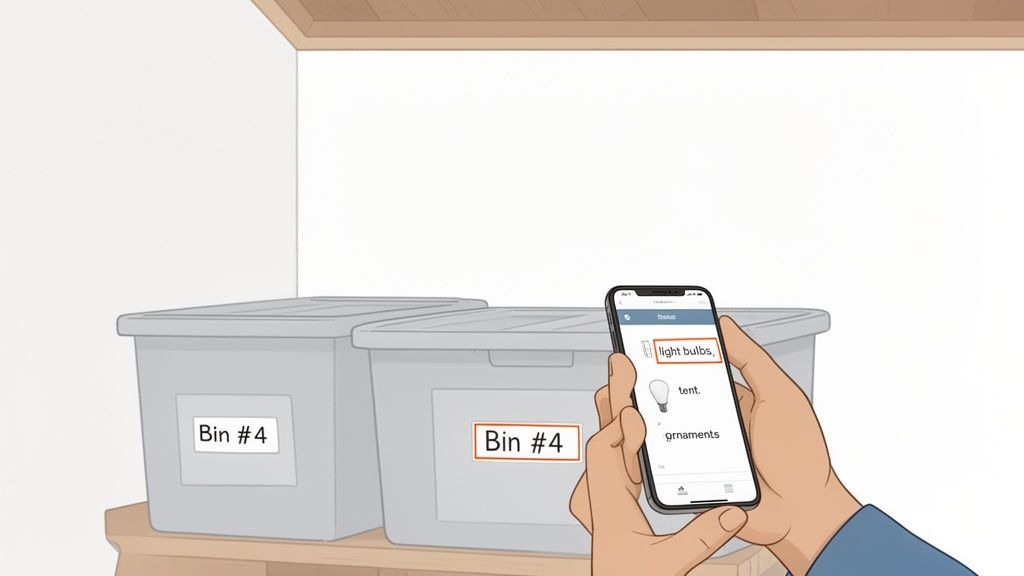
Suddenly, questions like, "Where on earth did I put the extra holiday lights?" are answered without having to tear the garage apart. The value is crystal clear: you gain the power of knowing exactly what you own and precisely where to find it.
From Supermarkets to Storage Bins
While it feels futuristic in a home setting, the idea has been around for ages. Back in 1974, the first-ever UPC barcode was scanned on a pack of chewing gum, a small event that completely changed retail forever. Today, a mind-boggling 10 billion GS1 barcodes are scanned daily across the globe, a testament to how reliable they are for tracking things with pinpoint accuracy.
For homeowners, this same battle-tested principle applies, just on a much more personal scale. You can create a system to manage all sorts of things:
- Seasonal clothes and holiday decorations
- Tools and random hardware in the garage
- Keepsakes, family photos, and important documents
- Pantry items and kitchen supplies
If you're gearing up for a big move or a massive decluttering project, a barcode system can be just as crucial as following an ultimate moving house checklist. It’s the perfect way to bridge the gap between your physical stuff and a digital, stress-free plan to keep it all straight.
The Four Core Components of a Home Barcode System
To really get a handle on your home inventory, you need to understand the four pieces that make the whole system click. Think of it like a four-person team where each member has a specific, vital job. When they work together perfectly, you get a powerful organizational tool right in the palm of your hand.
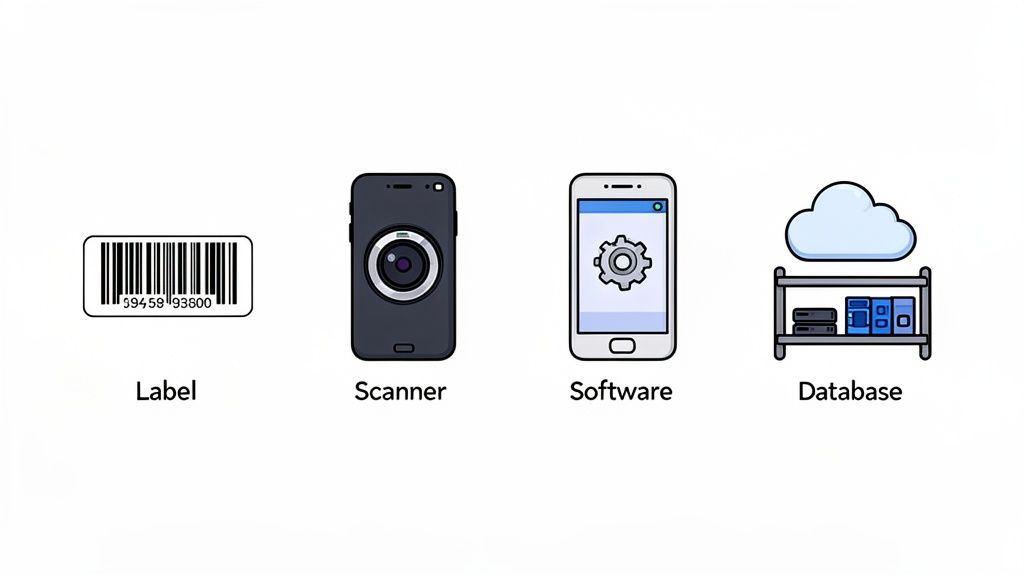
Let's pull back the curtain on each component, breaking down its role in turning your clutter into a searchable digital catalog.
At its heart, a home barcode system isn't complicated. It’s a simple loop of information that starts with a physical tag and ends with a digital record. To make sense of it all, we can break the system down into its four essential parts.
| Component | Role in the System | Common Home Example |
|---|---|---|
| Labels | The unique digital fingerprint for each item. | A QR code sticker on a holiday decoration bin. |
| Scanner | The system's eyes; reads the label's code. | Your smartphone's camera. |
| Software | The brains; connects the code to your item info. | An inventory app like Vorby on your phone. |
| Database | The digital library; stores all the data securely. | Cloud storage synced across your devices. |
Each part hands off its job to the next, creating a seamless flow from the physical world to your digital inventory. Let's look at each one a bit closer.
1. The Labels: Digital Fingerprints
First up, you have the labels. These can be the classic black-and-white barcodes or the more modern, data-rich QR codes. Don't think of them as just random patterns; they are the unique digital fingerprints for every single item or box you want to track.
Each label holds a distinct code that, once scanned, tells your system exactly what it's looking at. You can easily generate and print these yourself, instantly turning any old storage bin or valuable item into a smart, trackable object.
Key Insight: A barcode or QR code acts as a unique ID number for a physical item, much like a license plate identifies a specific car. Without it, the system has no way to distinguish one storage box from another.
2. The Scanner: The System's Eyes
Next, you need a way to read those digital fingerprints. That's where the scanner comes in. Now, in a home setting, this almost never means buying a special piece of hardware. Your smartphone's camera is more than powerful enough to act as the system's eyes.
The scanner's job is simple but critical: it reads the barcode and passes that unique ID along to the software for the real magic to happen. The global barcode scanner market is exploding, expected to be worth over USD 9.22 billion by 2025, with handheld models making up 61.8% of that. All this growth means the tech already built into your phone's camera is more reliable than ever for these kinds of tasks.
3. The Software: The Brains of the Operation
The software, usually a mobile app on your phone, is the true brains of the entire operation. It's the command center that takes the raw code from the scanner and connects it to all the detailed information you've entered for that item. It’s where you add descriptions, photos, quantities, and locations.
This is the part of the system you'll interact with the most. You'll use it to search for that one specific thing, add new items to your inventory, or see what’s inside a box in the attic without ever climbing the ladder. Choosing the right app is a big deal, which is why we've put together a guide on picking the best inventory software with barcode features.
4. The Database: The Digital Library
Finally, all of this information needs a safe place to live. That place is the database. Think of it as the system's central library or its long-term memory. It securely stores every piece of data you enter, from item names and photos to their last known location.
When you scan a barcode, the software instantly queries the database, pulling up the correct information in a split second. A good, cloud-based database ensures your inventory is safe, synced across all your devices, and always accessible right when you need it.
A Real-World Walkthrough of a Barcode Inventory System
Abstract concepts are fine, but seeing a system like this in action is where it all clicks. Let's walk through a real-world example: a family decides to finally organize their chaotic garage, turning a dreaded weekend chore into a streamlined, long-term solution.
Their journey starts with a simple goal to tackle the mountain of large, unlabeled storage bins. But instead of just shuffling the mess around, they decide to create a permanent digital record of everything inside.
Step 1: Generating and Attaching the Labels
First things first, they need to give each bin a unique digital identity. Using a home inventory app on their smartphone, they generate a series of unique QR codes. There's no fancy equipment involved here; they just print the codes onto a sheet of adhesive label paper with their regular home printer.
With the labels ready, they head to the garage and stick one on the front of each storage bin. Just like that, every bin now has its own distinct address, ready to be logged into their new system.
Key Takeaway: The initial setup is the most hands-on part. Once the labels are on, the real organizing, the data entry, can be done over time, whenever you have a spare moment.
Step 2: Cataloging the Contents
Now for the fun part: bringing the digital inventory to life.
The family opens their inventory app and uses their phone's camera to scan the QR code on the first bin, which is packed with camping gear. The app instantly recognizes it as "Garage Bin #1" and opens a new entry.
They start adding items to the bin's digital list:
- Item: Four-person camping tent
- Description: Green and grey, good condition.
- Photo: They snap a quick picture of the tent in its bag.
They do the same for the sleeping bags, camp stove, and lanterns. The process is surprisingly fast, taking just a few minutes per bin to create a detailed, searchable record of what’s inside. While a dedicated barcode scanner for inventory management would make this even quicker, a smartphone is more than capable for most home projects.
Step 3: Locating an Item Instantly
Fast forward a few months. A friend calls to plan a spontaneous camping trip. Someone asks, "Hey, where did we put that big tent?"
Instead of a frantic, 20-minute search tearing through every single bin, they just pull out their phone. They open the app, type "tent" into the search bar, and boom.
The result pops up instantly: "Four-person camping tent," located in Garage Bin #1. The chaos is gone, replaced by quick, confident action. This simple walkthrough shows exactly how a barcode system transforms a cluttered space from a source of frustration into an organized, easily accessible resource.
Comparing Barcodes, QR Codes, and NFC Tags
While the classic bar coding inventory systems are still workhorses, the world of digital tags has gotten a lot more interesting. When you're setting up a system for your own home, you really have three main options. Getting to know the pros and cons of each is the key to creating a system that actually works for you instead of creating more headaches.
Your first and most familiar choice is the good old 1D barcode, which you can think of as the black and white stripes on every product at the grocery store. It’s a simple, linear code that holds just a tiny bit of information, basically acting as a digital license plate that your software looks up in a database.
Then you have QR codes, those blocky black-and-white squares that are everywhere now. These are 2D barcodes, which means they store data both horizontally and vertically. This simple change allows them to hold way more information, like full text lists, website links, or contact details, making them incredibly versatile for home inventory. If you want to go deeper on this, our guide to building a QR code inventory system has all the details.
Finally, there are NFC tags. NFC stands for Near Field Communication, and it lets you transfer data with a simple tap of your smartphone (no camera needed). The tags are tiny, passive chips that don’t need a battery, making them perfect for quick, effortless updates on the fly.
Choosing The Right Tag For Your Needs
So, which one is right for you? It really comes down to how you plan to use it. If you just need a simple way to identify a box so you can look it up in your app, a basic 1D barcode is perfectly fine. But their limited data storage makes them the least flexible option of the bunch.
QR codes strike a fantastic balance. They are totally free to generate and can store detailed lists or notes right inside the code itself, which you can read even without an internet connection. This makes them ideal for labeling storage bins with a complete manifest of what’s inside. You can even find some creative inspiration from these actionable QR code marketing ideas to see how versatile they are.
Key Consideration: The biggest advantage of NFC tags is pure speed and convenience. Tapping a tag is always faster than opening a camera app and framing a code. This makes them a great choice for things you access all the time, like a toolbox or a specific pantry container.
This decision-tree can help you visualize which tag is the best fit for your specific inventory situation.
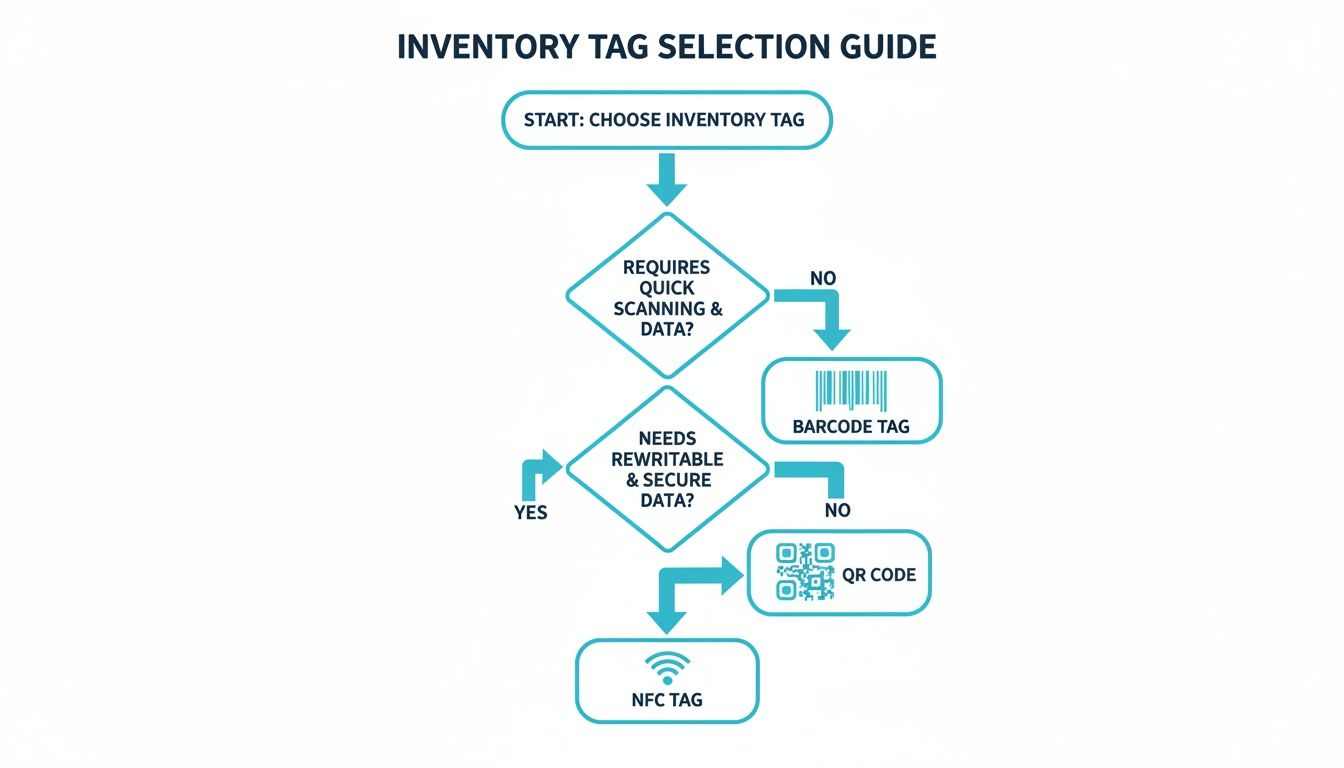
As the chart shows, your choice really boils down to how fast you need to scan, how much data you need to store, and whether you'll need to change that information later on.
A Head-To-Head Comparison
Let's lay it all out. Seeing the options side-by-side often makes the decision much clearer. Each tag excels in different areas, so it's all about matching the tool to the job.
Barcode vs. QR Code vs. NFC Tag Comparison
| Feature | 1D Barcode | QR Code | NFC Tag |
|---|---|---|---|
| Data Capacity | Very Low (lookup key only) | High (stores text, links, lists) | Low (similar to barcodes) |
| Ease of Use | Requires camera line-of-sight | Requires camera line-of-sight | Simple tap, no camera needed |
| Cost | Free to generate and print | Free to generate and print | Small cost per tag |
| Durability | Can fail if partially damaged | High error correction; scannable even if damaged | Very durable and rewritable |
When it's all said and done, most people discover that a hybrid approach is the real winner. Use free, easy-to-print QR codes for your long-term storage bins in the attic or garage. Then, invest in a handful of NFC tags for those high-traffic items where speed is everything. This combination really does give you the best of both worlds.
The Top Benefits of a Home Barcode Inventory System
Is setting up a home inventory system really worth the effort? For anyone who's ever torn apart a closet looking for that one specific thing, the answer is a hard yes. The upsides go way beyond just being tidy; they solve some of the most common and frustrating problems we all face at home.
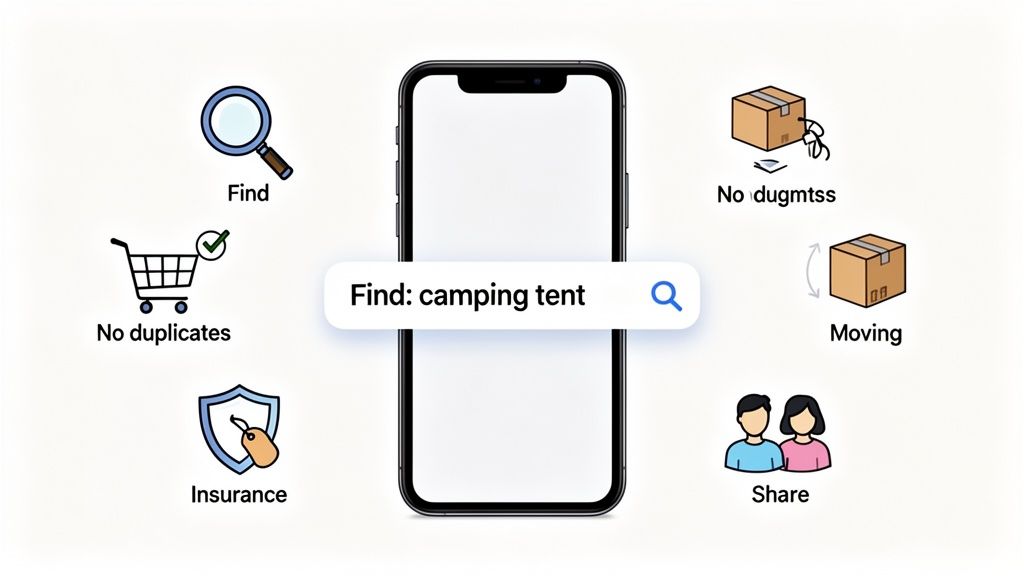
Putting a system like this in place brings a level of order that can genuinely make your daily life feel less chaotic. Let’s get into the real-world benefits you can actually expect.
Find Anything Instantly
This is the most immediate and satisfying reward. Picture this: you need the holiday decorations, a specific screwdriver, or a document you tucked away months ago. Instead of randomly guessing which box it’s in (and probably being wrong the first three times), you just type it into your app.
Within seconds, you know it's in "Attic Bin #7." That whole frustrating, time-sucking search is just… gone. It's replaced by a quick, confident trip to the right spot. This feature alone is a total game-changer for how you deal with your stored stuff.
Key Advantage: A digital inventory turns your home's storage into a searchable database. You no longer need to rely on memory to find what you own; you just need to ask your system.
Prevent Wasteful Duplicate Purchases
How many times have you bought a new pack of batteries, a roll of tape, or a specific spice, only to find you already had three of them buried in a drawer? Without a clear handle on what you own, these accidental re-buys are bound to happen.
A quick search in your inventory before a shopping trip can save you real money and cut down on clutter. Knowing you're already set on light bulbs or printer ink keeps you from buying more of what you don't need. The history of bar coding inventory systems actually started with transforming grocery stores in the 1970s, making their tracking "exponentially faster and more accurate." At home, that same power means fewer mistakes, smoother organization projects, and smarter decisions about what to keep or toss. For more on this, check out the history and future of mobile barcoding.
Simplify Moving and Reorganizing
Moving is easily one of life's most stressful events, but a barcode system can make a massive difference. As you pack, you scan each box and log what's inside. When you land in your new place, you have a complete digital map of everything you own.
- Need the coffee maker first thing in the morning? A quick search tells you it’s in "Kitchen Box #2."
- Trying to get the kids’ rooms set up? You’ll know exactly which boxes hold their favorite toys and blankets.
- This turns unpacking from a chaotic free-for-all into an efficient, organized process. You can find what's critical without blowing up every box in sight.
Create Peace of Mind for Insurance
If the worst happens, such as a fire, flood, or theft, trying to create an insurance claim from memory is an absolute nightmare. A detailed digital inventory, complete with photos, descriptions, and purchase dates, is a lifesaver.
It serves as a comprehensive, undeniable record of your possessions. This simplifies the claims process immensely and helps ensure you can account for all your valuables, giving you profound peace of mind when you need it most.
Frequently Asked Questions
Even the most straightforward system can bring up a few questions when you're just getting started. Let's tackle some of the most common ones people have about setting up and using a barcode inventory system at home. Think of this as your cheat sheet for getting it right the first time.
Getting your system up and running is the most hands-on part of the whole process, but it's also where you build the foundation for long-term organization. A little clarity upfront can make the experience feel less like a chore and more like a victory.
What Is the Best App for a Home Barcode System?
Honestly, the "best" app is the one that fits how your brain works. Some people want an all-in-one powerhouse that generates QR codes, catalogs items with photos, and has a search bar that feels like magic. Others just need a simple way to tie a barcode to a digital list.
For most homeowners, though, the sweet spot is an app that balances powerful features with genuine ease of use. You'll want to look for:
- Unlimited Items: You don’t want to hit a paywall halfway through organizing your garage.
- Photo Support: A quick snapshot is often way faster than typing out a long description.
- Cloud Sync: This is non-negotiable. It keeps your inventory safe if you lose your phone and lets you access it from any device.
- Shared Access: Absolutely crucial for families or roommates who all need to find the darn holiday decorations.
Solutions like Vorby are built specifically for this, blending these features into a package that feels natural for a home, not a warehouse.
Do I Need to Buy a Special Barcode Scanner?
Absolutely not. For any home inventory project, your smartphone's camera is the only scanner you'll ever need. Modern inventory apps and phone cameras are incredibly good at reading both traditional barcodes and QR codes in a snap.
While a dedicated handheld scanner is essential for a retail shop scanning hundreds of items an hour, it's complete overkill for a home setup. Using your phone is not only free, but it also keeps your entire system (scanner, software, and database) right in your pocket.
A dedicated scanner is built for high-volume, repetitive work. For organizing your home, your smartphone is the perfect tool. It’s always with you, costs nothing extra, and works seamlessly with your inventory app.
This one fact makes setting up a home inventory system way more accessible than most people think. The most critical piece of hardware is probably the one you're using to read this.
How Should I Handle Very Small or Individual Items?
This is a great question. You obviously can't stick a barcode on every single screw or craft bead because you'd go crazy. The trick is to stop thinking about individual items and start thinking in terms of containers.
Instead of tracking every tiny thing, you track the box, bin, or organizer they live in.
For example, imagine you have one of those small parts organizers for hardware. You’d put a single QR code on the entire cabinet. When you scan it, your app entry could look something like this:
- Drawer 1: Assorted wood screws
- Drawer 2: Drywall anchors
- Drawer 3: Picture hanging hooks
- Drawer 4: Nuts and bolts
This approach keeps your system from getting bogged down in useless detail. The goal isn't to track every single nail; it's to know exactly where to find the category of item you need, instantly.
Can I Use the Barcodes Already on My Products?
Yes, and you definitely should! It can be a massive time-saver for certain things. Most good home inventory apps let you scan the existing UPC barcode on a product, like a box of cereal or a bottle of cleaning spray, to add it to your system. This is a game-changer for keeping track of your pantry or household supplies.
But for the majority of your belongings (tools, camping gear, seasonal clothes, personal keepsakes), you’ll need to generate your own unique barcodes or QR codes. These items don't have a universal product code, so creating one is the only way to give them a digital identity in your system. A mix of both methods is usually the most efficient way to go.
Ready to conquer the clutter and build a home where you can find anything in seconds? With Vorby, you can turn your physical world into a searchable digital library. Generate QR codes, snap photos of your items, and reclaim your peace of mind.