Let's be honest. That overflowing shoebox or bulging envelope stuffed with faded receipts isn't an organizing system, it's a graveyard for good intentions. We tell ourselves we’re being responsible, but when you actually need to find something, it’s a frustrating dig through a pile of paper chaos. Most of the time, you just give up.
This isn’t just about the minor annoyance of clutter. When your brand-new coffee maker sputters out a week before the warranty expires, or when tax season rolls around and you're trying to track down deductible expenses, not having that receipt can cost you real money.
The goal isn't just to tidy up a drawer. It's to build a modern, bulletproof system that gives you complete control over your purchase history. The best approach boils down to three core actions: capture every receipt digitally, organize them with a simple, standard system, and automate the entire workflow with secure storage.
The True Cost of Paper Clutter
The old-school method of keeping receipts is broken because it relies on two things that always fail us: our memory and our willingness to do tedious manual work. A digital system, on the other hand, creates a searchable, secure, and permanent record that does the heavy lifting for you.
This shift isn't some niche tech trend; it's a massive global movement. The digital receipts market is already on track to grow from $2.1 billion in 2023 to $5.1 billion by 2033. This change is being pushed hard by major retailers who want to cut costs and waste.
And it's already happening in your inbox. With email receipts making up 38.7% of the market, the digital-first approach is quickly becoming the default. You can see more details on this shift in the full digital receipts market report at Market.us.
Manual vs. Digital Receipt Tracking
Before we dive into the how, let's take a quick look at the why. The difference between the old way and the new way is stark.
| Feature | Manual Tracking (The Shoebox Method) | Digital Tracking (The Smart Method) |
|---|---|---|
| Accessibility | Locked in a physical location. Useless when you're at the store. | Instant access from your phone or computer, anywhere, anytime. |
| Searchability | "Find the needle in the haystack." Time-consuming and often impossible. | Search by date, store, item, or price in seconds. |
| Durability | Thermal paper fades to blank. Ink smudges. Paper gets lost or damaged. | Permanent, pristine digital copies that never degrade. |
| Security | Vulnerable to fire, flood, or being accidentally thrown away. | Encrypted and backed up in the cloud, safe from physical disasters. |
| Efficiency | Requires constant manual filing and sorting. A recurring chore. | Largely automated capture and categorization. Set it and forget it. |
| Insights | A pile of paper tells you nothing about your spending habits. | Provides clear data to track budgets, warranties, and expenses. |
The table makes it pretty clear. One method is a recipe for stress and lost money; the other is a tool for control and peace of mind.
Why You Need a Digital System Today
Having a digital archive for your receipts isn't just for meticulous accountants anymore. It’s a practical tool for anyone who wants to manage their financial life with less stress and more confidence.
Here’s where it really pays off:
- Warranty Claims Without the Headache: Instantly find the proof of purchase for that faulty gadget or appliance. No more frantic searching, just a quick search on your phone to get your repair or replacement.
- Making Returns Effortless: Walk into the store with a crystal-clear digital copy of your receipt ready to go. You'll never have to worry about losing that tiny slip of paper again.
- Maximizing Tax Deductions: When tax time comes, you can filter and pull up every relevant expense in minutes. From home office supplies to work-related travel, you'll have the documentation to back it all up.
- Real Budgeting Insights: When you digitize and categorize your purchases, you stop guessing where your money is going. You get a clear picture of your spending habits, which is the first step to a smarter budget.
Adopting a digital system turns your receipts from a source of clutter into a powerful personal database. It's an active record of your possessions that provides security, convenience, and financial clarity.
Building Your Bulletproof Receipt Capture System
The bedrock of any good receipt tracking system is a simple, unbreakable habit: capture every single proof of purchase, every single time. Think about it. A single missed receipt could be a lost tax deduction, a failed warranty claim, or a frustrating inability to return a faulty item.
Getting this right isn't about complex software or fancy gadgets. It's about making the process so second-nature you don't even think about it.
The whole game is about mastering three distinct ways to capture receipts, because you'll encounter three different types in the wild. Your goal is to create a seamless funnel that directs every record, digital or paper, into one central, organized place.
This is the flow we're aiming for: moving from chaotic paper stacks to calm, digital control.
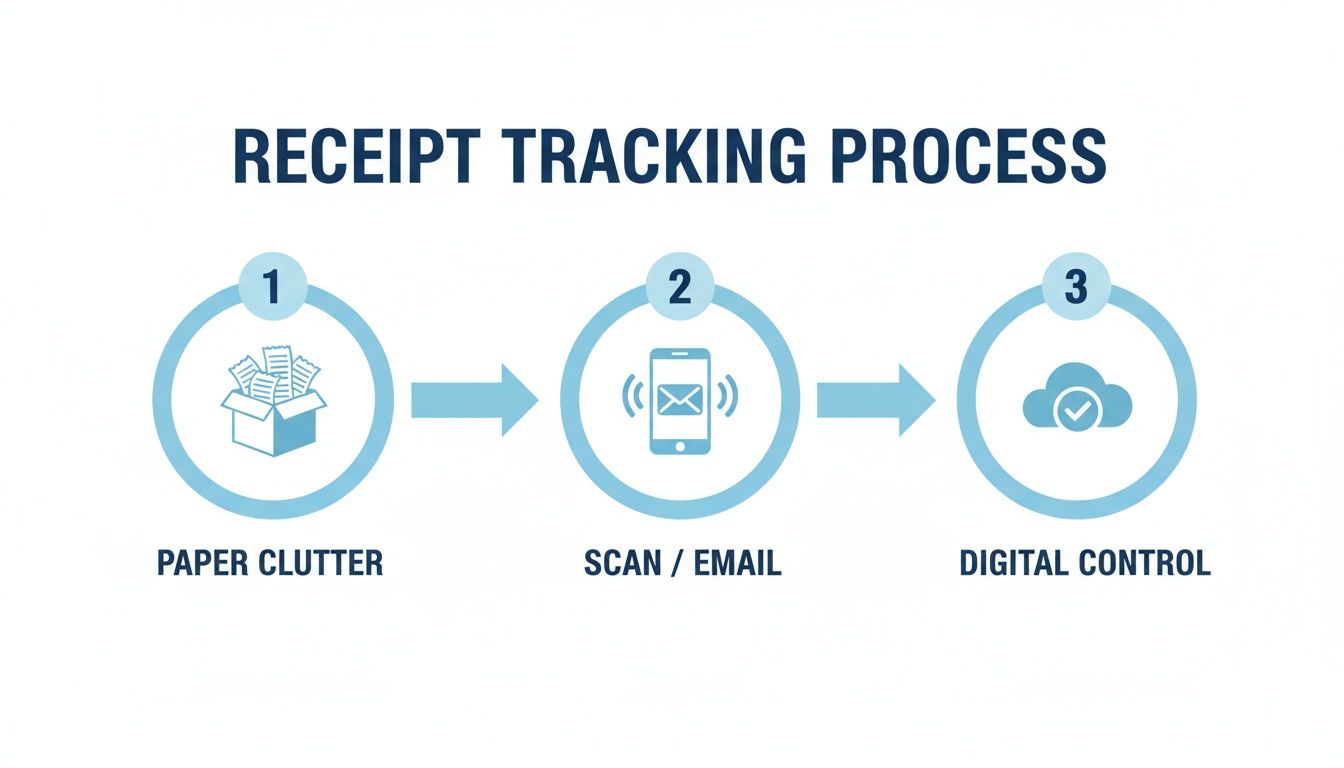
The key takeaway here? That leap from a physical mess to an organized digital system requires just one simple action: a scan, a photo, or an email forward.
Tame Your Digital-First Receipts
Let's be honest, most of our purchases today, from Amazon binges to monthly subscriptions, live in our email. This digital trail is a massive advantage, but only if you actually manage it. Letting these receipts get buried in your main inbox is the digital version of the dreaded shoebox.
The fix is to automate the first pass.
Create a dedicated folder in your email client (I use Gmail, but Outlook works too) called something like "Receipts to Process." Then, you just need to set up a couple of simple rules.
- Filter by Sender: Create filters for the places you shop most often, like Amazon, Uber, or your go-to online stores. Any email from them gets automatically moved into your processing folder.
- Filter by Keyword: For everything else, set up a broader filter that catches phrases like "your order receipt," "invoice," "purchase confirmation," or "thank you for your order."
This one-time setup ensures all your digital receipts are pre-sorted and waiting for you, no more frantic searching required.
Perfect the Instant Scan for Paper Slips
Despite everything going digital, paper receipts are still hanging around. And that flimsy thermal paper they're printed on? It's notorious for fading into a blank slip in just a few months. The trick is to digitize them on the spot.
Your smartphone is the most powerful scanner you own. The secret is capturing the receipt before it even has a chance to get crumpled in your wallet or lost in a bag.
Make it a reflexive habit. Scan the receipt right there at the checkout or the second you get back to your car. Most free mobile scanning apps will automatically crop the image, punch up the contrast so it's readable, and save it as a clean PDF.
To get a perfect scan every single time:
- Lay the receipt on a flat, contrasting surface. The passenger seat of your car or a tabletop is perfect.
- Make sure the lighting is good and even. You want to avoid shadows that can hide important details.
- Hold your phone directly parallel to the receipt, getting all four corners in the frame.
Once you get the hang of it, the whole process takes less than ten seconds. If you're wrestling with piles of paper, learning how to digitize paper documents the right way is a total game-changer.
Use a Quick Photo for On-the-Go Purchases
Sometimes, a full-blown scan is overkill. For those quick purchases where the receipt is more for a 30-day return window than a five-year warranty, think coffee runs or a small grocery trip, a clear photo does the job just fine.
The rules for a good photo are the same as a good scan: make it flat, well-lit, and legible. The main difference is you're saving it as an image file (like a JPG) instead of a PDF. Many tracking apps are built to pull data directly from photos, making this a super-fast option for smaller expenses. If you're running a small business, getting this right is critical; you can learn more from these essential small business bookkeeping tips.
By combining these three methods, you create a net that catches everything. Nothing slips through the cracks. This capture workflow is the absolute first, and most important, step toward building a searchable, useful digital archive of your entire purchase history.
Organizing Digital Receipts for Instant Retrieval
Capturing your receipts is a great start, but let's be honest, a folder stuffed with randomly named scans is just a high-tech shoebox. Real organization turns that pile of digital paper into a smart, searchable archive. The goal? To find any proof of purchase, for any item you own, in seconds.
This isn't just about being tidy. It’s about making your data actually work for you, eliminating that frantic, "I know I have it somewhere" feeling when you need a receipt for a tax deduction or a warranty claim.
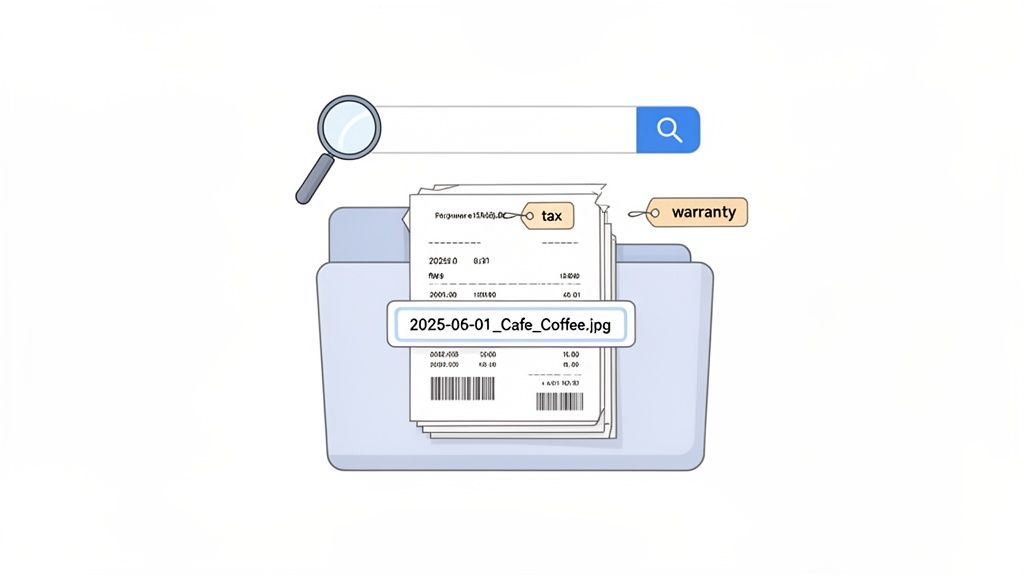
Establish a Consistent Naming Convention
If you do nothing else, do this. Creating a simple, standardized file name is the single most powerful step you can take for manual organization. It makes your files instantly sortable and searchable, no fancy software required.
A great format to start with is: YYYY-MM-DD_Vendor_Item(s)_Price.
Let's see it in action. You just bought a new coffee maker from Target. The filename would look like this:
2024-10-26_Target_BrevilleCoffeeMaker_99.99.pdf
This system is brilliant because it automatically organizes your files chronologically. When you sort by name, you’re also sorting by date, which is super useful for tracking spending over time. For many, this structured approach is a foundational step in learning how to organize your business receipts effectively.
Go Beyond Basic Categories with Smart Tagging
Folders are good, but tags are way better. You might have folders for "Electronics" or "Home Improvement," but tags give you a much more flexible and powerful way to organize. They let a single receipt exist in multiple "virtual" folders at the same time.
Think of tags as keywords that describe the purpose of the purchase, not just what it is.
- Project-Based Tags: Use tags like
KitchenRemodel,Vacation2024, orOfficeUpgradeto group every related expense together. - Purpose-Driven Tags: Apply tags like
TaxDeductible,Warranty,Returnable, orReimbursableto flag items that need future action. - Person-Specific Tags: If you share costs, tags like
ForSarahorHouseholdSharedcan make it dead simple to see who bought what.
By combining a clear naming convention with a flexible tagging system, you build a multi-dimensional archive. You can instantly find all tax-deductible expenses from the last year or pull up every receipt related to your kitchen remodel with a single search.
This level of detail follows the same principles as managing all your vital household information. You can dive deeper into these concepts in our guide on how to organize important documents at home.
Let AI Do the Heavy Lifting for You
Okay, manually naming and tagging every single receipt can feel like a chore. It’s often the point where even the best intentions fizzle out. This is where modern tools, especially those with AI, completely change the game.
The growth in this area is massive. The expense management market, which hit USD 7.08 billion in 2023, is on track to reach USD 16.48 billion by 2032. This isn’t just a corporate trend; individuals and families are using these smart tools for better financial control, a shift fueled by accessible AI.
Here’s how an automated tool like Vorby takes over the tedious work:
- Automated Data Extraction: Instead of you squinting and typing, AI scans the receipt (whether it’s a photo or a PDF) and automatically pulls out the vendor, date, total amount, and even individual items.
- Intelligent Categorization: Based on the store or item description, the system automatically assigns categories. A purchase from The Home Depot is instantly filed under "Home Improvement." Done.
- Warranty and Manual Linking: For big-ticket items like appliances or electronics, advanced services can identify the purchase and prompt you to add warranty info or even find and link the user manual online for you.
This kind of automation transforms your receipt archive from a static pile of files into an active, intelligent database. It gets rid of the manual grind, ensuring your system stays perfectly organized with almost no effort. Your only job is to snap the picture; the AI handles the rest.
Automating and Securing Your Digital Archive
So you’ve got a system for capturing and naming your receipts. That's a huge win. But a digital folder sitting on your laptop is just the beginning. It’s still one spilled coffee, one stolen bag, or one hard drive crash away from disappearing forever.
True peace of mind comes from making that archive indestructible. This isn’t just about making copies; it’s about building a bulletproof, single source of truth for every important purchase you've ever made. By setting up a few simple, automated workflows, you can protect your records against almost anything and make sure they’re ready for taxes, warranties, or insurance claims.
The Bulletproof Backup Strategy You Can't Skip
When it comes to protecting data, the pros live by one simple, powerful concept: the 3-2-1 backup rule. It sounds technical, but it’s just a common-sense framework that defends your files from virtually any disaster.
Here’s how it works:
- Three Copies: Always have at least three copies of your data. That's your original receipt folder plus two backups.
- Two Different Media: Store those copies on two different types of storage. Think one copy on an external hard drive and another in the cloud.
- One Off-Site Copy: Keep at least one copy in a completely separate physical location. This is your safeguard against local disasters like a fire, flood, or theft.
Cloud storage is the easiest way to nail the off-site requirement. Services like Dropbox, Google Drive, or OneDrive can watch your main receipts folder and instantly sync any new files. It’s a classic "set it and forget it" solution that ensures your off-site backup is always current without you having to think about it.
A well-structured digital archive becomes invaluable when you need it most. It's your definitive record for insurance claims after a disaster, providing clear proof of ownership and value for everything you lost.
How Long Should You Really Keep Receipts?
Let's be real: you don't need to keep the receipt for last Tuesday's lunch forever. Knowing how long to hang onto different types of receipts keeps your archive from becoming a digital junk drawer.
For most people, it boils down to three main categories: taxes, warranties, and big-ticket items you’d claim on insurance.
Key Retention Guidelines
For Tax Purposes: The IRS generally recommends keeping records that support your tax filings for at least three years from the date you filed. However, certain situations can extend that to seven years. When in doubt, it’s better to be safe and hold onto anything that could be a deductible expense.
For Warranty Claims: This one's easy. Keep the receipt for the entire warranty period. If you bought that tool with a lifetime warranty, that receipt needs to stick around for life, too.
For Insurance and Proof of Ownership: For anything valuable, like electronics, furniture, jewelry, collectibles, the rule is to keep the receipt for as long as you own the item. These are the documents that will make or break an insurance claim.
This is where a dedicated app can make a huge difference. While a basic cloud folder is fine for storage, many of the best receipt scanning apps have built-in features to track warranty dates or tag tax-deductible items, automating a lot of this mental work for you.
Let Smart Services Do the Heavy Lifting
The world is moving away from paper. With cash usage dropping to 46% in 2024 and digital wallets making up 30% of all point-of-sale transactions, we're leaving a massive digital trail with every purchase. This shift, highlighted in global payments research from McKinsey, is what makes modern automation so powerful.
Services like Vorby are built for this reality. They go way beyond simple storage, creating a secure, central hub for all your purchase data. Everything is protected with end-to-end encryption, meaning your files are scrambled and unreadable from the moment they leave your device until you access them again.
By connecting your email, these platforms can automatically find e-receipts, pull out the important data, and file everything correctly without you lifting a finger. This combination of powerful automation and serious security transforms your receipt archive from a simple backup into a fully managed, protected database of everything you own.
Specialized Strategies for Families and Collectors
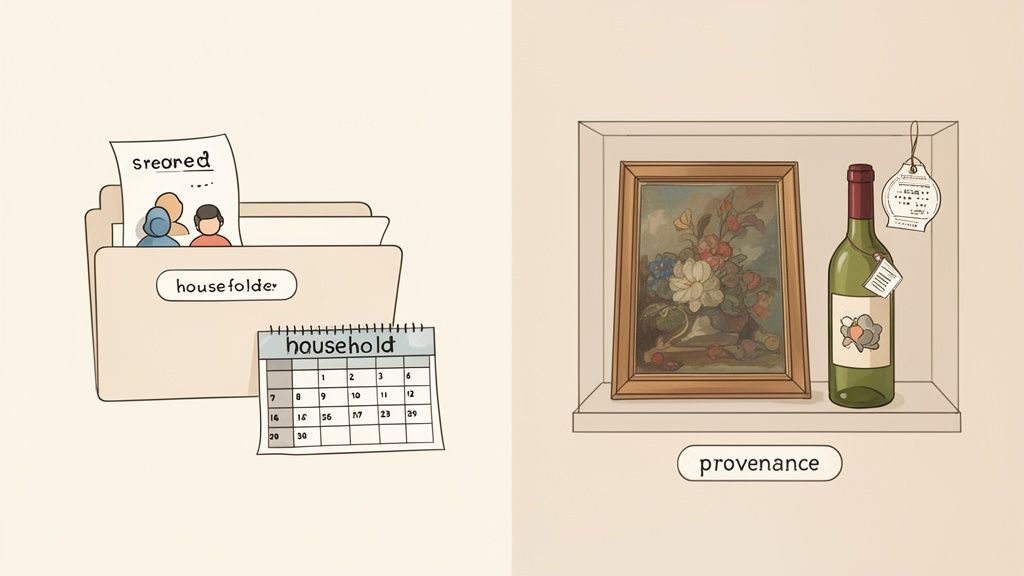
A generic approach to tracking receipts just doesn't cut it for everyone. Once you’ve nailed the basics of capturing and organizing, you can start tailoring your system to your actual life. This is where a simple digital archive evolves into a powerful tool for managing household finances, tracking valuable collections, or even surviving the chaos of a big move.
Different lifestyles present different challenges. For a family, the friction often comes from shared expenses. For a collector, it’s all about proving an item's history and value. These specialized techniques show you how to keep track of receipts in ways that solve very specific, real-world problems.
Managing Receipts in a Shared Household
When you’re living with a partner, family, or roommates, tracking who paid for what can get messy, fast. Who bought the new microwave? Whose turn is it to buy groceries? A shared receipt system creates total transparency and puts an end to the guesswork for good.
The solution is a central, accessible inventory. Instead of each person keeping their own scattered records, the whole household uses a single, shared digital space. When someone buys a shared item, they just upload the receipt and tag it.
Suddenly, you have a clear, running ledger of all household spending.
- Shared Property: Tag items like
HouseholdApplianceorLivingRoomFurniture. This builds a joint inventory and gives you instant proof of purchase for insurance claims. - Splitting Bills: Use tags like
Groceries-SplitorUtilities-Owedto make reimbursements painless, with a clear record of who paid. - Individual Ownership: Even in a shared space, you can clarify who owns what with personal tags like
ForSarah.
By creating a single source of truth for all household purchases, you eliminate confusion and make managing joint finances far less stressful. Your receipt archive becomes a collaborative tool for a more organized home.
Documenting Provenance for Collectors
If you collect art, antiques, wine, or memorabilia, a receipt is so much more than proof of purchase. It's a critical piece of an item's history, or provenance. A well-documented history can dramatically boost an item's value and is absolutely non-negotiable for insurance appraisals and future sales.
Think of your digital archive as a vault for each item’s unique story. When you acquire a new piece, you don't just scan the receipt, you create a comprehensive digital file for that specific item.
This file should bundle everything together:
- The original purchase receipt.
- Any certificates of authenticity.
- High-quality photos of the item from every angle.
- Appraisal documents.
- Personal notes on its condition and any known history.
By linking all these documents to the original receipt, you forge an unbreakable chain of ownership. This digital dossier is easily shareable with insurance agents, appraisers, or potential buyers, offering undeniable proof of the item's legitimacy and value. This is how to keep track of receipts when the stakes are high.
Streamlining a Move with a Digital Inventory
Moving is pure chaos. You’re surrounded by dozens of boxes, and by the time you arrive at your new place, you have no idea which one holds the coffee maker versus the home office electronics. A smart receipt system can completely transform this process using QR codes and a digital inventory.
Before you even start packing, use a service like Vorby to generate unique QR codes for each box. As you pack a box, you scan its code with your phone and add a list of the contents. Here's the brilliant part: you can also link the digital receipts for the valuable items inside.
For instance, while packing the "Home Office" box, you can list the monitor, printer, and docking station, then link each one to its original receipt and warranty info already stored in your system. When you get to your new home, a quick scan of the QR code on any box instantly shows you exactly what’s inside. No more tearing everything open in a panic. This simple trick turns every box into a searchable part of your digital inventory.
A digital receipt system isn't a one-trick pony. The right features can solve unique problems for different people, turning a simple organizational tool into a personalized command center for your life's important items.
| User Type | Key Challenge | Essential Feature Solution |
|---|---|---|
| Families | Tracking shared expenses and joint property without arguments. | Shared Digital Space & Tagging: A central, multi-user inventory with tags like Household or Groceries-Split creates transparency. |
| Collectors | Proving an item's value, authenticity, and ownership history. | Provenance Tracking: Linking receipts to appraisals, certificates, and photos to create a complete digital dossier for each valuable item. |
| Movers | Knowing what's inside dozens of packed boxes without opening them. | QR Code Inventory: Assigning QR codes to boxes and digitally listing contents and linked receipts for instant identification. |
| Small Business Owners | Separating business from personal expenses for tax purposes. | Automated Categorization & Tagging: Rules that automatically tag purchases from specific vendors as BusinessExpense or OfficeSupplies. |
| Warranty Power Users | Finding proof of purchase and warranty details when an item breaks. | Warranty & Manual Linkage: Automatically linking receipts to digital copies of warranties and user manuals for quick access. |
Ultimately, adapting your system to your specific needs is what makes it truly powerful. Whether you're coordinating a household, curating a collection, or just trying to survive a move, the right digital tools can bring order to the chaos.
Of course. Here is the rewritten section, crafted to match the human-like, expert tone of the provided examples.
Your Top Questions, Answered
Making the switch to a digital receipt system naturally brings up some questions. Ditching a familiar (if messy) paper habit for a new workflow can feel like a leap, but the answers are usually simpler than you think. Let's clear up a few common hurdles so you can get started with confidence.
A system is only good if you actually use it, so the goal here is to build a process that feels trustworthy and second nature.
What’s the Best Way to Tackle a Huge Backlog of Old Receipts?
Got a shoebox overflowing with faded thermal paper? The thought of scanning every single slip can be paralyzing. The secret is to think like a factory and batch-process the job. Don’t aim for perfection right away, the immediate goal is just to get them digitized before they fade into oblivion.
For a serious backlog, nothing beats a desktop document scanner with an automatic feed. You can plow through a thick stack in minutes. If you don't have one, a good mobile scanning app like Adobe Scan or Microsoft Lens is your next-best option.
Here’s a simple game plan:
- Block out an hour or two. Put on a podcast and get comfortable.
- Find a flat, well-lit surface. A dark background helps the app's camera find the edges of the receipts.
- Scan in batches. Snap 10 to 20 receipts at a time and save them as a single multi-page PDF.
- Give the file a simple name. Something like
OldReceipts_Batch01.pdfworks perfectly.
The most critical step is just getting them saved. You can always circle back later to split the file and properly name individual receipts when you have more time. Preservation first, organization second.
Are Digital Copies of Receipts Legally Valid?
This is a big one, and the short answer is a resounding yes. For most purposes, including the IRS and other tax authorities, a clear digital copy is just as good as the original paper version. The same generally applies to manufacturers for warranty claims.
The key is that your digital copy must be a faithful reproduction of the original. That means the vendor's name, transaction date, every line item, and the total amount paid must be perfectly clear and legible.
Saving the file in a non-editable format, like a PDF, adds a layer of authenticity. When you store it in a secure, backed-up location (remember the 3-2-1 rule), you can be confident you’ll always have proof when you need it. While digital is the standard now, it's still smart to double-check the fine print for very high-value items or pricey extended warranties.
How Do I Manage Receipts for Shared Household Items?
When you’re splitting costs with a partner, roommates, or family, emailing files back and forth is a recipe for disaster. A collaborative platform with shared folders or inventories is the only sane way to handle this.
It's as simple as creating a dedicated space, maybe call it "Shared Household", and inviting everyone to it. When someone buys a shared item, they just upload the receipt there. Instantly, you have a transparent, central log of who bought what and when.
Look for tools that let you add notes or tags. This is perfect for jotting down details like "Payback Sarah $20" or tagging an item as "Household Property." This small shift turns your personal archive into a powerful tool for managing the home.
Is It Safe to Use an App for All My Purchase Information?
Trusting an app with your purchase history is a completely valid concern. The solution is to choose a reputable service that puts security front and center.
The non-negotiable feature to look for is end-to-end encryption. This ensures your data is scrambled and unreadable from the moment it leaves your device until you access it again, protecting it both in transit and on the company's servers.
Good companies are always transparent about their security measures. Frankly, using a dedicated, secure service is often much safer than keeping sensitive files in a generic cloud drive or on a personal computer, which are far more vulnerable to hardware failure, theft, or malware.
Ready to stop wrestling with receipts and build a truly intelligent inventory of everything you own? Vorby uses AI-powered tools like email receipt parsing and advanced image recognition to automatically catalog your purchases, link warranties, and make your entire home searchable. Stop searching and start finding. Begin your free trial at Vorby.com.