Ever feel like you're living in a library with no card catalog? You know you own that one specific thing, but finding it means digging through every shelf, every box, every forgotten corner. For most of us, our homes are exactly like that library, full of valuable, useful, and sentimental items, but with absolutely no system to manage them.
Collection management software is the modern, digital card catalog for your life.

This isn't just another spreadsheet or a running list on your phone. Think of it as a personal curator for everything you own, designed to bridge the gap between your physical belongings and a clear, searchable digital record. At its heart, it’s about creating a single, reliable source of truth for your possessions.
But it’s so much more than a list. It's a dynamic inventory where you can store photos, receipts, warranty information, and even the sentimental stories that make an item special.
From Manual Lists to Smart Systems
Cataloging stuff isn't a new idea. Museums and archives have spent centuries perfecting systems to manage their massive collections. What is new is that modern software takes those powerful organizing principles and puts them right into an app on your phone, making them accessible to everyone, not just big institutions.
And people are catching on. The global market for this kind of software is expected to hit USD 283.87 million by 2035, a huge leap from USD 137.67 million in 2026. This trend shows a clear shift: we're all looking for smarter ways to manage the physical things in our lives.
The real benefit here is peace of mind. This software transforms that vague, stressful feeling of "I know it's here somewhere" into the calm confidence of knowing exactly what you have and where to find it.
Why a Digital Inventory Is a Game-Changer
Having a well-organized digital inventory isn't just about feeling tidy. It’s about protecting your assets, saving your sanity, and simplifying your life in very practical ways. Creating this comprehensive record of your belongings gives you a powerful tool for all sorts of real-world situations. If you want to dive deeper, check out our complete guide on home inventory software.
Here’s a quick look at what this software helps you do:
- Prepare for the Unexpected: A detailed inventory with photos and receipts is your best friend when filing an insurance claim after a fire, flood, or theft.
- Make Moving Suck Less: Imagine knowing what’s in every single box before you open it. That’s what a digital inventory does for you, turning unpacking chaos into an organized process.
- Preserve Family History: You can attach notes, videos, and stories to heirlooms, ensuring their history and meaning are passed down right alongside the item itself.
- Manage Shared Spaces: For roommates or families, it’s an easy way to track shared items, which helps cut down on confusion (and arguments) over who owns what.
The Features That Make Modern Organization Effortless
Great collection management software is more than just a digital list. Think of it as a powerful assistant, one that automates all the tedious parts of getting organized. Instead of spending hours manually typing descriptions and hunting for details, these modern tools do the heavy lifting for you. This frees you up to focus on what matters, whether that's enjoying your hobby, prepping for a move, or simply creating a more orderly home.
At their core, these tools are built on smart technology designed to simplify what feels complex. They can take an overwhelming project, like cataloging everything in your house, and break it down into a series of small, manageable steps. Let's dig into the core features that turn chaos into clarity.
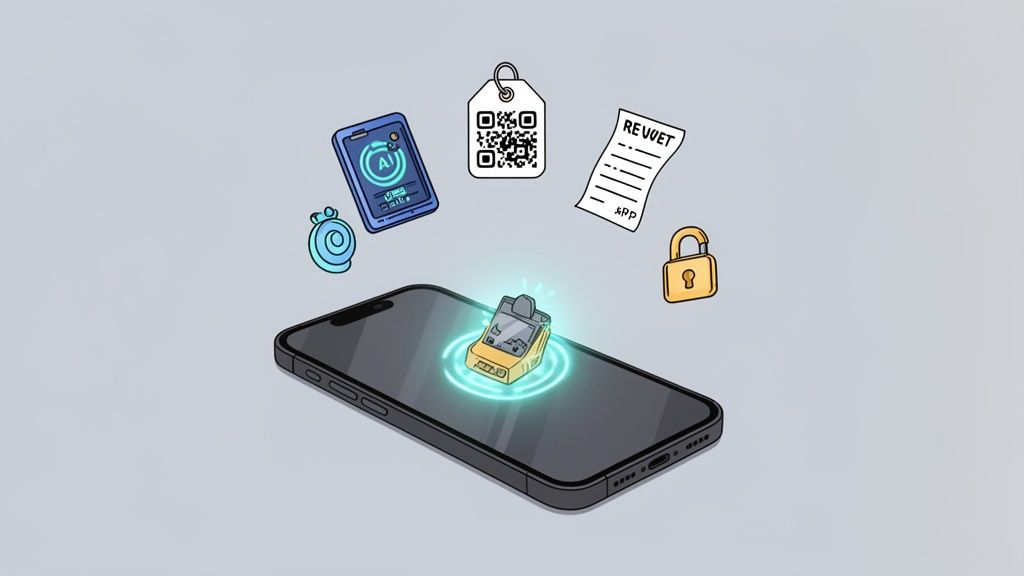
AI-Powered Image Recognition and Cataloging
Let’s be honest: the single biggest hurdle to creating an inventory is the sheer time it takes to enter every single item. This is where artificial intelligence completely changes the game. Modern systems use AI-powered image recognition to identify objects from a single photograph.
Imagine you're cataloging your toolbox. Instead of typing "DeWalt 20V MAX Cordless Drill," you just snap a photo. The software instantly analyzes the image, identifies the brand and model, and often pulls in key details like specifications or even a link to the user manual. For many people, this one feature can slash cataloging time by over 70%, turning a weekend-long chore into a quick afternoon task.
And this tech isn’t just for tools. It works on books, electronics, kitchen appliances, and thousands of other common household items. This is what effective collection management is all about. To see it in action, you can learn more about how AI recognition works in our platform.
Smart Tagging and Advanced Search
Once your stuff is in the system, finding it again needs to be effortless. Old methods relied on rigid folder structures, but modern software uses a much more flexible system of smart tagging. You can add multiple tags to any item, like "camping," "electronics," "high-value," or "garage."
This simple tagging system is what fuels a powerful search function. Instead of trying to remember which digital box you put something in, you can search with simple, natural language.
- Find all items tagged "camping" to create an instant packing list.
- Search for "warranty" to see everything that still has an active service plan.
- Filter by "attic" and "high-value" to review items for your insurance policy.
This ability to cross-reference and filter your entire inventory in seconds is what makes a digital catalog truly useful day-to-day. It’s like having a search engine for your physical world.
Physical to Digital Mapping with QR Codes and NFC
One of the cleverest features is the ability to link your digital inventory directly to your physical items. This is usually done with QR codes or NFC tags. You can generate a unique QR code within the software, print it on a sticker, and slap it on a storage bin, a box, or even a shelf.
Now, when you scan that code with your phone, the app instantly shows you a complete list of everything you've digitally assigned to that container. This is an absolute lifesaver during a move, when you're pulling out seasonal decorations, or just trying to find that one thing you stored in the garage. No more opening ten identical boxes to find the holiday lights; just scan and know.
This simple bridge between the physical and digital worlds eliminates all the guesswork. It ensures your beautifully organized digital list translates directly into finding things quickly in the real world.
Automated Receipt Parsing and Warranty Tracking
Keeping track of purchases, warranties, and user manuals is a constant headache. Many collection management platforms now include automated receipt parsing. You can simply forward an email receipt from an online purchase directly to the software.
The system automatically scans the email, extracts key information like the product name, purchase date, and price, and creates a new entry in your inventory. It will even save a copy of the receipt for your records.
This is especially useful for:
- Warranty Management: The software can calculate warranty expiration dates and send you a reminder before they run out.
- Insurance Records: Having a digital copy of every significant purchase receipt is invaluable for insurance claims.
- Budgeting: It gives you a clear, categorized record of your spending on household goods, electronics, and other assets.
Secure Sharing and Permission Controls
Your home inventory isn't always just for you. You might need to share access with a spouse, roommates, or even an insurance agent. Good software provides secure sharing with granular permission controls.
This means you can invite your partner to have full access to the household inventory while giving a roommate view-only access to items in shared spaces like the kitchen. For insurance purposes, you could generate a temporary, read-only report of specific high-value items without exposing your entire catalog. This flexibility ensures the right people have the right level of access, keeping your data both useful and private.
Cloud-based software is making these collaborative features more common. While large enterprises held a huge market share of 58.73% in 2025 in related sectors, smaller users and businesses are adopting these tools at a rapid 8.27% CAGR. This growth is driven by tools that are easy to use and don't require an IT degree, which is perfect for busy parents, students, and collectors.
Putting Your Digital Catalog to Work in Real Life
It’s one thing to talk about a digital catalog in theory, but where does the rubber really meet the road? The true power of collection management software shows up when it stops being an idea and starts solving real, everyday problems. A neat digital list is nice, but using that list to save time, dodge stress, and protect your most important things? That’s a game-changer.
Think of this software as a bridge connecting your digital life to your physical world. It takes the kind of powerful organizational strategies once reserved for massive institutions and puts them right in your home, making the process as intuitive as using your smartphone.
For the Prepared Homeowner
Let's imagine the worst-case scenario: a fire or flood hits your home. In that incredibly stressful moment, the last thing you want to be doing is trying to remember every single thing you owned for an insurance claim. A detailed home inventory created with collection management software suddenly becomes the most important document you have.
With a complete digital record, you have everything an insurance adjuster needs, right at your fingertips.
- Photographic Evidence: Clear photos of everything from your laptop to your sofa serve as undeniable proof of ownership and condition.
- Proof of Purchase: Stored digital receipts and invoices back up the value of each item, making sure you get a fair settlement.
- Comprehensive Listing: An easily exportable list saves you dozens of hours of painstaking work, speeding up the entire claims process.
This kind of preparation can turn a potential financial disaster into a manageable, step-by-step recovery, giving you invaluable peace of mind long before you ever need it.
For the Passionate Collector
Whether your passion is for rare books, vintage vinyl, or fine art, you know that collecting is about more than just buying things. It’s about tracking their history, their condition, and their value. A simple spreadsheet just can’t keep up with the rich story behind each piece.
A dedicated digital catalog acts as a curator for your personal museum. It preserves not just the items themselves, but the story and value behind each piece, ensuring that information is never lost.
Good software lets you meticulously document every detail, from provenance and appraisal values to conservation history. It doesn't matter if you're organizing a fine art collection or a niche assortment of unique leather journals. This level of detail is essential for insurance, potential resale, or simply appreciating the depth of what you've gathered over the years.
For the Organized Mover
Moving is consistently ranked as one of life’s most stressful events. A huge part of that stress is the sheer chaos of boxes, not knowing where anything is and facing the overwhelming task of unpacking. This is where a digital inventory system completely flips the script.
Before you even tape a box shut, you can log its contents and assign it a QR code. When you arrive at your new place, a quick scan with your phone shows you exactly what's inside without ever having to open it. Unpacking transforms from a frustrating guessing game into a methodical, calm process. You can instantly find the box with the coffee maker, the bathroom essentials, or the kids' favorite toys, making those first few days feel controlled and serene.
For the Modern Family
In a busy household, keeping track of shared items, warranties, and important manuals can feel like a full-time job. A shared digital inventory becomes the central command center for the entire family.
Anyone can look up information on household appliances, instantly find a user manual, or check the warranty expiration date on a new TV. It creates a single source of truth for managing the "stuff" of family life. This shared system cuts down on confusion, prevents you from accidentally buying something you already own, and makes sure everyone knows where to find what they need, right when they need it.
How to Choose the Right Collection Management Software
Picking the right collection management software can feel like a big decision, but it really doesn't have to be a chore. The best tool is the one that actually fits into your life, making organization a natural part of your routine instead of another task on your to-do list. If you focus on a few key things, you can confidently pick a platform that will grow with you for years to come.
The goal here is to find software that feels less like a sterile database and more like a genuinely helpful assistant. It should almost anticipate what you need and show you your stuff clearly, turning the giant project of cataloging everything you own into a series of small, satisfying wins.
Start With the User Experience
Before you even glance at a feature list, get a feel for the interface. The best systems are intuitive the second you open them. If you need to read a long-winded manual just to figure out how to add your first item, it’s probably not the right fit for managing a home inventory.
Look for a clean, modern design that just makes sense. As Michael Davis, a material handler at the Library of Congress, said when describing their new system, “It was like moving from a land line phone to a smart phone.” That’s the kind of effortless jump you should be looking for.
The most powerful feature is simplicity. A great user experience means you'll actually use the software regularly, building a consistent organizational habit instead of abandoning the project out of frustration.
The right tool should make cataloging feel quick and rewarding. This usually comes down to thoughtful design, clear navigation, and an obsessive focus on getting the job done with as few clicks as possible.
The Non-Negotiable Feature Checklist
While everyone's needs are a little different, some core features are absolutely essential for any modern, effective system. Think of these as the foundation of a great digital inventory. When you're sizing up your options, make sure the software nails these critical capabilities.
This checklist is designed to help you cut through the noise and evaluate different software based on what truly matters for day-to-day use.
Must-Have Feature Checklist
| Feature Category | What to Look For | Why It Matters |
|---|---|---|
| Mobile App | A native, full-featured app for both iOS and Android. It should be fast and allow offline access. | You're not going to lug your laptop around the house. A powerful mobile app is non-negotiable for capturing items on the fly. |
| Search & Filtering | Instant, flexible search. Look for the ability to search by keyword, tag, color, location, or custom fields. | An inventory is useless if you can't find what you need in seconds. Poor search is a dealbreaker. |
| Security & Privacy | End-to-end encryption and a clear, easy-to-read privacy policy. They should explicitly state they don't sell your data. | You're cataloging personal, sometimes valuable, information. Your data's security and privacy must be the provider's top priority. |
| Pricing Model | Transparent, fair pricing without hidden fees. Look for plans that scale based on item count or features, not surprise charges. | You need to know what you're paying for. Avoid services that nickel-and-dime you for essential functions like sharing or advanced search. |
Ultimately, a tool that gets these four areas right provides a solid, trustworthy foundation you can build your entire organizational system on.
Always Test Before You Commit
Finally, and this is the most important part: never choose a system without trying it first. A free trial period is your best friend here. It's your chance to see if the software’s workflow actually clicks with your personal style.
Use the trial to add a variety of items, some electronics, a few books, and maybe a couple of kitchen gadgets. Test the mobile app while you're out and about. Try out the search function and see how easy it is to organize things with tags or into different spaces. This hands-on experience is the only way to know for sure if a tool will truly make your life more organized.
A Simple Workflow for Setting Up Your Digital Inventory
Getting started with collection management software isn't some overwhelming weekend project. Trust me, it doesn't have to be. By breaking the whole thing down into small, doable steps, you can build a killer digital inventory without the stress. The secret is to aim for progress, not perfection. You're creating a system that grows with you.
This isn't about cataloging your entire life in one go. That's a recipe for burnout. Instead, this is about building a sustainable habit. You start small, build momentum, and end up with a system that’s not only complete but actually easy to keep up with for the long haul.
Phase 1: Define Your Starting Point
First things first: just decide where to begin. Trying to swallow the whole elephant, which is your entire house, at once will just make you want to quit before you even get going. Instead, pick one small, manageable area. Score an easy win and build the confidence to keep going.
Pick a starting point that feels right for you:
- By Room: Start with a contained space like your office or a single junk drawer. Seriously.
- By Category: Focus on one specific collection, like all your books, electronics, or vinyl records.
- By Priority: Begin with your most valuable items. This is a smart move to make sure your insurance coverage is buttoned up from day one.
Once you’ve logged that first small batch, you’ll have a much better feel for the process. The next steps will suddenly seem a lot clearer.
The goal here isn't to finish; it's to start. A complete inventory of one closet is infinitely more valuable than a half-finished attempt at the whole house. Why? Because it proves the system works and gives you the motivation you need.
Phase 2: Catalog and Capture Your Items
Okay, you’ve picked your spot. Now the real fun begins: cataloging. This is where modern software really pulls its weight, automating most of the boring data entry. Your main job is just to snap a few clear photos. Let the AI do the heavy lifting, as it can often identify the product and pull in the details for you.
For the more unique stuff, you might need to add a few details yourself. It’s good practice to add a short description, the purchase date, and what you paid for it if you remember. The whole thing should feel quick and satisfying, not like a chore.
When you're building a digital inventory, it helps to understand the core principles of an organized system. Thinking about how to prioritize a clear approach is a key part of effective inventory management for small businesses, and the same logic applies at home.
Phase 3: Organize with Tags and Spaces
Once your items are in the system, you need to make them findable. This is where you organize everything logically using tags and virtual "spaces." Think of tags as flexible little labels you can stick on anything. A camera, for example, could be tagged with "electronics," "hobby," "photography," and "high-value."
Virtual spaces let you create a digital mirror of your physical locations. You can set up a "Garage," "Kitchen Pantry," or even get super specific with "Storage Bin #7." This digital map is what lets you find absolutely anything in seconds.
To really connect your digital catalog to the real world, think about using QR codes. You can learn more about how a barcode program for inventory can make tracking boxes and containers almost ridiculously simple.
Phase 4: Maintain and Build the Habit
This last step is the most important one for long-term success: building a simple habit of keeping things current. Your digital inventory is a living thing, not a one-and-done project. The key is to make adding new stuff part of your routine.
When you buy a new gadget or a nice piece of furniture, take two minutes to snap a photo and add it to your inventory right then and there. This tiny habit prevents you from ever having to do another massive cataloging marathon again. Your inventory will always be up-to-date, accurate, and ready to save the day when you need it.
This flow shows just how simple it is: figure out what features you need, give the software a test drive, and then make your decision.
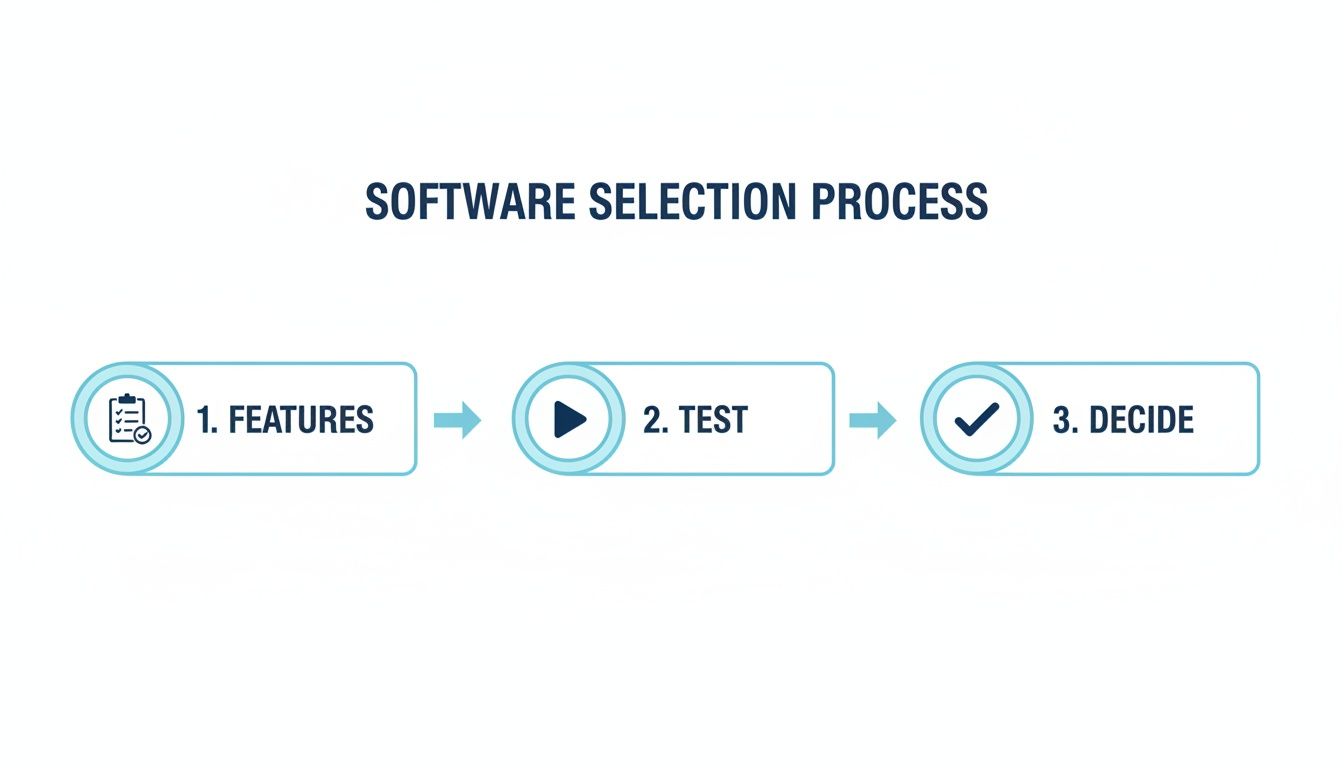
As you can see, choosing the right tool isn't complicated. It's a straightforward process based on what you actually need and how it feels to use it.
Measuring the True Value of an Organized Life
So, you’ve put in the work and digitized your life. How do you know if it's actually paying off? Success isn’t just having a perfectly cataloged list of your belongings. The real wins are the small, almost invisible improvements you start to notice every day. These are the metrics that truly matter.
The ultimate goal of using collection management software isn’t just to track your stuff; it’s to buy back your two most precious resources: your time and your mental energy. You're not just monitoring items, you're monitoring the ripple effect of a well-ordered life on your household and your own peace of mind.
Quantifying Your Time Savings
One of the first things you'll notice is the time you get back. Think about all the minutes you’ve wasted searching for misplaced items. A recent survey found the average American spends about 2.5 days a year just looking for lost things. With a digital inventory, that time shrinks dramatically.
The proof is simple: how long does it take to find something now versus before? That frantic 15-minute hunt for a specific cable becomes a 15-second search in an app. Over a year, those saved moments add up to hours of reclaimed time you can spend on things you actually enjoy.
The true return on investment isn't just knowing where things are. It’s about eliminating the friction and frustration of the search, which frees up mental space for more important thoughts and activities.
Assessing Your Reduced Mental Load
Another huge win is the reduction in your "mental load," that invisible cognitive effort of remembering everything you own, where it is, and if it even works. A good system offloads that entire burden from your brain to your phone.
To see how much lighter your mental load has become, ask yourself:
- Decision Fatigue: Are you making fewer duplicate purchases because you know exactly what you already have?
- Household Coordination: Are you fielding fewer questions from family members about where shared items are? Have arguments over "who had it last" disappeared?
- General Stress: Do you feel a greater sense of control knowing your home is fully documented and easy to navigate?
This shift from mental clutter to digital clarity is a powerful sign your system is working. You'll find yourself feeling less overwhelmed and more in command of your personal space.
Common Questions About Collection Management Software
It's natural to have a few questions when you're thinking about using a new system to organize your life. Getting some straight answers before you dive in is just smart, as it helps you move forward with confidence, knowing you've found the right fit.
Let's tackle some of the most common concerns head-on.
Is My Data Actually Secure?
This is a big one. You're cataloging your personal belongings, and you want to know that information is private. Reputable collection management software uses the same kind of heavy-duty encryption that banks rely on. This protects your information both when it's just sitting on a server (at rest) and when it's being sent over the internet (in transit).
Bottom line: your personal inventory is for your eyes only.
How Much Time Does This Really Take?
Looking at an entire house full of stuff can feel overwhelming. The idea of cataloging everything sounds like a massive, weekend-eating project. But modern tools have changed the game. Thanks to features like AI image recognition and automated data entry, you can often catalog an entire room in an hour or two, not a whole Saturday.
The secret is to not boil the ocean. Start small. Pick one category, like your power tools, or one room, like the kitchen. The goal is steady progress, not instant perfection. Over a few weeks, those small, focused efforts add up to a complete and incredibly useful home inventory.
Why Not Just Use a Spreadsheet?
This question comes up a lot. A spreadsheet can hold a list of items, sure. But that's where its usefulness ends. It lacks the dynamic, interactive features that make a digital inventory a true game-changer.
Think of it this way: a spreadsheet is a static list, like an old phone book. Collection management software is a dynamic app like Google Maps; it’s searchable, interactive, and connects information in powerful ways.
Specialized software brings your inventory to life with things a spreadsheet just can't do:
- Image and Receipt Storage: Visually confirm what you own and keep digital proof of purchase right where you need it.
- Powerful Search: Find anything in seconds using flexible tags, filters, and even colors. No more scrolling through endless rows.
- QR Code Integration: Link a digital entry directly to a physical box. Scan the code and instantly see what's inside without ever opening the lid.
- Automated Warranty Alerts: Get a heads-up before a warranty expires, giving you time to act.
If you ever need to make an insurance claim, the difference is night and day. A detailed, photo-rich report from dedicated software provides undeniable proof of ownership and value. It can streamline your claim and drastically reduce stress during an already difficult time.
Ready to bring clarity and control to your home? With Vorby, you get an AI-powered assistant to catalog your belongings, find anything in seconds, and manage your household with ease. Start your free trial today and discover a more organized life.