Choosing the right home inventory software isn't really about bells and whistles; it's about finding the right tool for your life. The best app for a busy family trying to track down sports gear is wildly different from what a serious collector needs to catalog rare art.
Your final choice boils down to what you value most: dead-simple organization, ironclad detail for insurance claims, or a collaborative way to manage a shared household.
How to Choose the Right Home Inventory Software
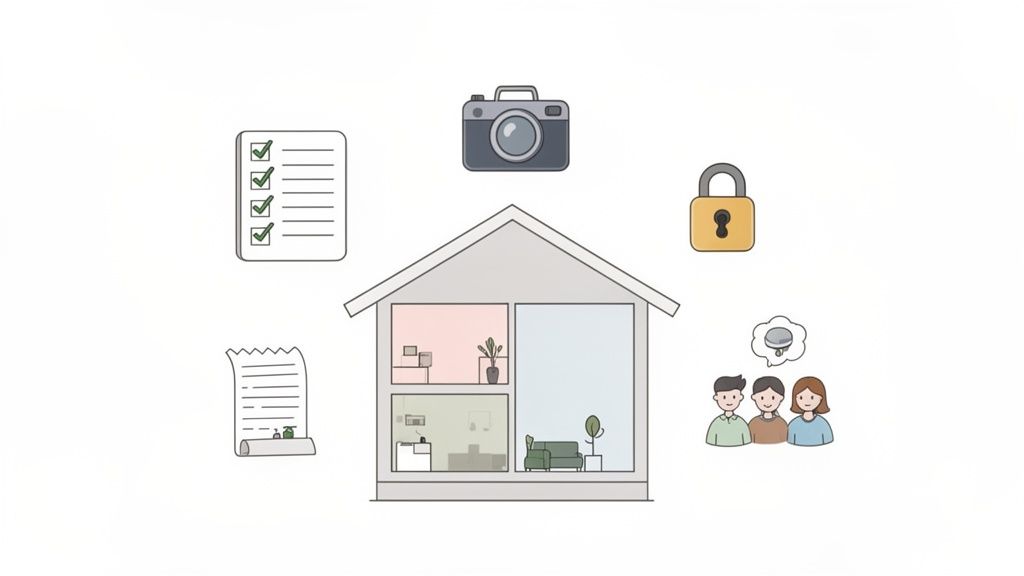
Jumping into a software comparison can feel overwhelming. There are dozens of options, and they all seem to promise the world. But the first step isn't to look at a single app. It’s to look at your own situation.
Are you a parent who just needs to know where the extra tablet chargers are hiding? Or are you prepping for a cross-country move and facing down a mountain of boxes that all need to be accounted for?
That one answer will guide your entire search. A basic list-making app might work for quick notes, but it’ll fall flat the moment you need to upload a receipt, track a warranty, or share access with your partner.
First, Define Your Mission
Before you get lost comparing features, get crystal clear on what you’re trying to accomplish. Most people fall into one of a few common camps, and knowing which one you're in is the key to finding a tool you'll actually stick with.
Here are the most common goals people have:
- Insurance Readiness: Building a bulletproof record of your valuables, complete with photos, receipts, and appraisal docs, to make any potential insurance claim a smooth process.
- Household Sanity: Simply knowing what you own and where it is. This is all about cutting down on duplicate purchases and ending the frantic search for that one thing you need right now.
- Moving Mastery: Creating a detailed manifest of your belongings, labeling boxes, and making sure everything arrives safely at your new place. No more mystery boxes.
- Collector-Level Cataloging: Documenting specialized items like wine, vinyl records, or vintage electronics with custom fields for things like condition, provenance, and current value.
You'll quickly find that the tools on the market are built for these different needs.
| Software Type | Best For | Key Weakness |
|---|---|---|
| Simple List Apps | Quick checklists and basic notes for everyday items. | No support for photos, receipts, or documents. |
| Spreadsheets | Total customization and detailed manual entry. | Prone to errors, no automation, and clumsy on mobile. |
| Dedicated Inventory Apps | Comprehensive organization for insurance, moves, and collections. | Can have a learning curve and a subscription cost. |
Look Beyond the Feature Checklist
A truly useful home inventory software comparison goes deeper than a simple list of features. It’s about how those features solve your specific problem.
For a collector, the ability to add unlimited custom fields for things like "Acquisition Date" and "Grading" is infinitely more valuable than a generic photo upload. It's about finding the right fit for your workflow.
The best software is the one that disappears into your routine. If adding a new item feels like a chore, you'll stop using it, and the entire system will become useless.
Ultimately, you're looking for something that reduces friction, not another complicated task for your to-do list. The right tool will make documenting your belongings feel effortless and deliver some much-needed peace of mind.
Key Criteria For Your Software Comparison
When you're trying to find the right home inventory software, it’s easy to get lost in flashy feature lists. But the real test isn't about what a tool can do; it's about what it will actually do for you. The difference between a digital lifesaver and a digital paperweight often comes down to a few core, practical functions.
Choosing the right system means thinking ahead. A simple app might seem fine for now, but what happens when you’re facing a move, a renovation, or an insurance claim? A solid evaluation framework will save you from buyer's remorse and set you up with a tool that grows with you, not one you outgrow in six months.
Data Entry and Automation
Let’s be honest: the single most important factor is how easy it is to add your stuff. If logging an item feels like filing a tax return, you're just not going to do it. This is where smart design and automation separate the truly useful tools from the frustrating ones.
Think about how you'll actually get your belongings into the system:
- Manual Input: The old-school way. You type in every detail. It offers total control but is incredibly time-consuming.
- Photo and AI Recognition: This is the game-changer. Modern platforms use AI to look at a photo, identify the item, and automatically fill in details like the name and category. Huge time-saver.
- Receipt Scanning: Some advanced tools can scan a paper receipt or even pull purchase data from a digital one, adding new items to your inventory automatically.
- Barcode and QR Code Scanning: Perfect for items with a UPC code or for slapping a QR label on a moving box. If you're going down this route, checking out qrstar's features can give you a good idea of what’s possible.
The global market for inventory management software is expected to rocket from USD 3.58 billion in 2024 to USD 7.14 billion by 2033. This boom is largely driven by a massive shift to cloud-based tools, with over 70% of businesses now using them. We're seeing the same trend in the home market, where people are choosing intuitive, AI-powered apps that make powerful organization accessible to everyone.
Search and Retrieval
An inventory you can't search is just a cluttered list. At a bare minimum, you need a basic keyword search. But the best software goes way beyond that, letting you find what you need in the moment you need it.
The real value of an inventory system is realized in the moment of need. Whether you're searching for a misplaced item or pulling a report for an insurance agent, effortless retrieval is non-negotiable.
Imagine being able to just ask, "Where are my hiking boots?" and getting an instant answer. That's the power of natural language search. It's far more intuitive than trying to remember the exact tag you used six months ago. Also, look for advanced filtering, such as by room, category, purchase date, or custom tags, which makes managing thousands of items feel simple.
Core Feature Comparison of Home Inventory Solutions
To help you see how these different approaches stack up, let's break down the core features. It quickly becomes clear where spreadsheets fall short and why advanced platforms are becoming the standard for serious home organization.
| Feature | Spreadsheets | Basic Apps | Advanced Platforms |
|---|---|---|---|
| Data Entry | Purely manual | Manual entry, basic photo capture | AI photo recognition, receipt scanning, barcode/QR support |
| Search | Ctrl+F keyword search | Keyword search, some filtering | Natural language search, advanced filtering, visual search |
| Visuals | None | Thumbnail images | High-res photos, videos, document attachments |
| Security | File-level password only | Basic cloud storage, often limited encryption | End-to-end encryption, multi-factor authentication |
| Accessibility | Limited to device with the file | Syncs across devices | Real-time cross-device sync, multi-user access with permissions |
| Reporting | Manual creation, requires formula knowledge | Basic export to PDF or CSV | Custom insurance reports, shareable links, detailed exports |
| Cost | Free | Free with ads, or a small one-time fee | Monthly/annual subscription |
As the table shows, while a spreadsheet is free, you pay for it with your time and a lack of critical features. Advanced platforms offer a fundamentally different, more powerful experience that justifies the investment, especially when you need reliability and security.
Security, Syncing, and Sharing
Your home inventory contains a lot of personal information, so security isn't just a feature; it's a requirement. Look for end-to-end encryption, which means your data is scrambled and secure from the moment it leaves your device until you access it again. Always take a minute to read the privacy policy to see how your data is being handled.
Seamless syncing is another must-have. Your inventory should be instantly up-to-date whether you're on your phone in the attic, your tablet in the garage, or your computer at your desk. And if you're managing a household with others, multi-user access with different permission levels is key. This lets everyone contribute without giving them the ability to accidentally delete everything. These kinds of robust sharing options are the hallmark of well-designed automated inventory management software.
A Practical Comparison of Top Inventory Tools
Choosing the right inventory software goes way beyond a simple feature checklist. A tool can brag about its fancy capabilities, but how does its image recognition actually handle a messy box of tangled electronic cables? How easy is it to give your spouse or kids access without letting them mess things up? This comparison cuts through the marketing fluff to look at how the top contenders perform in the real world.
We're going to break down a few of the most popular solutions using the criteria we just talked about, focusing on the little differences that matter in daily use. The goal is to give you a clear picture of where each one shines and where it falls short so you can see which one actually fits your life.
This is all about finding a tool that makes it easy to add your stuff, find it later without a headache, and trust that your information is secure.
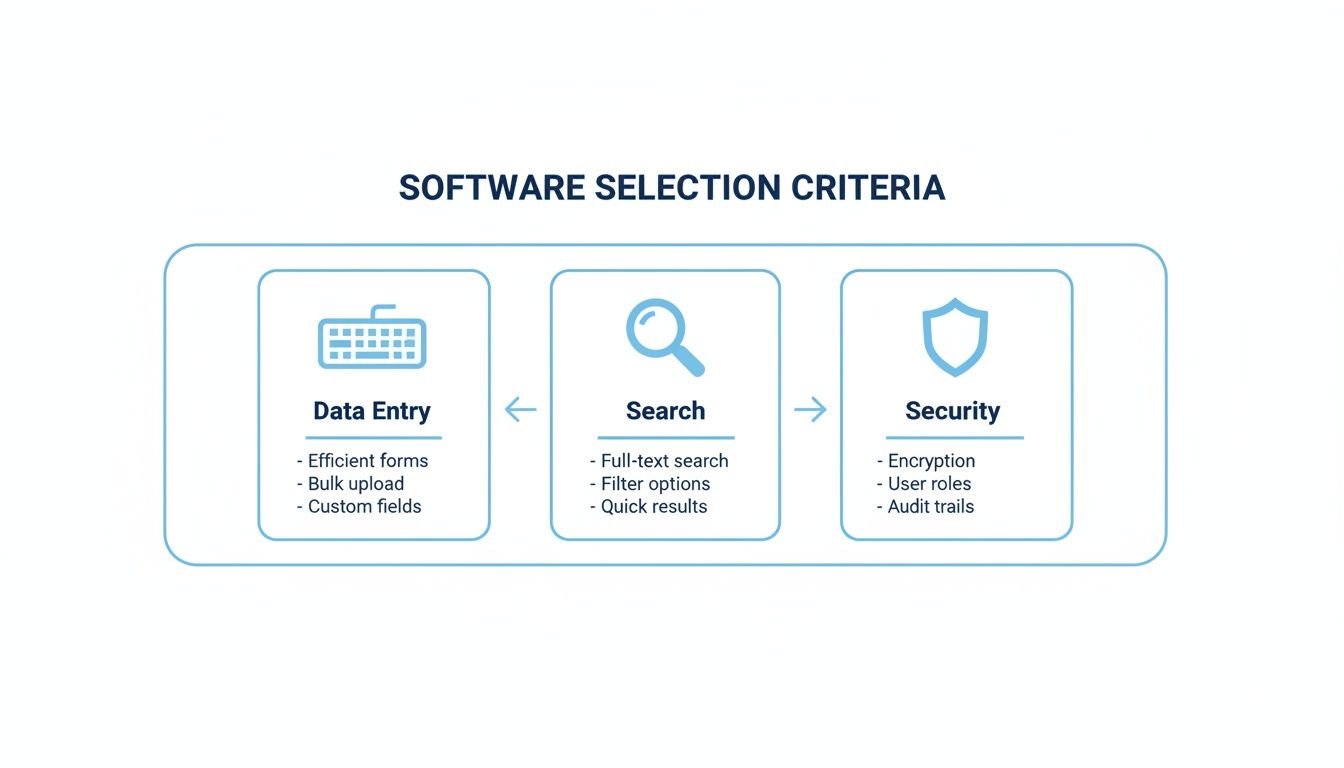
Ultimately, you need a tool that nails all three. Anything less, and you'll just end up with another abandoned organizing project.
The All-Rounder: Vorby
Vorby bills itself as a smart, AI-powered hub for the modern home. Its real magic is how it balances powerful automation with a design that doesn't feel overwhelming. The whole point is to remove as much friction as possible from the chore of cataloging your belongings.
Its multi-pronged approach to data entry is what really sets it apart. Vorby’s image recognition is surprisingly good at identifying common household items, automatically suggesting names and categories. Even better, its email receipt scanning can automatically add new purchases to your inventory just by reading your digital receipts. For those who like a more tactile approach, the QR code and NFC tag system is brilliant for labeling storage bins; just scan a box to see a list of what’s inside without ever opening it.
Key Differentiator: Vorby’s one-two punch of automatic receipt scanning and natural language search (like asking, “Where are my hiking boots?”) creates an experience that feels almost effortless. It’s fantastic at catching new items as they come in and making them dead simple to find later.
This deep focus on automation makes it a game-changer for busy families or anyone who dreads the idea of manually typing in every single item they own. To see a more detailed breakdown, check out our guide on the best app for home inventory.
The Minimalist: Sortly
Sortly is a crowd favorite, largely because of its clean, visual layout and no-nonsense approach. It’s less about slick automation and more about giving you a simple, intuitive framework to organize your stuff. This makes it a fantastic choice for anyone gearing up for a move.
The app is built around a visual-first design. You create folders for different rooms or categories and add items with big, clear photos. The process is entirely manual, but it's incredibly straightforward. The QR code feature is a huge win for movers; you can print custom labels for your boxes, stick them on, and scan them later with your phone to see a visual checklist of the contents.
But that simplicity comes with a trade-off. Sortly lacks the advanced AI you’ll find in Vorby. There's no image recognition to auto-identify items and no email parsing to log your new purchases. That means every single thing has to be entered by hand, which can be a massive time sink if you have a lot to catalog.
The Collector’s Choice: Memento Database
Memento Database isn't your typical home inventory app. It’s more of a personal database builder, and its insane level of customization has made it a cult favorite among serious collectors.
The platform lets you build custom "libraries" from scratch. A wine collector, for instance, can create fields for vintage, region, tasting notes, and cellar location, a level of detail that general inventory apps just can't match. You can link entries between libraries, create incredibly specific filters, and basically tailor the entire system to your unique collection.
Of course, that power is also its biggest weakness for the average person. Memento Database requires a serious upfront time investment to set up, and the learning curve is steep. It has none of the user-friendly automation of other tools, and the interface feels much more technical. It's an absolute beast for a niche audience but total overkill for organizing your garage.
Quick-Look Feature Matrix
This table gives you a side-by-side look at how these tools stack up on the essentials, helping you see their practical strengths at a glance.
| Feature Area | Vorby | Sortly | Memento Database |
|---|---|---|---|
| Primary Strength | AI-driven automation and search | Visual organization and moving | Deep customization for collectors |
| Image Recognition | Yes, auto-suggests categories | No, manual entry required | No, manual entry required |
| QR Code System | Yes, for items and containers | Yes, strong focus on moving boxes | Yes, but requires manual setup |
| Ease of Use | Very intuitive, minimal friction | Extremely easy for basic tasks | Steeper learning curve |
| Best For | Busy households needing speed | Movers and visual organizers | Serious collectors and hobbyists |
The technology behind these apps is evolving fast. In 2024, North America led the inventory software market with a 35% share, driven by heavy R&D from major tech companies. This innovation is finally bringing enterprise-grade features like AI and advanced QR scanning to our homes. For families and collectors, this means powerful tools once reserved for giant warehouses are now affordable and accessible.
Ultimately, your decision comes down to your main goal. If you want a system that does most of the heavy lifting for you, Vorby's AI is the clear winner. If your priority is a visually simple tool to help you organize a move, Sortly is a fantastic, straightforward choice. And if you're a dedicated collector who needs granular control, Memento Database offers flexibility that nothing else can touch. To see a wider range of options, you can also explore other top inventory management solutions.
Matching Inventory Software to Your Lifestyle
The best inventory app isn't the one with the most features; it's the one that fits seamlessly into your real life. Its true value isn't just what it can do, but how well it solves your specific headaches. The software a busy family needs to track sports gear is worlds away from what a serious collector needs to document priceless antiques.
To show you what I mean, let's walk through three common scenarios. Each one highlights how different needs make certain features go from "nice-to-have" to "absolutely essential." This approach connects the dots between a tool’s functions and your daily reality, making the right choice much clearer.
Scenario One: The Busy Family
Meet the Jacksons, a family of four with two active kids. Their home is a revolving door of school projects, sports equipment, holiday decorations, and forgotten toys in the basement. Their biggest challenge? Just knowing where anything is at any given moment and stop buying duplicates of things they already own.
For the Jacksons, the most critical features are all about speed and teamwork. They don’t have time for meticulous data entry between school drop-offs and soccer practice. They need a system that works in the middle of the chaos.
Essential Features for a Family:
- Multi-User Access: Both parents need to add and search for items from their own phones, with everything syncing instantly. No more "Did you see where I put the...?" texts.
- Quick Search Functionality: Finding "winter coats" or the "camping tent" in seconds is paramount. A natural language search that understands how humans actually talk is a huge plus.
- Fast, Simple Data Entry: This is where AI-powered image recognition becomes a lifesaver. Snapping a quick photo of a new board game and letting the app fill in the details is far more practical than manual typing.
Recommendation Insight: For a family, the best software is one that reduces household friction. The goal is to spend less time searching and more time living. Tools that prioritize shared access and effortless search deliver the most immediate value.
When a system has robust, shareable access, everyone is on the same page. When one parent buys new batteries, they can log it, and the other won’t grab another pack the next day. This shared visibility is what turns an inventory app into a central household utility.
Scenario Two: The Passionate Collector
Now, let's consider Amelia, a dedicated collector of vintage cameras. Her collection isn't just a hobby; it’s a significant financial asset. She needs more than a simple list, she needs a detailed catalog that tracks the history, condition, and value of each piece for both personal satisfaction and insurance purposes.
Amelia’s needs are the polar opposite of the Jacksons'. She values detail and precision over speed. Her ideal software must allow for a deep level of customization to capture the unique story of her collection.
Essential Features for a Collector:
- Custom Fields: The ability to create specific fields like "Lens Type," "Manufacture Year," "Condition Grade," and "Purchase Price" is non-negotiable.
- High-Resolution Photo and Document Storage: She needs to upload multiple high-quality images of each camera, along with PDFs of appraisal documents and original receipts.
- Detailed Reporting: Generating a comprehensive report with photos, values, and custom details for her insurance agent has to be simple and straightforward.
A generic inventory app would be frustratingly limited for Amelia. She needs a tool that adapts to the specific language of her hobby. The ability to create a bespoke database is what makes software truly powerful for a collector, allowing her to document every important detail that contributes to an item's value and story.
Scenario Three: The Digital Nomad
Finally, there’s Leo, a remote worker who moves to a new city every six to twelve months. For him, life is a cycle of packing and unpacking. His main challenge is purely logistical: keeping track of what's inside each of the twenty boxes he lives out of and making sure nothing gets lost in transit.
Leo's requirements are highly specialized, focusing entirely on portability and logistics. He needs a system that bridges the physical and digital worlds, turning his labeled boxes into a searchable database.
Essential Features for a Mover:
- QR Code or NFC Tag System: This is the absolute game-changer. Leo can stick a unique QR code on each box, scan it with his phone, and instantly see a complete, itemized list of its contents. No more sharpies.
- Cloud-Based Accessibility: Since his belongings are often in transit or sitting in a storage unit, he needs to access his inventory from any device, anywhere in the world.
- Visual Organization: A clean, visual interface that lets him see items grouped by box is far more useful than a simple list sorted alphabetically.
For someone constantly on the move, a solid QR code system transforms chaos into order. Instead of scribbling illegible notes on cardboard, Leo has a clear, digital manifest for every single container. This makes unpacking faster, locating a specific item simple, and gives him peace of mind that everything arrived safely. This level of organization is what makes a modern inventory software comparison so critical for different lifestyles.
How to Implement Your New Inventory System

Choosing the right inventory tool is the fun part. Now for the real work: turning that software into a reliable household habit. A great system is worthless if you don't actually use it, and that initial cataloging phase can feel like a mountain to climb.
The secret? Have a strategy before you even scan the first item. A good plan prevents that feeling of overwhelm and helps you build an inventory that serves you for years, instead of becoming another abandoned project collecting digital dust.
Create a Game Plan for Your Initial Setup
Staring at a house full of stuff is intimidating. Don't try to catalog everything in one go. You’ll burn out. The key is to break the project into small, manageable chunks, turning a marathon into a series of satisfying sprints.
Here are a few proven ways to get started:
- The Room-by-Room Method: Dedicate a weekend or a few evenings to a single space, like your home office or kitchen. Finishing one area gives you a real sense of accomplishment and builds the momentum you need to keep going.
- The High-Value First Approach: Think insurance. Start with your most valuable items first: electronics, jewelry, collectibles, and expensive power tools. Once those are documented, you can move on to everyday belongings.
- The Category Blitz: Tackle one type of item at a time. You could spend one afternoon cataloging every book in the house, then focus on all your kitchen appliances the next day.
Creating a complete inventory doesn't happen overnight. The key is consistent, focused effort. A commitment to cataloging just five items a day will result in over 1,800 documented items in a year.
No matter which path you choose, remember that progress beats perfection every time. The most important step is just getting started.
Migrating and Maintaining Your System
If you're upgrading from an old spreadsheet, check if your new software has a CSV import function. This feature alone can save you dozens of hours of mind-numbing data entry. Just make sure to clean up your old data first; standardize your columns and fix any weird formatting before you hit import.
Once your initial inventory is built, keeping it current is everything. The best way to do this is to weave it into your daily routine. Make a simple rule for your household: any significant new purchase gets added to the inventory the same day it comes through the door.
This one habit prevents your hard work from becoming obsolete. Here’s a quick maintenance checklist to keep you on track:
- Add New Purchases Immediately: Use your phone to snap a photo and add the item before you even put it away. It takes less than a minute.
- Update Item Status: When you sell, donate, or toss something, remove it from the inventory. Accuracy is key.
- Conduct a Quarterly Audit: Pick a room or a category every few months and do a quick spot-check. This helps catch anything you might have missed.
By integrating these small actions into your life, your inventory system stops being a "project" and becomes a living, breathing record of your home, an indispensable tool for organization and peace of mind.
Still Have Questions About Home Inventory Software?
Jumping into a home inventory system always brings up a few key questions. It's smart to think about things like data security and the time commitment before you dive in. Getting clear answers to these common concerns is the last step in picking the right tool for the job.
Let's walk through the big ones so you can choose your software with total confidence and get the peace of mind you're looking for.
How Secure Is My Data with Home Inventory Software?
This is the big one, and for good reason. Your home inventory holds a lot of sensitive information about your belongings, so you have to choose a platform that takes privacy as seriously as you do.
Reputable software providers use robust security measures to protect your information. The gold standard to look for is end-to-end encryption. This means your data is scrambled and unreadable from the moment it leaves your device until you access it again, protecting it both in transit and while stored on their servers.
Always take a minute to review a company's privacy policy. The best platforms are transparent about their security practices. If a policy is vague, hard to find, or full of legal jargon, consider it a major red flag.
Is It Really Worth the Time to Catalog Everything I Own?
The initial setup can feel like a mountain to climb, but the payoff down the road is huge. The good news? You don't have to catalog everything you own in one frantic weekend. A little strategy makes the whole process feel manageable and even rewarding.
Start with your high-value items first. Think electronics, jewelry, collectibles, and major appliances, which are the stuff that's most critical for an insurance claim. Once that's done, you can tackle the rest of your home room by room. Modern tools like AI-powered image recognition and automated receipt scanning can dramatically cut down the time you spend on data entry.
The real value of your time investment reveals itself in moments of chaos, such as filing an insurance claim, planning a move, or just trying to find that one thing you know you own. The time and frustration you'll save in those situations makes the upfront effort more than worth it.
The goal isn't to run a marathon in a single day. It's about building a comprehensive record over time. Chip away at it consistently, and you’ll create an invaluable resource for your household.
Can Home Inventory Software Actually Help with Insurance Claims?
Absolutely. If you ever have to deal with a fire, flood, or theft, a detailed and up-to-date home inventory is the single most powerful tool you can have. It provides undeniable proof of ownership and can drastically speed up the entire claims process.
A well-organized inventory gives insurance adjusters everything they need in one place, including:
- Photographs and Videos: Visual proof of your items and their condition before the loss.
- Detailed Descriptions: Makes, models, and serial numbers.
- Purchase Information: Dates, prices paid, and copies of receipts.
In fact, many insurance companies actively encourage homeowners to create an inventory. Using dedicated software keeps it organized, efficient, and accessible. Because your digital inventory is stored securely in the cloud, your records stay safe even if your computer, phone, and everything else is destroyed.
What’s the Best Way to Start Without Feeling Overwhelmed?
The secret to avoiding that "where do I even begin?" feeling is to start small and be strategic. Don't look at your entire house as one giant project. Break it down into bite-sized, achievable tasks to build momentum and stay motivated.
One effective strategy is to start with a single, contained space, like your home office desk or one closet. Another great approach is to tackle a specific category, like all your books or kitchen gadgets. Adopting a "little and often" mindset, such as dedicating just 15-20 minutes a day, can make the entire process feel almost effortless.
Let the smart features do the heavy lifting for you. Use your phone to quickly snap photos, and let AI-powered tools identify and categorize items automatically. By breaking the project into manageable chunks and using the right software, you can build a complete and useful inventory over time without it ever feeling like a chore.
A powerful inventory system should feel like a natural extension of your home, not another task on your to-do list. Vorby is designed to make cataloging effortless with AI-driven tools that save you time, while its intuitive search helps you find anything in seconds.
Ready to bring clarity and organization to your home? Start your free Vorby trial today!