
In a world of warranties, returns, and tax deductions, a shoebox stuffed with crumpled receipts just will not cut it. That disorganized pile of paper is more than just clutter; it represents a collection of missed opportunities, from unclaimed warranty replacements for a faulty appliance to forgotten tax-deductible expenses that could have saved you money. The key to unlocking this hidden value lies in finding the best way to organize receipts that aligns with your specific needs and lifestyle. A robust system ensures you can quickly locate proof of purchase for a return, track spending for a budget, or simplify your tax preparation process.
This comprehensive guide moves beyond generic advice to explore ten distinct, actionable methods for conquering receipt chaos. We will detail everything from advanced digital solutions to refined physical filing systems. Whether you are a tech-savvy individual aiming to automate the entire process, a small business owner tracking expenses, or a family managing household warranties, you will find a tailored solution here. Each item in this listicle includes the pros, cons, and a quick-start guide to help you implement the system immediately. Our goal is to provide a clear roadmap, transforming receipt management from a dreaded chore into a seamless and powerful part of your financial and household organization. You will learn how to build a system that keeps you prepared for any scenario, from a simple product return to a complex warranty claim, all without the usual stress and frantic searching.
1. Digital Receipt Scanning and OCR Technology
The most powerful modern method for organizing receipts involves digitizing them with Optical Character Recognition (OCR) technology. Instead of stuffing paper into folders, this approach uses a scanner or your smartphone’s camera to create a digital image of a receipt. The OCR software then analyzes this image, automatically extracting key data points like the vendor, date, total amount, and even line-item details.
This process transforms a messy pile of paper into a searchable, sortable digital database. It eliminates tedious manual data entry and makes finding a specific purchase as easy as typing a keyword into a search bar. This is the best way to organize receipts for anyone seeking long-term, accessible records for warranties, returns, or tax purposes.
How to Implement This Method
Getting started with OCR is straightforward. You can use a dedicated document scanner for high-volume jobs or simply a mobile app on your phone. For those considering an all-in-one device to facilitate digital receipt scanning, a multifunction printer can be a great investment. Our comprehensive ultimate laser printer scanner guide offers detailed comparisons to help you choose the right hardware.
Once you have your tool, follow these best practices:
- Capture Clear Images: Place the receipt on a flat, contrasting surface in a well-lit area. Hold your phone directly above at a 90-degree angle to avoid distortion.
- Verify the Data: After the scan, quickly review the extracted information. OCR is highly accurate but not infallible; a quick check ensures the date and amount are correct before you archive the digital file.
- Use Smart Naming Conventions: Save your files with a consistent format, such as
YYYY-MM-DD_Vendor_Amount.pdf(e.g.,2023-10-26_BestBuy_149.99.pdf), for easy manual searching. - Link to Inventory: For warranty tracking, use a tool like Vorby to link the digital receipt directly to its corresponding inventory item. This creates a complete record, connecting the proof of purchase with the product itself.
Many popular apps, from Expensify to Microsoft OneNote, offer robust scanning features. To explore which one fits your needs best, you can learn more about the best receipt scanning apps and find the perfect match for your workflow.
2. Email Receipt Forwarding and Automated Parsing
For the constant stream of digital receipts from online shopping, automated email parsing is the most efficient organization method. Instead of manually saving PDFs or taking screenshots, this system allows you to forward your e-receipts to a dedicated service. Intelligent algorithms then automatically read the email, extract key information like the vendor, purchase date, total cost, and itemized list, and organize it for you.
This approach transforms your inbox from a cluttered archive into a powerful data source. It completely eliminates manual entry for online purchases and creates a digital, searchable record of everything you buy. This is the best way to organize receipts for anyone who does a significant amount of online shopping and wants to seamlessly track purchases for budgeting, returns, and warranty management.
How to Implement This Method
Setting up an automated email forwarding system is simple and immensely powerful. The core idea is to create a "set it and forget it" workflow that captures purchase data without any active effort. For a tool built specifically for this, Vorby’s email receipt parsing automatically converts forwarded e-receipts into structured inventory items, complete with all purchase details.
To get your automated system running, follow these best practices:
- Set Up Auto-Forwarding: Create a rule in your email client (like Gmail or Outlook) to automatically forward emails containing words like "receipt," "order confirmation," or "invoice" from major retailers (e.g., Amazon, Best Buy) to your dedicated parsing address.
- Use a Consistent Address: When shopping online, use a single primary email address for all purchases to simplify your forwarding rules.
- Verify Parsed Data: Periodically, perhaps once a week, check the parsed data in your inventory system to ensure accuracy. While highly reliable, a quick review can catch any rare errors.
- Link to Inventory Items: Once a receipt is parsed, immediately link it to its corresponding inventory item in Vorby. This connects the proof of purchase directly to the product for easy warranty claims.
- Archive After Parsing: After confirming the receipt was successfully processed, create another rule to automatically archive the original email. This keeps your main inbox clean while preserving the original copy for redundancy.
3. Chronological Filing System (Physical and Digital)
A time-tested and straightforward method for organizing receipts is the chronological filing system. This approach involves arranging receipts in order by date, typically grouping them by month and then by year. Whether you use physical accordion folders or digital directories, the core principle is the same: time is your primary organizational key.
This system creates a clear, linear history of your purchases, making it simple to track spending over time, locate a specific receipt from a known date, or prepare for monthly or quarterly financial reviews. For anyone who needs to quickly answer "When did I buy this?", a chronological system is often the best way to organize receipts because it provides a direct, intuitive path to the answer.
How to Implement This Method
Setting up a chronological system is simple and requires minimal initial effort. For physical receipts, an accordion file or a series of labeled envelopes works well. For digital, you just need a structured folder system on your computer or cloud storage.
Follow these best practices to maintain an effective chronological file:
- Use a Consistent Naming Convention: For digital folders, use a clear format like
YYYY/MM(e.g.,2024/01-January). This ensures your folders sort automatically and are easy to navigate. - Mark Your Physical Receipts: Before filing a paper receipt, write the purchase date clearly at the top. This helps prevent confusion if the printed date is faded or hard to read.
- Create Category Subfolders: Within each monthly folder, consider creating subfolders for major spending categories like "Groceries," "Utilities," or "Home Improvement" to add another layer of organization.
- Flag Important Purchases: For items with warranties, like a new appliance, link the receipt’s date to your inventory management system. Using a tool like Vorby, you can attach the purchase date and digital receipt directly to the item's profile, making warranty claims effortless.
- Sync Digital Files: If you use a digital system, store your folders in a cloud service like Google Drive or Dropbox. This ensures your records are accessible and backed up across all your devices.
4. Category-Based Organization System
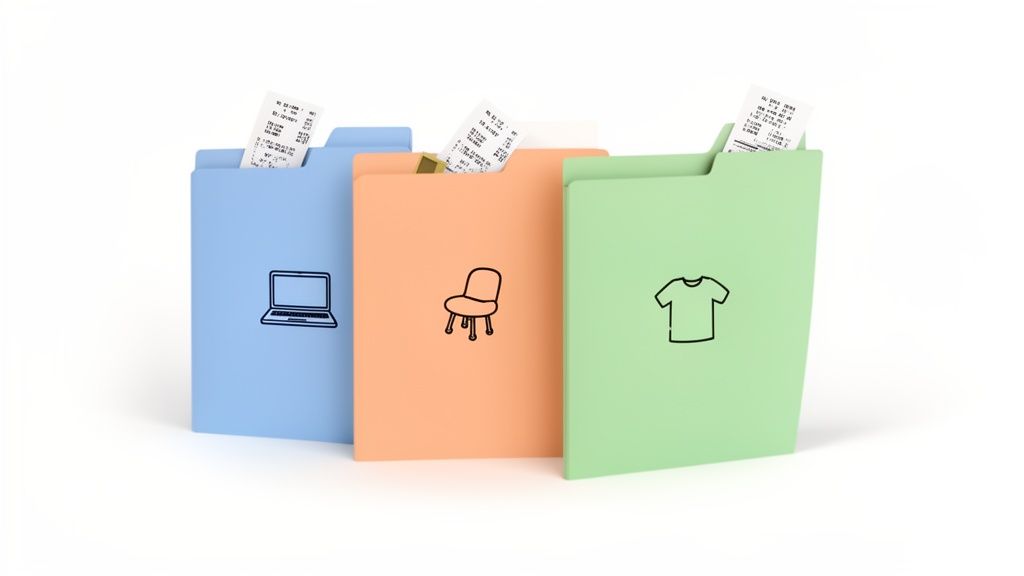
Another highly effective way to organize receipts is by sorting them based on product or expense category. Instead of arranging them by date or vendor, this method groups receipts for similar items together, such as electronics, furniture, appliances, or clothing. This logical system is perfect for tracking spending in specific areas and is invaluable for managing warranties, returns, and insurance claims.
Organizing by category transforms your receipts from a simple chronological record into a functional inventory of your purchases. It provides a clear overview of what you own, making it easy to find proof of purchase for a specific type of item without having to remember when or where you bought it. This is arguably the best way to organize receipts for anyone focused on asset management and household inventory.
How to Implement This Method
This system can be applied to both physical and digital receipts. For paper receipts, you can use color-coded folders or labeled envelopes. For digital files, use a clear folder structure on your computer or cloud storage. The key to success is consistency.
To get started, consider these best practices:
- Establish a Master List: Before you begin, create a defined list of categories (e.g., Electronics, Home Improvement, Clothing, Auto, Groceries) and stick to it. This prevents confusion and ensures every receipt has a designated home.
- Align with Digital Tools: If you use an inventory app like Vorby, mirror its categorization system. This creates a seamless link between your physical receipts and your digital inventory, connecting proof of purchase directly to the item record.
- Use Visual Cues: For physical filing, assign a specific color to each category. For example, use a blue folder for electronics and a green one for household goods. This makes grabbing the right file quick and intuitive.
- Handle Multi-Category Receipts: If a single receipt contains items from multiple categories, you can either file it under the most expensive item's category or make a photocopy or digital scan for each relevant category.
5. Mobile App-Based Receipt Management
Dedicated mobile apps offer a powerful, all-in-one solution for managing receipts directly from your smartphone. This method streamlines the process by combining capture, storage, and organization into a single workflow. Using your phone’s camera, you can instantly photograph a receipt at the point of sale, and the app will store it securely in the cloud, often using OCR to extract key details automatically.
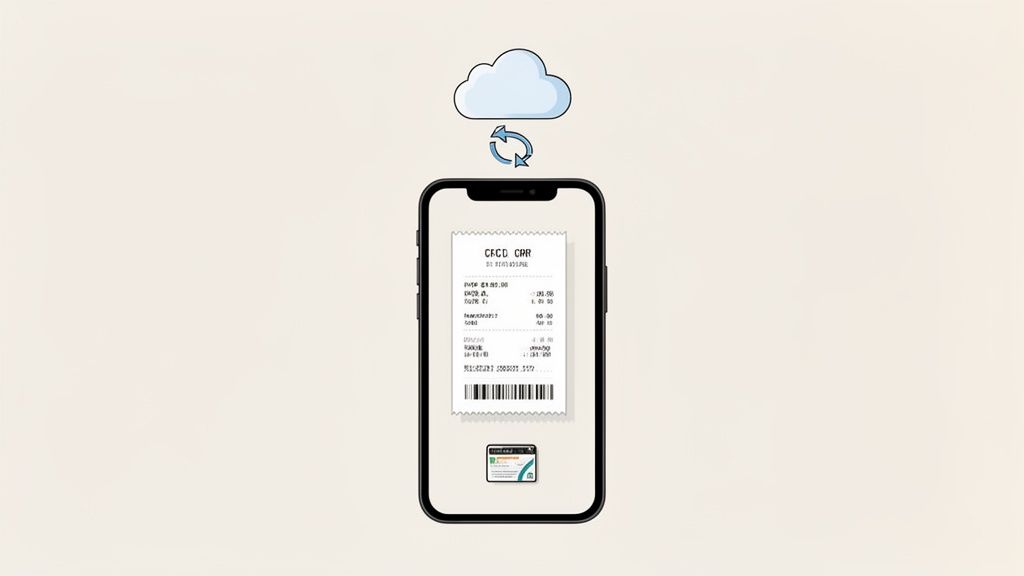
This approach is the best way to organize receipts for those who are always on the go, as it eliminates the risk of losing paper copies. Modern apps like Expensify, Wave, and Shoeboxed provide robust features for expense tracking, categorization, and reporting, making them ideal for both personal finance and small business accounting. It transforms receipt management from a chore into a simple, immediate action.
How to Implement This Method
Adopting a mobile app is one of the easiest ways to get organized. The key is to build a consistent habit of capturing receipts immediately after a purchase. Leading apps in this space, such as Vorby’s comprehensive iPhone app, not only capture receipts but integrate them into a larger organizational system.
To make the most of this method, follow these best practices:
- Capture Immediately: Photograph your receipt as soon as you receive it. This simple habit prevents receipts from getting lost or damaged in your wallet or car.
- Link to Inventory: When you purchase an item for your home, use an app like Vorby to link the digital receipt directly to its corresponding inventory item. This creates an invaluable record for warranties, insurance claims, and returns.
- Use Tags and Categories: Take advantage of the app’s organizational features. Tag receipts with specific item names or project codes (e.g., "Kitchen Renovation" or "New Laptop") to make them easily searchable later.
- Enable Reminders: Turn on push notifications if the app offers them. These can remind you to verify OCR data or categorize a new receipt, ensuring your records stay accurate and up-to-date.
- Regularly Back Up: While most apps use secure cloud storage, consider performing an occasional export or backup to a secondary location like Google Drive or Dropbox for added peace of mind.
6. Warranty and Guarantee Tracking System
One of the most valuable, yet often overlooked, reasons for keeping receipts is for warranty claims. A dedicated warranty and guarantee tracking system organizes receipts not by date or vendor, but by their active coverage period. This proactive approach transforms your receipts from simple proof of purchase into actionable tools for repairs and replacements, ensuring you never miss an opportunity to use the coverage you paid for.
This method involves linking receipts directly to the products they cover and flagging them with warranty expiration dates. It's the best way to organize receipts for high-value items like electronics, appliances, and tools. Instead of digging through a box when something breaks, you can instantly confirm if an item is still under warranty, saving significant money on service calls and replacements.
How to Implement This Method
Building a warranty tracking system can be as simple as a spreadsheet or as sophisticated as a dedicated app. The key is to capture the necessary information right after purchase, when the receipt and warranty documents are easily accessible. This creates a reliable database of your assets and their associated protections.
To effectively track your warranties, follow these steps:
- Centralize All Documents: Digitize the receipt, the warranty card, and any extended service plan documents. Store them together in a single digital folder or link them to one inventory entry.
- Set Expiration Alerts: Use a calendar or a tracking app to set a reminder for 30 days before each warranty expires. This gives you time to assess the item's condition and file a claim if needed.
- Link Receipts to Inventory: Use a tool designed for this purpose to connect each receipt to its corresponding item. For instance, Vorby's platform allows you to upload a receipt and link it directly to a specific product in your home inventory.
- Photograph Serial Numbers: Alongside the receipt, take a clear photo of the product’s serial number and model number. Many manufacturers require this information for a claim, and having it on hand simplifies the process.
Modern inventory apps are designed to make this process seamless. You can explore how to build an integrated system by learning more about Vorby's warranty tracking feature and see how it connects your purchases to their coverage periods automatically.
7. QR Code and NFC Tag Integration System
For a truly futuristic approach to organization, integrating QR codes and Near Field Communication (NFC) tags can bridge the gap between your physical items and their digital records. This method involves attaching a unique QR code or NFC tag to an item, its storage container, or even a physical copy of the receipt. When scanned with a smartphone, it instantly pulls up the associated digital receipt, warranty information, and other crucial details from a linked database.
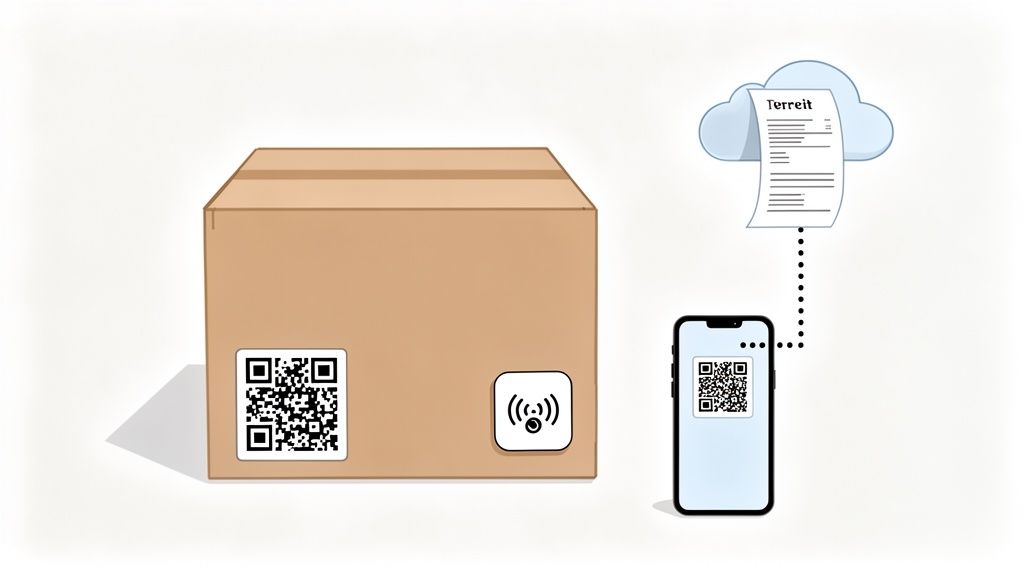
This system transforms static objects into interactive data points, making it the best way to organize receipts for high-value electronics, furniture, or anything stored in opaque boxes. Imagine scanning a tag on your TV to immediately access the purchase receipt for a warranty claim or tapping your phone on a storage bin to see a complete manifest of its contents. Before diving into specific integration systems, you might want to understand what a QR code is and how it works in general.
How to Implement This Method
Setting up a QR or NFC system is accessible with modern apps and simple hardware. Platforms like Vorby generate unique QR codes for each item in your inventory, which you can then print on adhesive labels. NFC tags are small, affordable stickers that can be programmed using most modern smartphones.
Follow these steps to get started:
- Generate and Link Codes: Use an app like Vorby to create a digital record for a new purchase, including its scanned receipt. The app will generate a unique QR code for that item.
- Attach to Items or Containers: Print the QR code on a label and affix it directly to the item, its manual, or the box it's stored in. For an even slicker solution, program an NFC tag with the URL to the item’s digital record and stick it in a discreet location.
- Scan for Instant Access: When you need the receipt or warranty info, simply scan the code or tap the NFC tag with your phone. The linked record will appear instantly, eliminating any need to search through files or folders.
- Label Storage Boxes: Attach a QR code to the outside of storage bins. A quick scan can reveal a full list of contents, complete with links to individual item receipts and photos, so you never have to guess what’s inside.
This method provides unparalleled context and accessibility, making your physical inventory as easy to browse as a digital catalog. You can learn more about building your own QR code inventory system to see how powerful this technique can be.
8. Multi-Location and Room-Based Organization
For those seeking a truly comprehensive household management system, organizing receipts by the physical location of the purchased item is a powerful strategy. Instead of filing by date or category alone, this method mirrors the layout of your home, linking a receipt to the specific room where its corresponding item is stored or used. This creates an intuitive, visual inventory system where proof of purchase is tied directly to the physical asset.
This approach transforms your receipt archive from a simple financial record into a dynamic household inventory tool. It's the best way to organize receipts if you need to quickly find a warranty for a kitchen appliance, check the purchase date of bedroom furniture, or track the value of tools in your garage. For homeowners, renters, and anyone managing multiple properties, this system provides unparalleled clarity and control.
How to Implement This Method
The key to this system is creating a filing structure, whether digital or physical, that matches your home’s layout. This method is particularly effective when paired with an inventory management tool that supports location tagging.
- Create a Location-Based Folder Structure: Set up digital or physical folders named after rooms in your home:
Kitchen,Living Room,Garage,Master Bedroom, etc. File receipts for items within their respective room folders. - Use Location Tagging in an App: Tools like Vorby are designed for this. When you scan a receipt and create an inventory item, use its location tagging feature to assign the item to a specific room. This links the digital receipt, warranty information, and physical location in one place.
- Note Item Movements: If you move an item, for example, a bookshelf from the living room to the office, update its location in your system. This keeps your inventory accurate and ensures you can always find the associated receipt.
- Generate Room-Specific Reports: Use your system to generate reports for insurance purposes or home management. For instance, you could quickly pull a list of all high-value electronics in your living room, complete with their purchase receipts.
- Coordinate with Household Members: For shared living spaces, a centralized, room-based system allows everyone to know where items belong and where to find their documentation, preventing confusion and duplicate purchases.
9. Spreadsheet-Based Receipt Database System
For those who prefer a hands-on, customizable approach, creating a spreadsheet-based receipt database is a powerful method. Using software like Google Sheets or Microsoft Excel, you can build a system tailored precisely to your needs, tracking far more than just vendor and amount. This transforms your receipts from a simple log into a rich, sortable database for detailed analysis.
This system is the best way to organize receipts for users who want complete control over their financial data without relying on a third-party app. It allows for flexible searching, sorting, and reporting, making it ideal for tracking household budgets, monitoring warranty expirations, or managing expenses for a rental property. The ability to add custom columns for notes or item descriptions provides a level of detail unmatched by many automated systems.
How to Implement This Method
Setting up a receipt spreadsheet is a straightforward process that grants you immediate control. The key is to establish a consistent structure from the start to ensure your data remains clean and useful over time.
To get started, follow these best practices:
- Establish Standard Columns: Create consistent headers for essential data like
Date,Vendor,Amount,Category,Item Description, andWarranty Expiration. Use data validation for theCategorycolumn to enforce uniform entries. - Link to Digital Files: After scanning your receipt, store the digital file in a cloud service like Google Drive or Dropbox. Then, insert a hyperlink to the file directly into a cell in your spreadsheet for instant access.
- Create Pivot Tables: Use pivot tables to analyze your spending habits. You can quickly generate reports that summarize expenses by category, vendor, or month, providing valuable insights into your budget.
- Automate and Back Up: Use conditional formatting to automatically highlight rows with expiring warranties. Remember to back up your spreadsheet regularly to multiple cloud locations to prevent data loss. For enhanced visual tracking, you can supplement your spreadsheet by linking to items cataloged in an inventory system like Vorby.
10. Collections and Specialty Item Receipt Tracking
For collectors of art, antiques, vintage wine, or other specialty items, a receipt is more than just proof of purchase; it is a critical piece of provenance. This specialized system goes beyond simple expense tracking by linking each receipt to a detailed record of the item itself, documenting its origin, condition, appraisal value, and history. It transforms receipt organization from a financial task into an act of archival preservation.
This method is the best way to organize receipts for anyone whose possessions carry significant non-monetary or appreciating value. It ensures that crucial documentation for insurance, appraisal, or future sale is never lost. By connecting a receipt to its corresponding item, you create a comprehensive and verifiable record that protects your investment and preserves its story for years to come.
How to Implement This Method
Implementing this system requires a tool that can connect financial data with rich item details. A dedicated inventory management app is ideal for this purpose, allowing you to build a complete digital catalog of your collection.
- Create Detailed Item Profiles: For each collectible, start a new inventory entry. Use your phone to take high-resolution photos from multiple angles, capturing any unique marks or signatures.
- Link Receipts and Documents: Scan the purchase receipt and any accompanying documents, like authentication certificates or grading reports. Attach these digital files directly to the item’s profile.
- Document Condition and History: Add detailed notes about the item’s condition, any repairs or restoration work performed, and its known history (provenance). Include dates and costs for any work done.
- Track Location and Value: Note the physical storage location, especially for items requiring specific environmental conditions like a wine cellar. Regularly update the item's appraised value for insurance purposes.
- Utilize Collection-Specific Tags: Create custom tags or categories within your system to organize your collection logically, for example, by artist, vintage, or series. This makes searching and generating reports for insurance or appraisal straightforward.
Receipt Organization: 10-Method Comparison
| Method | Implementation complexity 🔄 | Resource requirements ⚡ | Expected outcomes 📊 | Ideal use cases 💡 | Key advantages ⭐ |
|---|---|---|---|---|---|
| Digital Receipt Scanning and OCR Technology | Medium 🔄, app/scanner setup, occasional review | Moderate ⚡, smartphone/scanner + cloud storage | High 📊, searchable digital receipts; fewer entry errors | Paper receipts, warranty preservation, frequent in-store buys | ⭐ Eliminates manual typing; searchable; inventory integration |
| Email Receipt Forwarding and Automated Parsing | Low 🔄, forward rules + parser configuration | Low ⚡, email account + parsing service | High 📊, immediate capture; auto-created entries | Online purchases; automatic ingestion of e-receipts | ⭐ Hands-off capture; real-time inventory updates |
| Chronological Filing System (Physical and Digital) | Low 🔄, simple date-based filing | Low ⚡, folders or basic cloud directories | Medium 📊, clear timeline; limited category search | Tax tracking, purchase history review, simple bookkeeping | ⭐ Intuitive; minimal overhead |
| Category-Based Organization System | Medium 🔄, requires consistent categories | Low–Moderate ⚡, folders/tags, occasional reorg | High 📊, fast product-type retrieval; aligned warranties | Insurance docs, warranty claims, product returns | ⭐ Easy product-focused lookup; insurance-friendly |
| Mobile App-Based Receipt Management | Low–Medium 🔄, app install & setup; learning curve | Moderate ⚡, smartphone + app/cloud subscription | High 📊, instant capture, sync, analytics | On-the-go capture, expense reporting, inventory linking | ⭐ Convenient; OCR + real-time sync |
| Warranty and Guarantee Tracking System | Medium 🔄, detailed entry and periodic review | Low–Moderate ⚡, calendar/DB and manual inputs | High 📊, timely alerts; fewer missed claims | Appliances, electronics, items with limited warranties | ⭐ Prevents missed claims; automates reminders |
| QR Code and NFC Tag Integration System | Medium–High 🔄, tag generation, placement, DB linking | Moderate ⚡, QR/NFC tags, compatible devices, DB | High 📊, instant physical↔digital access; location mapping | Storage boxes, shared households, collectors | ⭐ Bridges physical and digital; fast retrieval |
| Multi-Location and Room-Based Organization | High 🔄, detailed mapping and ongoing maintenance | Moderate ⚡, structured folders/tags + tagging effort | High 📊, accurate location-based retrieval | Large homes, movers, shared living spaces | ⭐ Mirrors home layout; improves coordination |
| Spreadsheet-Based Receipt Database System | Medium 🔄, template design and discipline | Low ⚡, spreadsheet software + manual entry time | Medium–High 📊, customizable reports and filters | Custom analysis, budgets, collaborative tracking | ⭐ Highly customizable; powerful sorting/filtering |
| Collections and Specialty Item Receipt Tracking | High 🔄, detailed provenance and appraisal work | High ⚡, high-res photos, appraisals, secure records | High 📊, robust insurance/provenance documentation | Collectors, high-value assets, galleries | ⭐ Comprehensive documentation for insurance/valuation |
Choosing Your Perfect System for Lasting Organization
We have explored a wide array of methods, from the tangible satisfaction of physical filing systems to the automated efficiency of digital tools. Navigating through the options, including digital scanning with OCR, automated email parsing, chronological and category-based systems, and specialized tracking for warranties or collections, can feel overwhelming. Yet, the core message remains simple: the best way to organize receipts is not about finding a single, perfect method. Instead, it is about designing a personalized system that aligns with your lifestyle, goals, and technological comfort level.
The true breakthrough in receipt management comes when you realize these systems are not mutually exclusive. The most robust and sustainable solutions are often hybrids, combining the strengths of multiple approaches to create a comprehensive and resilient workflow. This blended strategy allows you to adapt to different types of receipts and situations seamlessly.
Forging Your Hybrid System
Imagine a practical, real-world scenario. You might adopt a multi-pronged approach like this:
- For Everyday Purchases: Use a dedicated mobile app for on-the-go scanning. Snap a photo of your grocery or coffee receipt the moment you get it, add a quick tag like "groceries" or "business-lunch", and then discard the physical paper. This takes seconds and prevents pocket or purse clutter.
- For Online Shopping: Implement an automated email forwarding system. By setting up a simple filter in your inbox, all e-commerce receipts are sent directly to a service that parses them, extracts the key data, and files it away without any manual effort.
- For Major Investments: Maintain a simple, physical, category-based folder system for high-value items. Receipts for home renovations, new appliances, or expensive electronics (especially those with warranties) can be stored in clearly labeled folders for quick access and peace of mind.
- For Tax-Deductible Expenses: Utilize a spreadsheet or a dedicated digital folder tagged "Taxes 2024". Whether scanned or digitally native, every relevant receipt goes into this central location, making tax preparation significantly less stressful.
This hybrid model ensures that every receipt has a designated home, leveraging the best tool for each specific job. It is both flexible and powerful.
The Power of Habit Over Perfection
Ultimately, the success of any organizational system hinges on consistency, not complexity. A simple system you use daily will always outperform a sophisticated one you neglect. The key is to transform the act of processing receipts from a dreaded chore into a simple, ingrained habit.
Key Takeaway: Don't aim for a perfect, all-encompassing system from day one. Instead, focus on building a small, consistent habit. Start by dedicating just 10-15 minutes at the end of each week to file, scan, or process that week's receipts. This small investment of time prevents backlogs and makes the entire process manageable.
The true value of organizing receipts extends far beyond simply tidying up. A well-organized system empowers you. It simplifies returns, streamlines warranty claims, provides a clear picture of your spending for budgeting, and makes tax season a breeze. When integrated with a home inventory, it creates a powerful, searchable database of everything you own, complete with proof of purchase, value, and warranty information. This transforms a pile of flimsy papers into a vital record of your assets.
Your journey to find the best way to organize receipts is a personal one. Experiment with the methods we have discussed, borrow elements from different systems, and build a workflow that brings you clarity and control. The goal is not just to manage paper; it is to master your financial information and protect the value of the things you own.
Ready to move beyond manual entry and fragmented systems? Vorby integrates powerful receipt parsing directly with your home inventory, automatically linking purchase details to the items you own. Start building a smarter, more connected inventory today at Vorby.