
The traditional family command center, often a cluttered whiteboard in the kitchen, struggles to keep up with the demands of modern households. Managing schedules, appointments, school papers, and the constant question of “where is the…?” requires a smarter, more integrated approach. This guide moves beyond basic calendars to explore a new generation of family command center ideas that blend physical organization with powerful digital tools. We will show you how to build a central hub that not only tracks daily activities but also creates a complete, searchable inventory of everything your family owns.
This is not just another list of ways to hang a calendar. Instead, you will discover actionable strategies for creating systems that manage everything from pantry staples to emergency supplies and seasonal decorations. The goal is to reduce daily friction, give you back valuable time, and create a home that runs with predictable efficiency. We will cover specific concepts like digital inventory hubs with QR code mapping, smart storage systems, and dedicated centers for tracking warranties and maintenance schedules. Each idea is designed to be practical and implementable, helping you transform household chaos into organized clarity. Prepare to see how innovative family command center ideas can streamline your home management.
1. Digital Inventory Hub with QR Code Mapping
Transform your family command center into a high-tech organizational powerhouse by creating a digital inventory hub. This system uses QR codes or NFC tags to link physical storage locations, like bins, shelves, or closets, to a digital catalog on your phone or tablet. Instead of guessing what’s inside a box in the attic, you can scan its code and instantly see a list of its contents, complete with photos and descriptions.
This method is perfect for managing items you don't access daily, such as holiday decorations, seasonal clothing, or sentimental keepsakes. For example, a family can label each holiday bin with a unique QR code. A quick scan reveals whether it contains Halloween costumes or Christmas ornaments, eliminating the need to open multiple containers. To effectively manage your belongings and ensure all items are accounted for, integrating a robust home inventory management software can be a game-changer.
Implementation Tips
- Start Small: Begin with a single, high-clutter area like the garage or a storage closet to avoid feeling overwhelmed.
- Assign an Inventory Manager: Designate one family member to oversee the system, ensuring consistency in labeling and data entry.
- Use Consistent Photos: Take clear, well-lit photos of items for the digital inventory. Consistent angles make visual recognition much faster.
- Place Codes Wisely: Attach QR codes to the exterior of containers where they are easy to see and scan without moving heavy boxes.
This digital approach is one of the most effective family command center ideas for those who want a precise, searchable, and modern way to track their belongings. To learn more about setting up this powerful tool, explore the details of a QR code inventory system and see how it can streamline your home organization.
2. Family Command Center with Shared Digital Dashboard
Bridge the gap between physical and digital organization by creating a family command center powered by a shared digital dashboard. This hybrid system pairs a traditional physical hub in a high-traffic area, like the kitchen, with a synchronized app accessible on all family devices. The physical board displays immediate needs like calendars and mail, while the digital dashboard manages dynamic information such as shared grocery lists, household inventories, and the real-time location of commonly used items.
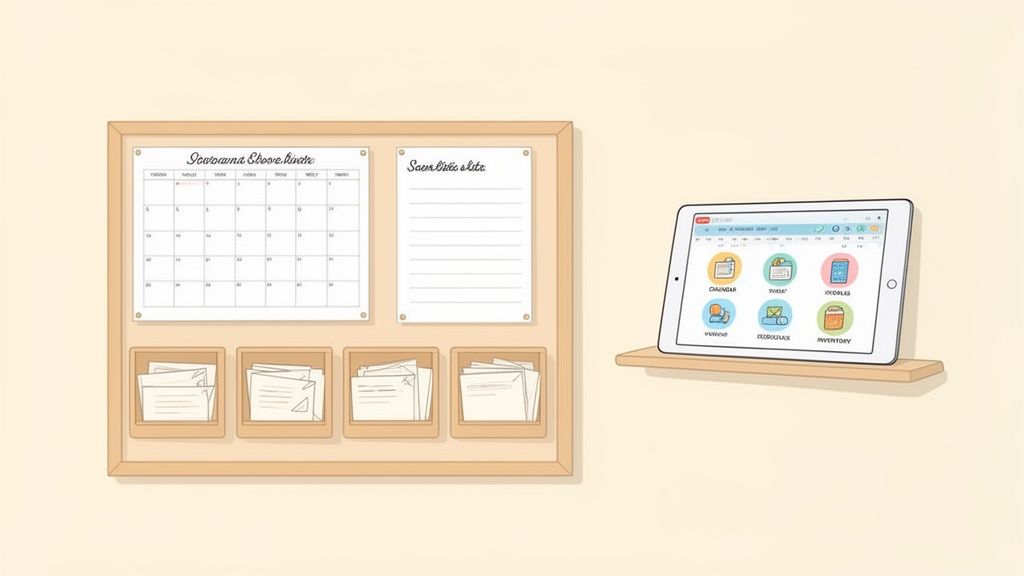
This setup excels in busy households where coordination is key. For example, a parent can quickly locate a child’s sports equipment by checking its status on the app, or a family member at the store can see that pantry staples are running low. To streamline these efforts, using a dedicated household management software can integrate all these functions into one seamless platform.
Implementation Tips
- Establish a Daily Sync: Set a specific time each day, like during breakfast or after dinner, for family members to update their tasks and check the dashboard.
- Assign Management Roles: Give each person responsibility for specific categories, for example, one person manages pantry inventory while another tracks shared tools.
- Use Color-Coding: Implement a color-coded system for tasks and appointments to signify urgency or assign ownership, both on the physical board and in the app.
- Track Borrowed Items: Create a dedicated section in your digital inventory for items lent to or borrowed from others, ensuring everything is accounted for.
This integrated approach is one of the most versatile family command center ideas, blending tangible reminders with the power of instant, remote updates for a truly connected home.
3. Smart Storage Container System with Digital Tagging
Elevate your family command center ideas by creating a smart storage container system paired with digital tagging. This approach combines uniform, labeled storage containers with a digital inventory, where each box is assigned a unique identifier like a QR code or NFC tag. Instead of guessing which bin holds the craft supplies, any family member can scan the tag with a smartphone and instantly view a detailed list of its contents, making item retrieval effortless and efficient.
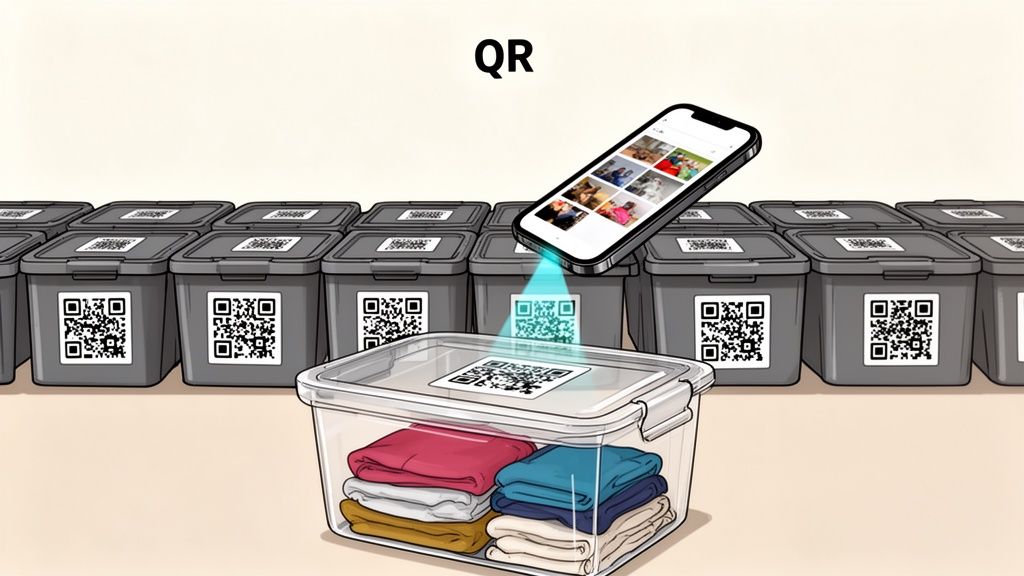
This method is ideal for organizing collections and rotating items throughout the year. Craft enthusiasts can categorize materials by project, collectors can manage memorabilia, and families can easily track seasonal holiday decorations. Beyond digital organization, a physical system for managing items is crucial, which is where understanding how to implement smart basement storage solutions can transform your home. By uniting physical order with digital precision, you create a home-wide system that anyone can navigate.
Implementation Tips
- Use Clear Containers: Whenever possible, use clear bins. This allows for quick visual identification of contents, complementing the digital tag.
- Create a Master List First: Before taking photos and uploading, create a master spreadsheet of your items. This simplifies the bulk upload process into your inventory app.
- Implement a Rotation System: For seasonal items like clothing or decor, establish a clear "active" and "storage" location in your inventory. This makes swapping them out simple.
- Track Expiration Dates: When storing items like pantry goods, first-aid supplies, or batteries, add expiration dates to the digital entry to receive timely replacement alerts.
4. Warranty and Maintenance Tracking Center
Turn your command center into a hub for household management by creating a dedicated system for warranties, manuals, and maintenance schedules. This approach combines a physical file system for important documents with a digital database, ensuring you can quickly find purchase dates, model numbers, and repair contacts when an appliance or electronic device fails. Instead of scrambling to find a receipt when the dishwasher breaks, you have all the necessary information organized and accessible.
This system is invaluable for homeowners tracking major appliance warranties (like the HVAC system or refrigerator), tech-savvy families managing multiple electronic devices, or anyone preparing for insurance assessments. For instance, a family can create a binder with sections for each room, filing the corresponding manuals and receipts. Simultaneously, they can upload digital copies and set expiration reminders in an app, creating a failsafe organizational method.
Implementation Tips
- Capture Receipts Automatically: Use an app or email rule to automatically capture and file digital receipts for new purchases, eliminating manual data entry.
- Set Expiration Alerts: Use a digital calendar or tracking tool to set reminders 30 days before a warranty expires, giving you time to address any issues.
- Organize by Category: Group items by room (kitchen, living room) or system (plumbing, electronics) for intuitive and rapid retrieval.
- Include Service Contacts: Store contact information for trusted repair services alongside the relevant product information for quick access during emergencies.
- Photograph Key Details: Take clear photos of serial numbers, model labels, and the item itself and attach them to the digital record.
This focused tracking system is one of the most practical family command center ideas for protecting your investments and simplifying repairs. To build an efficient digital system, explore the benefits of a dedicated warranty tracking software that can centralize all your important product information.
5. Borrowed Item Accountability System
Elevate your family command center by implementing a dedicated system for tracking items you lend out or borrow from others. This specialized approach uses a shared digital inventory to create a transparent log of who has what, including loan dates, expected returns, and condition notes. By centralizing this information, you can prevent lost items, avoid misunderstandings, and reduce potential strain on relationships with friends, family, and neighbors.
This system is invaluable for community-oriented activities where items are frequently exchanged. For example, a neighborhood could create a shared inventory for a tool library, or a group of friends could track shared party equipment like tables and chairs. It also works perfectly for extended families managing the loan of valuable or sentimental items. Using an inventory app with sharing features allows both parties to see the item's status, ensuring everyone is on the same page.
Implementation Tips
- Create a "Loaned Out" Category: Designate a specific category or space within your digital inventory exclusively for borrowed and lent items.
- Document Item Condition: Before lending anything, take a quick photo and add a note about its condition. This creates a clear record for both the owner and the borrower.
- Set Return Reminders: Use your inventory app to set automatic reminders for return dates to provide a gentle, automated nudge.
- Grant Shared Access: Give borrowers view-only access to the specific item entry. This transparency empowers them to check details without needing to ask.
This accountability system is one of the most practical family command center ideas for maintaining harmony and organization within your community. It transforms casual lending into a clear, manageable process.
6. Collector's Cataloging System
For families with passionate collectors, a command center can evolve into a specialized hub for managing valuable collections. This system moves beyond basic inventory to create a detailed catalog for items like trading cards, vinyl records, wine, or antiques. It involves documenting crucial details such as valuation, condition grading, provenance, and acquisition history, transforming a simple hobby space into a semi-professional archive.
This approach is ideal for anyone whose collection represents a significant investment of time or money. For instance, a trading card enthusiast can track market values and set completion, while a wine aficionado can monitor provenance and optimal cellaring conditions. Using tools with image recognition and advanced tagging allows for rapid cataloging, making it one of the most sophisticated family command center ideas for protecting and appreciating valuable assets.
Implementation Tips
- Batch Your Work: Photograph and document similar items in batches, such as all cards from the same series or books from the same author, to streamline the process.
- Use Custom Tags: Create specific tags for rarity levels (e.g., "Rare," "Limited Edition"), authentication status, or condition grades to make your collection easily searchable.
- Link to Databases: Where possible, link entries to external valuation databases like pricing guides for trading cards or auction results for antiques to keep financial information current.
- Track Financials: Include fields for both the original acquisition price and the current market value to monitor the collection's growth as an asset.
- Create Redundant Backups: Regularly back up all documentation, especially for high-value collections, to a secure cloud storage service to prevent data loss.
7. Emergency Preparedness and Home Safety Inventory
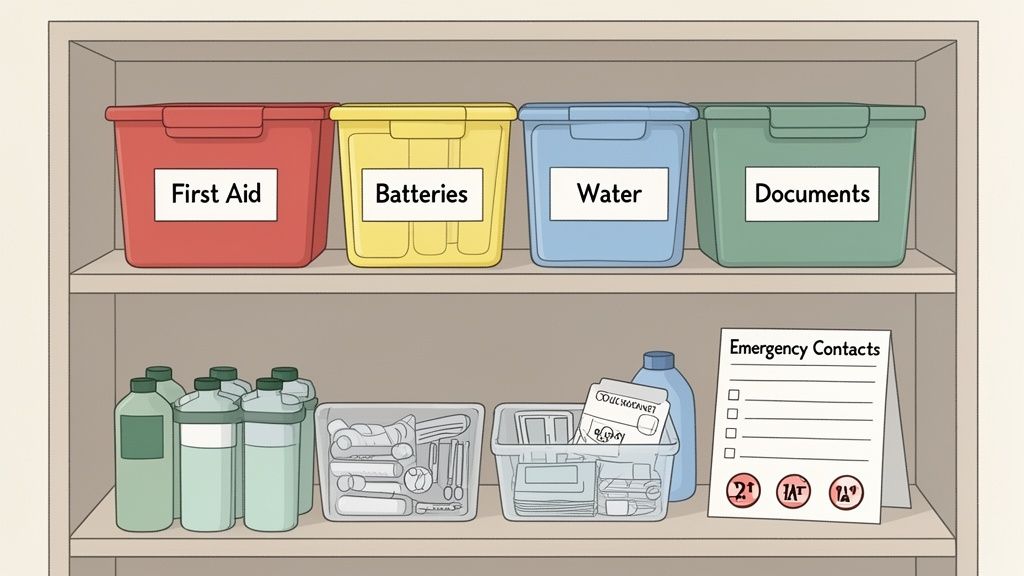
Integrate a vital layer of security into your family command center with a dedicated emergency preparedness and home safety inventory. This system centralizes critical information, cataloging everything from first aid supplies and fire extinguishers to important documents and emergency contacts. By creating a digital inventory, every family member can quickly locate life-saving equipment and essential paperwork during a crisis, ensuring a swift and organized response.
This setup is crucial for any household, especially those in disaster-prone areas. For instance, a family can catalog the contents of their earthquake kit, complete with expiration dates for food and water. This system also organizes vital household information, such as insurance policies, property deeds, and medical records, making them accessible in seconds. Using a tool like Vorby's inventory system with encryption features ensures that sensitive documents are both secure and readily available when needed most.
Implementation Tips
- Create a Printed Backup: While a digital system is efficient, always maintain a physical, waterproof binder with copies of the most critical information, like contact lists and medical details.
- Include Medical Information: Catalog each family member's allergies, medications, blood type, and any significant medical conditions for quick reference by first responders.
- Schedule Quarterly Reviews: Set a recurring calendar reminder every three months to check the expiration dates on medical supplies, batteries, and non-perishable food items.
- Photograph Your Home: Take comprehensive photos of your home's exterior, interior, and major systems (like the water heater and electrical panel) for insurance claim purposes.
This addition transforms your hub from a daily organizer into a critical safety resource, making it one of the most important family command center ideas for ensuring peace of mind.
8. Seasonal Item Rotation Management System
Integrate a dedicated system for managing seasonal items into your family command center to streamline the year-round rotation of clothing, decorations, and equipment. This approach focuses on organizing items that are only used during specific times, such as holiday decor, winter coats, or summer sports gear. By creating a clear, trackable system, you can eliminate the frantic search for last year’s inflatable pool or the box of Christmas lights.
This method is invaluable for families managing multiple storage areas. For example, a gardener can tag and photograph their tools and seed packets by season, noting which items need to be brought out for spring planting. Similarly, families can organize children’s clothing by size and season, making it easy to retrieve the next size up when the weather changes. This system prevents forgotten items and unnecessary repurchases.
Implementation Tips
- Use Smart Tagging: When storing items, tag them with both the current season (e.g., "Stored_Fall_2024") and the next season they will be needed (e.g., "Use_Winter_2025").
- Photograph Before Storing: Take a quick photo of items before packing them away. This creates a visual record of their condition and contents.
- Establish Naming Conventions: Use a consistent format like 'Winter_Clothes_Kids_2024' to make searching digital inventories simple and effective.
- Note Repairs Needed: As you pack items, make a digital note of anything that needs to be repaired or replaced before its next use.
- Schedule Swaps on the Calendar: Add reminders to your family calendar for when to retrieve and store seasonal bins to make the transition seamless.
This is one of the most practical family command center ideas for maintaining order throughout the shifting demands of the year, ensuring you always have what you need, right when you need it.
9. Shared Household Resource Planning Center
Elevate your family command center by creating a shared system for managing consumable household items like groceries, cleaning supplies, and toiletries. This approach combines digital pantry inventory tracking with shared access, enabling coordinated purchasing to prevent stockouts and reduce waste. Everyone in the household gets a real-time view of what’s available, eliminating duplicate purchases and last-minute store runs.
This method is ideal for families coordinating grocery lists, roommates managing shared pantry items, or multi-generational households tracking specific dietary needs. For instance, a family can set reorder points for essentials like paper towels or milk, receiving an automatic alert when supplies run low. Roommates can photograph pantry shelves weekly to update their shared digital inventory, ensuring everyone knows who needs to buy what.
Implementation Tips
- Use Image Recognition: Speed up data entry by using an app’s image recognition feature to quickly add new groceries to your inventory just by taking a picture.
- Set Reorder Points: Assign minimum quantity levels for frequently used items. This creates an automated shopping list when stock gets low.
- Color-Code Categories: Assign colors to items based on family member preferences, dietary restrictions (like gluten-free), or category (e.g., cleaning vs. food).
- Automate with Receipts: Some tools can parse email receipts from grocery orders, automatically adding purchased items to your digital inventory and saving manual effort.
This strategy transforms one of the most chaotic aspects of home management into an efficient, collaborative process, making it a cornerstone of effective family command center ideas.
10. Moving and Transition Management System
For families who frequently relocate, such as military families or digital nomads, a standard command center is not enough. A Moving and Transition Management System transforms your organizational hub into a portable, dynamic inventory designed for seamless transitions between homes. This system tracks every household item, its specific packing location, and its intended placement in a new space, drastically reducing the stress of unpacking and minimizing lost belongings.
This approach is invaluable for anyone managing possessions across multiple locations, including college students with items at home and in storage, or young professionals moving between apartments. For example, a military family can create a digital inventory that maps the contents of each moving box (e.g., "Box 14: Kitchen - Silverware, Spices"). Upon arrival at a new home, they can quickly locate essential items without having to open every container, making the settling-in process faster and more organized.
Implementation Tips
- Document Before Sealing: Photograph the interior of each box before you tape it shut. Link this photo to the box's entry in your digital inventory.
- Use a Consistent Numbering System: Label boxes sequentially (e.g., Box 1, Box 2) and keep this numbering system consistent across every move to create a historical record.
- Record Item Condition: Take "before" photos of valuable or fragile items to document their condition prior to the move, which is useful for insurance purposes.
- Keep Digital Backups Accessible: Ensure your inventory list is saved to the cloud or on a device you keep with you, not packed away in a storage unit or moving truck.
This is one of the most practical family command center ideas for those in flux, offering stability and control during a chaotic time.
10-Item Comparison of Family Command Center Ideas
| System | 🔄 Implementation complexity | ⚡ Resource requirements | 📊 Expected outcomes | Ideal use cases | ⭐ Key advantages (💡 tip) |
|---|---|---|---|---|---|
| Digital Inventory Hub with QR Code Mapping | 🔄 Medium, with initial tagging and photos; routine scans | ⚡ Smartphone/app, QR/NFC tags, time for setup | 📊 Faster item location; fewer duplicates; scalable | Shared family homes, multi-room storage | ⭐ High locating accuracy; multi-user control. 💡 Start with high-traffic areas |
| Family Command Center with Shared Digital Dashboard | 🔄 Low–Medium, involving dashboard and board setup; adoption needed | ⚡ Tablet/display, web/mobile app, user accounts | 📊 Improved communication; synchronized tasks & inventory | Busy households, multi‑gen homes, remote family members | ⭐ Centralized coordination and notifications. 💡 Establish daily sync time |
| Smart Storage Container System with Digital Tagging | 🔄 Medium, requiring container procurement and standard labeling | ⚡ Uniform containers, tags, photo uploads, storage space | 📊 Consistent storage; easier decluttering and moving | Seasonal storage, craft supplies, long-term storage | ⭐ Visual consistency; simplifies packing/unpacking. 💡 Use clear containers where possible |
| Warranty and Maintenance Tracking Center | 🔄 Low–Medium, with document upload and schedule setup | ⚡ Scanner/email integration, cloud storage, calendar | 📊 Fewer missed warranties; faster repairs & claims | Appliances, electronics, homeowners, insured items | ⭐ Prevents missed claims; automated reminders. 💡 Auto-capture receipts via email |
| Borrowed Item Accountability System | 🔄 Low, just configure loan categories and shared views | ⚡ Shared accounts, contact fields, photo documentation | 📊 Reduced lost loans; clearer return timelines | Neighborhood tools, friend groups, family lending | ⭐ Low-friction accountability and traceability. 💡 Photograph condition before lending |
| Collector's Cataloging System | 🔄 High, requiring detailed metadata, valuation, and provenance tracking | ⚡ Image recognition, custom fields, external valuation sources | 📊 Insurance-ready valuations; gap analysis for collections | Trading cards, wine, books, antiques, high-value collections | ⭐ Precise valuation & provenance tracking. 💡 Batch-photograph similar items |
| Emergency Preparedness and Home Safety Inventory | 🔄 Medium, with cataloging of supplies, docs, and routes | ⚡ Secure storage/encryption, periodic reviews, printed backups | 📊 Faster emergency response; rotated supplies; claim-ready docs | Disaster-prone families, multi-family homes, safety planning | ⭐ Improves readiness and documentation access. 💡 Keep printed emergency backup |
| Seasonal Item Rotation Management System | 🔄 Medium, with season tagging and periodic reviews | ⚡ Tags, photos, calendar scheduling, storage labels | 📊 Smooth seasonal transitions; reduced over-purchasing | Holiday decor, seasonal clothing, sports/garden gear | ⭐ Reduces clutter and duplicate buys. 💡 Tag items with current and next season |
| Shared Household Resource Planning Center | 🔄 Medium–High, with continuous updates and coordination | ⚡ Frequent scans, receipt parsing, low-stock alerts | 📊 Lower waste; coordinated shopping; cost savings | Roommates, family pantries, consumable-heavy households | ⭐ Prevents stockouts and reduces waste. 💡 Set reorder points for staples |
| Moving and Transition Management System | 🔄 High, with extensive box mapping and historical tracking | ⚡ Box labels, photos, multi-space mapping, checklists | 📊 Fewer lost items during moves; faster unpacking; damage records | Frequent movers, military families, digital nomads | ⭐ Streamlines relocations and claims. 💡 Photograph box interiors before sealing |
From Ideas to Action: Building Your Family's Central Hub
We've explored a wide range of powerful family command center ideas, moving beyond the traditional calendar and whiteboard. From creating a smart storage system with QR code mapping to implementing a comprehensive emergency preparedness inventory, the core principle remains the same: transforming household chaos into streamlined, accessible order. The concepts discussed, such as a warranty tracking center, a seasonal item rotation system, and even a dedicated moving management hub, are not just about tidiness. They are about reclaiming mental energy, reducing stress, and fostering a collaborative family environment.
The true value of a modern command center lies in its adaptability. Your family’s needs are unique, and your central hub should reflect that reality. Perhaps you need the robust accountability of a borrowed item tracking system, or maybe your immediate focus is a shared resource planner to manage groceries and supplies. The key is to recognize that you don’t have to implement everything at once.
Key Takeaways for Your Family
- Start Small and Scale Up: Choose one area of friction in your home, like managing pantry inventory or tracking kids' art supplies, and build a system for it. Success in one small area creates the momentum to tackle larger organizational challenges.
- Integrate Digital and Physical: The most effective family command center ideas bridge the gap between your physical space and digital tools. A QR code on a storage bin that links to a digital inventory is a perfect example of this powerful synergy.
- Prioritize Accessibility: The best system is one that everyone in the family can use. Whether it's a shared digital dashboard accessible via phones or clearly labeled physical folders, ensure the information is easy for everyone to find and update.
- Customization is Crucial: The most successful command centers are not one-size-fits-all. They are tailored systems that solve the specific problems your family faces daily. Don't be afraid to mix and match concepts from this list to create your ideal setup.
Your Actionable Next Steps
Building your family's central hub is a journey, not a weekend project. Begin by discussing your family’s biggest organizational pain points. Do you spend too much time searching for important documents? Is meal planning a constant source of stress? Use the answers to these questions to guide your first steps.
Select one of the family command center ideas from this article that directly addresses your top priority. Gather the necessary materials, whether it's a set of smart labels, a subscription to a shared calendar app, or simply a designated shelf and some file folders. The most important step is to start. By implementing even a single system, you are laying the foundation for a more organized, less stressful, and more connected home life. This is about creating a home that runs smoothly, giving you more time and energy to focus on what truly matters: your family.
Ready to build a truly smart command center? Vorby provides the digital backbone for many of these ideas, allowing you to create shared inventories, map items with QR codes, and track everything from warranties to collections. Start organizing your home with precision by exploring what you can build with Vorby today.