Ever find yourself tearing the attic apart just to find the holiday decorations? Or digging through that one chaotic "junk drawer" for a specific charging cable you know is in there somewhere? This isn't just you; it's a universal struggle. But what if you could find anything you own in seconds, just by using your phone?
That's the magic of a modern inventory tag system. It’s like a digital map for all your physical stuff.
Why You Need a Modern Inventory Tag System
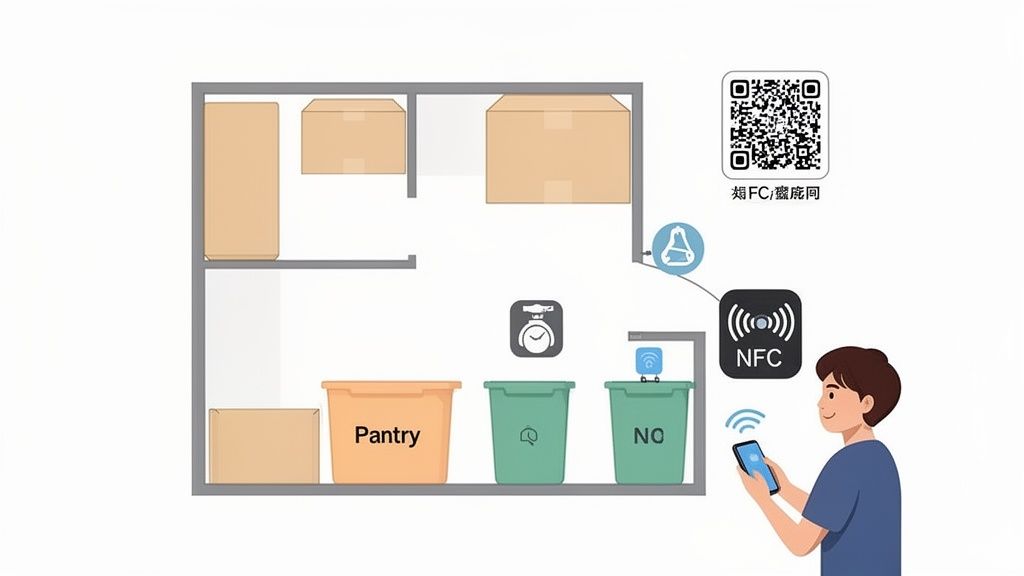
This level of organization used to be reserved for giant warehouses and commercial supply chains. Not anymore. With simple tools like QR codes and NFC tags paired with an app like Vorby, you can turn any cluttered space into a perfectly organized, searchable environment.
It’s an absolute game-changer for busy families, collectors, or anyone who's ever moved and faced a mountain of mystery boxes. You’re moving far beyond scribbled labels on masking tape and creating a reliable system that actually works.
From Store Shelves to Your Storage Bins
The core idea has been around for a while. The inventory tag system's roots stretch all the way back to 1974, when the first UPC barcode was scanned on a pack of Wrigley's chewing gum. That single scan kicked off a revolution in how businesses track their inventory.
Today, that same revolutionary logic is what Vorby brings into your home. Think about it: early distribution centers slashed shipping times by strategically organizing their warehouses. In the same way, QR codes and NFC tags let you scan a box in your garage and instantly see a list of everything inside. It’s a perfect solution for parents trying to organize toys or movers trying to make sense of a shared storage unit.
The best part? The technology has evolved from clunky, expensive commercial systems into something simple and affordable for everyone. You don't need any specialized equipment, just your smartphone and a solid plan.
The Real-World Benefits
Once you implement a home inventory system, the practical advantages show up almost immediately. You stop relying on a fuzzy memory and start relying on a single source of truth for everything you own.
Here's what that actually looks like:
- Stress-Free Searching: Find that one specific item instantly with a quick search. No more wasted time or frustration.
- Smarter Organization: Get a clear picture of what you have, which helps you stop buying duplicates and makes decluttering a breeze.
- Peace of Mind: A detailed, digital inventory is invaluable for insurance claims, especially if you have valuable collections or electronics.
- Easy Collaboration: Share your inventory with family members or roommates. Now everyone can find the Crock-Pot or the extra blankets without having to ask.
A robust inventory tag system also becomes a critical part of your broader strategy for asset protection insurance, giving you a detailed record that proves ownership and value. To dig deeper into the concept, you might find our guide on https://vorby.com/blog/what-is-a-asset-tag helpful.
Laying the Groundwork for Your System
A successful inventory tag system starts with a clear plan, not just a pile of labels. Before you stick a single tag on anything, taking a moment to think through your goals is the single most important thing you can do. A little preparation now prevents a ton of confusion and rework later, ensuring the system you build is one you’ll actually stick with.
The first big decision is figuring out the scope. Are you going to tackle the entire house at once, or start with a single, chaotic space like the garage or that one kitchen pantry? For most of us, starting small is the key to success. Pick one area, get your process down, and then expand from there. This keeps the project from feeling overwhelming and helps you build momentum.
Think about it, from ancient ledgers to modern AI, inventory systems have been slashing waste and boosting accuracy for centuries. By the 2000s, commercial barcode readers were updating databases automatically, a huge leap from the weeks it took to do manual counts. Your home system can have that same efficiency, but only if you plan first to avoid the classic pitfalls.
Establish a Logical Hierarchy
Your home is already organized into a natural hierarchy; your inventory system should simply mirror that. Think of it like a set of digital nesting dolls, where each one fits neatly inside the other.
A simple, effective structure might look like this:
- House: The top-level location, the big picture.
- Room: Basement, Garage, Kitchen.
- Zone: North Wall Shelving, Under-Stairs Storage, Pantry Cabinet.
- Container: Clear Plastic Bin #4, Blue Tool Chest, Wicker Basket.
This structure is what allows you to know not just what you have, but exactly where it is. When you use Vorby’s natural language search to ask for your camping tent, it can tell you it's in the basement, on the north wall, inside the green duffel bag. That's the power of a good hierarchy.
Choosing Your Tag Technology
When it comes to the tags themselves, you’ve got two main choices: QR codes and NFC tags. Each has its own strengths, and the right one really depends on what you’re tagging and where it lives.
A quick comparison can help you decide which tag type is best for different areas and items in your home.
Choosing the Right Tag: QR Codes vs NFC
| Feature | QR Codes | NFC Tags |
|---|---|---|
| Scanning Method | Requires camera line-of-sight | Requires a close-range tap |
| Cost | Very low (can be printed at home) | Higher (must purchase physical tags) |
| Durability | Varies by label paper quality | Generally very durable and waterproof |
| Best Use Case | Boxes on high shelves, large containers, or anything you need to scan from a distance. | Discreetly placed on electronics, inside cabinet doors, or on items in harsh environments like a toolbox. |
For most homes, a hybrid approach works best. Use inexpensive, printable QR codes for the bulk of your storage bins and boxes. Then, invest in a small batch of durable NFC tags for high-value electronics, tools, or anything that needs a more resilient and subtle tagging solution.
A smart approach to tagging is a core part of any modern inventory system. You can learn more about the fundamentals in our guide to barcode tracking systems.
Bringing Your Inventory System to Life
Okay, you've got your strategic plan. Now it's time to roll up your sleeves and move from theory to action. This is the exciting part where your digital inventory becomes a physical reality, tag by tag, turning those chaotic spaces into zones of pure, findable order. Trust me, the effort you put in now pays off massively in long-term peace of mind. No more frantic searching.
The first move is to generate your initial batch of QR codes. Inside the Vorby app, you can create unique codes for each location you mapped out, like "Basement Shelves" or "Pantry - Top Cabinet." It's a straightforward process that lays the digital foundation for your entire inventory tag system.
This whole process really boils down to three core stages: planning your attack, categorizing your stuff, and then physically tagging everything.
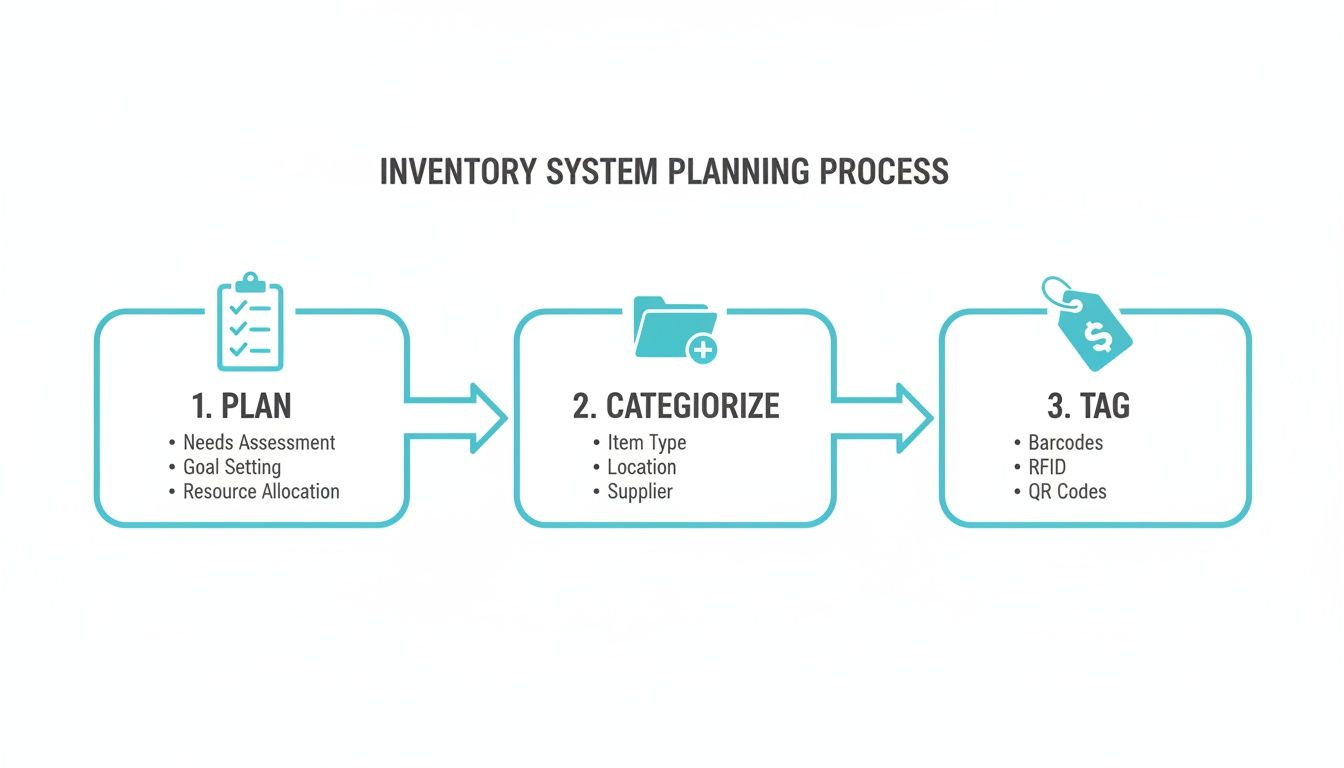
As you can see, a little upfront organization makes the whole tagging process a heck of a lot smoother.
Preparing Your Physical Tags
Once your codes are ready, it’s time to print. Don't just grab any old label paper; the type you choose can mean the difference between a system that lasts and one you have to redo next year.
- For Dry, Stable Environments: Standard adhesive label paper is perfectly fine for indoor closets, office storage, or pantry shelves where conditions are consistent.
- For Harsh Environments: For a damp basement, a dusty attic, or a garage with wild temperature swings, you absolutely need to invest in weatherproof or vinyl label stock. These labels resist moisture and won't peel or smudge, ensuring your QR codes stay scannable for years. The small extra cost here saves you the massive headache of reprinting and replacing damaged tags down the road.
With your labels printed, you can start the genuinely satisfying process of tagging your containers, shelves, and even large, standalone items like furniture or appliances. As you dig in, you might find some great inspiration from different shed organization strategies that can help you think through how to categorize everything even more effectively.
Here's a pro tip: Be consistent. Try to place tags in the same spot on similar containers, like always on the top-right corner of your plastic bins. This builds muscle memory, making future scanning and updates almost automatic.
Streamlining Your Item Cataloging
Tagging locations is only half the battle; now you have to actually add the items. This used to be a mind-numbingly tedious manual process, but modern tools have automated so much of it that it's no longer a huge chore.
Vorby has some smart features to really speed this up. For instance, you can use its image recognition to just snap a photo of an item, and the app will often identify it and add it right to your inventory. This is a game-changer for quickly cataloging the entire contents of a toolbox or a shelf of books.
Another incredibly powerful feature is email receipt parsing. Just connect your email, and Vorby can automatically scan new purchase receipts, pulling out item details and adding them to your inventory before the box even shows up at your door.
Let's walk through a real-world scenario: tackling your pantry.
- First, create a "Pantry" location in Vorby and print out its QR code.
- Stick that tag somewhere obvious, like the inside of the pantry door.
- As you put away groceries like cans or boxes, just scan their existing UPC barcodes with the app. Vorby automatically pulls in all the product information for you.
This simple workflow turns what could be a daunting project into a series of quick, easy scans. To see more on how this all connects, check out our deep-dive guide on creating a QR code inventory system.
Integrating Your System Into Daily Life
An inventory tag system is only as good as you use it. The real magic isn't in the initial setup marathon; it’s in the small, daily interactions that claw back your time and mental energy. Once you get it rolling, the system should feel less like a chore and more like a superpower for your home.
The goal is to make finding things completely second nature. No more retracing your steps or trying to remember where you last saw something. This is where Vorby's natural language search really shines. Just ask, "Where are my hiking boots?" and you get an instant answer without having to recall a specific item name or location code.
This kind of immediate access totally changes how you interact with your stuff. You no longer have to guess which of the ten identical black bins holds the camping gear. A quick question to the app points you straight to the right container on the garage's north shelf, turning a five-minute rummage into a five-second lookup.
Making Updates a Habit
A system's accuracy is its lifeblood. To keep it from going stale, you need dead-simple workflows for tracking changes. This just means building easy habits for when you move things, use up supplies, or bring something new into the house. The key is to make this process so fast it never feels like work.
For example, when you bring home new electronics, the habit should be to scan the receipt with Vorby and tag the item before it even finds a permanent home. This takes less than 60 seconds but saves you the inevitable headache of hunting for a warranty or serial number months later. It's a tiny investment of time upfront for a huge return down the road.
Here are a few practical habits to build:
- The One-In, One-Out Rule: When a new board game comes in, add it to the system. When you use up that last box of batteries, remove it. Simple.
- The Relocation Scan: If you move a box from the attic to the basement, take ten seconds to scan its new location tag. This keeps the digital map of your home perfectly in sync with reality.
- The Post-Shopping Update: After a big grocery or supply run, quickly scan the UPCs of bulk items as you put them away.
Your inventory system is a living document, not a static snapshot. A few seconds of maintenance each week is all it takes to keep it perfectly accurate and endlessly useful.
Managing a Shared Household
In a house with family or roommates, a shared inventory system is the ultimate peacemaker. It puts an end to the constant "where is the...?" questions. Vorby’s multi-user support is designed for this exact scenario, letting everyone tap into the same information without messing things up.
You can invite household members and set specific permissions. For instance, you might give your partner full admin access to add and edit items, while your roommate gets view-only access so they can find the shared toolkit without accidentally deleting something important.
This collaborative approach empowers everyone. A family member can find the extra printer paper without interrupting your Zoom call. A roommate can locate the spare lightbulbs on their own. This shared knowledge base reduces household friction and makes living together smoother. The system becomes the single source of truth for where things are, finally putting an end to the endless "Hey, have you seen..." interruptions.
Advanced Strategies for Collectors and Power Users
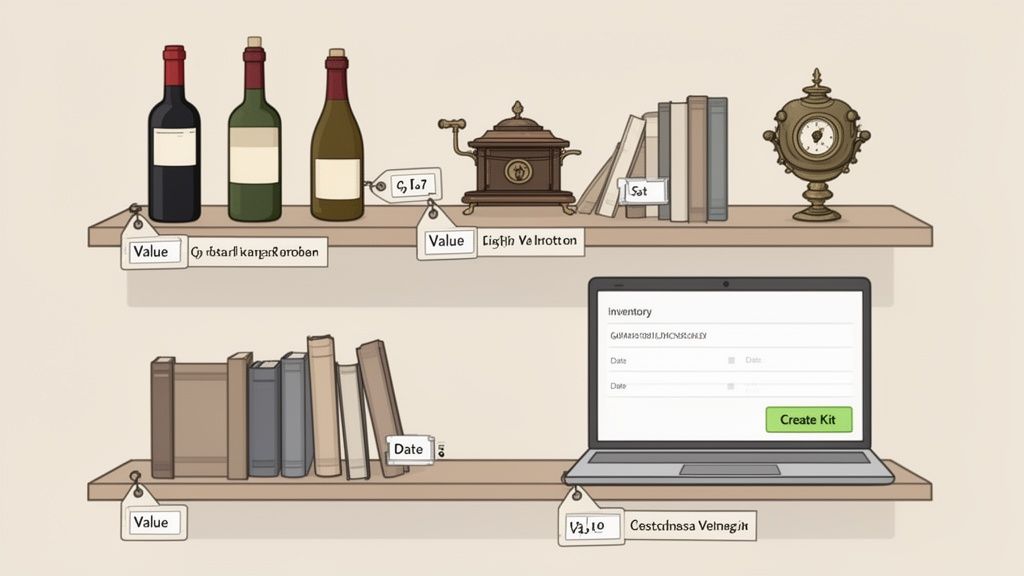
Once your basic inventory tag system is up and running, it's time to have some real fun. This is where you graduate from simply knowing where things are to creating a powerful personal database that tells the full story of your most valued possessions. For collectors and anyone who loves the details, this is where a tool like Vorby really comes alive.
If you're tracking collections (fine wine, first-edition books, antiques), you know that generic fields just don't capture what matters. This is where custom fields become your best friend. Instead of a tag that just says "Red Wine," you can create specific fields to track its vintage, purchase date, ideal drinking window, and even its current estimated value.
The same goes for a book collector. You can log the edition, its specific condition, and even a note about the story behind how you acquired it. This isn't just organization anymore; it's about preserving the history and value locked inside your collection.
Creating a Complete Digital Archive
Think bigger than just an item's location. A truly advanced system serves as a complete digital archive for each of your belongings. You can digitize and attach crucial documents directly to an item’s record, creating a single, secure home for everything related to it.
With a few quick scans or uploads, you can:
- Attach User Manuals: Stop digging through that one drawer for the crumpled manual for your camera. Just attach the PDF to the camera's entry in Vorby, and it's always one scan away.
- Store Warranties: Snap a photo of the warranty card for your new TV and link it directly to the item. You'll never miss a claim deadline again.
- Log Receipts: Connect digital receipts or upload scans of paper ones. This is a game-changer for insurance purposes, letting you prove ownership and purchase price in seconds.
By linking these documents, you’re building a comprehensive history that adds immense practical value. Your inventory transforms into a personal asset management command center.
Your inventory system can become the ultimate source of truth for everything you own, not just where it's located. The goal is to capture all relevant information associated with an item, making it more useful over time.
Grouping Items into Kits
Another brilliant strategy is to create "kits" or logical groupings for items that are always used together. It saves a ton of time. Instead of tagging every single cable, charger, and filter for your photography gear, you can create a "Camera Bag" kit. You tag the bag itself, and its inventory entry lists every single component inside.
This approach is perfect for things like:
- A "Camping Gear" tote
- An "Emergency Preparedness" kit
- A "Go-Bag" for travel
This kitting strategy streamlines your tagging process while keeping your inventory incredibly detailed. It mirrors the efficiency seen in commercial warehouses, where an inventory tag system can slash tracking errors by up to 80% compared to doing it by hand. As a hobbyist, you can achieve that same level of accuracy and control over your collections. You can find more insights into the growing market for these tags over at futuremarketinsights.com.
Keeping Your System Accurate and Up to Date
An inventory system is only as good as its last update. You've done the hard work of setting everything up, but the real payoff, the long-term, stress-reducing value, comes from keeping it current. A system you don't trust is a system you won't use, so building a few simple habits is the final, crucial piece of the puzzle.
The most common point of failure for any inventory tag system is something I call "inventory drift." It's that slow, sneaky separation between what your digital records say and what’s actually in your home. It happens every time something gets used up, moved, or tossed out without a quick update. The trick is to make maintenance a simple, low-effort part of your routine, not another huge project.
Establishing a Simple Audit Schedule
Look, nobody has time to do a full, house-wide inventory check every month. That's a recipe for burnout. A targeted, rotating approach is much smarter and keeps things manageable. Think of it as a series of small check-ins, not a massive annual chore.
Here’s a lightweight schedule that actually works:
- Quarterly Spot Checks: Once every three months, just pick one or two high-traffic areas. This could be your pantry, a tool chest, or the kids' craft cabinet. Take five minutes, scan the location tag, and visually confirm a few key items are where they should be.
- Annual Deep Dive: Once a year, maybe during spring cleaning, choose a bigger zone like the garage or the attic for a more thorough review. This is also the perfect time to look for any tags that have gotten damaged or peeled off.
This approach breaks a massive task into tiny, manageable pieces. You'll catch discrepancies before they become frustrating problems, keeping your system reliable without it feeling like a burden.
Handling Damaged or Lost Tags
Life happens. A tag on a storage bin gets ripped off during a move. A label in a damp basement peels away. This is inevitable, but fixing it shouldn't derail your entire system.
If a tag is lost or becomes unreadable, the fix is incredibly simple. Just open the Vorby app, generate a new QR code for that specific location or container, print it, and stick it on. Done.
Since all your item data is linked to the location in the app, not the physical tag itself, you lose absolutely no information. The new tag just reconnects the physical container to its existing digital record.
A well-designed system is resilient. Replacing a lost tag should take seconds, not require you to re-inventory an entire box.
Building Lasting Maintenance Habits
Long-term success here is all about small, repeatable actions. The goal is to build habits that prevent your inventory from becoming outdated in the first place.
For example, try creating a "landing zone" near your front door for new purchases. Before you put anything away, take 30 seconds to scan its receipt or UPC code into the system. It's a tiny action that becomes second nature.
Likewise, when you take an item out of storage to discard or donate it, make a quick scan to remove it from your inventory. These small habits, applied consistently, are what guarantee your inventory remains a reliable, single source of truth for years to come.
Got Questions? We’ve Got Answers.
Here are some of the most common questions we get about setting up and actually using a home inventory tag system. Let's tackle the practical stuff so you can get started without a hitch.
QR Codes vs. NFC Tags: What’s the Real Difference?
For home use, it boils down to two things: convenience and cost.
QR codes are your go-to for items you need to scan from a distance, think a storage bin on a high shelf in the garage. They're incredibly cheap (you can print them yourself for pennies) and any modern phone camera can read them. This makes them perfect for organizing a large number of items quickly.
NFC tags, on the other hand, are for close-range work. You have to tap your phone right on them. This makes them fantastic for discreet labels on valuable electronics or hidden inside a cabinet door where a visible QR code would just look clunky. They're more durable than paper QR codes, but they do cost a bit more.
For most people, starting with QR codes is the most practical and cost-effective route.
A simple rule of thumb: If you need to see the tag from a few feet away, use a QR code. If you need a durable or hidden tag for a quick tap, use an NFC tag.
How Much Time Does This Actually Take to Set Up?
Honestly, it depends on how ambitious you are. If you're tackling a small, contained area like your pantry or the cabinet under the sink, you could knock it out in an hour or two on a Saturday afternoon.
But if you’re aiming to catalog your entire house? That’s more of a weekend project. The key is to start small to avoid feeling overwhelmed. Pick one room, or even just one closet, and get a win under your belt.
Once you have the system in place, the day-to-day upkeep is practically zero. It takes just a few seconds to snap a photo of a new item, scan a tag, and know it’s logged forever. Plus, using tools like Vorby's image recognition or receipt parsing can seriously speed up that initial cataloging marathon.
Can I Share My Home Inventory with My Family?
Absolutely. Modern inventory systems are built for collaboration, which is a lifesaver for families or roommates trying to keep shared spaces organized.
With an app like Vorby, for example, you can invite multiple people to your inventory.
But here’s the best part: you can set different permission levels. This means you can give your partner full editing rights to add and move things, while maybe giving a houseguest view-only access so they can find the extra towels without accidentally deleting your entire linen closet inventory. It keeps everyone on the same page without risking accidental chaos.
Ready to stop searching and start finding? Take control of your home with Vorby. Our AI-powered system makes cataloging, organizing, and finding your belongings effortless. Start your free 14-day trial today!