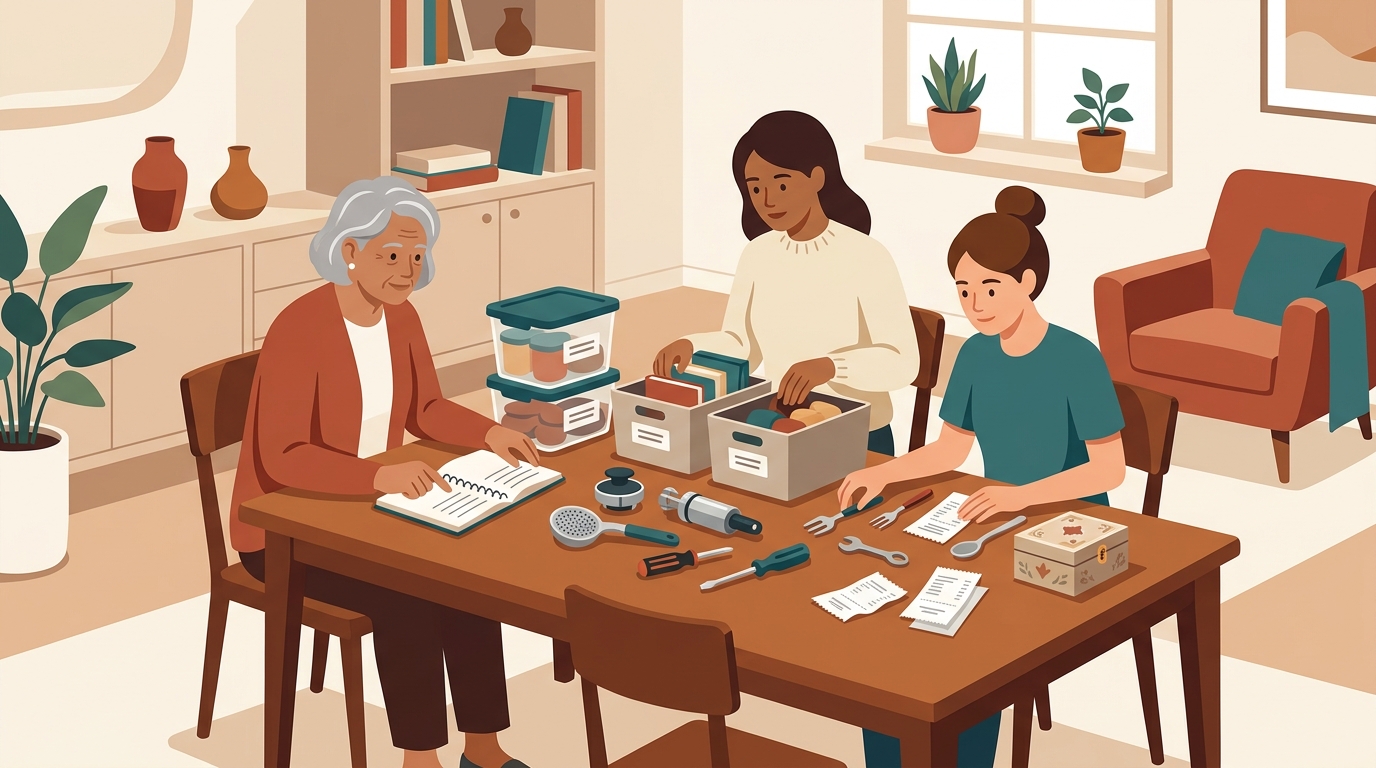
Notion vs inventory app is a fair debate for a tech-savvy household. Notion is flexible, familiar, and good at turning a messy idea into a database. A dedicated home inventory app like Vorby is narrower by design, with structure for belongings, photos, receipts, warranties, rooms, shared ownership, and insurance-ready records.
The question is not whether Notion can list your stuff. It can. The better question is whether your household will keep the system current six months after the first satisfying weekend of database building. Home inventory fails less often because people lack columns, and more often because the system asks too much from everyone who has to use it.
That matters because homes are getting more operationally complex. The U.S. Census Bureau reported that about two-thirds of U.S. households were family households in 2020, while one-person households grew from 25% in 1990 to 28% in 2020. Pew Research Center found that 35% of workers who can work from home do so all the time, while 41% work hybrid schedules. More work gear, shared devices, hobby equipment, kids' electronics, renters' belongings, and inherited items now live under the same roof. A household inventory tool has to handle that reality without becoming another hobby.
The real question: database flexibility or household reliability?
Notion and Vorby sit on different sides of the same problem. Notion gives you a blank workspace that can become almost anything. Vorby gives you a home inventory system that already knows what household objects need.
Notion is a flexible workspace
Notion works well when one organized person wants to design a custom operating system. You can create a database for items, add properties for room and owner, attach photos, relate purchases to receipts, and build filtered views for insurance, moving, or decluttering. If your household already uses Notion for projects, travel plans, recipes, or home maintenance, a household inventory database can feel like a natural extension.
That flexibility is also the catch. Every useful field has to be chosen, named, explained, and maintained. One person may understand why a select field says "shared," "mine," "theirs," and "kids," while everyone else sees a spreadsheet with nicer fonts. Notion can be excellent for the household technologist, then strangely fragile for the rest of the household.
Vorby is a purpose-built inventory system
Vorby starts from the item. Instead of asking you to design the inventory model first, it focuses on what people usually need to know later: what is this, where is it, who owns it, what did it cost, when did we buy it, where is the receipt, what warranty applies, and what photo proves condition or existence?
That distinction matters during stressful moments. If you are preparing an insurance claim, getting ready for a move, splitting shared purchases, or trying to remember which box has the spare router, you do not want to debug a personal productivity system. You want the record.
The best tool is the one your household will keep using
A clean Notion template can look unbeatable on day one. The real test is day ninety, when someone buys a monitor, a humidifier, or a small appliance and needs to add it quickly. If the process requires choosing from ten custom fields and remembering where receipts go, the record will be skipped. If the app asks for the natural facts of ownership and storage, the record is more likely to survive ordinary life.
A household inventory is not a database beauty contest. It is a memory system for the day your home, your move, or your insurance claim gets messy.
Where Notion works well for home inventory
Notion is popular for good reasons. It is approachable, visual, extensible, and satisfying for people who like to design their own systems. For some households, especially small households with one primary organizer, it can absolutely be enough.
Custom views for different household jobs
Notion's biggest strength is the ability to build views around context. You can show electronics by room, sort furniture by purchase date, filter shared items, or create a moving checklist connected to item records. A renter could make a gallery of valuables. A homeowner could create a table for appliances. A couple merging homes could compare duplicates before deciding what to donate or sell.
This is where Notion feels powerful. It lets a household model its own logic. A person who loves databases can create tags for "keep," "sell," "repair," "insured," "needs receipt," and "packed." Those views can be useful during major transitions, especially if the household is already comfortable working inside Notion.
Good enough for lightweight, low-stakes lists
Notion can also be plenty for a basic list of belongings. If you only want a rough catalog of camping gear, a simple pantry overflow list, or a room-by-room moving checklist, a Notion database may be faster than choosing a dedicated app. The tool is flexible enough to capture categories that do not fit neatly into a standard inventory workflow.
For households that enjoy spreadsheets and shared docs, Notion can become a shared reference without much ceremony. It is especially useful for planning, because you can keep notes, decisions, photos, tasks, and links in one place.
Strong for project management around the inventory
Notion shines around the work of inventorying. You can create a weekend plan, assign rooms, track progress, document decisions, and write notes about what to repair or replace. That makes it a good companion for projects like moving, downsizing, estate sorting, or merging homes. If you are planning a larger reorganization, our guide to multigenerational household inventory shows how quickly ownership and location questions can multiply when more people and more histories share one home.
In short, Notion is strongest when the inventory is part of a broader planning project. It is weakest when the inventory needs to become a durable household record that different people update casually over time.
Where Notion starts to strain
The limitations show up when the inventory becomes more than a list. A real home inventory needs evidence, ownership clarity, fast updates, and a structure that keeps working when the motivated organizer is busy.
Photos, receipts, and proof become inconsistent
The Insurance Information Institute recommends creating a home inventory with photos or video, key details, and supporting documents such as receipts. Notion can store those materials, but it does not enforce a consistent pattern. One item may have a photo attached, another may link to a cloud folder, another may mention a receipt in a comment, and another may have nothing but a name.
That inconsistency is manageable for hobby tracking. It is painful for insurance, taxes, warranties, and resale. Electronics are the clearest example. Serial numbers, model numbers, purchase dates, receipts, and condition photos are easy to skip in a flexible database. Our guide to documenting electronics for insurance goes deeper on why those details matter when a laptop, camera, TV, or gaming console needs to be claimed or replaced.
Shared households need clear ownership, not clever tags
Shared homes create inventory ambiguity. A couch may belong to one roommate, a blender may be shared, a speaker may belong to a partner, and a set of kitchen knives may have been inherited by someone who rarely cooks. Notion can represent all of that with tags and relations, but the system depends on every person understanding the model.
The problem is not technical. It is social. If a roommate or spouse avoids updating the database because it feels like someone else's productivity setup, the household record starts drifting. The list still exists, but it no longer reflects reality.
Maintenance turns into admin work
The first pass through a home inventory is energizing. Maintenance is quieter. New items arrive through online orders, gifts, warranty replacements, hand-me-downs, marketplace purchases, and impulse buys. Old items leave through donation, recycling, repair, storage, or resale. A flexible database can track all of that, but it rarely nudges the household into consistent capture.
Pew's remote work findings help explain why this matters. When home doubles as office, classroom, studio, gym, and entertainment center, possessions spread across use cases. A desk monitor may be a work asset, a personal purchase, a tax-relevant item for a freelancer, and an insured electronic. A generic database can hold those labels, but a dedicated inventory app makes them part of the flow.
What Vorby changes for household inventory
Vorby is built for households that want the benefits of inventory without turning the inventory itself into a software project. Its value is not that it has more possible fields than Notion. Its value is that it asks for the right information in the right context.
Items, rooms, receipts, and warranties are first-class concepts
In Vorby, household inventory does not start as an empty table. Items belong somewhere. They may have photos, receipts, purchase details, warranty information, notes, and ownership context. That structure keeps the record useful after the initial setup, because each item has a predictable place for the details people need later.
This is especially important for appliances, electronics, tools, hobby gear, medical devices, furniture, and anything that could affect insurance, taxes, resale, or household coordination. A Notion record can be made to do this, but Vorby treats it as the default use case.
Evidence stays attached to the thing it proves
A useful inventory record connects the object to its proof. A photo without an item name is just a photo. A receipt without a location or description is a future search problem. A warranty email without the actual product details is half a record. Vorby keeps those pieces organized around the item, which makes the inventory more reliable when you need it quickly.
This is the same reason a photo-only system eventually hits limits. Photos are easy to capture, but they are hard to search and maintain unless they become structured records. If you are weighing that tradeoff, the comparison of photo inventory versus app inventory for home explains when images are enough and when structure starts paying off.
Shared use cases are easier to explain
Vorby is not trying to be a household wiki, a project tracker, a notes app, and a database builder at the same time. That makes it easier to explain to another person. Add the item, attach the receipt or photo, put it in the right room, and keep ownership clear. The path is shorter.
For tech-savvy households, that simplicity can feel less exciting than a custom Notion dashboard. It is also exactly what makes the system more durable. A household tool has to work for the person who cares the most and for the person who just wants to add the air purifier before they forget.
Side-by-side: when to use Notion and when to use Vorby
The honest comparison is not "Notion bad, dedicated app good." It is about the job. Notion wins when flexibility is the goal. Vorby wins when household inventory reliability is the goal.
Choose Notion when the inventory is part of a broader workspace
- You already run your household in Notion: adding another database may be easier than introducing a new app.
- You want a planning layer: moving tasks, donation decisions, renovation notes, and room-by-room checklists fit well in Notion.
- Your inventory is lightweight: a small apartment, minimal valuables, or a temporary project may not need a dedicated system.
- One person owns the process: if the same person creates and maintains every record, a custom database can stay coherent.
Choose Vorby when the inventory needs to be a household record
- You need photos, receipts, and warranty details: proof should be connected to the item, not scattered across pages and drives.
- More than one person needs to use it: families, couples, roommates, and multigenerational homes benefit from a simpler shared flow.
- You care about insurance readiness: the Insurance Information Institute's guidance points toward consistent documentation, not just a rough list.
- You own many durable goods: electronics, appliances, furniture, tools, and kids' gear become easier to manage when each item has a stable record.
Use both when each tool has a clear job
Some households should use both. Notion can manage the project, while Vorby stores the final inventory. For example, use Notion to plan a move, assign rooms, track packing progress, and list decisions. Use Vorby for the actual possessions, photos, receipts, warranties, and ownership records.
That split keeps each tool honest. Notion stays the flexible workspace. Vorby becomes the durable source of truth. If you are moving into a shared place, the roommate move-in inventory checklist is a useful companion because it separates the practical questions of arrival from the long-term record of what belongs to whom.
How tech-savvy households should make the decision
Tech-savvy households are especially vulnerable to overbuilding. The person who enjoys system design can create a beautiful Notion setup that solves every edge case, then accidentally makes the routine case too hard. A good decision starts with behavior, not features.
Audit the update path, not the template
Before choosing, imagine the next five real updates: a new laptop, a replacement vacuum, a gifted bike, a marketplace chair, and a broken appliance that gets hauled away. How many taps, fields, uploads, and decisions does each update require? Who will do it? What happens if they are tired?
If the answer is "I will clean it up later," the system is already leaking. Notion can work if the household has a consistent admin rhythm. Vorby is better when the update needs to happen at the point of ownership, with less design overhead.
Match the tool to the risk level
Not every item deserves the same documentation. A $12 mixing bowl and a $2,400 laptop do not need equal treatment. The higher the replacement cost, insurance relevance, tax relevance, warranty value, or ownership ambiguity, the more a dedicated inventory record makes sense.
NAR's Profile of Home Buyers and Sellers highlights a housing market where limited inventory and affordability pressure make moving and home transitions more complicated. In that environment, households benefit from knowing what they own before they pack, insure, sell, donate, store, or replace it. Inventory is not just a disaster-prep exercise. It is a practical way to make household transitions less chaotic.
Look for the friction your household actually has
If your friction is planning, Notion may be the better first stop. If your friction is proof, ownership, room location, receipts, warranties, and keeping records current, Vorby is the better fit. If your friction is shared use, favor the tool that the least technical person in the household will still use correctly.
Shared kitchens make this concrete. A database can say who owns the stand mixer, pressure cooker, espresso grinder, and food processor, but the record only matters if it is simple enough to maintain after a busy grocery run or roommate turnover. The guide to inventorying shared kitchen gadgets shows how even ordinary items can become confusing when cost, storage, ownership, and replacement responsibility overlap.
A practical migration path from Notion to Vorby
If you already have a Notion inventory, you do not need to throw it away. Use it as a starting map. The goal is to move the records that need durable household documentation into Vorby, then let Notion keep the planning and notes that belong in a flexible workspace.
Start with high-value and high-confusion categories
Do not migrate every object first. Start with electronics, appliances, tools, furniture, bikes, hobby equipment, medical devices, and shared purchases. These are the categories where receipts, warranty details, serial numbers, ownership, and photos are most likely to matter later.
For each item, capture the essentials: name, room, owner, purchase date if known, approximate value, receipt, warranty details, and at least one clear photo. If the item has a serial number or model number, add it while the item is in front of you. That small habit prevents the classic future scramble behind a mounted TV or under a desk.
Use Notion to track gaps, not duplicate records
Once an item has a proper Vorby record, avoid maintaining a second version in Notion. Duplicated systems drift. Instead, use Notion for a temporary migration checklist: rooms to inventory, receipts to find, boxes to open, photos to retake, and items to sell or donate.
This division keeps the household from arguing with its own tools. Notion answers "what are we working on?" Vorby answers "what do we own?" That difference is simple enough for everyone to understand.
Review quarterly, not constantly
A home inventory should not demand daily attention. A quarterly review is usually enough for most households. Walk through rooms, add missing purchases, archive items that left the home, and check whether receipts or warranties need updating. Before a move, insurance renewal, renovation, or major purchase season, do a deeper pass.
The best system is quiet most of the time, then extremely useful when life gets complicated. That is where a dedicated inventory app earns its place. It does not compete with Notion as a general workspace. It takes one high-value household job and makes it easier to complete well.
FAQ: Notion vs. a dedicated home inventory app
Can I use Notion as a home inventory app?
Yes. Notion can work well for a lightweight household inventory, especially if one organized person maintains it and the household already uses Notion.
What does Vorby do that Notion does not?
Vorby is purpose-built for home inventory, so item records, photos, receipts, warranties, rooms, and ownership fit the workflow from the start. Notion can be customized to approximate that, but you have to design and maintain the system yourself.
Is Notion enough for insurance documentation?
It can be, if your records are consistent and include photos, receipts, serial numbers, and values. A dedicated inventory app makes that consistency easier because proof stays attached to the item record.
Should roommates use Notion or Vorby?
Use Notion for roommate planning, chores, move-in tasks, and shared notes. Use Vorby when the household needs a clear record of shared items, individual ownership, receipts, and replacement responsibility.
Can I move a Notion inventory into Vorby?
Yes. Start with high-value categories such as electronics, appliances, furniture, tools, bikes, and shared purchases, then use Notion as a migration checklist instead of a duplicate inventory.
Household inventory works best when it is clear, shared, and easy to maintain. Vorby gives tech-savvy households a dedicated place to keep ownership, proof, and location organized. Build the record once, then keep your home easier to manage.