NFC tags are little stickers you tap with your phone. They are great for spots you visit often: the hall closet, the pantry, the bin under the bed. No camera needed, just a tap and Vorby opens to what is inside.
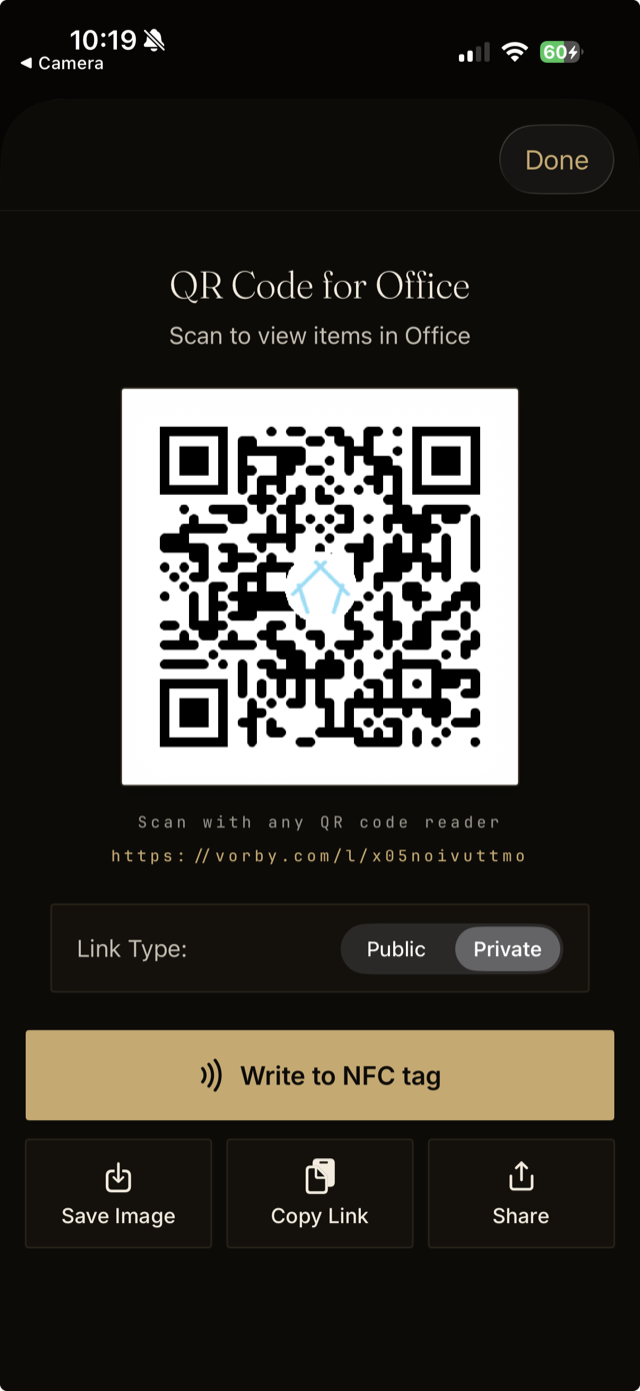
Writing NFC tags is done from the iPhone app. Every room, location, item, and label shares the same QR Code and NFC Tag screen, so a tag can point at any of them. A tag on a label opens the full list of items carrying that label, which is handy for a Camping bin or a Donate box that pulls from all over the house.
What you need
- An iPhone with the Vorby app (writing tags is not available on the web).
- Blank NFC stickers. NTAG213, NTAG215, or NTAG216 all work well and are inexpensive online.
Open the QR Code and NFC Tag screen
- Open the room, location, item, or label you want the tag to point at.
- Tap the menu button in the top corner to open its options.
- Choose QR Code & NFC Tag.
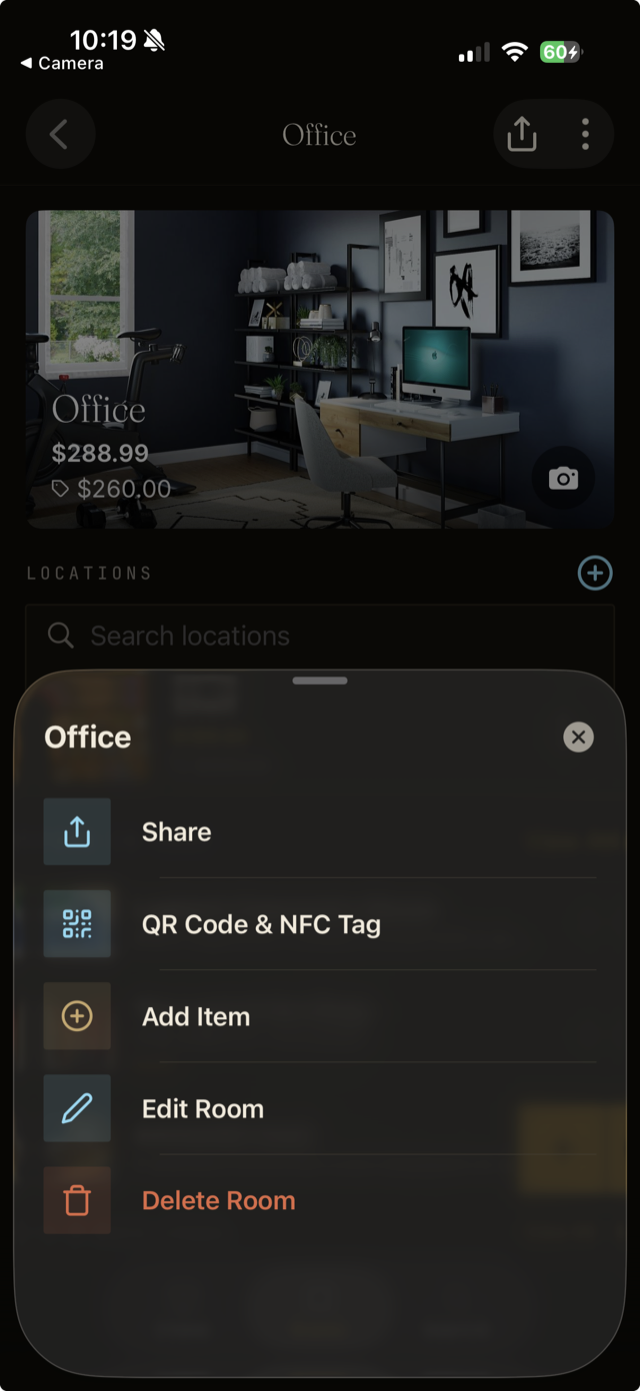
Write the tag
- Choose the link type. Public opens for anyone; Private only opens for household members who are signed in.
- Tap Write to NFC tag.
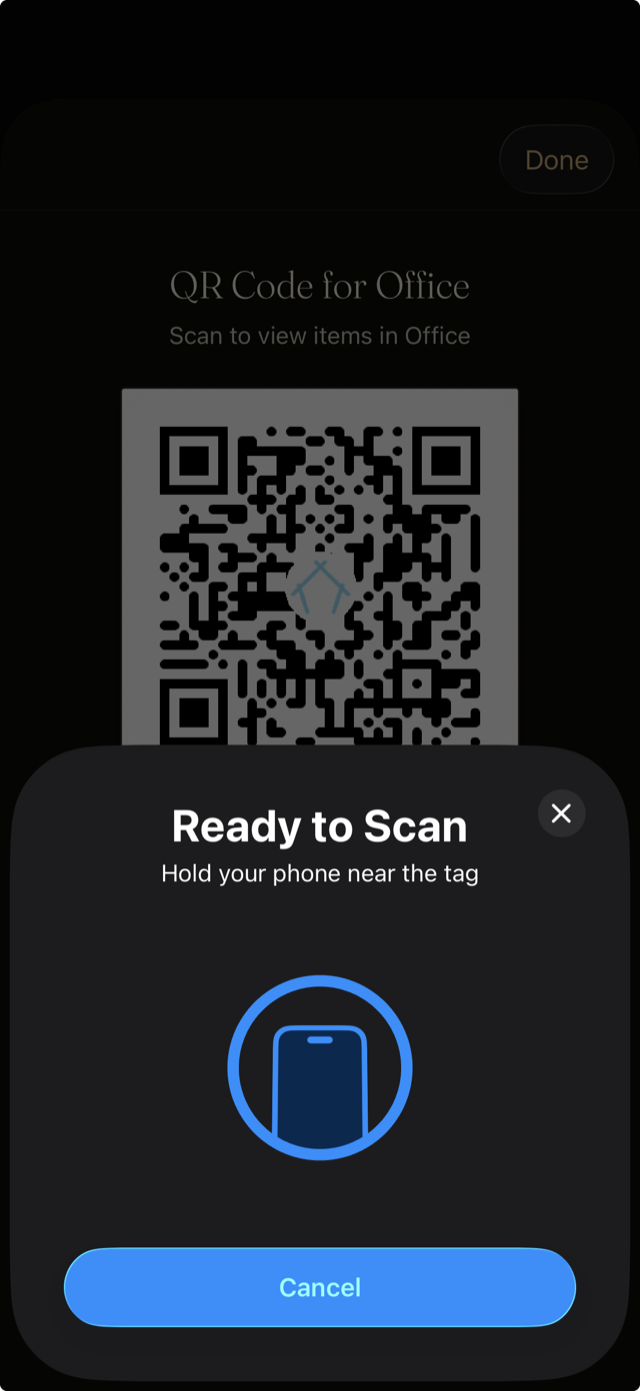
- When Ready to Scan appears, hold the sticker against the top back of your iPhone until it confirms.
- Peel the sticker and place it on the bin, drawer, shelf, or door.
Use a tag
Wake your iPhone and hold the top of it near the sticker. No app needs to be open. A banner appears; tap it and Vorby opens straight to that room, location, item, or label. Most newer iPhones can also read tags without unlocking first.