Vorby can estimate what an item is worth today by looking at its photo. This is separate from the price you paid: prices are historical, estimates are a best guess at current resale or replacement value. Useful for insurance, downsizing, or just curiosity.
Generate an estimate
- Open an item that has at least one photo.
- Find the Estimated value row in the details.
- Tap Generate estimate. Vorby re-analyzes the photo and writes the value back to the item.
- The number appears within a few seconds, along with a short reason you can see by tapping the info icon next to it.
Confidence and the reason
Each estimate comes with a confidence level. When the AI is unsure, the value is marked as low confidence so you know to take it with a grain of salt. Tap the info icon next to the value to see why Vorby landed on that number.
Totals roll up automatically
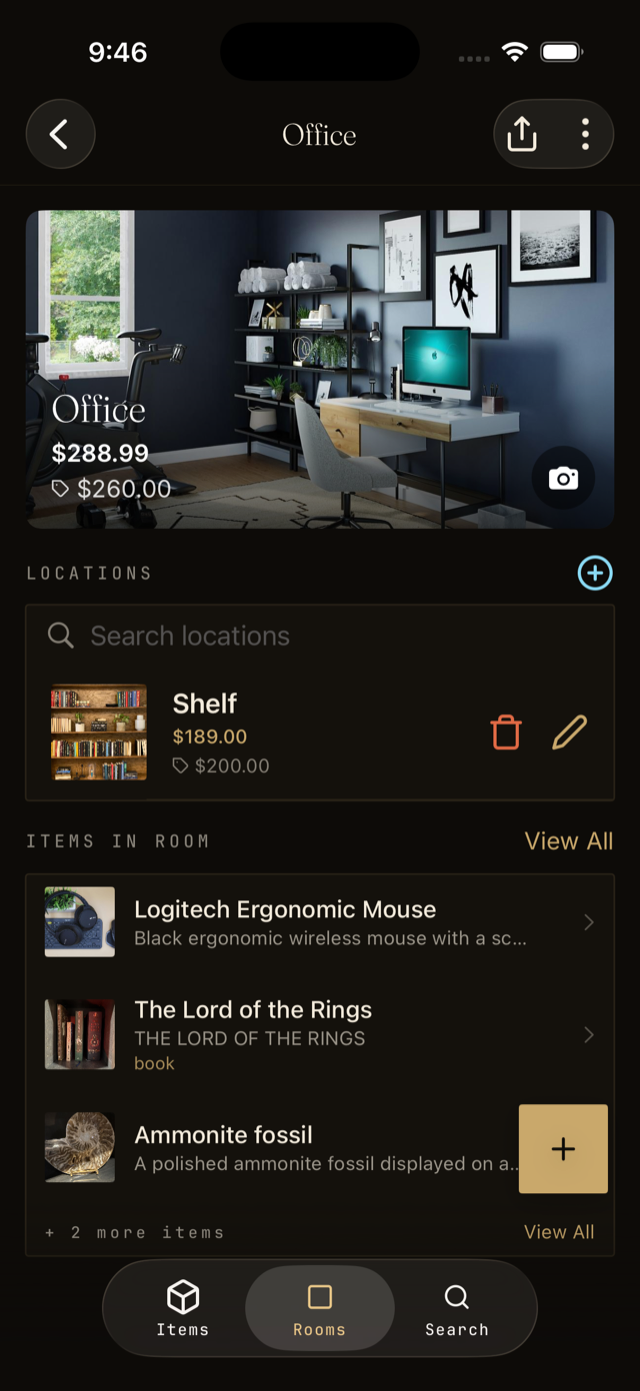
- Each room shows a total estimated value across its items.
- Each location does too, so you can see what is in a single bin or shelf.
- Your house page shows the total estimated value for everything you have catalogued.
Clear or refresh an estimate
If a number looks wrong, hover the value and tap the small x to clear it. Then tap Generate estimate again to try once more, ideally with a clearer photo of the actual item rather than a stock image.